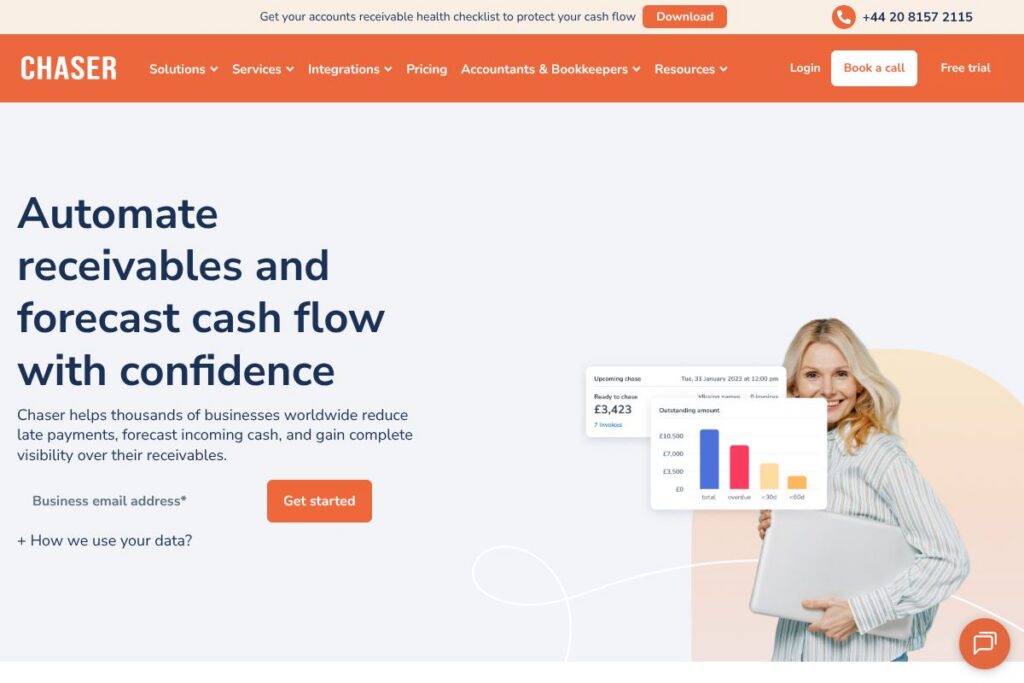

Chaser: An Overview
Chaser is accounts receivable automation software designed to reduce late payments, shorten days sales outstanding, and give finance teams clear visibility over incoming cash. The platform automates invoice reminders, supports credit checks, and provides cash flow forecasting so teams can prioritize collections with less manual work. Learn more from the Chaser homepage.
Chaser sits in the AR automation category alongside several established tools. Compared with Bill.com, which focuses on both payables and receivables with payment routing baked in, Chaser emphasizes proactive chasing and cash forecasting. Against QuickBooks or Xero, which are accounting systems with AR features, Chaser provides deeper automation specifically for chasing unpaid invoices and integrating that activity back into your accounting system. Compared with enterprise platforms like HighRadius, Chaser targets small to mid-market teams that need straightforward automation without heavy implementation overhead.
All of this makes Chaser particularly strong for finance teams that need to reduce manual chasing, speed up collections, and improve short-term cash planning. It works well for businesses that already use an accounting package but want a dedicated layer for automated reminders, customer-friendly follow ups, and receivables reporting.
How Chaser Works
Chaser connects to your accounting system and imports outstanding invoices, customer contacts, and payment history so it can run automated chasing workflows without duplicate data entry. Once connected, you can design sequences of friendly, professional reminders and escalation messages that send automatically based on invoice age, outstanding balance, or customer segment.
Teams monitor progress through a receivables dashboard that shows open items, cash forecast projections, and the status of each chase. Practical workflows include scheduling automated email sequences for 30/60/90-day invoices, pausing chases when disputes are opened in the accounting system, and handing off delinquent accounts to collections or recovery with clear audit trails.
What does Chaser do?
Chaser is organized around automating the end-to-end accounts receivable chase process while adding forecasting and credit screening to reduce future risk. Core capabilities include automated reminders, two-way syncing with accounting systems, cash flow forecasting, credit checks, and reporting tools that make prioritizing collections straightforward. The platform often emphasizes humanized messaging so teams maintain customer relationships while pursuing overdue payments.
Cash flow forecasting
Chaser aggregates outstanding invoices and payment patterns to project short-term cash inflows, enabling finance teams to plan working capital and make informed payment decisions. Forecasts can be filtered by customer, aging bucket, or due date to help prioritize outreach and short-term borrowing decisions.
Automated chasing sequences
You can create multi-step email sequences that send on predefined schedules, apply different tones depending on invoice age, and pause or adjust automatically when payments arrive or disputes are logged. This removes repetitive manual follow ups and keeps communication consistent across the customer base.
Credit checks
Chaser offers credit checking tools to screen new and existing customers, helping you set appropriate payment terms and reduce exposure to high-risk accounts. Integrating checks into onboarding workflows means you can condition credit terms on an automated risk assessment.
Receivables tracking and dashboards
A unified dashboard displays open invoices, debtor aging, collector activity, and cash forecast metrics so teams can quickly spot problem accounts and measure the impact of chasing activity. Custom filters and export options support month-end reporting and finance reviews.
Two-way accounting sync
Chaser syncs with accounting systems so that payment receipts, customer notes, and dispute flags update across both platforms, reducing reconciliation work and preventing duplicate follow ups. Two-way sync keeps chasing status aligned with the ledger without manual imports.
Payment collection and recovery workflows
The platform supports links to payment options and sequences that hand off chronic late payers to recovery processes while logging all activity for auditability. Automated thank-you messages after payment help preserve customer relationships and close the loop on collections.
With these features, Chaser helps finance teams reduce manual effort, recover overdue balances faster, and plan cash flow with greater certainty.
Chaser pricing
Chaser uses a subscription SaaS model with pricing that is tailored to business size and requirements rather than a single public price list. For specific plan tiers, seat counts, or enterprise arrangements, view the current pricing options on the Chaser homepage or contact their sales team for a custom quote.
What is Chaser Used For?
Chaser is used to automate invoice follow ups and reduce days sales outstanding by replacing manual email and spreadsheet-based chasing with scheduled, personalized sequences. Finance and credit control teams use it to recover overdue invoices faster while keeping communications professional and trackable.
It is also used for short-term cash flow forecasting and customer risk management through integrated credit checks and reporting. Customer success teams and accounts managers benefit from saved time and clearer visibility into which accounts need attention.
Pros and cons of Chaser
Pros
- Automated chasing workflow: Replaces repetitive email reminders with configurable sequences, freeing up finance time for higher-value tasks. This improves consistency and reduces the chance of missed follow ups.
- Cash flow visibility: Forecasting tools aggregate receivables to provide a clear view of expected inflows, which helps with planning and liquidity management. Filters allow teams to focus on high-value or high-risk accounts.
- Two-way accounting sync: Integration with accounting systems reduces manual reconciliation and ensures chasing activity and payments remain in sync. This cuts down on errors and duplicate communication.
- Humanized messaging: Built-in templates and personalization features preserve customer relationships while maintaining pressure on overdue accounts. Automated thank-you messages after payment help reinforce positive interactions.
Cons
- Integration setup can require coordination: Depending on your accounting system and internal IT policies, initial connectivity and mapping may take time and require support. Larger ERP environments may need custom work for two-way sync.
- Less suited for combined AP/AP workflows: If your business seeks a single platform that tightly integrates both payables and receivables automation, tools focused on both sides of the ledger may offer more consolidated payment processing features.
- Advanced enterprise features vary by plan: High-volume enterprise controls, custom SLAs, or specialized recovery modules may only be available in higher tiers and could require a sales engagement.
Does Chaser Offer a Free Trial?
Chaser offers a free trial so new users can test receivables automation, chasing sequences, and cash flow forecasting before committing. You can start a trial or explore demo options from the trial signup and demo area to evaluate how it fits your workflows.
Chaser API and Integrations
Chaser provides two-way integrations with common accounting systems so invoices, payments, and customer data keep in sync; this reduces manual data entry and prevents duplicate chasing. Explore the list of supported systems on the Chaser integrations page.
For developer teams, Chaser exposes API endpoints to automate workflows and build custom integrations; the API documentation and developer resources outline authentication, endpoints, and common use cases for syncing invoice and contact data.
10 Chaser alternatives
Paid alternatives to Chaser
- Bill.com — Automates both payables and receivables workflows with payment routing, approval flows, and integrations into leading accounting systems.
- HighRadius — Enterprise-grade receivables automation with cash application, dispute management, and AI-driven credit and collection capabilities.
- Sage Intacct — Cloud financial management with AR automation features built into a broader ERP-focused accounting platform.
- QuickBooks — Widely used accounting software that offers basic AR tools and invoice reminders for small businesses, often paired with add-ons for advanced automation.
- Xero — Cloud accounting with invoice management and reminder features, suitable for small to mid-sized businesses that want integrated bookkeeping and AR workflows.
- FreshBooks — Invoicing-first accounting software that includes late payment reminders and lightweight AR tracking aimed at freelancers and small firms.
- Zuora — Subscription billing and revenue operations platform with advanced invoicing and collections features for recurring revenue businesses.
Open source alternatives to Chaser
- ERPNext — Open source ERP with invoicing, customer statements, and extensible automation that can be configured to support AR chasing workflows.
- Odoo (Community) — Modular open source ERP where the invoicing and accounting modules can be extended to manage reminders and receivables processes.
- Dolibarr — Open source ERP/CRM with invoice and payment tracking that can be adapted for basic AR management.
- Tryton — Open source business application platform that includes invoicing and accounting modules suitable for custom AR solutions.
- Apache OFBiz — A comprehensive open source framework that can be customized to build AR automation and collections workflows.
Frequently asked questions about Chaser
What does Chaser do for accounts receivable?
Chaser automates invoice reminders and collections workflows. It schedules and sends personalized chasing sequences, syncs with accounting systems, and provides receivables dashboards and cash flow forecasting.
Does Chaser integrate with QuickBooks and Xero?
Yes, Chaser integrates with major accounting systems. Integration pages list supported platforms and explain two-way sync for invoices, payments, and customer records on the Chaser integrations page.
How much does Chaser cost per month?
Chaser offers flexible subscription pricing tailored to business needs. For specific plan details and quotes, check the current pricing options or contact sales for a custom estimate.
Can Chaser help reduce DSO for my business?
Yes, Chaser is built to reduce days sales outstanding. By automating reminders, prioritizing high-risk accounts, and providing clear chase workflows, teams often collect invoices sooner and reduce manual workload.
Is there a way to try Chaser before buying?
Yes, Chaser provides a free trial. You can start a trial and test receivables automation, forecasting, and integrations through the trial signup.
Final verdict: Chaser
Chaser excels at automating the repetitive parts of accounts receivable management, from scheduled reminders to cash flow forecasting and credit screening, which helps finance teams recover cash faster and spend less time on manual follow ups. Its two-way accounting sync and humanized messaging make it practical for businesses that need reliable collections without damaging customer relationships.
Compared with Bill.com, which blends payables and receivables with payment facilitation, Chaser is more focused on proactive AR chasing and forecasting; organizations that need a specialist receivables layer often find Chaser delivers faster reductions in DSO while keeping accounting data synchronized. For pricing, Chaser uses tailored subscription plans aimed at different business sizes, so evaluate both platforms against your requirements and request quotes via the Chaser homepage.
Overall, Chaser is a strong option for small to mid-sized finance teams and credit controllers who want targeted AR automation, clearer cash visibility, and fewer hours spent on chasing invoices.