
Salesforce at a Glance
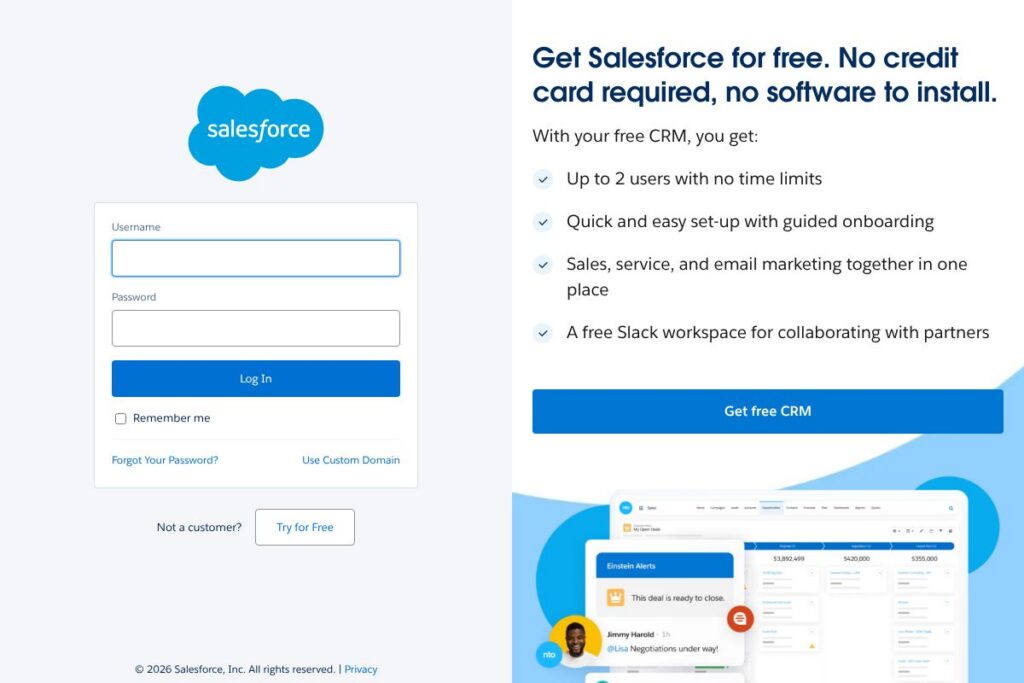
Salesforce is a cloud-based customer relationship management platform that centralizes sales, service, marketing, and analytics in a single platform. It stores customer records, tracks leads and opportunities, automates quoting and workflows, and provides dashboards that help teams measure pipeline and customer health. Explore the Salesforce login portal to access customer accounts and administration tools.
Compared with specific competitors, Salesforce emphasizes a broad ecosystem and extensibility. Microsoft Dynamics 365 ties CRM to wider Microsoft 365 and Azure services, which can be preferable for organizations standardized on Microsoft technology. HubSpot offers a simpler entry point with a strong free CRM and integrated marketing tools, making it a common choice for smaller sales and marketing teams. SAP Customer Experience focuses on complex enterprise processes and deep ERP integration, which suits large companies with heavy back-office requirements.
All of this makes Salesforce particularly strong for organizations that need deep customization, a large partner ecosystem, and robust APIs for integrations. It works well for mid-market and enterprise teams that require comprehensive customer data models, automated sales processes, and centralized reporting across customer touchpoints.
How Salesforce Helps Sales and Service Teams
Salesforce organizes customer interactions around records called Leads, Contacts, Accounts, and Opportunities. Sales teams use Opportunities to track stages of a deal, forecast revenue, and automate reminders; service teams use Cases to manage support tickets and escalation rules. Administrators configure fields, automation rules, and page layouts in the web interface without changing underlying code for many common scenarios.
Teams typically implement Salesforce by mapping existing CRM processes to standard objects, importing historical data, and creating dashboards for sales and support KPIs. Integrations with email, telephony, and marketing automation allow teams to capture activity automatically and maintain a single source of truth for customer history. The platform supports role-based access and permission sets to control who sees which customer data in production.
What does Salesforce do?
The platform bundles core CRM functions with specialized clouds and tooling for sales automation, customer service, marketing, commerce, and analytics. Core capabilities include lead and opportunity management, case management, account hierarchies, reporting, and a low-code platform for building custom apps. Salesforce also maintains an ecosystem of partner apps on its marketplace for added vertical or functional capabilities.
Let’s talk Salesforce’s Features
Centralized CRM
Salesforce stores customer data in a unified model that links accounts, contacts, leads, opportunities, and cases. That single model simplifies reporting across departments, reduces duplicate records with merge tools, and provides sales and service teams with consistent, up-to-date customer context.
Sales Automation and Forecasting
Sales processes are modeled with stages, validation rules, and automated tasks to move deals forward and enforce playbooks. Built-in forecasting and quota management help sales leaders predict revenue and measure rep performance across territories.
Service Cloud and Case Management
Case management routes support requests, applies SLA rules, and provides queues and macros to streamline agent responses. Omnichannel routing and knowledge base integration help reduce resolution times and maintain consistent service quality.
Marketing and Pardot Integration
Marketing automation tools connect campaigns, lead scoring, and lifecycle management to the sales pipeline. Integration with Pardot and Marketing Cloud enables multichannel campaign automation and attribution reporting tied to closed deals.
AppExchange and Ecosystem
The AppExchange marketplace hosts thousands of third-party apps, templates, and connectors for common integrations like telephony, ERP, and e-commerce platforms. Partners provide prebuilt extensions that shorten implementation time for industry-specific needs.
Developer Platform and Automation (Flow)
A low-code platform with declarative automation (Flow), Apex code support, and Lightning components enables extensions and bespoke applications. Developers can build custom objects, APIs, and UI components while admins automate tasks using point-and-click tools.
With these features, Salesforce acts as both an operational CRM and a platform for custom apps, enabling teams to centralize customer data, standardize processes, and extend capabilities through partner solutions.
Salesforce pricing
Salesforce uses an enterprise subscription model with custom plan options tailored to product mix, number of seats, and deployment needs. Pricing varies by cloud (Sales Cloud, Service Cloud, Marketing Cloud, and others), and enterprise agreements often include volume discounts, implementation services, and support tiers. For current, plan-specific pricing and licensing options, visit Salesforce’s website for up-to-date information and sales contact channels.
What is Salesforce Used For?
Salesforce is commonly used to manage sales pipelines from lead capture through deal close, centralize customer support processes, and coordinate marketing campaigns tied to revenue outcomes. Sales teams use it for opportunity tracking and forecasting, while service teams use it to manage cases, SLAs, and customer self-service knowledge bases.
Beyond core CRM, Salesforce is used to build internal apps for custom workflows, automate approval and quoting processes, and integrate customer data with billing and ERP systems. Organizations adopt it when they need a single platform to collect customer activity across channels and produce consolidated analytics for leadership.
Pros and Cons of Salesforce
Pros
- Extensive ecosystem: Thousands of AppExchange partners and prebuilt connectors make it easier to add industry-specific functionality without heavy custom coding.
- Highly customizable: Admins and developers can tailor objects, processes, and UIs to match complex sales and service workflows across departments.
- Robust APIs and automation: A wide set of developer APIs plus low-code automation tools support integration, data flows, and custom application development.
Cons
- Pricing complexity: Enterprise-oriented licensing and add-on costs can be complex to evaluate and budget for, particularly when multiple clouds and feature add-ons are required.
- Implementation effort: Customization and data migrations commonly require specialized consultants or internal teams, which increases time to value for larger deployments.
- Steeper learning curve: Admin and developer tooling is powerful but can be complex for smaller teams without dedicated Salesforce expertise.
Does Salesforce Offer a Free Trial?
Salesforce offers free trials and demo options for many of its products, and a limited free CRM edition is available for small teams. Trials typically let you test core Sales Cloud or Service Cloud features for a limited time; larger or combined cloud evaluations and enterprise proofs of concept are arranged through Salesforce sales representatives. See the Salesforce free trials and editions for the most relevant trial options.
Salesforce API and Integrations
Salesforce provides a comprehensive set of developer APIs that include REST, SOAP, Bulk, Streaming, and metadata APIs for automation and integrations. The Salesforce Developer API documentation details endpoints, authentication methods, and SDKs for common languages.
Key integration points include native connectors for Google Workspace and Microsoft 365, prebuilt telephony adapters, middleware connectors via MuleSoft, and thousands of third-party apps on the AppExchange marketplace. These integrations help connect CRM data to marketing systems, ERP, billing, and analytics tools.
10 Salesforce alternatives
Paid alternatives to Salesforce
- Microsoft Dynamics 365 — An integrated CRM and ERP suite that aligns well with organizations using Microsoft 365 and Azure cloud services. Strong for deep Office integrations and enterprise licensing models.
- HubSpot — A simpler CRM with free tier and built-in marketing automation; good for small to mid-size teams that want fast setup and integrated inbound marketing tools.
- SAP Customer Experience — Targets large enterprises that need tight ERP and commerce integration, with strong support for global processes and industry-specific workflows.
- Oracle CX Cloud — Offers broad CX capabilities with emphasis on analytics, data management, and enterprise-grade security for large organizations.
- Zendesk Sell — A sales-focused CRM with lightweight UI and integrated customer support tools, suitable for smaller sales teams needing quick onboarding.
- Pipedrive — Pipeline-centric CRM with a focus on ease of use, visual sales pipelines, and activity-based selling for SMBs.
- Freshworks CRM (formerly Freshsales) — Combines CRM, email, and built-in phone capabilities with AI-assisted lead scoring for growing sales teams.
Open source alternatives to Salesforce
- SuiteCRM — An open-source fork of SugarCRM offering core CRM features, customizable modules, and on-premise hosting options for organizations that prefer self-management.
- CiviCRM — Designed for non-profits and civic organizations, focused on contact management, fundraising, and event management with strong community support.
- EspoCRM — Lightweight, open-source CRM with customizable entity models and REST API for smaller teams that want self-hosted flexibility.
- Odoo (Community Edition) — While broader than a CRM, Odoo offers CRM modules within an open-source ERP suite, useful for teams that want integrated operations and finance.
Frequently asked questions about Salesforce
What is Salesforce used for?
Salesforce is used for managing customer relationships across sales, service, marketing, and analytics. Organizations rely on it to centralize contact data, track opportunities, manage support cases, and generate reports that inform business decisions.
Does Salesforce have an API for developers?
Yes, Salesforce provides multiple APIs including REST, SOAP, Bulk, and Streaming. Developers can use the Salesforce Developer API documentation to build integrations, automate processes, and create custom applications.
Can Salesforce integrate with other enterprise systems?
Yes, Salesforce integrates with ERP, billing, telephony, and marketing automation systems. Integration options include native connectors, MuleSoft middleware, and thousands of partner apps available on the AppExchange.
Is there a free version of Salesforce?
Salesforce offers limited free editions and time-limited free trials for many products. Smaller teams can start with free CRM tiers or trial Sales Cloud/Service Cloud instances before moving to paid subscriptions.
How does Salesforce pricing work?
Salesforce uses subscription-based licensing that varies by product and deployment size. Pricing typically depends on chosen clouds, number of seats, and optional add-ons; contact Salesforce sales or visit Salesforce’s website for pricing tailored to your organization.
Final verdict: Salesforce
Salesforce is a comprehensive CRM platform that excels at centralizing customer data, automating sales and service processes, and supporting complex, highly customized deployments. Its extensive partner ecosystem and robust API surface make it a strong choice for organizations that need flexibility and scale across sales, support, and marketing functions.
Compared to Microsoft Dynamics 365, Salesforce tends to emphasize a broader third-party ecosystem and a platform-first approach, while Dynamics may appeal to organizations invested in Microsoft infrastructure with clearer published per-user plans. For teams that need deep customizability and a large market of extensions, Salesforce remains a leading enterprise CRM solution. For pricing and product fit, review options on Salesforce’s website and discuss requirements with a sales representative to determine the best configuration for your organization.