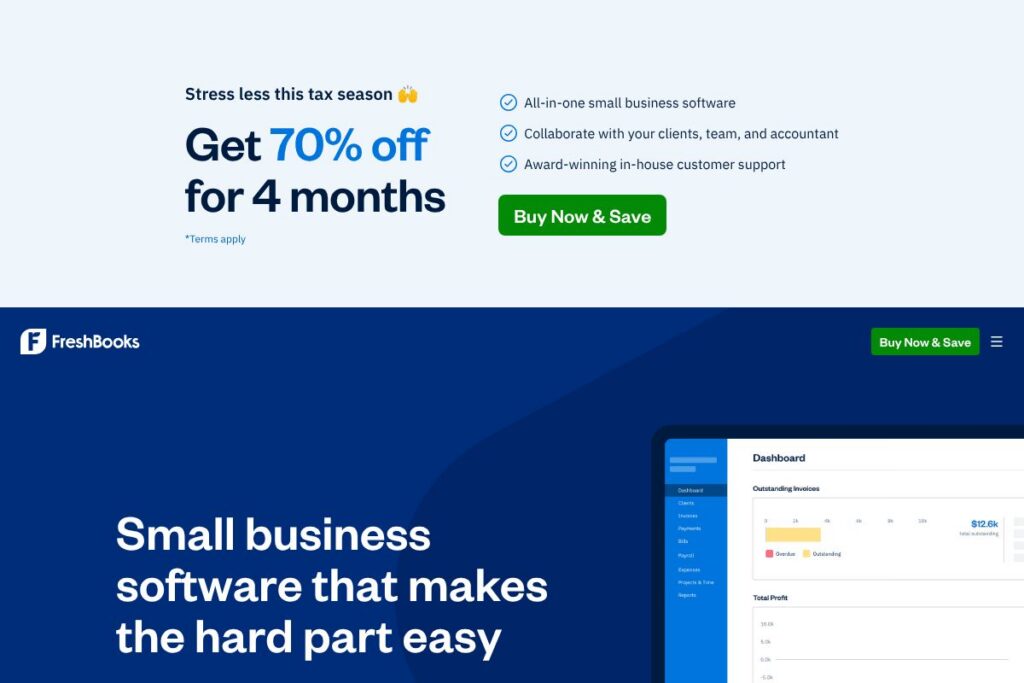

FreshBooks: An Overview
FreshBooks is an accounting and invoicing platform designed for small businesses, freelancers, and service providers who need straightforward financial workflows. It centralizes client invoicing, time and expense tracking, payment acceptance, and reporting in a cloud interface with desktop and mobile access. The platform emphasizes simplicity for non-accountants while providing the core bookkeeping features small firms require.
Compared with QuickBooks Online, FreshBooks focuses more on simple invoicing and time tracking for service businesses, while QuickBooks offers deeper general ledger features and payroll integrations for growing firms. Against Xero, FreshBooks is typically easier to onboard for solo operators, whereas Xero targets firms that need double-entry accounting and broader bank reconciliation capabilities. Compared with Wave, FreshBooks provides more polished invoicing and client management tools, while Wave offers a free basic accounting tier for very small businesses.
All of this makes FreshBooks a practical choice for small businesses that prioritize client billing, straightforward expense tracking, and integrated payments. It is particularly well suited to freelancers, consultants, and small service firms that need to convert time and expenses into professional invoices quickly.
How FreshBooks Works
FreshBooks runs in the cloud and is accessed via web browser and mobile apps, so you manage invoices, payments, and records from any device. You create clients and projects, log time or import tracked hours, capture receipts with the mobile app, and generate invoices that can include time and expense entries. Payments collected through card or bank transfer automatically reconcile against invoices to reduce manual bookkeeping.
Workflow examples include creating a project, tracking hours with the built-in timer or importing time entries, attaching receipts to expense transactions with the camera feature, and sending a branded invoice with one click. Automations such as recurring invoices, late-payment reminders, and saved payment methods help reduce repetitive work and speed up collections. Integrations with bookkeeping and payment partners extend capabilities for tax preparation, payroll, and bank feeds.
What does FreshBooks do?
FreshBooks bundles invoicing, payments, time tracking, expense management, and basic accounting reports into a single interface. Core capabilities include customizable invoices, automated recurring billing, online payment acceptance, time-to-invoice conversion, receipt capture, and expense categorization. The platform also supports client communication features like invoice comments and payment reminders.
Here are some key features worth highlighting:
Invoicing
Create professional, customizable invoices that include itemized charges, tracked time, taxes, and discounts. Invoices can be saved as templates, scheduled for recurring billing, and sent with automated reminders to improve on-time payments. Integration with payment processing shortens the time from invoice to cash collection.
Time Tracking
Built-in timers and manual time entry let teams and freelancers capture billable hours tied to clients or projects. Time entries convert directly into line items on invoices, and summary reports show utilization and profitability by project. This reduces errors when billing hourly work and simplifies client invoicing.
Expense Tracking and Receipt Capture
Capture receipts with the mobile camera or import expense data and attach it to projects or invoices. Expenses can be categorized for tax reporting and exported to accountants, and you can mark reimbursable items to bill clients. The receipt workflow reduces paper receipts and helps maintain clean records.
Payments and Online Payments
Accept credit card and ACH payments directly on invoices so clients can pay online. Stored payment methods and automatic payment reminders increase the chance of timely collections. Payment processing fees apply via the integrated merchant services solution, and payments reconcile automatically with invoices.
Reporting and Basic Accounting
FreshBooks provides reports for profit and loss, expense summaries, tax time reports, and aging receivables to help track business health. While it does not replace a full double-entry general ledger for complex accounting, the reports cover the common needs of small service businesses and support exports for accountant review. These reports assist with cash flow monitoring and simple tax preparation.
Mobile Apps and Client Portal
Mobile apps for iOS and Android enable on-the-go invoicing, time tracking, and receipt capture. Clients receive invoices by email and can pay online through a secure client portal. The mobile experience supports field workers and freelancers who need to record time and expenses from anywhere.
Integrations and App Store
FreshBooks connects with a wide variety of apps for payments, payroll, CRM, and productivity through the FreshBooks AppStore to extend core functionality. Popular integrations include payment gateways, tax tools, and project management apps to keep data flowing across systems. The AppStore lets businesses plug FreshBooks into their existing toolset without heavy custom development.
With these features, FreshBooks prioritizes fast invoicing and simple bookkeeping for small teams. The biggest benefit is reducing the time between completed work and incoming payment by combining time tracking, expense capture, invoicing, and payments in one workflow.
FreshBooks pricing
FreshBooks uses a subscription SaaS model with tiered plans and offers a free 30-day trial for new users, but specific plan prices are not listed here. The platform is sold as monthly or annual subscriptions tailored to different business sizes and feature needs, with higher tiers unlocking more client seats, team features, and advanced billing capabilities.
Current pricing access
To see FreshBooks’ current plan breakdown and billing options, view the current pricing options on their site. For enterprise or accountancy partner queries, check their support and sales resources for tailored guidance and purchasing assistance.
What is FreshBooks Used For?
FreshBooks is commonly used to convert time and expenses into client invoices quickly, manage incoming payments, and keep basic financial records organized. Service businesses such as consultants, designers, agencies, legal professionals, and freelancers use it to track billable hours, generate recurring invoices, and process client payments. Small firms that do not need advanced bookkeeping features find FreshBooks reduces administrative overhead.
Beyond invoicing, teams use FreshBooks for expense management, simplified tax reporting, client communication around billing, and basic performance reporting. Accountants often use FreshBooks as a source system for small clients and handle complex accounting tasks by exporting data into more advanced accounting tools when needed.
Pros and cons of FreshBooks
Pros
- Easy invoicing and billing: The invoicing workflow is simple to set up, with templates, recurring schedules, and automated reminders that reduce manual follow-up and speed collections.
- Integrated time and expense tracking: Time timers, project-linked expenses, and receipt capture streamline converting billable work into accurate invoices and reports.
- Mobile-first features: Mobile apps let users capture receipts, track time, and send invoices in the field, which is valuable for freelancers and service professionals.
- App ecosystem: The FreshBooks AppStore and API make it straightforward to connect payments, payroll, and project tools for a tailored workflow.
Cons
- Not a full double-entry ledger: Businesses that need advanced accounting controls, full general ledger capabilities, or complex tax handling may find FreshBooks limited and need to supplement with other software.
- Scaling constraints for larger firms: Larger businesses with multi-entity needs or extensive inventory and payroll requirements may need to move to more robust platforms as they grow.
Does FreshBooks Offer a Free Trial?
FreshBooks offers a free 30-day trial. The trial provides new users with access to core features like invoicing, time tracking, expense capture, and payments so you can evaluate workflows before committing to a subscription. After the trial, businesses choose a subscription plan to continue using the service.
FreshBooks API and Integrations
FreshBooks provides a developer API for building integrations and automations; the FreshBooks API documentation outlines endpoints for clients, invoices, expenses, and payments. Developers can use the API to sync data with CRMs, build custom billing flows, or automate accounting exports.
For non-developers, the FreshBooks AppStore lists prebuilt integrations for payment processors, payroll, CRM, and productivity tools that connect without custom coding. These integrations help tie FreshBooks into common small-business stacks quickly.
10 FreshBooks alternatives
Paid alternatives to FreshBooks
- QuickBooks Online — Full-featured small business accounting with extensive bank connections, payroll add-ons, and a large app ecosystem suitable for growing companies.
- Xero — Cloud accounting that emphasizes bank reconciliation and double-entry bookkeeping, popular with accountants and growing firms.
- Wave — Free core accounting and invoicing for very small businesses, with optional paid payment and payroll services.
- Zoho Books — Part of the Zoho suite, offering invoices, automation, and integrations within a broader business app ecosystem.
- Sage Business Cloud Accounting — Accounting with stronger multi-currency and inventory options for small businesses scaling up.
- Paymo — Combines project management with time tracking and invoicing for service teams focused on project-based billing.
Open source alternatives to FreshBooks
- GnuCash — Desktop double-entry accounting software suited for small business bookkeeping and personal finance with local data storage.
- Odoo (Community) — Modular ERP with accounting and invoicing modules available in the open source community edition, extendable via modules.
- ERPNext — Open source ERP that includes accounting, invoicing, and inventory, suitable for small businesses wanting a self-hosted option.
Frequently asked questions about FreshBooks
What can FreshBooks be used for?
FreshBooks is used for invoicing, time tracking, expense management, and basic accounting reports. Small businesses and freelancers use it to create invoices, accept payments, track billable hours, and manage receipts.
Does FreshBooks integrate with other apps?
Yes, FreshBooks integrates with many third-party apps via its AppStore and API. You can connect payment gateways, payroll providers, CRM systems, and productivity tools to extend functionality.
How does FreshBooks handle payments?
FreshBooks accepts online payments through integrated payment processors enabling credit card and ACH payments. Payments applied to invoices reconcile automatically and reduce manual bookkeeping work.
Is FreshBooks suitable for freelancers and consultants?
Yes, FreshBooks is well suited to freelancers and consultants who bill hourly or by project. Built-in timers, expense capture, and client invoicing simplify turning work into billable invoices.
Can FreshBooks be used with an accountant?
Yes, FreshBooks supports exporting financial data and provides accountant-friendly reports. Many accounting professionals use FreshBooks as the source system for small clients and import data into their practice tools as needed.
Final Verdict: FreshBooks
FreshBooks excels at making invoicing, time tracking, expense capture, and online payments simple for small businesses and freelancers. Its clean interface, mobile capabilities, and integrated billing workflows reduce the administrative time between completing work and getting paid, which is the primary value for its target users. The AppStore and API allow teams to connect FreshBooks into larger toolchains without complex development.
Compared with QuickBooks Online, FreshBooks is generally easier to use and faster to set up for client billing tasks, while QuickBooks offers deeper accounting and payroll features at scale. If you need advanced general ledger functionality and robust payroll, QuickBooks Online may be a better fit; if your priority is fast invoicing and time-based billing with minimal bookkeeping overhead, FreshBooks is a strong candidate. For pricing and plan specifics, check the current pricing options to match features to your business needs.