
Getting to Know getpaid
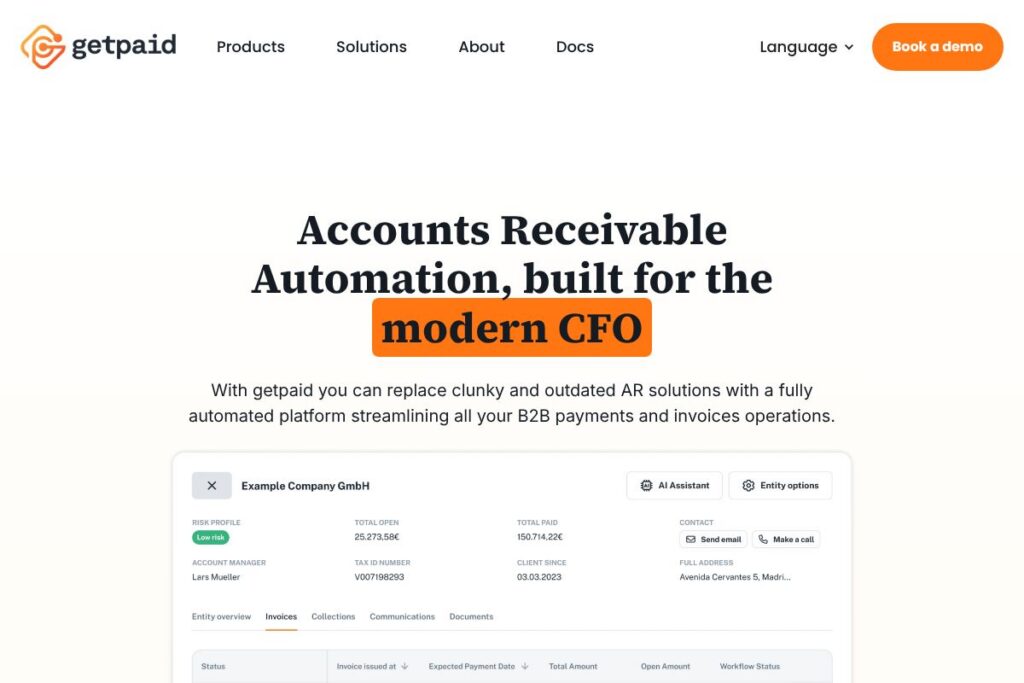
getpaid is a quote-to-cash automation platform built for modern finance teams. It combines AI-based accounts receivable automation, multi-channel B2B payments, automated reconciliation, case management, and analytics into a single platform designed to reduce manual work and shorten payment cycles.
Compared with competitors, getpaid focuses on low-code ERP integration and collection automation at scale. HighRadius targets large enterprises with deep treasury and credit modules, Billtrust emphasizes invoice delivery and payment options, and Tipalti centers on global payables and supplier payments. getpaid differentiates by combining AI-led reconciliation and collection workflows with built-in onboarding and credit checks for B2B buyers.
All of this makes getpaid particularly well suited for mid-market and enterprise finance organizations that need fast time-to-value and centralized AR operations. It excels at automating repetitive collector tasks, matching payments to invoices with high accuracy, and enabling cross-team collaboration around exceptions and disputes.
How getpaid Works
getpaid connects to a company’s ERP system and other financial systems using low-code connectors and APIs, ingesting invoices, customer master data, and payment activity to orchestrate the quote-to-cash lifecycle. Once connected, the platform applies configurable collection strategies to segment customers and trigger automated follow-ups, reminders, and early-payment discount logic across email, portals, and payment links.
Incoming payments are processed through automated reconciliation that captures remittance data and uses AI to match payments to invoices, flag exceptions, and route unresolved cases to collectors. Case management tools centralize correspondence and approvals so teams handle disputes, invoice changes, and payment delays without scattered emails or attachments.
Implementation focuses on fast deployment: prebuilt ERP adapters reduce integration time, while low-code configuration lets finance teams set rules and workflows without heavy consultant involvement. Typical workflows move from onboarding and credit checks to invoicing, automated collections, payment acceptance, reconciliation, and analytics-driven insights that refine the process over time.
getpaid features
getpaid centers on automation across collections, reconciliation, payments, onboarding, and analytics. The platform bundles AI matching, configurable collection strategies, case management, multi-channel invoicing and payments, and low-code ERP connectors to deliver faster quote-to-cash outcomes and reduce manual effort.
Automated Collection
Automated collection workflows allow finance teams to define segmentation rules, early-payment discount treatments, and scheduled reminders. The system supports multi-channel communication so collectors do not need to switch applications, and automation can handle a large portion of routine collection tasks to free up staff for complex cases.
Automated Reconciliation
AI-powered reconciliation extracts remittance information, matches incoming payments to invoices, and handles exceptions such as wrong references. This reduces manual bank statement uploads and lookup time, improving accuracy and speeding up cash application.
Case Management and Collaboration
Case management centralizes queries, approvals, and internal notes for exceptions and invoice disputes. Role-based permissions and multi-level approval workflows let teams coordinate on credits, payment delays, and invoice edits while eliminating internal email ping pong.
Analysis and AI
Built-in analytics track KPIs relevant to collections performance, cash forecasting, and collector efficiency. Smart insights, alerts, and payment-prediction models support data-driven decision-making and benchmarking against peer metrics to optimize working capital.
Onboarding & Credit Check
Customer onboarding flows can be configured to capture required information and apply credit screening during setup. This gives finance teams control over account acceptance and payment terms at an individual buyer level, reducing downstream risk.
Invoicing
Invoicing tools automate invoice creation, delivery, and channel selection to meet buyer preferences. Rule-based delivery and format options reduce costs and support faster payments across large buyer portfolios.
B2B Payments
Multiple payment channels are supported, including traditional invoice payments, payment links, QR codes, and buyer portals. The platform is designed to accept payments from any sales channel while keeping payment reconciliation tight.
Integrations and Low-code Connectors
Prebuilt connectors simplify integration with ERPs such as SAP and Oracle, allowing deployments in days rather than months. Low-code tooling reduces reliance on consultants and avoids costly workarounds that extend implementation timelines.
With getpaid, the biggest benefit is a unified quote-to-cash stack that reduces manual AR work and accelerates cash collection through automation, AI reconciliation, and centralized exception handling.
getpaid pricing
getpaid uses a custom enterprise SaaS pricing model tailored to business size, transaction volumes, integration scope, and support needs. Pricing typically reflects a combination of subscription fees, transaction or payment processing fees, and optional implementation services.
Enterprise Pricing
Enterprise – Custom pricing (Includes core AR automation, reconciliation, payments, ERP integrations, and onboarding features) – Contact sales for terms and volume-based structures.
For precise terms and to discuss deployment options, contact getpaid through their official website or sales channels to view current pricing options and enterprise agreements.
What is getpaid Used For?
getpaid is used to automate the entire quote-to-cash lifecycle for B2B organizations, reducing days sales outstanding and manual workload in accounts receivable. Finance teams rely on it for automated collections, AI reconciliation, dispute management, and consolidated AR reporting.
Ideal users include CFOs, heads of AR/credit, and shared-service finance centers that manage large invoice volumes, complex payment methods, and multiple ERP systems. The platform also supports businesses that need configurable credit onboarding and want to reduce dependence on consultants for integration.
Pros and cons of getpaid
Pros
- High automation coverage: getpaid can automate collection workflows for a large share of customers, freeing collectors to focus on exceptions and high-value accounts.
- Accurate AI reconciliation: Automated matching and remittance capture reduce manual cash application and improve accuracy above typical manual rates.
- Fast ERP integration: Low-code connectors and prebuilt adapters significantly shorten integration time and lower implementation costs.
- Centralized case management: Built-in collaboration tools reduce internal email chains and provide audit trails for approvals and disputes.
Cons
- Custom pricing model: Enterprise pricing requires sales engagement and may be less transparent for smaller companies evaluating cost-effectiveness upfront.
- ERP-dependent feature set: Full capability is optimized for organizations using supported ERPs like SAP and Oracle, which may require additional configuration for other systems.
- Change management: Firms with manual AR teams must invest in process redesign and training to fully realize automation benefits.
Does getpaid Offer a Free Trial?
getpaid offers trial and pilot options for enterprise customers; organizations can request a guided pilot or demo to validate workflows and expected ROI. Trials typically include access to core automation, reconciliation, and onboarding features under a time-bound evaluation and are supported by implementation guidance.
getpaid API and Integrations
getpaid provides APIs and low-code connectors for ERP systems and finance tools, enabling data exchange for invoices, payments, and customer records. The platform is designed to integrate with major ERPs such as SAP and Oracle and to support custom integrations where needed.
Developer documentation and API references are available to implementation teams to help build or extend connectors and to automate data flows between getpaid and other enterprise systems.
10 getpaid alternatives
Paid alternatives to getpaid
- Billtrust – Cloud AR automation for invoice delivery, payments, and receivables management with strong invoice-to-cash features.
- HighRadius – AI-led receivables and treasury management focused on enterprise-scale cash application and credit operations.
- Tipalti – Global payables automation that also includes supplier onboarding and payment orchestration for cross-border workflows.
- AvidXchange – Accounts payable automation with payments and invoice workflow capabilities for mid-market and larger organizations.
- Stripe – Payments and billing platform that supports invoicing and payment collection with strong developer APIs.
- Bill.com – Cloud-based payments and AP/AR workflow management designed for small to mid-market finance teams.
- Zuora – Subscription billing and revenue automation platform that covers invoicing and recurring revenue processes.
Open source alternatives to getpaid
- Odoo – Open source ERP with invoicing, accounting, and payment modules that can be extended for AR workflows.
- ERPNext – Community-driven ERP that includes accounting, invoicing, and payment reconciliation features suitable for self-hosting.
- Dolibarr – PHP-based open source ERP/CRM with basic invoicing and payment tracking capabilities that can be customized.
Frequently asked questions about getpaid
What is getpaid used for?
getpaid is used to automate accounts receivable and quote-to-cash processes for B2B companies. It handles collections, invoice delivery, reconciliation, payments, and case management to reduce manual effort and accelerate cash flow.
Does getpaid integrate with SAP and Oracle?
Yes, getpaid provides connectors for major ERPs including SAP and Oracle. Prebuilt adapters and low-code integration reduce implementation time and the need for extensive ERP consulting.
How does getpaid handle reconciliation?
getpaid uses AI-powered matching to automate reconciliation and remittance capture. The system matches payments to invoices, flags exceptions like wrong references, and routes unresolved items into case workflows.
How much does getpaid cost?
getpaid uses custom enterprise pricing tailored to deployment size and transaction volume. Costs typically reflect subscription fees, transaction or processing fees, and optional implementation services, so contacting sales will provide a tailored quote.
Can getpaid automate collections for a large customer base?
Yes, getpaid can automate collections for a substantial portion of customers using configurable workflows. The platform supports scheduled follow-ups, automated discounts for early payment, and multi-channel communications to scale collector productivity.
Final verdict: getpaid
getpaid delivers a focused quote-to-cash platform that combines AI-driven reconciliation, configurable collection automation, and centralized case management. It is particularly strong where enterprise finance teams need fast ERP integration and want to reduce manual AR tasks while improving cash application accuracy.
Compared with HighRadius, which also targets enterprise receivables with custom pricing, getpaid emphasizes quicker time-to-value through low-code connectors and built-in onboarding and payment channels. Both vendors use enterprise pricing models, but getpaid aims to reduce upfront implementation effort while providing comparable automation for collections and reconciliation.
Overall, getpaid is a strong option for CFOs and AR leaders seeking a single platform to consolidate invoicing, collections, payments, and reconciliation with AI assistance and cross-team collaboration.