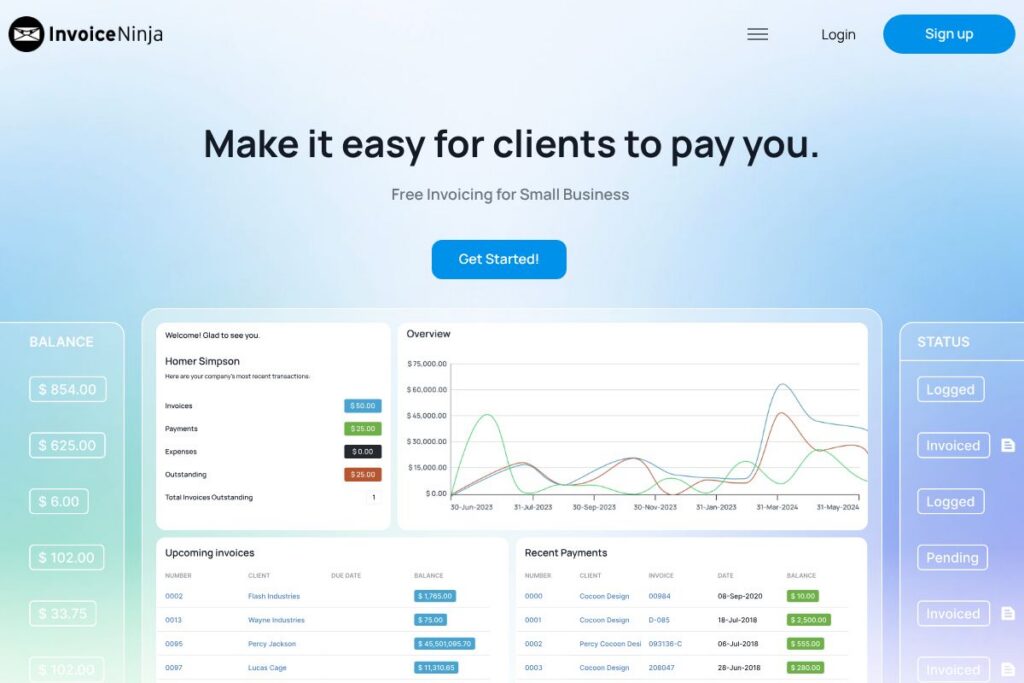

What is Invoice Ninja
Invoice Ninja is a cloud-based invoicing and billing platform designed to help small businesses, independent contractors, and agencies issue invoices, accept payments, and manage billing workflows. It provides templated, customizable invoices, payment reminders, and support for multiple payment gateways so you can reduce manual billing time and get paid faster.
Compared with QuickBooks, Invoice Ninja focuses more narrowly on invoicing and payments rather than full accounting, which can make it simpler and less expensive for users who do not need end-to-end bookkeeping. Against FreshBooks, Invoice Ninja offers similar client invoicing and time-tracking features but places stronger emphasis on customizable templates and self-hosting options. Compared with Wave, which also offers free invoicing, Invoice Ninja provides additional branding and automation choices as well as a self-hosted open-source option for teams that want full control.
Invoice Ninja excels at low-cost, straightforward invoicing and payment collection, with features that scale from solo freelancers sending a handful of invoices to small teams managing recurring billing. Its combination of hosted SaaS and a self-hosted open-source edition makes it a good fit for users who want flexibility over deployment and cost.
How Invoice Ninja Works
Invoice Ninja centralizes invoicing tasks in a single web app and optional self-hosted install. You create a client record, add items or tracked time, apply taxes or discounts, then generate a PDF invoice using one of the built-in templates and send it by email or share a secure payment link.
Payments are processed through integrated gateways such as Stripe, PayPal, and other processors, letting clients pay online via card or ACH where supported. Automated reminders, recurring invoices, and client portals reduce manual follow-up and let clients view outstanding statements and payment history.
For teams, Invoice Ninja supports user roles, team access, and activity logs so administrators can control permissions and audit billing actions. The platform also supports time tracking and expense entry so invoicing can be tied directly to billable work.
Invoice Ninja features
Invoice Ninja’s feature set focuses on invoicing, payments, automation, and flexibility. Core capabilities include customizable invoice templates, recurring billing, payment gateway integrations, client portals, time tracking, and options for self-hosting or using the hosted service. Recent iterations emphasize improved UI, expanded gateway support, and enhanced automation for reminders and recurring schedules.
Customizable invoice templates
Templates let you apply your logo, custom fields, tax and discount rules, and invoice numbering to produce professional-looking PDFs. This helps maintain consistent branding and ensures clients receive legally formatted invoices with the information needed for accounting.
Recurring invoices and automated reminders
Set up recurring billing schedules for subscriptions or retainer work and configure automated payment reminders to reduce late payments. Automated reminders save time on follow-up and can be set with different frequencies and message templates for different client types.
Online payments and gateway integrations
Invoice Ninja connects to popular payment processors so clients can pay invoices directly from the invoice or client portal. Built-in support includes card payments and ACH where available, which reduces friction and accelerates cash flow for small businesses.
Client portal and statements
Each client can access a portal to view outstanding invoices, payment history, and downloadable statements, reducing support requests and centralizing communication around billing. The portal also supports secure payment links and saved payment methods where supported by the gateway.
Time tracking and expense management
Track billable hours and expenses against projects or tasks, then convert tracked time into line items on invoices. This tight linkage between tracked work and billing simplifies invoicing for agencies and freelancers who bill by the hour.
Self-hosted open-source option
For organizations that require on-premise control or want to avoid subscription costs, Invoice Ninja offers a self-hosted edition you can install and run on your own servers. Self-hosting provides full data control and customization opportunities for developers and IT teams.
With these capabilities, Invoice Ninja provides a compact invoicing toolkit that reduces manual billing work, improves professionalism of invoice documents, and supports both hosted and self-hosted deployment models.
Invoice Ninja pricing
Invoice Ninja follows a freemium model that includes a free tier for small users plus paid options for teams and advanced features. The platform also provides a self-hosted open-source edition for organizations that want to run the software on their own infrastructure.
Hosted and subscription options
Invoice Ninja offers a hosted subscription model that unlocks higher limits, advanced automation, and priority support for growing businesses; view the current pricing options for up-to-date plan details. The hosted plans scale by client and feature needs and typically include access to payment gateway integrations and team accounts.
Self-hosted open-source
Invoice Ninja’s self-hosted edition is available as an open-source project and can be installed without recurring software charges; check the Invoice Ninja on GitHub for the codebase and deployment instructions. Self-hosting shifts hosting and maintenance responsibility to your team while removing recurring software subscription costs.
What is Invoice Ninja Used For?
Invoice Ninja is used for creating, sending, and tracking invoices as well as collecting online payments and managing recurring billing. It is especially useful for freelancers, consultants, small agencies, and microbusinesses that need simple, repeatable invoicing workflows without the complexity of full accounting suites.
Teams use Invoice Ninja to automate repetitive billing tasks such as recurring invoices and reminders, to consolidate client billing history in a portal, and to convert tracked time and expenses directly into billable invoices. The self-hosted option is appropriate when data residency or customization is a priority.
Pros and Cons of Invoice Ninja
Pros
- Free tier for small users: The free plan supports a limited number of clients with core invoicing features, templates, branding, and online payments so solo operators can start without cost.
- Self-hosted option: Organizations that prefer to host their own software can use the open-source edition to avoid subscription fees and retain full control over data and customization.
- Flexible payment integrations: Built-in connections to major payment processors let businesses accept card and ACH payments directly from invoices, improving collections efficiency.
- Automation for recurring billing: Recurring invoices and automated reminders reduce manual follow-up and help maintain predictable cash flow.
Cons
- Advanced accounting features limited: For businesses that need full bookkeeping and payroll, Invoice Ninja is not a complete accounting solution and will need to be paired with accounting software.
- Hosted plan specifics change: Hosted plan limits and feature sets evolve; administrators should verify current plan details on the official site to ensure the chosen plan meets their needs.
Does Invoice Ninja Offer a Free Trial?
Invoice Ninja offers a free plan for up to five clients. The hosted service also provides paid subscription tiers for growing businesses and a self-hosted open-source edition for teams that prefer to run their own instance; check the Invoice Ninja homepage for the latest sign-up and trial options.
Invoice Ninja API and Integrations
Invoice Ninja provides a developer API for automating invoicing tasks, creating clients and invoices programmatically, and integrating with other systems; see the API documentation for available endpoints and authentication details. The API supports common operations such as invoice creation, client management, payments, and webhooks for event notifications.
Key integrations include payment processors such as Stripe and PayPal, plus automation platforms like Zapier for connecting to CRMs, accounting systems, and communication tools. These integrations help Invoice Ninja slot into existing workflows for small business stacks.
10 Invoice Ninja alternatives
Paid alternatives to Invoice Ninja
- FreshBooks — Cloud invoicing and time tracking with integrated accounting features suitable for freelancers and small teams.
- QuickBooks Online — A wider accounting platform that includes invoicing plus bookkeeping, payroll, and tax features for small to mid-sized businesses.
- Wave — Free invoicing and accounting with optional paid payment processing and payroll add-ons, focused on very small businesses.
- Zoho Invoice — Part of the Zoho suite, offering invoicing, client portals, and automation with integrations across Zoho apps.
- Xero — Cloud accounting with invoicing, bank reconciliation, and extensive partner integrations for small businesses.
- PayPal Invoicing — Simple, no-fuss invoicing tied directly to PayPal payments, good for sellers who already use PayPal.
- Square Invoices — Invoicing integrated with Square payments and point-of-sale for businesses that also sell in person.
Open source alternatives to Invoice Ninja
- Dolibarr — An open-source ERP and CRM that includes invoicing and billing modules for small businesses and associations.
- Odoo (Community edition) — A modular, open-source suite with invoicing, accounting, and CRM modules suitable for technical teams that can manage hosting.
- ERPNext — Open-source ERP with comprehensive accounting and invoicing capabilities, designed for small to mid-sized companies.
- InvoicePlane — A lightweight open-source invoicing application focused on sending invoices and quotes, suitable for self-hosting.
Frequently asked questions about Invoice Ninja
What features does Invoice Ninja include?
Invoice Ninja includes invoicing, recurring billing, payment gateway integrations, client portals, time tracking, and automated reminders. These features cover the core needs of freelancers and small businesses that need to bill clients and collect payments.
Does Invoice Ninja offer a self-hosted option?
Yes, Invoice Ninja provides an open-source self-hosted edition. The codebase is available on GitHub and can be deployed on your servers to avoid subscription fees and control data residency.
Can Invoice Ninja accept credit card payments?
Yes, Invoice Ninja integrates with major payment processors to accept credit card and ACH payments. Supported gateways include Stripe and PayPal among others, enabling online payments directly from invoices.
How much does Invoice Ninja cost for small teams?
Invoice Ninja offers a free plan for up to five clients and hosted subscription plans for growing teams. For detailed plan features and current rates, review the current pricing options on their site.
Is Invoice Ninja suitable for agencies?
Invoice Ninja is suitable for small agencies that need time tracking, client billing, and branded invoices. Agencies that require full accounting, payroll, or enterprise reporting may need to pair Invoice Ninja with a dedicated accounting platform.
Final verdict: Invoice Ninja
Invoice Ninja is a practical invoicing-first platform that covers the essential billing needs of freelancers, consultants, and small businesses while offering the flexibility of a self-hosted open-source edition. It does invoicing, recurring billing, and payment collection well, with useful automation and client portal features that reduce administrative overhead.
Compared to Wave, which is free for invoicing and accounting but relies on transaction fees for payments, Invoice Ninja matches or exceeds core invoicing functionality and adds the option to self-host for full control. For users who want a focused invoicing tool with flexible deployment choices, Invoice Ninja is a strong, cost-effective option; for full bookkeeping needs, teams may still pair it with a broader accounting package such as QuickBooks Online or Xero.