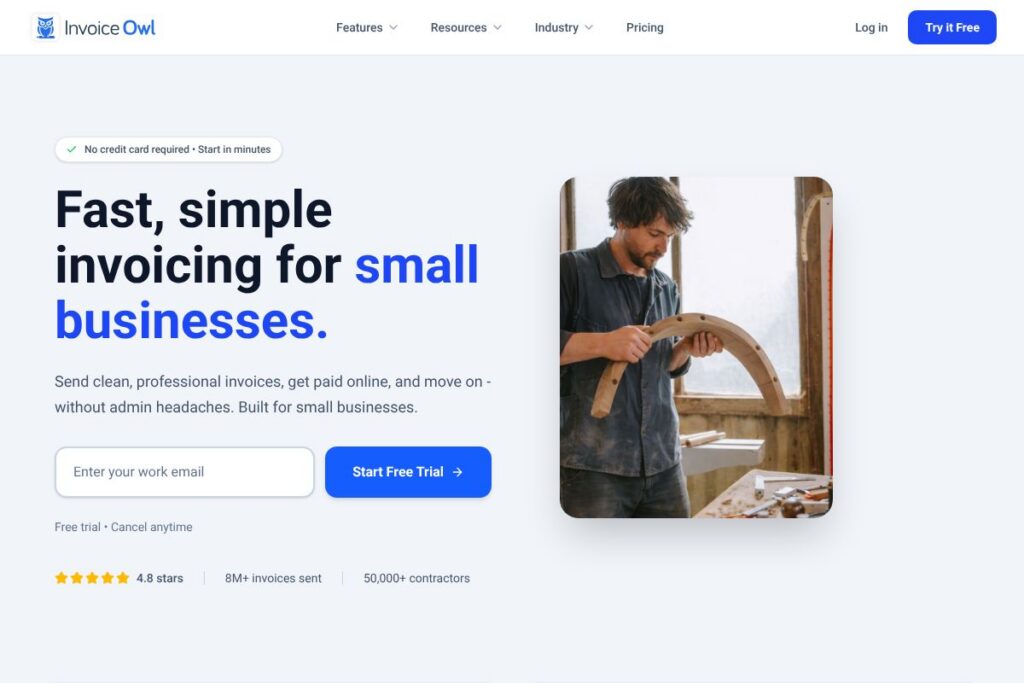

InvoiceOwl: An Overview
InvoiceOwl is an online invoicing and estimating tool built for contractors and small trade businesses. It centralizes estimates, invoices, purchase orders, and client histories so users can create branded documents, accept payments, and track outstanding balances without spreadsheets.
Compared with competitors, InvoiceOwl focuses on trade-specific workflows rather than general accounting. QuickBooks and Xero provide broader accounting and tax reporting capabilities but are heavier for on-site estimating. FreshBooks targets freelancers with simple invoicing and time tracking, while Joist and similar contractor-focused apps compete directly on on-site estimate and invoice creation; InvoiceOwl places emphasis on quick estimates, purchase order tracking, and a field-friendly mobile app.
All of this makes InvoiceOwl well suited to contractors who need fast, portable billing and clear job-level records. It is particularly useful for one-person businesses and small teams that want a lightweight, trade-focused alternative to full accounting suites.
How InvoiceOwl Works
InvoiceOwl organizes work around jobs and clients. Create an estimate from a reusable item library, send it to a client for approval, and convert approved estimates into invoices in a single click so billing follows work without duplicated entry.
In the field, technicians can build estimates and invoices on a phone or tablet, collect signatures, and accept card payments; everything syncs back to the dashboard automatically when a connection is available. The purchase order workflow lets managers track materials, deliveries, and supplier details alongside invoices to keep job costs aligned with billing.
InvoiceOwl’s dashboard surfaces unpaid invoices, pending estimates, and recent payments so you can prioritize follow-ups and understand cash flow at a glance.
InvoiceOwl features
InvoiceOwl groups features around estimating, billing, purchase orders, and client records, with a mobile-first approach that supports offline work and later synchronization. Core capabilities include branded estimates, one-click conversion of estimates to invoices, purchase order creation and tracking, client histories, and an on-the-go mobile app.
Estimates
Build professional, branded estimates quickly using reusable line items and templates that reflect trade pricing and materials. Clients can approve estimates electronically, and approved estimates convert to invoices automatically to reduce double entry and speed billing.
Invoicing and Online Payments
Send clean invoices with line-item detail, tax calculation, and payment links to accept cards or other online payments. Online payment acceptance reduces follow-ups and shortens the time between job completion and cash receipt.
Purchase Orders
Create and send purchase orders to suppliers, track delivery status, and reconcile received materials with job budgets. This keeps procurement and invoicing aligned so billed work reflects actual material costs.
Client Management
Each client record stores estimates, invoices, payments, and outstanding balances in one place for quick reference on job history and billing status. That centralized view helps with quoting repeat work and tracking receivables per client.
Mobile App and Offline Sync
The mobile app supports creating estimates and invoices on-site and accepting payments from a phone, with offline work saved locally and synced when connectivity returns. This is designed around how contractors actually work at job sites and on the road.
Dashboard and Activity Tracking
A unified dashboard shows unpaid invoices, pending approvals, and recent activity so teams can spot collection issues early and plan cash flow. Quick filters and job-level summaries reduce the need for separate reporting spreadsheets.
Integrations and Data Export
InvoiceOwl supports exporting records for accounting and may connect to common payment gateways to accept online payments; refer to the InvoiceOwl integrations information for specific connectors and export formats. Exports help reconcile bank deposits and support bookkeeping workflows.
With these features, the biggest benefit is a workflow tuned to contractors: estimate on-site, convert to invoice with one click, accept payment, and keep purchase and client records together to reduce admin time and billing errors.
InvoiceOwl pricing
InvoiceOwl follows a subscription SaaS model with a free trial to evaluate the product; public plan details are not listed in the provided materials. The platform positions itself for small contractor businesses and offers flexible plans that scale with team size and required features.
For up-to-date plan comparisons, features included per tier, and any volume or enterprise pricing, check InvoiceOwl’s official signup and plan information on the InvoiceOwl homepage.
What is InvoiceOwl Used For?
InvoiceOwl is used to create estimates and invoices, manage purchase orders, and maintain client job histories for contractors across trades such as electrical, plumbing, HVAC, painting, and pest control. It reduces the administrative steps between quoting, ordering materials, and billing so users can spend more time on jobs.
Common uses include on-site quoting, tracking materials and delivery status through purchase orders, accepting payments from clients immediately after work is completed, and maintaining records for each client to speed re-quotes and follow-ups.
Pros and Cons of InvoiceOwl
Pros
- Contractor-focused workflows: The app prioritizes estimates, purchase orders, and mobile invoicing which match trade business needs and reduce data re-entry.
- Mobile-first capabilities: Field teams can create estimates, collect approvals, and accept payments from the truck, with offline sync for intermittent connectivity.
- Clear job and client records: Client histories include all estimates, invoices, and payments so you can quickly find past job details and outstanding balances.
- Simplifies procurement tracking: Purchase order creation and delivery tracking tie material costs to jobs for better budget control.
Cons
- Limited full-accounting features: Users who need bank reconciliation, payroll, and advanced tax reporting will likely still need a general accounting package alongside InvoiceOwl.
- Public pricing not listed in provided content: Plan details and exact costs require contacting InvoiceOwl or visiting the official site for clarity on tiers and seat pricing.
- Potential integration gaps: Depending on a contractor’s existing stack, they may need custom export/import steps or middleware to sync data with larger accounting systems.
Does InvoiceOwl Offer a Free Trial?
InvoiceOwl offers a free 14-day trial with no credit card required. The trial lets you create estimates, send invoices, and try mobile features so you can validate workflows before committing to a paid plan.
InvoiceOwl API and Integrations
InvoiceOwl provides options to export data and connect with payment gateways to accept online payments; see the InvoiceOwl integrations information for a list of supported connectors and export formats. If you need programmatic access, check the same resource for developer or API documentation links.
If tight integration with an accounting system is required, InvoiceOwl supports data export and common payment integrations to help move data into a bookkeeping workflow.
10 InvoiceOwl alternatives
Paid alternatives to InvoiceOwl
- QuickBooks — Comprehensive accounting suite with invoicing, payroll, bank reconciliation, and tax reporting for small to mid-size businesses.
- FreshBooks — Invoicing and time-tracking focused tool that simplifies billing for freelancers and small service businesses.
- Joist — Contractor-focused estimating and invoicing app with mobile quoting and job management features.
- Xero — Cloud accounting platform with invoicing, multi-currency support, and deep bookkeeping features for small businesses.
- Square Invoices — Simple invoicing and payment collection with integrated card processing and ecosystem tools.
- Zoho Invoice — Affordable invoicing solution with automation and client portal features that integrates with the wider Zoho suite.
Open source alternatives to InvoiceOwl
- Invoice Ninja — Open source invoicing and billing platform that can be self-hosted or used via hosted plans, with robust invoicing and payment features.
- ERPNext — Full ERP that includes sales, purchase, and invoicing modules suitable for businesses comfortable self-hosting and configuring workflows.
- Odoo — Modular open source business suite with invoicing, purchasing, and CRM; suitable for contractors who need broader business automation.
- Dolibarr — Lightweight open source ERP/CRM that provides invoicing and purchase order features and is appropriate for small businesses that want self-hosting control.
Frequently asked questions about InvoiceOwl
What is InvoiceOwl used for?
InvoiceOwl is used for contractor-focused estimating, invoicing, purchase orders, and client record keeping. It helps contractors create branded estimates on-site, convert approvals into invoices, and track payments and material orders.
Does InvoiceOwl offer a mobile app?
Yes, InvoiceOwl provides a mobile app that supports on-site estimates, invoicing, and payment acceptance. The app works offline and syncs later so technicians can work where they actually work.
Can InvoiceOwl accept online payments?
Yes, InvoiceOwl supports online payment acceptance through integrated payment gateways. Payments post to the invoice record to reduce follow-up and improve cash flow.
How long is the InvoiceOwl free trial?
InvoiceOwl offers a 14-day free trial with no credit card required. The trial includes core estimating, invoicing, and mobile features to evaluate whether the tool fits your workflow.
Does InvoiceOwl integrate with accounting software?
InvoiceOwl supports data export and integrations with common payment providers and bookkeeping workflows. For specific accounting connectors and API access, review the InvoiceOwl integrations information.
Final verdict: InvoiceOwl
InvoiceOwl excels at making estimating, invoicing, and purchase order tracking straightforward for contractors who work on-site and need mobile-first tools. Its focus on reusable line items, one-click estimate-to-invoice conversion, and offline-capable mobile app reduces admin time and helps small trade businesses get paid faster.
Compared with a full accounting suite like QuickBooks, InvoiceOwl is narrower in scope but more tuned to contractor workflows; QuickBooks offers deeper accounting, payroll, and tax features that many businesses need as they scale. For teams that prioritize on-site quoting, purchase order tracking, and quick invoicing without heavy accounting overhead, InvoiceOwl is a practical choice. For details on current plans and to start a trial, visit the InvoiceOwl signup and plan information.