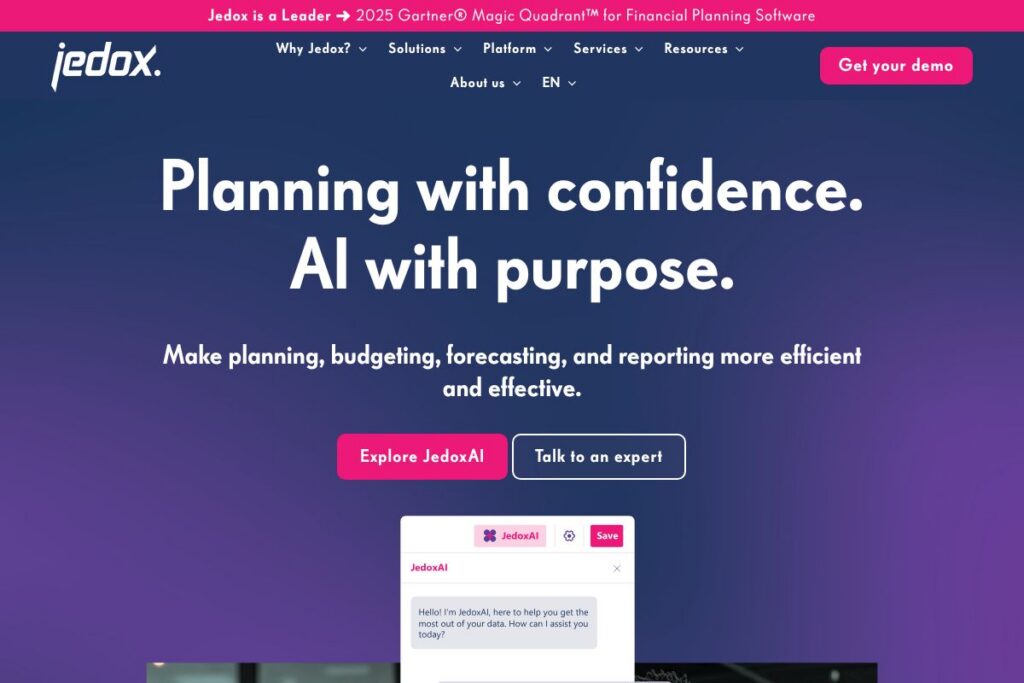

Getting to Know Jedox
Jedox is a planning and performance management platform focused on finance-led digitalization of FP&A processes. It provides an Excel-native experience via an add-in, a no-code modeling environment, and a multi-agent AI engine called JedoxAI to deliver explainable forecasts, scenario simulations, and integrated reporting. The platform emphasizes rapid deployment of best-practice solutions and self-service capabilities so finance teams can reduce manual consolidation work and own their analytics.
Compared with competitors, Anaplan targets very large, enterprise-wide planning with a purpose-built modeling engine and strong scalability, while Workday Adaptive Planning emphasizes close integration with HR and broader Workday suites. Planful offers a similar finance-first cloud approach with prebuilt templates for accounting close and budgeting. Jedox differentiates by preserving the Excel interface that many finance users prefer, while adding no-code templates and AI-driven forecasting.
All of this makes Jedox particularly well suited to finance teams that want to retain Excel workflows but minimize spreadsheet risk, accelerate budgeting and forecasting cycles, and embed explainable AI into planning and reporting.
How Jedox Works
Finance teams connect Jedox to source systems, build models using drag-and-drop and no-code wizards, and continue working in Excel if desired through the Jedox add-in. Data from ERP, CRM, HR, and data lakes is loaded into Jedox to create a harmonized data model that serves reporting, planning, and forecasting needs.
JedoxAI acts as a digital twin of your business by learning business patterns and producing explainable forecasts and scenario outputs. Teams can run unlimited simulations, use natural language queries for ad-hoc analysis, and publish interactive dashboards for stakeholders to review and comment, which helps align planning across departments.
Typical implementations follow a cycle of data integration, template-based model build, iterative forecasting with JedoxAI, and automated report distribution. Organizations often use templates from the Jedox Solutions library to accelerate rollout and increase user adoption.
Jedox features
Jedox bundles Excel-like interfaces, no-code modeling, broad data connectivity, explainable AI forecasting, and interactive dashboards into a single platform designed for financial planning and performance management. Recent emphasis on JedoxAI adds continuous model refinement, NLP-driven analysis, and agentic workflows to streamline scenario planning and driver-based forecasting.
The platform includes the following main capabilities worth highlighting:
Excel Add-in and Spreadsheet Interface
The Excel add-in provides direct access to Jedox models from Excel 365 so users keep familiar spreadsheet workflows while reducing manual consolidation. This encourages adoption because finance teams can continue working in Excel with centralized data, version control, and model governance handled by Jedox.
JedoxAI and Explainable Forecasting
JedoxAI combines machine learning, LLMs, and agentic workflows to generate forecasts that include explanations and driver analysis. The AI outputs are presented alongside model logic so finance teams can validate results and iterate scenarios with transparent reasoning rather than opaque predictions.
No-code Modeling and Self-service Templates
Drag-and-drop modeling, wizards, and prebuilt templates let finance users create and modify models without developer support. Self-service capabilities reduce dependence on IT, enabling faster changes to budgeting logic, allocations, and driver assumptions.
Data Integration and Single Source of Truth
Built-in connectors and ETL routines ingest data from ERP, HCM, CRM, and data lakes to harmonize financial and operational drivers. The centralized model ensures consistent metrics across planning, reporting, and consolidation processes, improving decision-making alignment.
Scenario Modeling and Simulations
Users can build any scenario, run unlimited simulations, and compare outcomes with side-by-side reporting. This supports what-if analysis and stress-testing of plans so leadership can react quickly to market changes with data-backed scenarios.
Dashboards, Reporting, and Natural Language Analysis
Interactive dashboards and drag-and-drop reporting let stakeholders explore results and perform ad-hoc analysis in seconds. NLP-based queries enable non-technical users to ask questions about the business and get instant, contextual answers from the underlying model.
Deployment Options and Ecosystem
Jedox provides solution templates, professional services, and a partner network to accelerate deployment and change management. Customers benefit from industry-specific accelerators and experienced partners for integration and training activities.
With these capabilities, the biggest benefit of Jedox is its combination of familiar Excel workflows, governed central models, and AI-assisted forecasting, which together reduce manual effort and increase planning accuracy across finance teams.
Jedox pricing
Jedox uses a custom enterprise pricing model rather than listing fixed public plan rates, reflecting typical enterprise FP&A licensing and deployment needs. Pricing is tailored to deployment scope, number of users, required modules, and integration or professional services components.
For current cost estimates and licensing options contact Jedox sales or request a tailored quote through the Jedox contact and demo page. You can also review solution and deployment options on the Jedox Solutions pages to identify templates and services that influence pricing.
What is Jedox Used For?
Finance teams use Jedox for budgeting, forecasting, and consolidated management reporting that connects financial plans with operational drivers. The platform supports driver-based planning, rolling forecasts, cost allocation, and financial consolidation workflows across multiple entities and currencies.
Beyond core FP&A, Jedox is used for workforce planning, sales and revenue planning, operational KPI alignment, and scenario planning for strategic initiatives. Its Excel-friendly interface makes it suitable for teams migrating from spreadsheet-based processes to a governed platform while maintaining familiar workflows.
Pros and Cons of Jedox
Pros
- Excel-first experience: The Excel add-in preserves spreadsheet workflows while centralizing data and eliminating many manual consolidation steps, which speeds adoption across finance teams.
- Explainable AI forecasting: JedoxAI provides forecasts with contextual explanations and driver analysis, enabling finance users to validate predictions and iterate scenarios confidently.
- No-code modeling and templates: Drag-and-drop modeling, wizards, and solution templates lower the barrier for self-service planning and reduce reliance on IT during rollout.
- Broad data connectivity: Connectors for ERP, CRM, HCM, and data lakes make it possible to create a single source of truth for financial and operational planning.
Cons
- Enterprise-focused pricing: Licensing and implementation costs are tailored to enterprise needs, which can be higher than entry-level tools for small businesses with minimal requirements.
- Change management required: Moving from spreadsheets to a centralized platform requires governance and stakeholder buy-in, so projects need a clear adoption strategy and training plan.
- Platform complexity for small teams: The breadth of features and deployment options can be more than smaller finance teams need, leading to longer initial setup if not scoped carefully.
Does Jedox Offer a Free Trial?
Jedox offers guided demos and trial options for prospective customers. Organizations interested in testing the platform or evaluating JedoxAI capabilities can request a demo or trial through the Jedox contact and demo page, where sales and technical teams can set up sandbox access and show relevant solution templates.
Jedox API and Integrations
Jedox provides API access and developer resources for automation, custom integrations, and embedding planning workflows into wider IT landscapes. The Jedox developer documentation outlines available endpoints, authentication patterns, and integration examples for developers.
Key integrations include connectors for major ERPs and systems such as SAP and Microsoft Dynamics, CRM systems like Salesforce, HR systems, and data warehouses. The platform also supports common BI and analytics tools as part of a broader data ecosystem.
10 Jedox alternatives
Paid alternatives to Jedox
- Anaplan — Cloud-native planning and modeling platform focused on large-scale, enterprise-wide planning with a powerful modeling engine and strong scalability.
- Workday Adaptive Planning — Finance-centric planning that integrates with Workday suites, geared toward workforce and financial planning for enterprises.
- Planful — Continuous planning platform with prebuilt templates for budgeting, close, and forecasting, designed for finance teams moving to cloud-based consolidation.
- Vena Solutions — Spreadsheet-centered planning built on Excel with a focus on process automation and auditability for finance teams.
- OneStream — Unified platform for financial consolidation, planning, and reporting aimed at large global enterprises with complex consolidation needs.
- Oracle Hyperion — Enterprise performance management suite that includes advanced consolidation, close, and planning capabilities for complex organizations.
- Board — All-in-one decision-making platform that combines BI, CPM, and predictive analytics for planning and performance scenarios.
Open source alternatives to Jedox
- ERPNext — Open source ERP with accounting and planning modules that can be extended for basic financial planning workflows and operational planning.
- Metabase — Open source business intelligence tool for exploratory analysis and dashboards that teams can use to complement planning processes.
- Apache Superset — Data visualization and exploration platform suited for creating dashboards and reports from central data sources as part of an open data stack.
- Odoo — Open source ERP with accounting, sales, and inventory modules that can be adapted for smaller-scale budgeting and reporting tasks.
Frequently asked questions about Jedox
What is Jedox used for?
Jedox is used for financial planning, budgeting, forecasting, consolidation, and management reporting. Finance teams use it to centralize data, create driver-based models, and run scenario planning with explainable AI support.
Does Jedox include AI features?
Yes, Jedox includes JedoxAI for explainable forecasting and pattern detection. The AI layer uses machine learning and NLP to generate forecasts, surface drivers, and support what-if scenarios with transparent explanations.
Can Jedox connect to my ERP or CRM systems?
Yes, Jedox connects to ERP, CRM, HCM, and data warehouse systems. Built-in connectors and ETL tools allow you to integrate data from systems such as SAP, Microsoft Dynamics, and Salesforce for a single source of truth.
How is Jedox licensed and priced?
Jedox uses custom enterprise pricing tailored to deployment scope and user requirements. For a quote and details on licensing options contact Jedox sales or request a demo via the Jedox contact and demo page.
Does Jedox provide an API?
Yes, Jedox provides APIs and developer documentation for integrations and automation. Developers can find endpoint details and integration guidance in the Jedox developer documentation.
Final verdict: Jedox
Jedox stands out for combining an Excel-first user experience with centralized models and explainable AI forecasting, which accelerates adoption among finance professionals who prefer spreadsheets but need governance and scale. Its no-code modeling, solution templates, and JedoxAI support make it a strong choice for organizations that want to reduce manual consolidation and embed driver-based planning across the business.
Compared with Anaplan, which also targets enterprise planning with custom pricing, Jedox typically delivers faster time-to-value for finance teams that rely on Excel and want more no-code self-service. Anaplan focuses on large-scale, cloud-native modeling and may be a better fit for very large, highly interconnected planning domains, while Jedox is often preferred when Excel continuity and explainable AI are priorities.