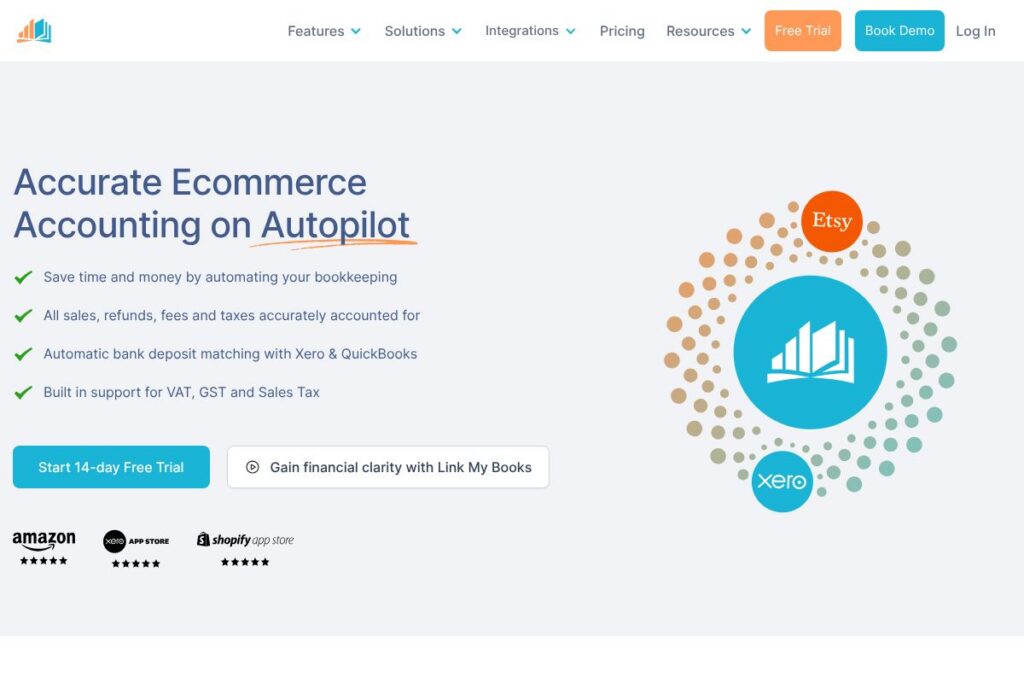

Link My Books: An Overview
Link My Books is an accounting connector that imports detailed marketplace settlements and posts them into accounting systems so sellers do not have to manually reconcile fragmented payouts. It focuses on mapping sales, refunds, fees, taxes, and deposit lines from Amazon, eBay, Shopify, Etsy, TikTok Shop, WooCommerce, and other channels into Xero and QuickBooks Online with correct tax treatments.
Compared with competitors like A2X, which is widely used by larger Amazon sellers for automated settlement posting, Link My Books positions itself as a practical choice for both sellers and accountants who need accurate VAT, GST, and sales tax handling at a competitive cost. Against Webgility, which combines inventory and accounting workflows, Link My Books narrows its scope to payout reconciliation and tax mapping, making setup and ongoing reconciliation simpler for pure bookkeeping needs.
All of this makes Link My Books particularly useful for ecommerce sellers and bookkeeping professionals who want reliable electronic posting of marketplace settlements, clear deposit matching, and built-in support for multiple tax regimes. Its workflow is tailored to reduce manual spreadsheet work and to let accountants manage many client integrations from a single account.
How Link My Books Works
Link My Books connects directly to your sales channels and your accounting system using secure API-based connections and OAuth where supported. It ingests settlement and payout files from marketplaces, breaks each payout into component lines for sales, refunds, fees, adjustments, and taxes, and prepares summary invoices or journal entries formatted for Xero or QuickBooks Online.
The platform offers guided setup to map marketplace revenue and fee types to your chart of accounts and tax codes, supports historical imports going back multiple years, and provides one-click sync or automatic autopost options to send reconciled entries into your accounting ledger. For accountants, the multi-client interface allows adding client Xero or QuickBooks organisations and switching between client setups without reconfiguring marketplaces.
What does Link My Books do?
Link My Books automates the extraction, transformation, and posting of ecommerce settlement data into accounting systems. Core capabilities include marketplace payout parsing, bank deposit matching, tax mapping for VAT/GST/sales tax, multi-currency handling, and the option to post either summary invoices or detailed journal entries into ledgers.
Let’s talk Link My Books’ Features
Marketplace payout reconciliation
The tool parses settlement reports from Amazon, eBay, Shopify, Etsy, Walmart, TikTok Shop, Square, WooCommerce, and others, splitting payouts into sales, refunds, fees, promotions, and tax components so each marketplace settlement is represented in accounting as a clean, reconcilable entry.
Bank deposit matching
Automatic deposit matching links marketplace payout totals to bank statement lines in Xero or QuickBooks Online so users can reconcile deposits without manual addition of every fee or adjustment. The matching process reduces time spent on bank reconciliation and highlights mismatches for investigation.
Tax handling for VAT, GST, and sales tax
Built-in rules map marketplace tax lines to the correct tax codes in Xero and QuickBooks, covering multi-jurisdiction VAT and GST scenarios and standard sales tax setups, which helps produce accurate VAT returns and tax reporting for multi-market sellers.
Multi-currency and multi-marketplace support
The platform handles marketplaces operating in different currencies and across multiple country marketplaces, aggregating and converting amounts as needed and keeping a clear audit trail for each marketplace, country, and currency.
Autopost and one-click sync
Users can choose a manual one-click sync to post reconciled payouts or enable Autopost to send entries automatically as payouts are processed, allowing flexible control over when entries appear in the ledger.
Accountant workflow and multi-client support
Accountant-specific features let bookkeeping firms add and manage many client connections from one account, invite clients or colleagues, and reduce per-client setup time while maintaining separate mappings and reporting for each client.
Guided setup and historical import
A guided setup wizard helps map accounts and tax rates during initial configuration, and customers can import historic payout data so ledgers can be brought up to date without rebuilding past records manually.
Reporting and audit trail
Each posted payout includes a clear breakdown and links back to the original marketplace settlement, creating an audit trail that supports bookkeeping review, client queries, and tax audits.
With these features, Link My Books reduces manual bookkeeping steps for ecommerce sellers and provides accountants with consistent, auditable entries suitable for VAT, GST, and sales tax reporting.
Link My Books pricing
Link My Books uses a subscription-based SaaS model tailored for sellers and accountants, with plan tiers that scale by the number of marketplaces, marketplaces volume, and accountant features. Pricing details are managed on the vendor site and can vary by region, number of connected marketplaces, and whether you choose manual sync or Autopost for automatic posting.
For current plan options and any special accountant packages, check the Link My Books homepage for up-to-date pricing and plan descriptions.
What is Link My Books Used For?
Sellers use Link My Books to stop manually breaking down marketplace settlements, reconcile bank deposits, and keep sales, fees, and taxes accurately recorded in Xero or QuickBooks Online. This frees time to focus on product sourcing, listings, and customer service rather than spreadsheet reconciliation.
Accountants and bookkeeping firms use Link My Books to scale client work by automating repetitive settlement posting tasks, standardising chart of account mappings across clients, and simplifying VAT and sales tax treatments across multiple marketplaces. The accountant workflow reduces onboarding friction and keeps client accounts consistent.
Pros and Cons of Link My Books
Pros
- Accurate marketplace breakdowns: The app splits settlements into sales, refunds, fees, and taxes, which simplifies reconciliations and reduces manual journal work.
- Built-in tax support: VAT, GST, and sales tax handling are included so entries arrive in Xero or QuickBooks with appropriate tax codes mapped.
- Accountant-focused features: Multi-client management, guided setup, and the ability to import historical payouts make the tool practical for bookkeeping firms.
- Deposit matching: Automatic bank deposit matching streamlines reconciliation and reduces errors caused by posting gross payouts without fee breakdowns.
Cons
- Limited to accounting connectors: The product focuses on posting to Xero and QuickBooks Online, so organisations wanting an all-in-one ERP or inventory sync may need additional tools.
- Custom reporting constraints: Users who need highly custom financial reporting beyond posted ledger entries may need to extract data into separate reporting tools.
- Pricing details not listed publicly: Plan specifics and volume discounts are provided on request or via the vendor site, so evaluating cost requires consulting the provider.
Does Link My Books Offer a Free Trial?
Link My Books offers a free trial for new users. The trial lets you connect marketplaces, test the guided setup, and run sample payout imports so you can verify mappings and upload behaviour before committing; consult the Link My Books homepage for current trial length and signup steps.
Link My Books API and Integrations
Link My Books connects directly with marketplaces and accounting platforms and provides built-in integrations for Amazon, Shopify, eBay, Etsy, Walmart, TikTok Shop, Square, WooCommerce, and others, posting to Xero accounting software and QuickBooks Online. These native integrations cover the main data flows needed for reconciliation.
The product also exposes developer and automation options for accountants and partners; see the vendor’s support and developer pages on the Link My Books site for documentation and any available API or webhook details.
10 Link My Books alternatives
Paid alternatives to Link My Books
- A2X — Automated marketplace reconciliation for Amazon and Shopify that posts settlements and supports multiple accounting platforms with an emphasis on enterprise and high-volume sellers.
- Webgility — A commerce automation platform that connects marketplaces and shopping carts to accounting systems and adds inventory and order management features.
- Taxomate — Focused on Amazon and Shopify, Taxomate parses settlements and posts to Xero or QuickBooks with tax mapping and report exports.
- Synder — Reconciles payments and fees across marketplaces and payment gateways into accounting systems with a broader payments focus.
- Connex for QuickBooks — Connects ecommerce platforms to QuickBooks with configurable posting rules for orders, payments, and inventory metrics.
- SaasAnt Transactions — Import and bulk-post transactions into QuickBooks Online from multiple sources with mapping and template features.
- Webbelex — Integrates marketplace and ecommerce data with accounting platforms and provides reconciliation and reporting services.
Open source alternatives to Link My Books
- Odoo — An open source ERP that can be configured with connectors and custom modules to import marketplace sales and post accounting entries, suitable for teams willing to self-host or customise.
- ERPNext — An open source business suite with accounting, sales, and integration hooks that can be extended to synchronise marketplace settlements into ledgers.
- n8n — An open source automation platform that lets developers build custom workflows to fetch marketplace reports and push mapped entries into Xero or QuickBooks via their APIs.
Frequently asked questions about Link My Books
What platforms does Link My Books support?
Link My Books supports major marketplaces and carts such as Amazon, eBay, Shopify, Etsy, Walmart, TikTok Shop, Square, and WooCommerce. It posts reconciled entries into Xero and QuickBooks Online for those marketplaces.
Does Link My Books integrate with Xero and QuickBooks Online?
Yes, Link My Books integrates natively with both Xero and QuickBooks Online. It formats and posts summary invoices or journal entries that align with each accounting system’s posting requirements.
How does Link My Books handle VAT, GST, and sales tax?
Link My Books includes built-in tax mapping to handle VAT, GST, and sales tax scenarios. The platform maps marketplace tax lines to the correct tax codes in your accounting system to support returns and reporting.
Can accountants manage multiple clients with Link My Books?
Yes, the product offers an accountant workflow for multi-client management. Accountants can add client organisations, set up separate mappings, and switch between clients without reconfiguring each marketplace connection.
Is Link My Books secure for handling accounting credentials?
Link My Books uses secure API connections and standard authentication flows to link marketplaces and accounting platforms. Connections use OAuth or equivalent methods and the vendor provides support documentation regarding data handling and security practices.
Final verdict: Link My Books
Link My Books is focused bookkeeping automation for ecommerce sellers and accountants, converting complex marketplace settlements into clean, reconcilable entries in Xero or QuickBooks Online. Its strengths are accurate payout breakdowns, tax-aware posting for VAT/GST/sales tax, deposit matching, and accountant-oriented workflows that reduce repetitive ledger work.
Compared with A2X, which is a direct competitor for Amazon and Shopify reconciliation, Link My Books tends to be pitched as a cost-conscious and accountant-friendly alternative while offering comparable tax handling and deposit reconciliation features. If your priority is a dedicated settlement-to-ledger connector with clear tax mapping and straightforward accountant tools, Link My Books is a practical choice; for broader inventory or ERP integration you may need to combine it with other tools.