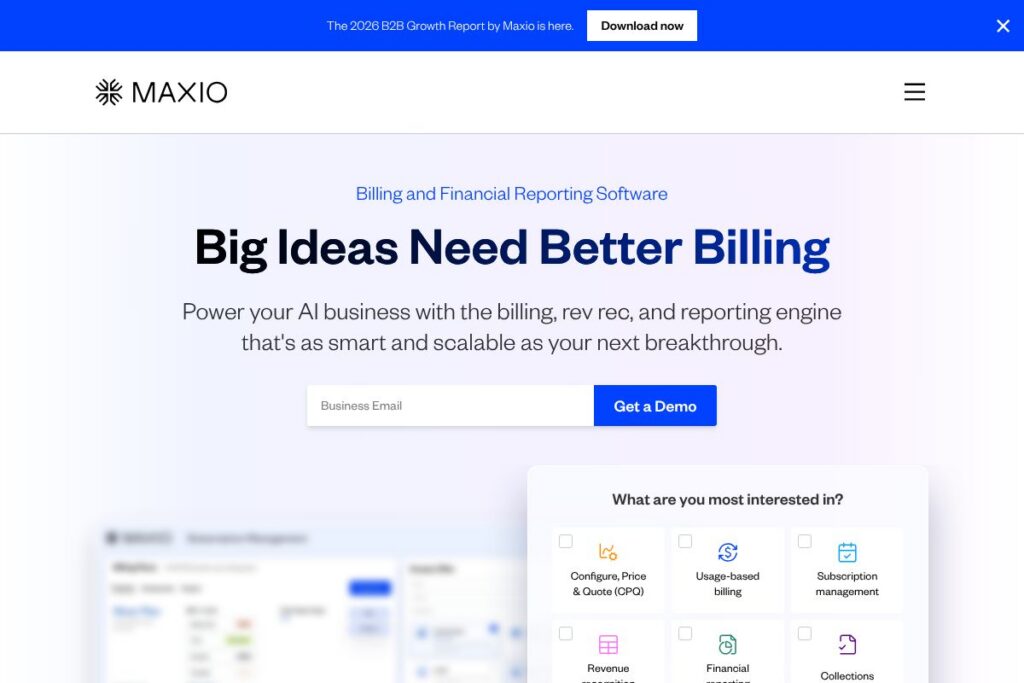

Maxio in a Nutshell
Maxio centralizes subscription billing, revenue recognition, and financial reporting into a single platform built for B2B SaaS finance teams. It combines subscription management, CPQ capabilities, automated invoicing, dunning, and multi-entity support so companies can reduce manual accounting work and produce GAAP and IFRS-compliant financials.
Compared with Chargebee and Recurly, Maxio places extra emphasis on complex revenue operations across multiple entities and deeper accounting controls. Compared with Stripe Billing, Maxio trades raw payment routing flexibility for native revenue recognition, multi-site catalogs, and AR reporting that finance teams can use without heavy spreadsheet work.
All of this makes Maxio particularly well suited to mid-market and enterprise SaaS companies that need a unified quote-to-cash and financial reporting system. It does billing complexity, revenue accounting, and AR automation well, which makes it a practical fit for finance-led organizations scaling subscription revenue.
How Maxio Works
Companies connect Maxio to their product catalog, CRM, and payment processors to centralize quote-to-cash workflows. Offers and CPQ flows can be configured for one-off deals, bundles, and usage-based pricing, and those configurations flow directly into invoicing and revenue schedules.
Revenue recognition and subscription changes are recorded automatically, producing GL-ready reports and audit-ready schedules. Finance teams use Maxio alongside ERPs by syncing invoices, payments, and recognized revenue; explore the Maxio integrations list for common connectors.
Maxio features
Maxio is organized around subscription lifecycle management, billing automation, cash collection, and financial reporting. Core capabilities include configurable offers and CPQ, recurring and usage billing, automated dunning, multi-entity support, self-service portals, and integrations with CRMs and ERPs. The platform also emphasizes accurate revenue recognition and AR reporting for finance teams.
Let’s talk Maxio’s Features
Offer Builder
Build personalized offers that include trials, add-ons, usage tiers, and bundled pricing. The Offer Builder supports sales workflows and CPQ-like quotes so sales can generate agreements that map directly to billing schedules.
Billing Automation
Automate recurring, usage-based, and event-triggered invoices with configurable proration and renewal timing. Billing rules can be applied per product or customer and scale from self-service subscriptions to negotiated enterprise contracts.
Cash Collection and Dunning
Automate payment reminders and multi-step dunning cadences while tracking past-due balances, expected collections, and DSO. Built-in collections workflows reduce manual follow-up and surface delinquency trends for finance.
Revenue Recognition
Generate GAAP and IFRS-compliant revenue schedules that adapt to subscription modifications, upgrades, and refunds. The system produces journal entries and recognition reports that simplify month-end close and audit trails.
Multi-Entity Support
Create separate sites or ledgers for distinct legal entities with unique product catalogs, payment gateways, and settings. This enables consolidated reporting while preserving per-entity accounting controls.
Self-Service Portals
Provide customers with signup, trial, and subscription management flows so they can update billing details, change plans, and pay invoices online. Self-service reduces support load and shortens payment cycles.
PLG and SLG Support
Manage hybrid growth models by handling both self-serve signups and enterprise deals in a single platform. This unifies metrics and revenue flows whether customers convert via product or sales-led channels.
Integrations and Extensibility
Connect to CRMs, ERPs, payment processors, and accounting systems to keep data synchronized across the stack. Maxio lists connectors for systems like Salesforce, NetSuite, QuickBooks, Xero, Stripe, and HubSpot on the integration page.
Reporting and Financial Insights
Produce AR reports, cash forecasts, churn analytics, and subscription metrics without relying on ad-hoc spreadsheets. Built-in dashboards and exportable reports help finance teams monitor health and accelerate decision making.
The biggest benefit of Maxio’s feature set is reducing manual reconciliation between billing, payments, and revenue accounting. Teams gain a single source of truth for subscription finances and the controls needed for audit-ready reporting.
Maxio pricing
Maxio uses a custom enterprise pricing model tailored to company size, entity structure, transaction volume, and integration needs. Pricing is typically structured for mid-market and enterprise customers rather than a public, tiered self-serve plan.
For specific pricing and packaging, view Maxio’s enterprise pricing details and contact options to request a quote or discuss a pilot. Sales and solutions teams can provide a tailored proposal based on your product catalog complexity and accounting requirements.
What is Maxio Used For?
Maxio is used to automate subscription billing processes, consolidate revenue recognition, and deliver AR and financial reports for SaaS businesses. Finance teams use it to replace spreadsheets, speed up close cycles, and maintain compliance with accounting standards.
Product and revenue teams use Maxio for CPQ, offer configuration, and usage billing, while sales operations rely on its integrations to keep quotes, contracts, and invoices aligned. Companies with multiple legal entities use the multi-site features to manage separate catalogs and gateways while consolidating reporting.
Pros and cons of Maxio
Pros
- Comprehensive revenue ops coverage: Combines CPQ, billing, revenue recognition, and AR reporting so finance teams reduce handoffs and manual reconciliation.
- Multi-entity support: Enables separate catalogs and ledgers per legal entity, which simplifies consolidations for organizations operating across regions.
- Strong integrations: Native connectors to common CRMs, ERPs, and payment processors reduce custom engineering work and preserve data consistency.
- Automated AR workflows: Dunning, reminders, and collections tracking shorten collections cycles and improve cash flow visibility.
Cons
- Enterprise-focused pricing: Pricing is tailored and not publicly listed, which may be a barrier for very small startups looking for transparent, low-touch plans.
- Implementation effort for complex setups: Multi-entity configurations and deep ERP syncing require planning and cross-team coordination during implementation.
- Less emphasis on developer-first payment routing: Compared with payment-first platforms, Maxio focuses more on revenue accounting than on custom payment routing capabilities.
Does Maxio Offer a Free Trial?
Maxio offers demos and pilot engagements rather than a public free trial or freemium plan. Prospective customers can request a demo or pilot through the contact page to evaluate how the platform handles their catalog, billing scenarios, and reporting requirements.
Maxio API and Integrations
Maxio provides an API that allows developers to automate billing, manage subscriptions, and extract reporting data; see the API documentation for endpoint details and examples. The platform also integrates with CRMs, ERPs, and payment providers to connect quote-to-cash workflows.
Key integrations include Salesforce, NetSuite, QuickBooks, Xero, Stripe, and HubSpot, plus an ecosystem of connectors through Zapier for common tools like Excel and Calendly. Integration options make it practical to surface billing and AR data where teams already work.
10 Maxio alternatives
Paid alternatives to Maxio
- Chargebee — Subscription management and billing with built-in revenue recognition and a focus on fast-growing SaaS and commerce businesses.
- Recurly — Flexible recurring billing platform with strong dunning and revenue recovery features for subscription businesses.
- Zuora — Enterprise-grade subscription monetization platform designed for complex billing models and large-scale deployments.
- Stripe Billing — Developer-focused billing and invoicing that pairs with Stripe payments for easy payment processing and subscription logic.
- SaaSOptics — Subscription management and revenue recognition tool geared toward B2B SaaS companies and investor reporting.
- Oracle NetSuite SuiteBilling — Part of the NetSuite ERP ecosystem, providing integrated billing and revenue recognition for large enterprises.
- Sage Intacct — Cloud financial management with subscription billing modules for companies seeking accounting-first solutions.
Open source alternatives to Maxio
- Kill Bill — Open source billing and payments orchestration platform that supports subscriptions, invoicing, and extensibility for engineering-led teams.
- Invoice Ninja — Open source invoicing and billing software suitable for small businesses that need self-hosted billing and client portals.
- ERPNext — Open source ERP with accounting and subscription features that can be adapted for recurring billing scenarios.
Frequently asked questions about Maxio
What does Maxio do for subscription billing?
Maxio centralizes subscription billing, invoicing, and revenue recognition. The platform handles recurring, usage-based, and event-based billing while producing schedules and reports for GAAP and IFRS compliance.
Does Maxio integrate with Salesforce and NetSuite?
Yes, Maxio integrates with leading CRMs and ERPs. Native connectors include Salesforce and NetSuite, with additional links to QuickBooks, Xero, Stripe, and HubSpot available on the integration page.
Can Maxio handle multi-entity billing for international companies?
Yes, Maxio supports multiple entities and site-level configurations. Each entity can have its own catalog, payment gateway, and settings while still supporting consolidated reporting.
How does Maxio help with revenue recognition?
Maxio automates revenue schedules and journal entries to ensure GAAP and IFRS compliance. It converts subscription events into recognition schedules and produces audit-ready reports to simplify month-end close.
Is there a free plan or trial for Maxio?
Maxio does not offer a public free plan; it provides demos and pilot engagements. You can request a demo or pilot through the contact page to evaluate fit and implementation scope.
Final verdict: Maxio
Maxio is a focused solution for B2B SaaS finance teams that need to unify billing, revenue recognition, and AR reporting. It excels at handling complex subscription models, multi-entity setups, and providing finance-grade outputs that reduce reliance on spreadsheets and manual journal adjustments.
Compared with Zuora, which also targets enterprise subscription management with custom pricing, Maxio emphasizes tighter AR reporting and finance workflows that are designed to shorten close cycles and provide operational dashboards. For organizations that require a single source of truth for subscription finances and deep accounting controls, Maxio is a strong candidate; teams that prioritize raw payment developer tools may still prefer a payment-first platform like Stripe Billing.
For pricing specifics and to discuss a tailored deployment, request a conversation through Maxio’s contact and sales options.