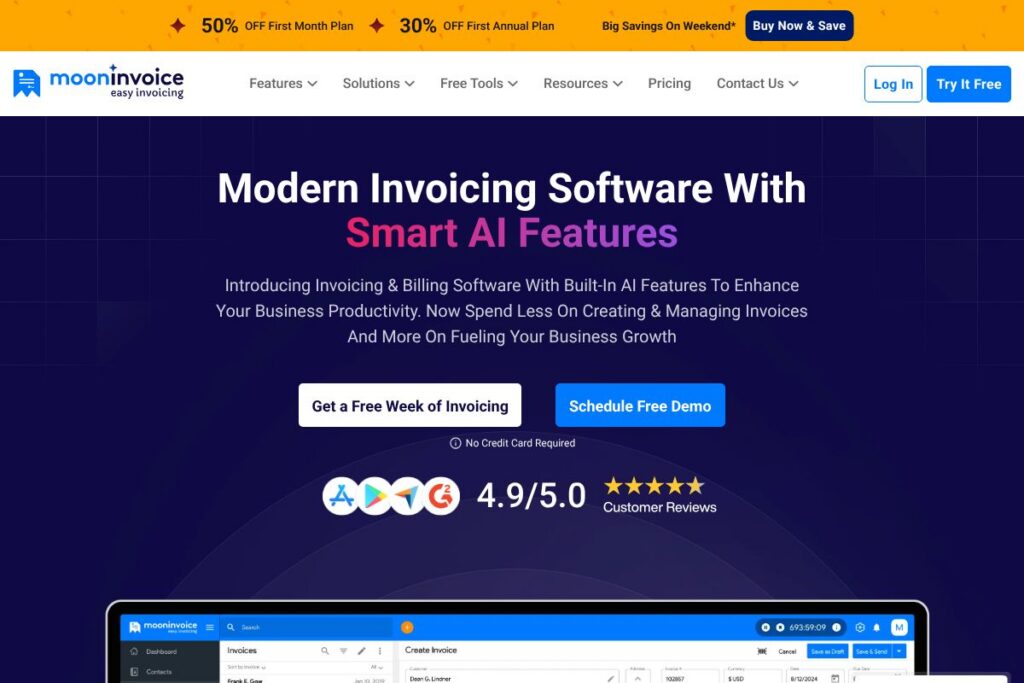

What is Moon Invoice?
Moon Invoice is an online invoicing and billing application aimed at small and midsize businesses. It focuses on fast setup, pre-designed templates, and straightforward workflows so users can create invoices, estimates, and purchase orders, send them to clients, and accept payments without a steep learning curve.
Compared with QuickBooks, which bundles invoicing inside a broader accounting suite, Moon Invoice is more focused on pure invoicing workflows and template customization. Compared with FreshBooks, Moon Invoice emphasizes quick setup and a compact feature set for solo proprietors and small teams. Compared with Zoho Invoice, Moon Invoice competes on ease of use and prebuilt templates while offering mobile-first options and an OCR-assisted Quick Scan feature.
All of this makes Moon Invoice particularly useful for freelancers, consultants, and small businesses that want fast invoice creation, repeat billing, and easy payment collection without adopting a full accounting platform.
How Moon Invoice Works
Moon Invoice organizes invoicing around a few core actions: create or select a template, add client and line-item details, and send invoices by email or share a client-facing link. Templates are customizable so you can apply your branding, tax rules, and default payment terms before sending an invoice.
For recurring revenue, Moon Invoice supports scheduled invoices and automated reminders, reducing manual follow-up. Payment integrations accept common gateways so paid invoices reconcile faster, and a mobile app keeps invoicing and expense tracking available when you are away from the desk.
The platform includes an OCR-powered Quick Scan that extracts billing data from paper receipts or PDF documents, turning them into draft invoices or expense entries. This helps teams convert physical documents into billable items quickly and reduces manual data entry.
Moon Invoice features
Moon Invoice centers on invoicing, estimates, payment collection, and basic expense and reporting tools. Recent additions highlighted by the product include Quick Scan OCR for faster invoice creation and a growing list of integrations that connect payments and accounting tools.
Pre-designed, customizable templates
A library of ready-made invoice and estimate templates lets you generate professional documents quickly, then tweak layout, colors, and fields to match your brand. Templates reduce billing friction and help standardize client communications across a business.
Recurring invoices and automated reminders
Set up recurring billing for subscriptions or retainer clients and automate reminder emails for unpaid invoices. This reduces manual follow-up and helps maintain predictable cash flow for small teams.
Payment processing and gateway integrations
Moon Invoice integrates with common payment gateways so clients can pay by card or online wallet directly from an invoice. Integrated payments speed up collections and simplify reconciliation between invoices and received funds.
Expense tracking and simple reporting
Record business expenses, categorize spend, and generate basic reports that show outstanding invoices, revenue by client, and expense summaries. These tools support financial oversight without requiring full accounting software.
Quick Scan OCR and AI-assisted capture
The Quick Scan feature extracts billing details from uploaded receipts or scanned documents, creating draft invoices or expense entries within seconds. This is useful for teams that receive paper invoices or work from field receipts and want to reduce manual entry.
Mobile apps and cloud sync
Mobile apps let users create invoices, track payments, and capture expenses on the go, with data synchronized to the cloud so desktop and mobile views stay consistent. This supports small teams and solo operators who work across devices.
Multi-currency, taxes, and client management
Support for multiple currencies and basic tax settings enables invoicing international clients, while a client database stores contact details, billing history, and payment terms for faster invoice generation.
With these capabilities Moon Invoice aims to cut the time spent on invoicing tasks, keep billing consistent across clients, and provide faster payment options that improve cash flow.
Moon Invoice pricing
Moon Invoice uses a subscription-style SaaS pricing model with multiple tiers that scale by features and team size, plus custom options for larger customers. The product offers a free trial period so you can test core capabilities before subscribing.
For current plan details and any promotional rates, check the Moon Invoice homepage which links to the latest subscription options and enterprise contact channels. For organizations that need integrations or custom billing terms, reaching out to their sales team through the homepage is recommended.
Moon Invoice Use Cases
Moon Invoice is commonly used for recurring small-business billing, one-off project invoicing, and fast estimates that convert to invoices. Freelancers and consultants use it to create branded invoices and track payments without extra accounting complexity.
Small firms also use Moon Invoice for expense capture and simple reporting to monitor outstanding receivables. The Quick Scan OCR feature helps businesses that still receive paper invoices or receipts to bring those records into digital workflows quickly.
Pros and Cons of Moon Invoice
Pros
- Easy setup and onboarding: The interface and pre-designed templates make it fast for small businesses to start invoicing without a long configuration process.
- Quick Scan OCR: Automates capture of billing details from physical documents which reduces manual data entry and speeds invoice creation.
- Mobile-friendly: Dedicated mobile apps and cloud sync let users create invoices and log expenses from anywhere, supporting remote or field-based teams.
- Unlimited invoices: Supports creating unlimited invoices and estimates, which is useful for growing small businesses that do not want per-invoice limits.
Cons
- Limited advanced accounting: For businesses that need deeper accounting, inventory, or payroll features, Moon Invoice is not a full accounting suite and may need to be paired with other software.
- Pricing details not public on a dedicated page: The lack of a dedicated public pricing page requires contacting the company or using the homepage to confirm current plans and enterprise options.
- Potential learning curve for advanced automation: Some advanced features like automated recurring flows and integrations may require setup and testing for correct reconciliation.
Does Moon Invoice Offer a Free Trial?
Moon Invoice offers a free trial for up to 7 days, allowing exploration of invoicing, templates, Quick Scan, and payment integrations. The trial includes access to core features so you can evaluate invoicing speed, customization, and payment workflows before subscribing.
Moon Invoice API and Integrations
Moon Invoice provides integration support for common payment gateways and accounting connections to help reconcile invoices with payments and ledgers. See the integrations list for gateway and accounting connectors supported by the platform.
An API is available for developers to automate invoice creation, client management, and data export; consult the API documentation for endpoint details and authentication instructions. These options let teams connect Moon Invoice to CRM systems, payment processors, and reporting tools.
10 Moon Invoice alternatives
Paid alternatives to Moon Invoice
- QuickBooks — Full accounting platform that includes invoicing, payroll, and tax features suited to businesses that want a single finance system.
- FreshBooks — Invoicing and expense tracking with time tracking features that appeal to freelancers and small service businesses.
- Zoho Invoice — Focused invoicing software with strong automation and a broader suite of Zoho business apps for scaling teams.
- Xero — Accounting-first platform with robust bank reconciliation and integrated invoicing, aimed at small to midsize businesses.
- Invoice2go — Simple invoicing app that prioritizes quick invoice creation and mobile workflows for on-the-go billing.
- PayPal Invoicing — Lightweight invoicing tied directly to PayPal payments, useful for businesses that already use PayPal for transactions.
Open source alternatives to Moon Invoice
- InvoicePlane — Self-hosted invoicing application that provides customizable templates, client management, and recurring invoices for teams that want control over hosting.
- Frappe / ERPNext — An open-source ERP with invoicing, accounting, and inventory modules for organizations that need an integrated business platform.
- Siwapp — Open-source invoicing focused on creating and managing invoices with a lightweight interface suitable for developers and small teams.
Frequently asked questions about Moon Invoice
How many days of free trial does Moon Invoice offer?
Moon Invoice provides a 7-day free trial. During this trial you can test templates, invoice generation, Quick Scan OCR, and payment integrations before selecting a subscription.
What does Moon Invoice do for small businesses?
Moon Invoice creates professional invoices, estimates, and purchase orders quickly. It also tracks expenses, processes payments via integrated gateways, and generates basic reports to monitor receivables.
Does Moon Invoice offer customer support?
Moon Invoice provides customer support and assistance for setup and troubleshooting. Support channels include email, chat, and help documentation to help customers resolve issues and configure integrations.
Can Moon Invoice automate invoices and reminders?
Yes, Moon Invoice supports recurring invoices and automated payment reminders. You can schedule invoices and configure reminder sequences to reduce manual follow-up and improve collections.
Does Moon Invoice include ready-to-use invoice templates?
Yes, Moon Invoice includes more than 60 ready-to-use invoice and estimate templates. Templates are customizable so you can add branding, tax rules, and default terms to speed up invoice creation.
Final verdict: Moon Invoice
Moon Invoice is a focused invoicing and billing tool that excels at quick setup, template-driven invoice creation, mobile access, and OCR-assisted capture of billing documents. Its feature set addresses the common needs of freelancers, consultants, and small businesses that want reliable invoicing without a full accounting platform.
Compared with a completely free invoicing option like Wave, Moon Invoice offers more dedicated invoicing features and OCR-assisted workflows that reduce manual data entry, while Wave provides free core invoicing and charges for payment processing. For teams that prioritize speed, document capture, and template customization over a consolidated accounting suite, Moon Invoice is a practical choice.
For plan specifics, integrations, and enterprise options, visit the Moon Invoice homepage to review current offerings and contact their sales team for tailored pricing details.