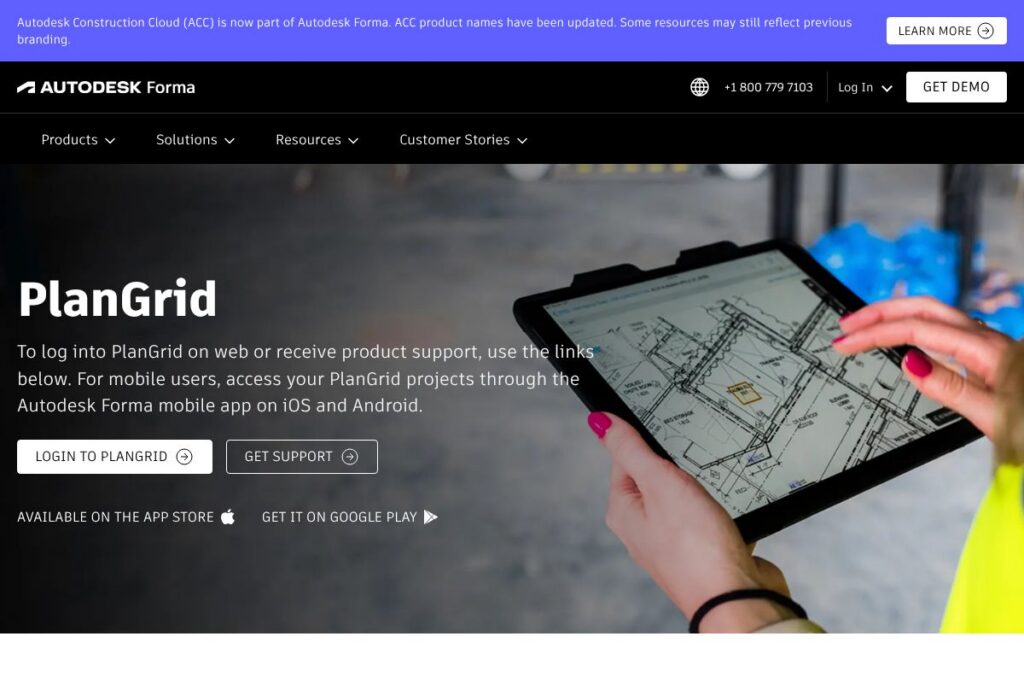

Meet PlanGrid
PlanGrid started as a field-focused construction application for sharing and marking up drawings, photos, and documents in real time across office and jobsite teams. It prioritizes fast access to sheet sets, offline sync for mobile crews, and simple, persistent markups and photo documentation that follow a project from preconstruction through turnover.
Since joining Autodesk, the core PlanGrid capabilities are incorporated into Autodesk Forma Build, which bundles the original sheet and field workflows with new schedule, asset, cost, and model-based tracking tools. Compared with competitors like Procore, which aims for a broad end-to-end construction platform, and Bluebeam Revu, which centers on PDF markup and takeoff, PlanGrid within Autodesk Forma focuses on straightforward field collaboration and easy mobile access while benefiting from Autodesk’s modeling and enterprise integrations.
All of this makes PlanGrid a practical choice for field teams and general contractors who need reliable sheet control, fast markups, and offline access, and who also want the option to expand into cost and asset management under the Autodesk Forma Build umbrella.
How PlanGrid Works
Project administrators upload drawing sets and documents to the platform where sheets are versioned and organized for easy access on web and mobile devices. Team members open the plans in the Autodesk Forma mobile app, apply markups, attach photos, and create issues that stay linked to the sheet and location so the office sees changes immediately when devices sync.
Typical workflows include issuing an updated drawing set to field crews, using checklists and RFIs to capture open items, and attaching photos and geolocated markups to claims or closeout packages. Offline access and automatic background sync let crews continue work without reliable connectivity, with changes merging when the device reconnects.
PlanGrid features
PlanGrid’s feature set centers on sheet management, fast markup tools, and field documentation that syncs across teams. Since integration into Autodesk Forma Build, the platform has added expanded scheduling, asset tracking, model-based references, and cost controls that bring sheet-level field work closer to project controls and forecasting.
Sheet and document management
Manage drawing sets, revisions, and searchable text across large projects so teams always open the correct sheet. Version control keeps an auditable history, and automatic version overlays help users see what changed between releases.
Markups and photos
Create freehand and precision markups directly on sheets, pin comments to locations, and attach progress photos so annotations remain tied to the drawing. This preserves field context for issue resolution and punch lists.
Offline sync and mobile access
Work offline on iOS and Android with local copies of sheets and photos, then let the app sync changes automatically when connectivity returns. Offline capabilities reduce delays for crews working in basements, remote sites, or congested areas.
RFIs and Submittals
Capture RFIs and submittals from the field, link them to drawings and specific locations, and track status across reviewers. The integration within Forma Build adds more configurable workflows and reporting for formal submittal cycles.
Asset and model tracking
Link assets and equipment to drawings and models for ongoing tracking from installation through maintenance. Model-based references enable teams to connect 2D sheets with 3D model items for clearer handoffs and inspections.
Meetings and schedule tools
Built-in schedule and meeting features allow teams to assign actions, log meeting minutes, and tie follow-up items directly to drawings and project tasks. These tools help compress coordination time between office and field teams.
Cost controls and forecasting
Budget, expense, change order, and forecasting tools bring basic cost tracking into the same environment as the field documentation, helping teams see how field issues and changes cascade into project finances.
Machine learning risk analysis
Machine learning features analyze project data to surface potential risks and trends from field reports, issue frequency, and schedule variance so teams can prioritize interventions based on patterns instead of ad hoc observation.
PlanGrid’s biggest benefit is reliable, location-based field documentation that integrates directly into broader project controls through Autodesk Forma Build, reducing rework and improving traceability between what crews see on site and what office teams track.
PlanGrid Pricing
PlanGrid is offered as part of Autodesk Forma Build and follows Autodesk’s enterprise and subscription pricing approach, with options that scale by feature set and project needs. Because there is no public PlanGrid-specific pricing page, organizations typically choose between seat-based subscriptions, bundled Forma Build offerings, and enterprise agreements with volume licensing and support.
For current subscription tiers, enterprise options, and any trial or onboarding packages, see the Autodesk Forma product information or review Autodesk’s enterprise sales and licensing options to get pricing tailored to your organization.
What is PlanGrid Used For?
PlanGrid is used primarily for field plan distribution, markups, and as-built photo documentation across construction projects. Field crews, superintendents, and inspectors rely on it to view the latest drawings, create location-specific markups, and maintain a searchable record of issues and progress photos.
Larger organizations use PlanGrid workflows to reduce RFIs from ambiguous drawings, accelerate punch-list closure, and ensure turnover packages include linked photos and annotated sheets. When combined with Forma Build, teams also use it for lightweight asset tracking, cost visibility, and schedule coordination tied to field observations.
Pros and cons of PlanGrid
Pros
- Fast, field-friendly markups: Markups are immediate and persistent, which speeds up communication between field crews and office staff and simplifies punch-list creation.
- Reliable offline access: Local copies of sheets, photos, and annotations keep crews productive without constant connectivity, then sync automatically when online.
- Integration with Autodesk Forma Build: Incorporates sheet-level field data into broader project controls like cost tracking, asset management, and schedule tools for more connected workflows.
- Simple version control: Automatic versioning and searchable drawing text reduce errors from working off obsolete sheets.
Cons
- Enterprise pricing model: Pricing is typically delivered through subscription or enterprise negotiation, which can be complex for small firms seeking simple per-user rates.
- Focused on field workflows: While excellent for drawings and field documentation, some teams may need additional out-of-the-box project controls that full ERP or heavy project-management suites provide.
- Migration and consolidation: Organizations consolidating multiple construction tools may face work during migration to Forma Build to align datasets and processes across platforms.
Does PlanGrid Offer a Free Trial?
PlanGrid (now integrated into Autodesk Forma Build) offers trial and onboarding options through Autodesk, with trial terms varying by region and offering. Prospective users can request trial access or a demo through Autodesk’s Forma pages, and enterprise customers often receive guided onboarding as part of their subscription package; see Autodesk Forma trial and contact options for next steps.
PlanGrid API and Integrations
PlanGrid provides developer access and supports integrations with Autodesk ecosystem products and common cloud storage and BIM tools. The PlanGrid API documentation describes endpoints for sheets, markups, photos, and issues, enabling automated workflows and data extraction for reporting.
Key integrations include native ties to Autodesk products and model workflows, plus common document and storage services, and connector availability for project platforms used by contractors and owners. Review the Autodesk developer resources for guidance on model-based and cross-product integrations.
10 PlanGrid alternatives
Paid alternatives to PlanGrid
- Procore — Full project controls platform with strong financials, field management, and an extensive partner ecosystem that targets general contractors and owners.
- Autodesk BIM 360 — Autodesk’s construction management suite for model coordination, quality, and field management, with deep BIM integrations and data workflows.
- Bluebeam Revu — PDF-based markup, collaboration, and takeoff tool favored for detailed drawing reviews and quantity takeoffs.
- Fieldwire — Field-first construction management focused on punch lists, task assignment, and mobile plan viewing for trade contractors.
- Buildertrend — Project management and customer management for homebuilders and remodelers with scheduling, financials, and client communications.
- PlanSwift — Estimating and takeoff software that integrates PDF plans with quantity extraction and material lists.
- e-Builder — Owner-focused project management software for capital program and cost controls with strong reporting and governance.
Open source alternatives to PlanGrid
- OpenProject — Open source project management with task boards, document management, and collaboration features that can be adapted for construction projects.
- ERPNext — Open source ERP with a construction module for project accounting, timesheets, and site-level costing that can be extended for field tracking.
- Odoo Community Edition — Modular open source business apps that can be configured for project management, document storage, and basic field operations.
Frequently asked questions about PlanGrid
What is PlanGrid used for?
PlanGrid is used for field drawing distribution, markups, issue tracking, and photo documentation on construction projects. Teams use it to ensure crews have the latest sheets, capture field conditions, and keep an auditable trail of markups and photos.
How do I log into PlanGrid?
You can log into PlanGrid through the web login or via the Autodesk Forma mobile app for iOS and Android. Use the PlanGrid login page for web access or download the Autodesk Forma mobile app to access project data on mobile devices.
Does PlanGrid integrate with other construction tools?
Yes, PlanGrid integrates with Autodesk products and common construction and storage tools via APIs and built-in connectors. Integration options include model references, document sync, and third-party connectors for common cloud storage services.
How much does PlanGrid cost?
PlanGrid pricing is provided through Autodesk Forma subscription and enterprise plans, with options that scale by seats and feature bundles. For exact rate cards, bundled offerings, and enterprise licensing, consult the Autodesk Forma product pages.
Can I use PlanGrid offline on the jobsite?
Yes, PlanGrid supports offline access so sheets, markups, and photos are available without connectivity and sync when a device reconnects. This is essential for crews working in basements, remote locations, or congested urban sites.
Final Verdict: PlanGrid
PlanGrid remains a strong choice for field-first construction teams that need dependable sheet management, persistent markups, and offline mobile workflows. Its incorporation into Autodesk Forma Build enhances those strengths with additional schedule, asset, and cost management capabilities, which is helpful for teams that want to keep field workflows tightly connected to project controls.
Compared with Procore, which targets a broader end-to-end project and financial management footprint and typically uses enterprise subscription pricing, PlanGrid in Autodesk Forma concentrates on streamlined field collaboration plus targeted project controls. That makes PlanGrid an especially good fit for contractors and owners who want proven field documentation paired with the option to expand into model and cost workflows under an Autodesk subscription.