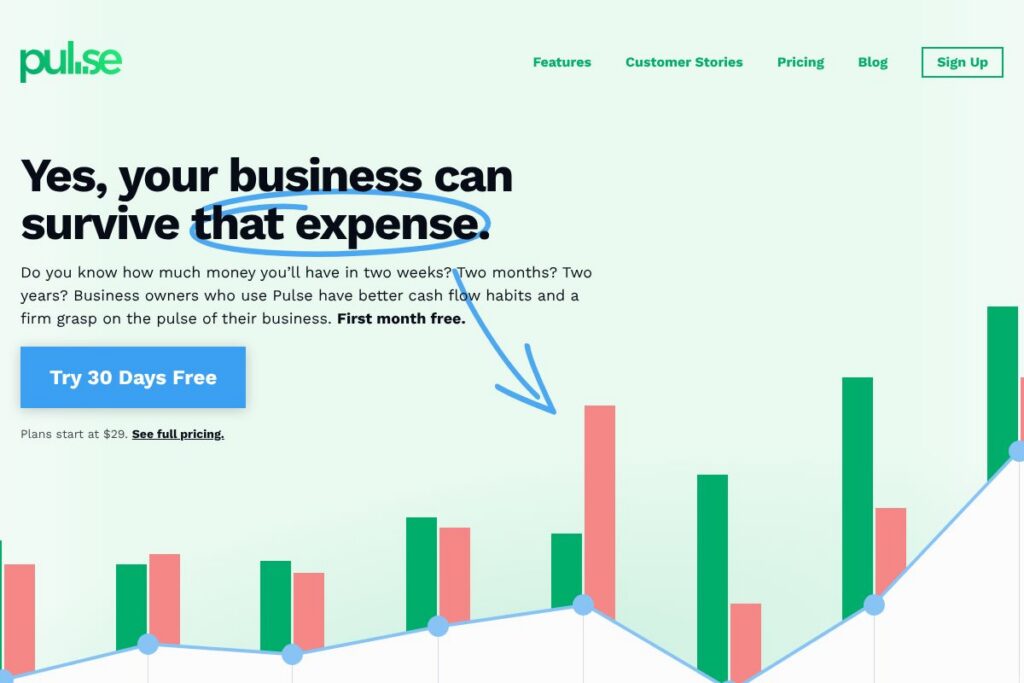

Pulse: An Overview
Pulse focuses on cash flow forecasting and scenario planning for small businesses. It provides visual reports, multiple time-range views, and a direct connection to QuickBooks Online so projections track against actual performance. The interface emphasizes quick setup and daily use, with features built specifically to replace fragile spreadsheet workflows.
Compared to competitors like Float, Dryrun, and QuickBooks Online, Pulse concentrates more narrowly on cash flow projection and scenario testing rather than full accounting or resource planning. Float emphasizes team-level cash and resource forecasting tied into project timelines, Dryrun adds more detailed project profitability and scenario comparisons, and QuickBooks Online handles bookkeeping with some cash flow tools layered on. Pulse differentiates by keeping the forecasting experience simple, visual, and task-focused for business owners who do not want to build models in spreadsheets.
All of this makes Pulse especially well suited to small business owners and finance-savvy operators who need a clear picture of upcoming cash availability, quick scenario toggles, and a lightweight workflow that can be checked daily without heavy bookkeeping work.
How Pulse Works
Pulse ingests expected income and scheduled expenses then maps those items onto a timeline so you can see projected bank balances over days, weeks, months, and years. You can toggle individual customers, projects, or expense lines on and off to test what hiring, new contracts, or delayed invoices will do to your cash position.
Practical workflows typically start by connecting QuickBooks Online, importing open invoices and bills, or entering recurring items manually. From there you build scenarios, adjust dates and amounts, and use the visual reports to decide whether to hire, defer spending, or pursue financing.
What Pulse Brings to the Table
Pulse centers on cash flow visibility and scenario planning with a handful of focused capabilities designed to replace spreadsheet forecasting. Core strengths include multiple time granularities, customer and project-level reporting, visual charts that show cash movement, currency conversion for multi-currency businesses, and a QuickBooks Online sync to reduce manual entry. The product also supports team access controls so you can invite colleagues or grant read-only access to investors.
Multiple Cash Flow Views
View forecasts at yearly, monthly, weekly, daily, or transactional levels to match planning cadence with operational needs. This flexibility helps owners zoom out for strategic hiring decisions or zoom in to see when specific payables and receivables affect cash in the next 30 days.
Customers and Projects
Run cash flow reports filtered by customer or project to evaluate future profitability and identify which engagements drive cash risk. That view helps prioritize collections, adjust payment terms, or decide whether to accept new work.
Visual Reports
Pulse uses simple charts and color-coded timelines to make inflows and outflows obvious at a glance, reducing the cognitive load compared with multi-sheet spreadsheets. Visual reports speed decision making for owners who need an immediate answer to whether they can afford payroll or a capital purchase.
Currency Conversion
Built-in currency conversion uses current exchange rates so businesses operating with multiple currencies can forecast cash in a single base currency. This removes manual conversion work and keeps cross-border projections consistent.
Invite Your Team
Invite team members with role-based permissions to collaborate on forecasts or share read-only views with investors and advisors. Team access makes it practical for bookkeepers to maintain inputs while owners run scenarios.
QuickBooks Online Sync
Pulse connects directly to QuickBooks Online to pull invoices, bills, and bank data so projections reflect actual accounting records without double entry. That connection reduces reconciliation work and keeps forecasts aligned with real transactions; see the QuickBooks Online integration for details on typical workflows.
With these capabilities Pulse delivers immediate, easy-to-understand insight into future cash, letting small business owners test decisions and feel confident about near-term liquidity.
Pulse pricing
Pulse uses a subscription model with plans that scale for solo owners and small teams; plans start at $29/month and the company advertises an initial free month for new users. Enterprise or larger-team options are available for businesses that need additional seats, custom onboarding, or advanced sharing controls.
Monthly Billing:
Starter – $29/mo (core cash flow forecasting, QuickBooks Online sync, visual reports, basic team invites)
Teams – Contact sales (adds multiple seats, shared projects, priority support)
Annual Billing:
Annual subscriptions are offered with a reduced effective monthly rate compared with monthly billing; businesses that expect continuous use typically save by choosing annual plans. For the latest plan breakdowns and any seasonal promotions, check Pulse’s signup and trial options.
Enterprise
Enterprise – Custom pricing (advanced seat management, white-glove onboarding, SLAs) For organizations with more complex needs contact Pulse for enterprise details and volume pricing.
What is Pulse Used For?
Pulse is used to forecast short- and medium-term cash balances so owners know whether they can fund payroll, vendor payments, or new hires. It is a decision tool for questions like whether to accept a new project, take owner distributions, or seek financing.
Small agencies, restaurants, contractors, retailers, and freelancers use Pulse to replace fragile spreadsheet models with a repeatable process that updates from accounting data or simple manual inputs. The tool is also used to communicate projections to investors or lenders through read-only access and clear visual reports.
Pros and Cons of Pulse
Pros
- Scenario testing made simple: You can toggle income and expenses on or off to instantly see how different assumptions affect future cash, which speeds decision making.
- QuickBooks Online sync: Keeps projections aligned with bookkeeping records, reducing manual reconciliation and data entry errors.
- Visual clarity: Charts and multiple time views make it easier to understand cash timing than multi-sheet spreadsheets.
- Easy to set up and use: The interface is designed for daily or weekly checks without a steep learning curve.
Cons
- Focused feature set: Pulse concentrates on cash flow forecasting and does not replace full accounting systems or deep financial analysis tools.
- Limited public API information: Pulse emphasizes native QuickBooks Online integration and team features; organizations that need broad API access or custom integrations should confirm availability with sales.
- Scaling complexity: Larger finance teams may require more advanced reporting or multi-entity consolidation than Pulse provides out of the box.
Does Pulse Offer a Free Trial?
Pulse offers a 30-day free trial (first month free) for new users. The trial provides access to core forecasting features so you can connect QuickBooks Online, import or enter expected cash items, and run scenario tests. After the trial ends, plans start at $29/month for ongoing access.
Pulse API and Integrations
Pulse provides a direct integration with QuickBooks Online to sync invoices, bills, and bank data so forecasts reflect real accounting records; that integration streamlines setup and reduces manual updates, see the QuickBooks Online integration for the external service it connects to. Pulse also supports team invitations and common import/export workflows to move data between systems.
For organizations that require bespoke integrations or API access for automation, Pulse offers options through its support and sales channels to discuss custom connections and data export needs. Contact Pulse to confirm API availability and integration options tailored to your environment.
10 Pulse alternatives
Paid alternatives to Pulse
- Float — Cash flow and resource planning focused on forecasting across projects and people, often chosen by agencies and product teams.
- Dryrun — Scenario-based forecasting with an emphasis on project profitability and what-if analysis for growing service businesses.
- Fathom — Financial reporting and analysis that includes cash flow insights alongside performance dashboards and KPI tracking.
- QuickBooks Online — Accounting platform with built-in cash flow reports and cash flow planner tools when paired with its bookkeeping features.
- PlanGuru — Forecasting and budgeting tool aimed at more detailed financial models, budgeting cycles, and board-level reporting.
- Spotlight Reporting — Offers rolling forecasts and consolidated reports for small businesses and accountants working with multiple entities.
- CashflowTool — Focuses on invoice-based forecasting and collections-driven cash flow management for small businesses.
Open source alternatives to Pulse
- GnuCash — Free accounting software with cash and bank account tracking that can be adapted for simple forecasting through reports and scheduled transactions.
- ERPNext — Open source ERP with accounting and cash management modules, suitable for businesses that want a self-hosted, integrated suite.
- Firefly III — Personal finance manager that can be repurposed for small business cash tracking with manual configuration and self-hosting.
- Ledger — A command-line double-entry accounting system that can produce cash flow reports when combined with custom scripts and templates.
Frequently asked questions about Pulse
What does Pulse do for small businesses?
Pulse forecasts cash flow and lets owners run scenarios to see future bank balances. It shows how income and expenses interact over time so you can plan hires, investments, or loan needs with greater confidence.
Does Pulse integrate with QuickBooks Online?
Yes, Pulse connects directly to QuickBooks Online. The sync pulls invoices, bills, and bank data to keep forecasts aligned with actual accounting records.
How much does Pulse cost per month?
Pulse plans start at $29/month. The company also offers a 30-day free trial and enterprise options for larger teams or organizations with custom needs.
Can Pulse handle multiple currencies?
Yes, Pulse supports currency conversion using current exchange rates. That makes it practical for businesses that receive payments or pay suppliers in different currencies.
Is Pulse suitable for freelancers and agencies?
Yes, Pulse is designed for freelancers, agencies, restaurants, and small service businesses. Its focused feature set and simple setup suit owners who need fast cash visibility without complex accounting workflows.
Final Verdict: Pulse
Pulse does one job and does it well: provide small businesses with clear, actionable cash flow forecasts and fast scenario testing. Its visual reports, multiple time views, and QuickBooks Online sync replace fragile spreadsheet models and make near-term liquidity easy to understand.
Compared with QuickBooks Online, which starts at $30/month for basic bookkeeping, Pulse at $29/month focuses narrowly on forecasting and scenario planning rather than full accounting features. If your primary need is accurate, easy-to-read cash forecasting and you already use an accounting system for books, Pulse is a practical, cost-effective complement to bookkeeping software. If you need full general ledger, payroll, and compliance features bundled together, an accounting platform like QuickBooks Online will be a closer fit.
Overall, Pulse is a strong choice for owners who want daily or weekly cash visibility, fast scenario testing, and a clean connection to accounting data without getting lost in spreadsheets.