
What is Xero
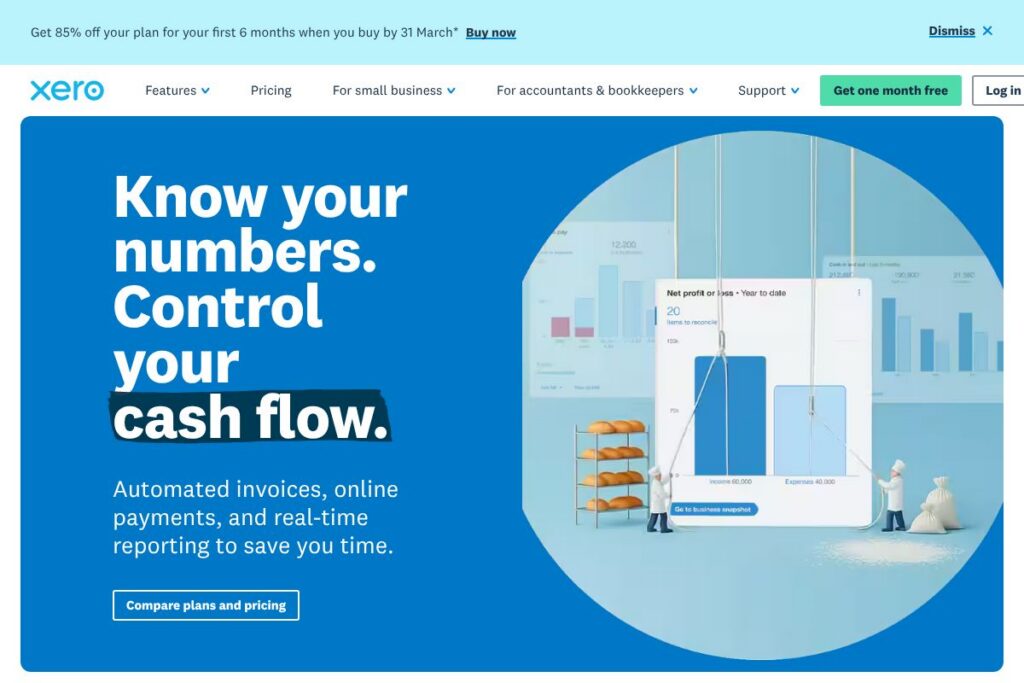
Xero is cloud accounting software designed for small businesses, sole traders, accountants, and bookkeepers. It centralizes bookkeeping tasks such as bank reconciliation, invoicing, expense tracking, and basic payroll while connecting to a wide marketplace of third-party apps for inventory, payments, and reporting.
Compared with QuickBooks Online, Xero emphasizes unlimited user access and an open app ecosystem that many small businesses and advisors prefer. Compared with FreshBooks, Xero offers broader accounting features and deeper bank reconciliation tools, and compared with Sage it provides a more modern cloud-first interface and an extensive app marketplace.
Xero works especially well for small businesses that want a cloud-native accounting backbone with easy accountant collaboration, robust bank feeds, and scalable integrations. The platform’s accounting workflow and marketplace make it suitable for freelancers up to established small companies that need multi-user access and connected apps.
How Xero works
Xero operates as a cloud-first accounting platform accessible from browser and mobile apps. You connect bank accounts and credit cards to import transactions, then reconcile incoming bank feeds against invoices and bills to keep ledgers current.
Typical workflows include creating and sending invoices, reconciling bank transactions, capturing receipts with a mobile app, and sharing reports with an accountant or bookkeeper. Advisors can access client files directly in Xero, collaborate on adjustments, and publish finalized tax and financial reports.
Automation features let you create repeating invoices, automatic bank rules to categorize transactions, and two-way integrations with payment providers so customers can pay invoices online and payments reconcile automatically.
Xero features
Xero focuses on everyday accounting essentials plus a large app marketplace and, more recently, AI-assisted automation. Core capabilities include bank connections and reconciliation, invoicing and quotes, financial reporting, integrations with payroll and payments, and new AI features branded as JAX for task automation and quick insights.
Let’s talk Xero’s Features
Bank connections and reconciliation
Xero connects to thousands of banks worldwide to import transactions directly into your account. Reconciliation is handled with a three-column reconciliation screen, bank rules to auto-apply categories, and matching logic that speeds up clearing routine transactions for accurate cash position tracking.
Invoicing and quotes
Users can create customizable invoices and quotes, set payment terms, and accept online payments through integrated gateways. Automated reminders and partial payments are supported, which reduces manual chasing and improves cash collection.
Financial reporting and dashboards
The reporting suite includes profit and loss, balance sheet, cash summary, and customizable reports suitable for periodic reporting to stakeholders. Dashboards provide an at-a-glance view of cash flow and outstanding invoices so small business owners can prioritize action.
Payroll and employee management
In supported regions Xero includes payroll tools for running pay runs, calculating taxes, and submitting filings where required. Integrated employee records and pay templates reduce duplicate data entry and keep payroll aligned with accounting records.
Integrations and app marketplace
Xero’s ecosystem connects with hundreds of third-party apps for inventory, e-commerce, time tracking, payments, and CRM. The App Marketplace lets businesses extend Xero with specialist tools while maintaining a single source of truth for accounting data.
JAX AI financial assistant
JAX operates as an AI assistant inside the Xero experience to automate routine tasks, draft invoices and quotes, and surface insights from financial data. It can assist with natural language queries about cash flow, predict shortfalls, and automate outbound messages via email, SMS, or WhatsApp when configured.
With these features Xero provides a complete small business accounting environment: bank feeds and reconciliation keep books current, invoicing and payments speed up collections, and the app ecosystem lets companies add specialized capabilities as they grow. The addition of AI tools like JAX focuses on reducing routine work and making financial insights accessible without deep accounting expertise.
Xero pricing
Xero uses a subscription model with tiered plans aimed at sole traders, growing businesses, and established companies. Monthly promotional rates are sometimes offered and a 30-day free trial is available so you can test features and integrations before committing.
Monthly Billing:
Starter – $2.90/mo (Basic invoicing and reconciliation features, suited to sole traders and new businesses)
Standard – $5/mo (Expanded accounting tools for growing businesses, more invoices and contacts)
Premium – $7.50/mo (Full accounting feature set for established businesses of all sizes)
Annual Billing:
Annual billing options are available and often provide savings compared with month-to-month subscriptions; exact yearly rates and billing policies vary by country and promotions. For the most relevant rates and billing terms check Xero’s small business pages or the trial signup flow to see current offers and any regional differences.
For details on region-specific plans and any partner discounts visit Xero’s features and signup pages such as the Xero for small businesses overview and the Try Xero for free signup.
What is Xero used for
Small businesses use Xero to run day-to-day accounting tasks, including issuing invoices, tracking expenses, reconciling bank accounts, and preparing basic financial reports. Freelancers and sole traders typically use Xero to send invoices and maintain a clean record for tax reporting.
Construction, retail, and service businesses use Xero with specialized apps for job costing, POS integrations, and inventory management so accounting reflects operational activity. Accountants and bookkeepers use Xero to manage multiple client files, provide advisory services, and close accounts faster through shared access.
Xero solves cash flow visibility and bookkeeping maintenance problems for businesses that want bank-connected, cloud-native accounting with easy advisor collaboration and a wide set of third-party integrations.
Pros and cons of Xero
Pros
- Cloud-first accounting: Xero stores accounts in the cloud so you can access books from anywhere and collaborate with advisors in real time.
- Large integrations ecosystem: Hundreds of apps are available in the App Marketplace, enabling tailored workflows for inventory, payroll, e-commerce, and payments.
- Unlimited users on core plans: Many plans include unlimited standard users which simplifies collaboration across teams and external accountants without per-user fees.
- Bank reconciliation tools: Powerful bank rules and automatic matching speed up reconciliation and reduce manual bookkeeping work.
Cons
- Regional payroll differences: Payroll features and compliance vary by country, so businesses may need separate payroll providers in unsupported regions.
- Advanced reporting limitations for large enterprises: While robust for SMEs, very large companies may need additional BI tools for highly customized reporting and consolidations.
- Learning curve for non-accountants: Small business owners unfamiliar with accounting concepts may need time or advisor help to configure chart of accounts and tax settings correctly.
Does Xero Offer a Free Trial?
Xero offers a 30-day free trial with no credit card required. The trial provides access to Xero features with the option to set up your data or explore a demo, and 24/7 online support is available during the trial period.
Xero API and Integrations
Xero provides a developer API that supports common accounting tasks such as creating invoices, retrieving transactions, and managing contacts; the Xero developer documentation details endpoints, OAuth flows, and SDKs. Developers can build integrations that sync transactions, push invoices, and automate reconciliations with secure API access.
Key prebuilt integrations include payment processors, payroll providers, e-commerce platforms, and receipt capture tools. Popular integrations include Stripe, PayPal, Shopify, Square, and bank feed connectors available through the App Marketplace, which you can browse on Xero’s features pages.
10 Xero alternatives
Paid alternatives to Xero
- QuickBooks Online – Cloud accounting with a large user base and strong payroll, tax, and bookkeeping integrations aimed at small to mid-size businesses.
- FreshBooks – Invoicing-first accounting software focused on freelancers and service businesses with time tracking and client-facing features.
- Sage Business Cloud Accounting – Scalable accounting and payroll solutions with a focus on mid-market businesses and compliance features.
- Wave – Free accounting and invoicing for small businesses with paid add-ons for payments and payroll in select regions.
- Zoho Books – Part of the Zoho suite, offering invoicing, automated workflows, and native integration with CRM and other Zoho apps.
- Xeparto – Specialty accounting software offering industry-specific workflows for project accounting and job costing.
- Kashoo – Simple cloud accounting that emphasizes ease of use for very small businesses and single-person operations.
Open source alternatives to Xero
- Odoo (Community Edition) – Open source ERP with accounting modules, extensible for inventory, CRM, and e-commerce, suitable for organizations that can self-host and customize.
- ERPNext – Open source ERP with integrated accounting, inventory, and payroll modules designed for SMBs that want a full business system.
- GnuCash – Desktop double-entry accounting software suitable for freelancers and small businesses who prefer a local, open source solution.
- Dolibarr – Open source ERP and CRM with basic accounting features, invoices, and project management for small businesses.
- LedgerSMB – Web-based open source accounting and ERP focused on accounting accuracy and multi-user workflows for small organizations.
Frequently asked questions about Xero
What is Xero best used for?
Xero is best used for cloud-based small business accounting, invoicing, and bank reconciliation. It is well suited to sole traders, small teams, and accounting practices that need shared access to client books.
Does Xero integrate with payment processors?
Yes, Xero integrates with major payment processors. You can connect services such as Stripe and PayPal to accept online payments that reconcile automatically with invoices.
How much does Xero cost per month?
Xero uses tiered subscription plans with monthly and annual billing options. Promotional monthly rates are sometimes offered and available directly through Xero’s signup or regional pages, so review the current options on Xero’s small business overview for the latest rates.
Can Xero be used by accountants and bookkeepers?
Yes, Xero is widely used by accountants and bookkeepers. The platform supports multiple clients, advisor tools, and file-sharing workflows that make client collaboration and reporting efficient.
Does Xero offer an API for developers?
Yes, Xero provides a public API for automation and integrations. The Xero developer documentation describes endpoints, authentication, and SDKs for building custom connections.
Final verdict: Xero
Xero is a mature cloud accounting platform that excels at bank-connected bookkeeping, collaborative workflows with accountants, and extensibility through a large app marketplace. Its feature set is well matched to freelancers, small businesses, and practices that need a cloud-native ledger with easy reconciliation and invoicing.
Compared with QuickBooks Online at around $25/month for entry-level plans, Xero’s tiered approach and emphasis on unlimited users in core plans can be more cost effective for teams and advisors. If you need an accounting-first platform with broad integrations and strong reconciliation tools, Xero is a compelling choice; larger enterprises that require advanced consolidations and custom reporting may still need dedicated ERP or BI tools.