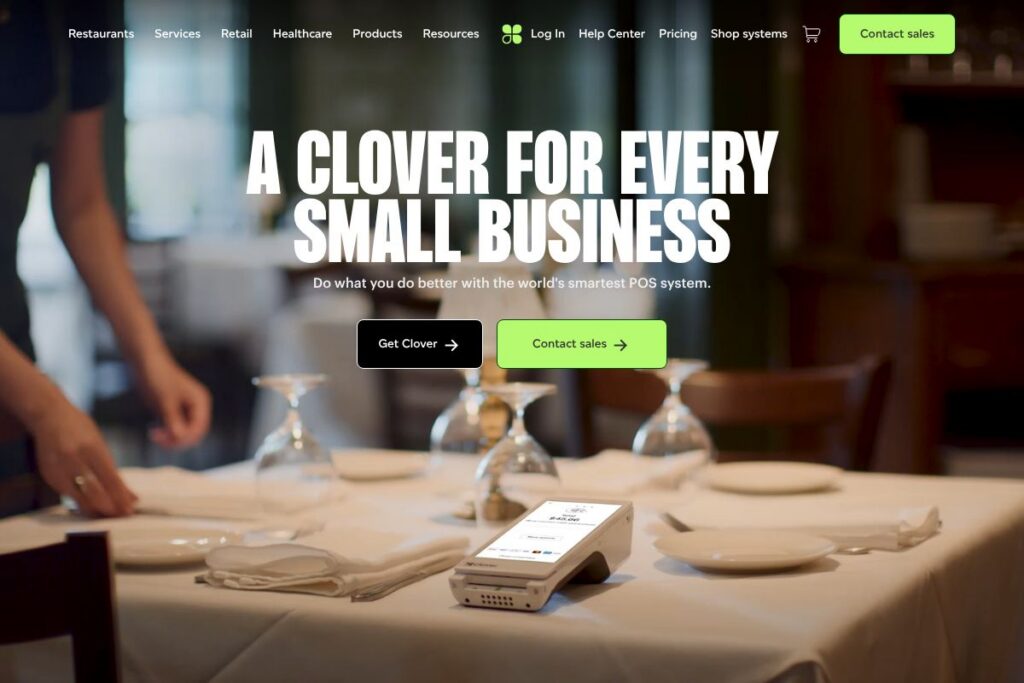

What is Clover
Clover is a point of sale platform that combines hardware, payment processing, and an app marketplace to support restaurants and other small businesses. The platform covers order taking, payments, menu and inventory management, staff scheduling, and customer engagement, with hardware options that range from fixed countertop terminals to mobile devices for tableside ordering.
Clover competes directly with systems used in hospitality such as Toast, Square, and Lightspeed. Compared with Toast, which is strongly focused on restaurant-specific workflows and an all-in-one restaurant suite, Clover tends to be more modular and integrates third-party apps for features like deliveries and loyalty. Against Square, Clover offers a wider set of dedicated terminals and a larger app ecosystem that can suit different service models, while Lightspeed emphasizes inventory-heavy restaurants and retail convergence.
Clover does particularly well at providing flexible hardware choices and a broad app marketplace for adding functionality. That combination makes it a good fit for small to midsize restaurants, bars, cafes, and specialty food operators that want a configurable POS system with integrated payments and third-party integrations.
How Clover Works
Clover runs on a mix of proprietary terminals and mobile devices that connect to a cloud-based back end for sync and reporting. Staff use Clover terminals or the Clover Flex mobile device to take orders, accept payments, and print or route tickets to kitchen printers or third-party delivery services.
Menus and modifiers are managed through the Clover dashboard or apps in the Clover App Market, and orders can be routed to delivery platforms or an integrated online ordering page. Payment processing, reporting, and payroll functions are handled either natively or via connected apps, enabling workflows where sales, staff schedules, and inventory updates remain coordinated across devices.
Clover features
Clover’s feature set centers on point of sale, payments, staff management, and third-party integrations, with specialized hospitality capabilities available through Clover Hospitality and partner apps. Recent product focus emphasizes omnichannel ordering, mobile POS, and tighter integrations with online ordering and delivery services.
Point of sale and payments
Clover provides touchscreen terminals and mobile POS devices that process chip, contactless, and swipe payments, plus hosted checkout options for online sales. The system supports split checks, tipping, refunds, and multiple tender types, which helps restaurants handle common service scenarios efficiently.
Table and order management
Table layout and routing features let staff seat guests, send orders to specific kitchen printers, and manage open checks. These tools reduce order errors and speed table turnaround for full-service and multi-course dining situations.
Online ordering and third-party integrations
Clover consolidates online orders from multiple channels into a single platform through integrations with delivery platforms and a built-in online ordering option that can be added to a website. That centralization simplifies menu management and prevents order duplication across channels.
Staff, payroll, and scheduling
Built-in staff management and scheduling tools help managers create shifts, track hours, and export payroll information or connect to payroll providers. Timeclock features and permissions control help protect revenue and simplify labor reporting.
Reporting and analytics
Daily sales summaries, item-level reporting, and customizable reports give operators visibility into top-performing dishes, peak hours, and payment trends. Reports can be accessed from the web dashboard or mobile apps for on-the-go monitoring.
Hardware options
Clover offers a range of terminals including countertop systems, portable readers like the Clover Flex, and receipt printers that fit different floor plans and service models. Hardware and accessories are designed to integrate with the software ecosystem for a single-vendor checkout experience.
With these capabilities Clover helps restaurants manage front-of-house operations, payments, and omnichannel orders while allowing third-party apps to add specialized functionality like loyalty, inventory depth, or advanced kitchen display systems.
Clover pricing
Clover uses a mixed pricing approach that typically combines hardware purchase or rental with software subscriptions and payment processing agreements tailored by reseller or processor. Plans and fees vary by business size, processing volume, and the specific hardware or apps chosen.
For current plan details and options that match your restaurant’s needs, review Clover’s product and solution pages or contact a Clover representative to get a customized quote. Resellers and payment partners may offer bundled pricing that includes hardware, software, and processing, so comparing offers is important before committing.
What is Clover Used For?
Restaurants use Clover to accept payments at the counter, tableside, or online, and to connect orders with kitchen printers or third-party delivery services. The platform is commonly used for quick-service workflows, full-service dining with table management, and specialty food businesses that need mobile or pop-up checkout capabilities.
Beyond order capture, Clover is used for staff scheduling, basic payroll exports, customer loyalty programs via apps, and day-to-day reporting that helps managers track sales by item and shift. Its modular app marketplace is useful for operators who want to add capabilities gradually without replacing their core POS.
Pros and cons of Clover
Pros
- Hardware variety: Extensive hardware selection supports countertop terminals, mobile devices, and flexible deployment models, making it easier to match equipment to floor plans and service styles.
- App ecosystem: A large app marketplace allows restaurants to add specialized tools for loyalty, inventory, delivery integration, and marketing without a full platform swap.
- Consolidated online ordering: Integrations and a hosted checkout option let operators centralize online and in-house orders for simpler order management and menu consistency.
Cons
- Processor dependency: Pricing and contract terms are often tied to resellers or payment processors, which can create variability in rates and support quality across vendors.
- Advanced restaurant features may require add-ons: Some restaurant-grade capabilities such as advanced kitchen display systems or robust back-office inventory controls often need third-party apps or higher-tier solutions.
- Hardware costs: Upfront hardware purchases or leases can be significant for multi-terminal deployments, and bundled offers vary by reseller.
Does Clover Offer a Free Trial?
Clover offers a paid subscription and hardware model with demos and sales consultations available. Prospective customers can request a demo or trial through a Clover reseller to evaluate hardware and software workflows before committing, and resellers commonly provide temporary test setups for new accounts.
Clover API and Integrations
Clover provides developer APIs and SDKs for building custom apps and integrations; the Clover Developer documentation describes REST endpoints, SDKs, and webhooks for payments, orders, and inventory. Developers can create apps for the Clover App Market or integrate Clover with ERP and accounting systems.
Key integrations commonly used with Clover include delivery platforms, payroll and accounting systems, loyalty apps, and ecommerce connectors to bring online orders into the same management console. Popular third-party connections often include payment gateways, QuickBooks, and web-based ordering integrations.
10 Clover alternatives
Paid alternatives to Clover
- Toast — A restaurant-focused POS with built-in online ordering, robust table management, and restaurant-centric reporting.
- Square — An easy-to-use POS and payments platform with simple pricing and strong tools for small quick-service and cafe operators.
- Lightspeed — POS that blends retail and restaurant features, with strong inventory capabilities for operators selling both food and retail goods.
- Revel Systems — Cloud-based POS with enterprise features and strong customization for multi-location restaurants.
- Shopify POS — Omnichannel POS tightly integrated with ecommerce for operators who require strong online-to-offline inventory sync.
- TouchBistro — iPad-first restaurant POS built for table management, menu engineering, and front-of-house workflows.
- Upserve — Restaurant management platform combining POS, payments, and analytics targeted at full-service operations.
Open source alternatives to Clover
- Odoo POS — Part of the Odoo open source ERP suite, offering POS, inventory, and accounting modules that can be self-hosted and customized.
- uniCenta — Open source POS that supports multiple terminals and basic restaurant features suitable for self-hosted deployments.
- Floreant POS — Restaurant-focused open source POS with table management and kitchen printing capabilities.
- ERPNext — Open source ERP with a POS module and strong inventory and accounting integration for businesses that want full control.
Frequently asked questions about Clover
What does Clover do for restaurants?
Clover provides POS hardware and software for order taking, payments, staff management, and reporting. Restaurants use Clover to handle in-person and online orders, manage menu items and modifiers, and process payments across terminals and mobile devices.
Does Clover integrate with third-party delivery platforms?
Yes, Clover integrates with multiple delivery and online ordering solutions. Operators can centralize orders from third-party platforms and a hosted online ordering page to keep menu and order flow consistent.
Can Clover be used for mobile tableside ordering?
Yes, Clover offers mobile POS hardware such as the Clover Flex for tableside ordering. These mobile devices support order entry, card-present payments, and ticket routing to kitchen printers.
Does Clover have an API for custom integrations?
Yes, Clover offers developer APIs and SDKs for payments, orders, and inventory. The Clover Developer documentation provides technical details for building integrations and apps.
Is Clover suitable for multi-location restaurants?
Clover can scale to multi-location operations through centralized management and reporting. Multi-site operators often combine Clover hardware with third-party apps for advanced inventory and enterprise-level reporting.
Final verdict: Clover
Clover provides a flexible POS option for restaurants that need a mix of dedicated hardware, integrated payments, and an extensible app marketplace. Its strengths are hardware variety, consolidated online ordering capabilities, and the ability to add third-party apps for loyalty, inventory, and delivery integration.
Compared with Toast, which focuses on an all-in-one restaurant stack and publishes restaurant-centric subscription options, Clover is more modular and often sold through payment partners who bundle hardware and processing. For operators who want a configurable POS with multiple hardware choices and a wide app ecosystem, Clover is a strong choice; restaurants seeking an out-of-the-box, restaurant-first subscription may prefer Toast.
Overall, Clover is well suited to small and midsize food and beverage businesses that value hardware options and flexibility through apps, while larger or enterprise dining concepts should evaluate restaurant-focused competitors for specialized features and enterprise pricing.