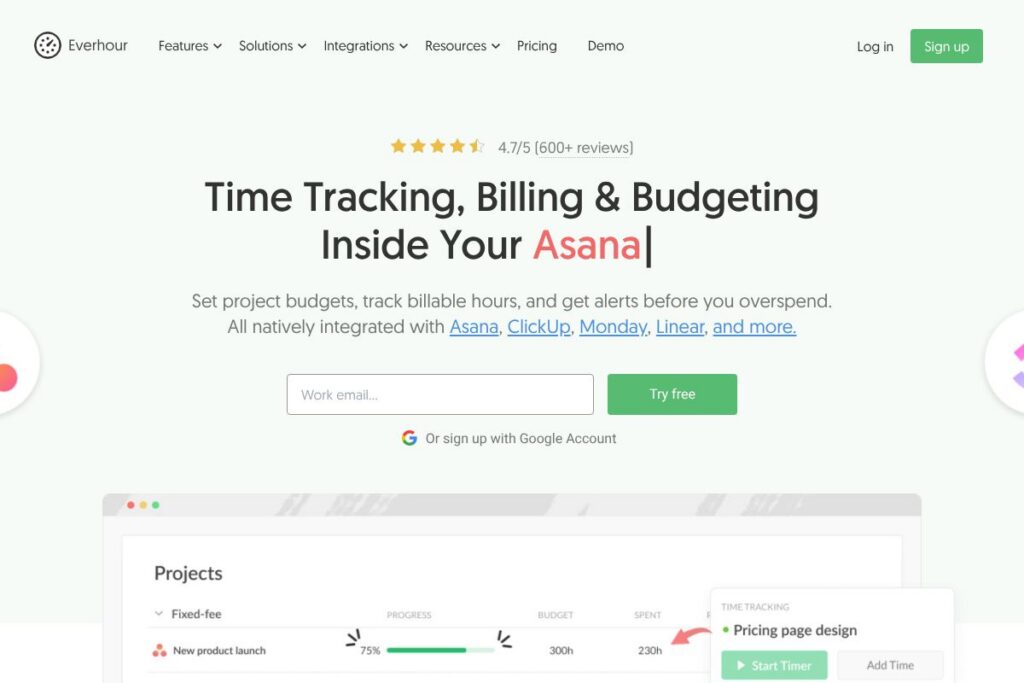

What is Everhour
Everhour is a time tracking and billing platform that embeds time controls into project management interfaces and also works as a standalone tracker. It focuses on project budgets, billable rates, alerts, and customizable reporting so teams can control costs, simplify invoicing, and measure utilization without leaving their PM tool. View the Everhour homepage for product overviews and getting started guides.
Compared with built-in PM timers such as Asana‘s time features, Everhour adds budget thresholds, automatic stop when budgets are exceeded, and invoice exports to accounting tools. Against dedicated time trackers like Toggl Track, Everhour trades a broader set of billing and budget controls for some of Toggl’s ultra-simple timer flows, while providing tighter integration with task-level project data. Compared with Harvest, Everhour offers deeper native integration with a wider set of PM tools and per-project alerts that help prevent overspend.
All of this makes Everhour especially well suited to agencies, professional services, and distributed product teams that need project-level cost controls and accurate client billing. It is a practical choice when teams want time history that remains independent from any single PM tool and when managers need cross-project reports and invoice-ready timesheets.
How Everhour Works
Everhour injects time controls directly into the user interface of supported project management apps so timers and time fields appear next to tasks and issues. Teams connect their PM accounts, map projects, and start timers in-context; tracked time flows into Everhour for budgeting, reporting, and billing without duplicating task setup.
Project budgets are set inside Everhour and paired with alerts at configurable thresholds. Timers can auto-stop when a budget is exceeded, notifications are sent to assignees, and managers can reassign work or adjust estimates from the same interface.
When time is approved, Everhour locks timesheets to prevent retroactive edits, generates exportable payroll reports, and can turn billable time into invoices or sync with accounting tools. Workflows typically run with the team continuing to work in their PM app while Everhour provides the time governance and reporting layer.
Everhour features
Everhour combines task-embedded timers, project budgets, billing rates, approvals, and reporting in one product. Core capabilities include native integrations with many PM apps, per-project budget alerts, billable rate management, approved timesheets, and invoice exports to accounting systems. The platform also offers desktop and mobile apps, screenshots for optional verification, and configurable reports that can be scheduled to stakeholders.
Here are some key features worth highlighting:
Embedded time tracking
Timers and time fields appear where your team already works, inside Asana, ClickUp, Monday, Jira, Trello, Linear, GitHub, and other apps. This reduces tab switching, lowers friction for logging time, and lets teams keep their existing task workflows while capturing accurate hours.
Project budgeting and threshold alerts
Set budgets by project or client and receive notifications at configurable thresholds such as 75%, 90%, and 100%. Timers can be configured to auto-stop when budgets are exceeded, preventing accidental overrun and helping managers take corrective action early.
Billing rates and invoicing
Manage billable rates per person, task, or project and convert tracked time into invoices. Everhour supports exports to accounting systems such as QuickBooks and Xero and generates clean, client-ready invoices from approved timesheets.
Approvals and locked timesheets
Automatic reminders and approval flows streamline timesheet validation and prevent retroactive edits once a timesheet is approved. This reduces billing disputes and creates an auditable trail for payroll and client invoices.
Reporting and analytics
Build custom reports that combine task-level time, billable vs non-billable hours, utilization, and profitability metrics. Saved report views can be scheduled and delivered automatically to clients or internal stakeholders.
Scheduling and time off
Manage leave and accruals with built-in time-off tracking to prevent double bookings and keep resourcing clear. Approval workflows and calendar visibility help managers plan around vacations and PTO.
Cross-platform apps and capture tools
Track time from browser extensions, desktop clients, mobile apps, and wearables; optional screenshot capture is available for teams that use visual verification. Offline timers sync back when connectivity returns to avoid lost entries.
Security and reliability
Everhour uses SSL encryption and cloud hosting with replicated storage to provide high availability and secure data handling. See their security and compliance information for infrastructure and uptime details.
With these features you get a single source of truth for time, budgets, and billing that ties back to the task level in your PM system, making cost control and client invoicing much simpler.
Everhour pricing
Everhour uses a per-user subscription pricing model with additional options for enterprise accounts and annual billing discounts. The product is sold as a SaaS service billed per active time-tracking user, and there are options for organizations that need dedicated support or custom contracts. For the most current pricing and any promotional offers, see current pricing options.
Monthly Billing:
Per-user subscription: $10/user/month (time tracking, budgets, reporting, integrations, approvals)
Annual Billing:
Per-user subscription: Annual billing is available with discounted rates for organizations paying yearly; contact sales for exact annual pricing and volume discounts via the Everhour homepage.
Enterprise
Enterprise: Custom pricing (includes advanced controls, priority support, SSO, dedicated onboarding, and higher data retention). Contact Everhour sales through the company site to discuss enterprise terms.
What is Everhour Used For?
Everhour is commonly used to capture billable hours at the task level and to convert tracked time into client invoices. Agencies, consultancies, and internal services teams use it to reduce missed billable time, enforce project budgets, and create accountable, approved timesheets for payroll and billing.
Teams also use Everhour for resource planning and utilization tracking, using live timers and reports to see who is overloaded and which projects consume most hours. Its PM-embedded approach makes it suitable when teams must keep working inside Asana, ClickUp, Monday, Jira, or similar tools without adopting a separate time-tracking workflow.
Pros and cons of Everhour
Pros
- In-context tracking: Embeds timers inside popular project management tools so teams track time where they work, reducing friction and missed hours.
- Budget controls and alerts: Sends threshold notifications and can auto-stop timers when budgets are exceeded, preventing accidental overbilling and helping managers act early.
- Detailed reporting and invoicing: Generates customizable reports, locked approved timesheets, and invoice exports compatible with accounting platforms for cleaner billing.
- Flexible deployment: Works as a standalone tracker or connected to multiple PM tools simultaneously, preserving time history independent of any single PM platform.
Cons
- Additional subscription cost: Teams that expect every team member to track time will add a per-user subscription cost that should be weighed against built-in PM timers or bundled plans.
- Learning curve for advanced features: Basic timer use is straightforward, but configuring budgets, custom reports, and multiple integrations requires administrative setup and planning.
- Limited free tier detail: While trials are available, specific long-term free plan options are limited for teams that need persistent free accounts with advanced features.
Does Everhour Offer a Free Trial?
Everhour offers a free trial so teams can evaluate time tracking, budgeting, approvals, and reporting before committing to a subscription. The trial provides access to core features and integrations; sign up and details are available on the Everhour homepage.
Everhour API and Integrations
Everhour provides an API for automation, data export, and custom integrations; consult the API documentation for endpoints and examples. The API supports programmatic access to time entries, projects, users, and reports for use in internal workflows or custom dashboards.
Key native integrations include Asana, ClickUp, Monday, Jira, Trello, GitHub, Linear, Xero, and QuickBooks. A complete list of supported connections and setup instructions is available on the integration list.
10 Everhour alternatives
Paid alternatives to Everhour
- Toggl Track — Simple, fast time tracking with lightweight reports and a focus on quick adoption across teams.
- Harvest — Time tracking with invoicing and expense tracking, suitable for agencies and small businesses that want integrated billing.
- Clockify — Offers both free and paid plans, strong reporting features, and a broad set of integrations for cross-team tracking.
- Hubstaff — Time tracking with activity monitoring, payroll, and GPS tracking for distributed or field teams.
- RescueTime — Automatic activity tracking focused on productivity insights and personal time management rather than detailed client billing.
Open source alternatives to Everhour
- Kimai — A self-hosted time tracking system that supports billing, invoicing, and detailed reporting for organizations that prefer on-premises control.
- TimeCamp (self-host option) — Offers a self-hosted or managed approach for teams that require full data ownership and customization.
- Anuko Time Tracker — A lightweight open source time tracker for small teams that need simple time entry and reporting without a SaaS subscription.
Frequently asked questions about Everhour
What is Everhour used for?
Everhour is used for time tracking, budgeting, and client billing with in-context timers that appear inside popular project management tools and as a standalone tracker for teams that need centralized time history.
Does Everhour integrate with Asana?
Yes, Everhour has a native Asana integration. Timers and time fields appear inside Asana tasks, and tracked time flows into Everhour for reporting and invoicing; see the integration list for setup steps.
Can Everhour export invoices to accounting software?
Yes, Everhour can export time and billing data for invoicing. It supports export workflows and connectors for accounting systems such as QuickBooks and Xero to streamline client billing.
Is there an Everhour API for custom integrations?
Yes, Everhour provides an API. Developers can use the API documentation to automate data exports, integrate with internal systems, or build custom reporting layers.
How much does Everhour cost per user?
Everhour is typically priced per active time-tracking user, commonly at $10/user/month for standard subscriptions; annual billing and enterprise options are available via the Everhour homepage.
Final verdict: Everhour
Everhour excels at embedding time tracking, budgets, and billing controls directly into project management workflows while also functioning as an independent time layer. Its strongest capabilities are project-level budget alerts, approved timesheets that prevent retroactive edits, and task-level reporting that ties time to actual work items for accurate client invoicing.
Compared to Asana, which places basic time tracking behind higher-tier plans such as the Advanced plan at $31/user/month, Everhour at $10/user/month delivers richer billing and budgeting features for teams that require invoice-ready time records and cross-project reports. For agencies and services teams that need both integrated timers and rigorous budget control, Everhour is a practical, cost-conscious choice that keeps time history portable across PM tools.