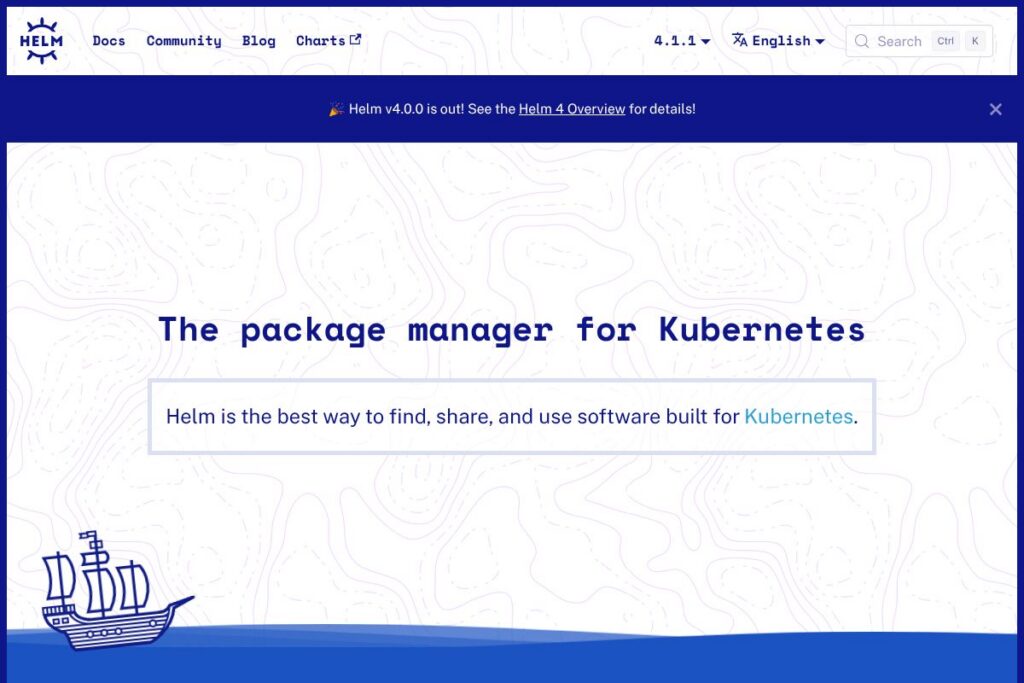
Helm: An Overview
Helm packages Kubernetes resources as Charts, which bundle templates, configuration values, and metadata so teams can install and manage complex applications consistently across clusters. Charts work as versioned artifacts that you can host on public or private repositories and use to reproduce deployments, roll back releases, and standardize application delivery.
Helm competes with tools that approach Kubernetes configuration differently. Kustomize focuses on overlay-style customization without templating and fits workflows that prefer declarative overlays. Pulumi and Terraform manage Kubernetes via infrastructure-as-code with broader cloud resource support, while platforms like Kubeapps provide a GUI for discovering and deploying charts. Compared with these options, Helm excels at packaging and release lifecycle management for Kubernetes-native applications, making it well suited for platform teams, CI/CD pipelines, and developers who need repeatable installations and straightforward upgrades.
All of this makes Helm particularly useful for organizations that need a standard way to publish, share, and manage Kubernetes applications across environments, with clear support for versioning, rollbacks, and chart repositories.
How Helm Works
Helm operates by rendering chart templates into Kubernetes manifests and applying them to a cluster through the Kubernetes API. A chart contains a set of templates and a values file; Helm merges user-supplied values with chart defaults and produces the final manifests that are applied as a release.
Releases are tracked in-cluster so Helm can perform in-place upgrades and rollbacks, compare versions, and run lifecycle hooks at defined points during install, upgrade, or uninstall. Teams typically integrate Helm into CI/CD pipelines to package application changes into chart releases, push charts to a registry or repository, and deploy or upgrade releases as part of automated delivery.
Helm features
Helm is centered on chart-based application packaging, release lifecycle management, and repository distribution. Core capabilities include templating with values, in-place upgrades with hooks, release rollbacks, chart versioning, and support for both traditional chart repositories and OCI registries. Helm also offers an extensible plugin system and a contributor-friendly community for chart development and hosting.
Charts
Charts are the primary packaging unit in Helm and describe an application’s Kubernetes resources using templates and metadata. They allow teams to capture application structure, defaults, and dependency relationships in a single folder that can be versioned and shared through chart repositories or registries.
Templating and values
Helm templates use Go templating to produce Kubernetes manifests from parameterized templates and a values file. This separation of template and configuration enables a single chart to support multiple environments by swapping values while keeping manifests consistent and auditable.
Upgrades and hooks
Helm supports in-place upgrades that patch existing releases and run lifecycle hooks at defined points, such as pre-install or post-upgrade. Hooks let operators execute custom jobs, run database migrations, or trigger verification steps as part of the release process.
Rollback and release history
Helm stores release history and allows you to roll back to a prior release with a single command, restoring the previous set of manifests and values. This release-focused model reduces manual steps during incident response and helps recover from failed upgrades.
Repositories and chart versioning
Helm charts can be hosted on public or private repositories or stored in OCI-compliant registries, enabling teams to version charts and manage access controls. Chart versioning and index files let package consumers find compatible chart releases and pin specific versions for stability.
OCI registries and plugins
Helm supports publishing charts to OCI registries and offers a plugin system for extending the CLI with custom commands or workflows. Both features make it easier to integrate Helm into enterprise artifact flows and to add automation tailored to an organization’s needs.
With these features, Helm’s biggest benefit is providing a consistent, versioned delivery mechanism for Kubernetes-native applications that fits into CI/CD pipelines and cluster operations workflows. For detailed usage and examples, see the Helm documentation and the Helm charts community.
Helm pricing
Helm is distributed as free, open-source software and does not have official paid plans. The project is released under the Apache License 2.0 and can be used, modified, and redistributed at no cost.
Organizations that require commercial support or managed services often obtain those from third-party vendors who package Helm usage into commercial offerings; Helm itself has no subscription fees or proprietary tiers. For licensing details, consult the Helm license on GitHub and the Helm community resources.
What is Helm Used For?
Helm is used to package, share, and deploy Kubernetes applications across development, staging, and production environments. Platform teams use Helm Charts to standardize how services are installed and configured, which reduces configuration drift and speeds onboarding of new services.
Developers and CI/CD pipelines use Helm to bundle application manifests, push chart versions to repositories or OCI registries, and deploy releases as part of automated workflows. Operations teams rely on Helm’s release management, rollback, and hook capabilities to manage upgrades and lifecycle tasks safely.
Pros and Cons of Helm
Pros
- Chart-driven deployments: Charts encapsulate templates, defaults, and dependencies so teams can install complex applications with a single command and consistent configuration across environments.
- Release lifecycle management: Built-in tracking of releases, upgrades, and rollbacks simplifies recovery from failed upgrades and reduces manual intervention during operations.
- Repository and registry support: Native support for chart repositories and OCI registries makes it straightforward to publish, version, and consume charts across organizations.
- Extensible with hooks and plugins: Hooks handle lifecycle tasks like migrations, and plugins let teams extend the Helm CLI for custom workflows and integrations.
Cons
- Template complexity at scale: Large charts with extensive templating can become hard to reason about; templates and values may introduce complexity that requires disciplined patterns and testing.
- Secret management considerations: Helm templates can render sensitive data into manifests; teams should pair Helm with secret management solutions and use best practices to avoid storing secrets in charts.
- Release state in cluster: Helm stores release metadata in the cluster which some organizations prefer to avoid for security or policy reasons; alternatives that keep state externally can be preferable for certain compliance models.
Does Helm Have a Free Version?
Helm is completely free and open-source. You can download and use the Helm CLI without cost under the Apache License 2.0; community support and project resources are available through the official documentation and project repositories.
Helm API and Integrations
Helm does not expose a separate remote API for chart operations; the Helm CLI interacts with the Kubernetes API to apply rendered manifests and with chart repositories or OCI registries to push and pull charts. The Helm documentation on registries and plugins describes registry workflows and plugin development.
Helm integrates with CI/CD and GitOps tools commonly used in Kubernetes workflows, such as Flux, Argo CD, GitLab CI, and Jenkins, and teams often use chart repositories or OCI registries in artifact flows with tools like Artifactory or Harbor for chart storage.
10 Helm alternatives
Paid alternatives to Helm
- VMware Tanzu Application Catalog: A commercial catalog offering curated, supported application packages for Kubernetes with vendor-backed images and lifecycle support; integrates with enterprise catalogs and access controls. See the Tanzu product site for details.
- Red Hat OpenShift: An enterprise Kubernetes platform that includes application catalogs and integrated tooling for deploying and managing apps at scale, with commercial support and subscription licensing. Learn about OpenShift’s application delivery features on the OpenShift documentation site.
- Pulumi Enterprise: Pulumi provides an infrastructure-as-code approach with enterprise features such as policy as code and role-based access, enabling Kubernetes deployments alongside cloud resources; enterprise support and hosted options are available. Explore Pulumi for teams.
- GitLab Ultimate / Gold: GitLab’s paid tiers include built-in CI/CD and package registry features that integrate with Kubernetes and Helm workflows, plus additional security and governance controls. See GitLab’s Kubernetes integration docs.
- JFrog Artifactory Enterprise: Artifactory acts as a chart repository with enterprise features for storage, access control, and promotion workflows, combined with support plans for organizational needs. Review Artifactory Helm repository support.
Open source alternatives to Helm
- Kustomize: A Kubernetes-native configuration tool that applies overlays and patches without templating, ideal for teams that prefer declarative composition of manifests. Visit the Kustomize project.
- Kapp (Carvel): Kapp focuses on application deployment and lifecycle management with a small, predictable API and tools that emphasize deterministic deployments and diagnostics. See the Carvel project.
- Flux: A GitOps operator that automates applying Kubernetes manifests and can integrate with Helm charts as part of a GitOps workflow. Explore Flux’s Helm integration.
- Kubeapps: A web-based UI for deploying, managing, and discover Helm charts in a cluster, useful for teams that want a visual discovery and deployment experience. Learn more at the Kubeapps project.
Frequently asked questions about Helm
What is Helm used for?
Helm is used to package and manage Kubernetes applications using Charts. It helps teams deploy, upgrade, and roll back Kubernetes workloads with versioned packages that capture configuration and templates.
Does Helm support private chart repositories?
Yes, Helm supports private chart repositories and OCI registries. You can host charts on private servers, use authenticated registries, or store charts in enterprise artifact repositories for controlled distribution.
Can Helm be used with GitOps workflows?
Yes, Helm integrates with GitOps tools such as Flux and Argo CD. These tools can render and apply Helm charts or reference chart repositories to enable declarative, Git-driven delivery.
Is Helm free to use in production?
Yes, Helm is free and open-source under the Apache License 2.0. You can use the Helm CLI and Charts in development and production without licensing fees.
How do I contribute to the Helm project?
Contributions to Helm are managed through the project’s community and GitHub repository. Follow the Helm contribution guide for process, sign-off requirements, and community channels.
Final Verdict: Helm
Helm stands out as the de facto package manager for Kubernetes by offering chart-based packaging, release lifecycle management, and broad repository and registry support. Its templating system, upgrade hooks, and rollback capabilities make it a practical choice for teams that need repeatable deployments, version control of application releases, and tight CI/CD integration.
Compared with Kustomize, which is also free and open-source, Helm provides a packaging and release model that supports chart distribution and rollback workflows; Kustomize focuses on overlay customizations without templating, which can be preferable for some workflows. Both tools are free, but Helm is often the better fit when you need an opinionated packaging format and release history, while Kustomize may be preferable for simple, purely declarative overlays.
For documentation, chart discovery, and community resources, see the Helm documentation, the Helm community pages, and the Helm GitHub repository for code and contribution information.