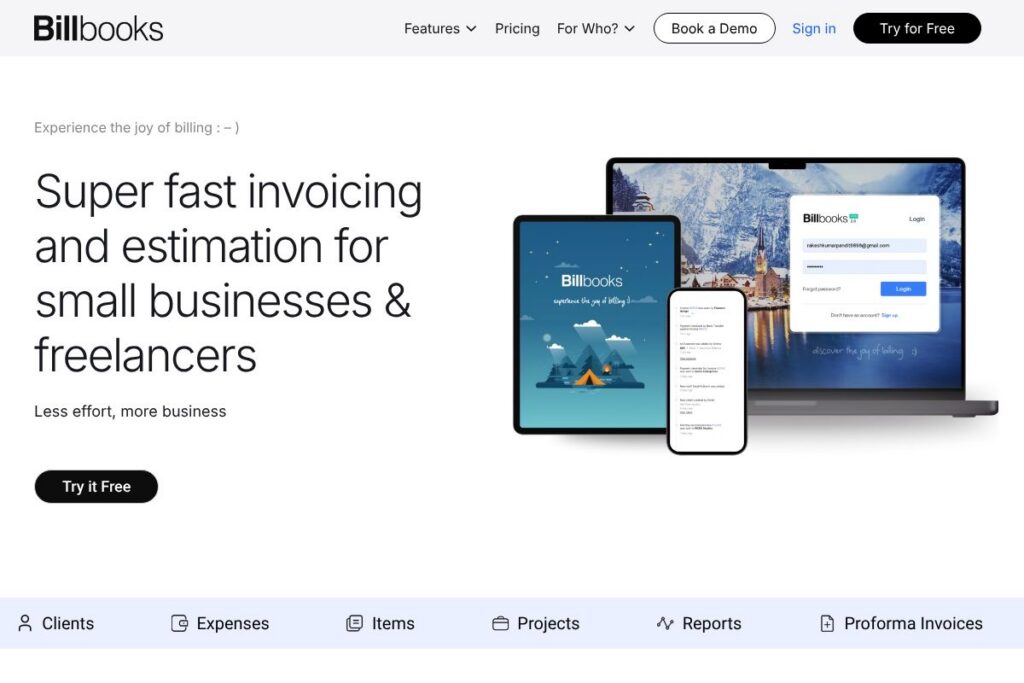

What is Billbooks
Billbooks is a cloud-based invoicing and quoting tool built for freelancers, small businesses, and teams that need straightforward billing and basic financial workflows. The platform focuses on rapid invoice and estimate creation, multi-currency support, payment gateway connections, and a compact dashboard for cash flow visibility.
Compared with established accounting and invoicing suites like FreshBooks, QuickBooks Online, and Zoho Invoice, Billbooks trades advanced bookkeeping and payroll for a simpler, lower-cost invoicing experience. FreshBooks and QuickBooks offer deeper accounting, tax and payroll features that suit full-service bookkeeping; Billbooks focuses on making day-to-day billing faster and less complex for users who do not need a full accounting package.
All of this makes Billbooks well suited to freelancers, consultants, and small teams that want quick billing, automated reminders, and easy payment acceptance. It is particularly useful when you need mobile-first access and the ability to manage multiple businesses under a single account.
How Billbooks Works
Billbooks organizes billing around client records, items, projects, and invoices. You create items or services (with SKUs, images, and stock if needed), then generate an estimate or invoice using those items, set taxes, discounts, and due dates, and send the PDF or share a copyable invoice link.
Payment acceptance is handled through one-click integrations with gateways such as Stripe, PayPal, Braintree, and Authorize.net, so clients can pay invoices online and Billbooks will mark payments as received. You can set recurring invoices, enable auto payment reminders, and receive notifications when invoices or estimates are opened.
Teams can add users with controlled access, group invoices under projects, attach receipts or files to expenses, and export data in CSV or Excel for accountants. The workflow is geared toward quick setup: add a client, create an invoice, send, and follow up automatically until paid.
What does Billbooks do?
Billbooks centers on fast invoice and estimate creation, automated followups, and basic business reporting. Key capabilities include customizable invoice templates, multi-currency billing, proforma invoices, QR code support for instant payments, digital signatures on documents, and automatic reminders that reduce manual chasing of payments.
Let’s talk Billbooks’s Features
Invoices & Quotes
Create and send branded invoices and estimates in seconds, configure invoice columns and numbering, attach terms and notes, and preview PDFs before sending. The system tracks invoice history, supports recurring invoices, and lets you change statuses manually to reflect payments, partial payments, or disputes.
Payment Integrations
Connect Stripe, PayPal, Braintree, or Authorize.net to accept credit and debit card payments and reconcile receipts automatically. For developer-focused integrations and payment flows, consult Stripe’s developer docs and PayPal’s developer portal for implementation guidance.
Auto Reminders & Followups
Set automated payment reminders for overdue invoices and enable auto followups on quotes that convert to estimates or invoices. Automatic followups reduce manual emails and help improve collections without additional administrative work.
Mobile-first Interface & Multiple Organizations
The interface is responsive and designed for phones and tablets so you can issue invoices on the go; a single account can host multiple businesses for consultants or agencies managing several brands. The responsive UI minimizes clicks and keeps core actions visible on small screens.
Items, Expenses & Projects
Manage billable items with SKUs and images, track stock, record expenses with receipt attachments, and allocate costs to projects. Project grouping helps produce consolidated invoices and enables project-level reports for profitability checks.
Reports & Dashboard
Quick business insights are presented on a smart dashboard that highlights outstanding balances, recent activity, and cash flow snapshots. Built-in reports include sales, expense, profit and loss, tax summaries, and collections reports for periodic accounting checks.
Security & Backups
Data is stored in the cloud with multiple backups and protected with 256-bit SSL encryption. Role-based user access and the option for private SMTP or enterprise features help maintain control over communications and data handling for larger teams.
With these features you get fast invoicing, automated reminders, payment acceptance, and compact reporting that cover the core needs of freelancers and small businesses.
Billbooks pricing
Billbooks uses a subscription model with a free tier and multiple paid plans that scale by user count, client and item limits, and project capacity. Monthly and annual billing options are available, plus a custom enterprise plan for high-volume or specialized needs.
Monthly Billing:
Trial – Free (1 User, 5 Clients, 100 Items, 10 Expenses, 5 Invoices, 5 Estimates, 3 Projects)
Basic – $7.95/month (2 Users, 100 Clients, 500 Items, Unlimited Expenses, Unlimited Invoices, Unlimited Estimates, 50 Projects, Multiple Organizations)
Standard – $14.95/month (5 Users, 500 Clients, 1000 Items, Unlimited Expenses, Unlimited Invoices, Unlimited Estimates, 500 Projects, Multiple Organizations)
Professional – $29.95/month (10 Users, Unlimited Clients, Unlimited Items, Unlimited Expenses, Unlimited Invoices, Unlimited Estimates, Unlimited Projects, Multiple Organizations)
Annual Billing:
Trial – Free (same limits as monthly trial)
Basic – $85.86/year (equivalent to the monthly Basic features)
Standard – $161.46/year (equivalent to the monthly Standard features)
Professional – $323.46/year (equivalent to the monthly Professional features)
Enterprise / Custom
Custom – Contact sales for tailored pricing (API integration, self-hosting, customized workflows, custom reporting, custom payment gateways, WhatsApp integration, private SMTP, and custom templates).
For enterprise and custom deployment options contact the vendor to discuss volume-based pricing and tailored feature bundles.
What is Billbooks Used For?
Billbooks is used for invoicing, issuing estimates, tracking expenses, and basic project billing. Freelancers use it for quick single-invoice workflows and automated reminders, while small businesses use it for multiple users, payment integrations, and project-level reporting.
It is also suited to service businesses that need lightweight billing without full accounting complexity, such as consultants, designers, boutique shops, and micro-agencies. Companies that require bulk accounting, payroll, or deeper tax handling will typically complement Billbooks with full accounting software or use it as a focused invoicing layer.
Pros and Cons of Billbooks
Pros
- Quick invoicing and estimates: The invoice and estimate creation flow reduces clicks and speed up billing, which saves time for freelancers and small teams.
- Affordable tiers for small users: The Basic and Standard plans provide core invoicing features at lower monthly price points compared with many full accounting suites.
- Multiple payment gateways supported: Integration with Stripe, PayPal, Braintree, and Authorize.net makes online payments easy and reduces reconciliation friction.
- Mobile-friendly and multi-organization: The responsive interface and ability to manage multiple businesses under one account help consultants and agencies keep brands separate.
Cons
- Limited full accounting features: Billbooks is focused on invoicing and expense tracking and does not replace a full accounting package with advanced bookkeeping, payroll, or tax filing tools.
- Enterprise features require custom plan: High-volume workflows, self-hosting, or advanced integrations are available only via custom enterprise arrangements which may add cost and implementation time.
- Reporting depth: Reports cover common needs like profit and loss and tax summaries but may lack the deep customization available in larger accounting platforms.
Does Billbooks Offer a Free Trial?
Billbooks offers a free plan and a 30-day free trial. The free tier includes limited users, clients, items, invoices, and projects to let users test the core workflow, while the 30-day trial enables access to premium features so you can evaluate automation, payment integrations, and reporting before committing.
Billbooks API and Integrations
Billbooks supports direct connections to major payment gateways and offers custom integrations in enterprise plans. Standard integrations include Stripe, PayPal, Braintree, and Authorize.net to accept online payments and reconcile receipts.
Developers can integrate billing workflows with external systems through available API options on custom plans; for payment integration specifics consult Braintree’s developer docs or the previously linked Stripe documentation for guidance on webhooks and reconciliation.
10 Billbooks alternatives
Paid alternatives to Billbooks
- FreshBooks — Cloud invoicing and lightweight accounting tailored to freelancers and service businesses, with built-in time tracking and client portals.
- QuickBooks Online — Comprehensive small business accounting with invoicing, expense tracking, payroll add-ons, and tax reporting for growing companies.
- Xero — Full-featured accounting platform with invoicing, bank reconciliation, multi-currency and a large app ecosystem for small and medium businesses.
- Zoho Invoice — Invoicing-focused product within the Zoho suite with client portals, automated workflows, and integration with Zoho Books for accounting.
- Invoicera — Invoicing and billing platform that scales to more complex workflows and international invoicing requirements.
Open source alternatives to Billbooks
- Invoice Ninja — Open source invoicing platform that can be self-hosted; offers online payments, recurring invoices, and client management.
- InvoicePlane — Self-hosted PHP invoicing app that provides simple invoice creation, client management, and PDF exports.
- ERPNext — Open source ERP with invoicing, accounting, and project management modules for businesses that need more than invoicing.
- Odoo (Community) — Open source suite with invoicing and accounting modules; community edition allows self-hosting and broader ERP capabilities.
- Dolibarr — Modular open source ERP/CRM with invoicing and expense tracking suitable for small companies and non-profits.
Frequently asked questions about Billbooks
What is Billbooks used for?
Billbooks is used for creating and sending invoices and estimates, tracking expenses, and accepting online payments. It streamlines billing tasks for freelancers and small businesses and provides basic reporting for cash flow visibility.
Does Billbooks integrate with Stripe and PayPal?
Yes, Billbooks integrates with Stripe, PayPal, Braintree, and Authorize.net. Those connections enable clients to pay invoices online and let Billbooks update invoice statuses automatically when payments clear.
Can I try Billbooks before paying?
Yes, Billbooks offers a 30-day free trial and a limited free tier. The trial unlocks premium features for evaluation, while the free plan provides a low-commitment way to test core invoicing flows.
Is Billbooks secure for storing financial data?
Billbooks uses 256-bit SSL encryption and cloud backups to protect data. Role-based access and enterprise options like private SMTP and custom integrations add further control for larger teams.
Can Billbooks handle multiple businesses under one account?
Yes, Billbooks supports multiple organizations under a single account. That makes it convenient for consultants, agencies, and accountants who manage billing for several brands or clients.
Final verdict: Billbooks
Billbooks does one thing well: it makes invoicing and estimates fast and accessible. The platform is focused on reducing the clicks and time involved in everyday billing while providing the payment integrations and automated reminders that improve collections. For freelancers and small businesses that do not need full accounting or payroll, Billbooks delivers a compact, mobile-friendly experience at a competitive entry price.
Compared with broader accounting suites such as QuickBooks Online, Billbooks is more narrowly focused on invoicing and payments and is priced to reflect that focus; Billbooks’ Basic monthly tier at $7.95/month targets users who want affordable, rapid billing without the complexity of full accounting features. If you need advanced bookkeeping, multi-entity consolidated accounting, or payroll, you will likely combine Billbooks with a dedicated accounting product, but for straightforward billing and quote workflows Billbooks is a practical and economical choice.