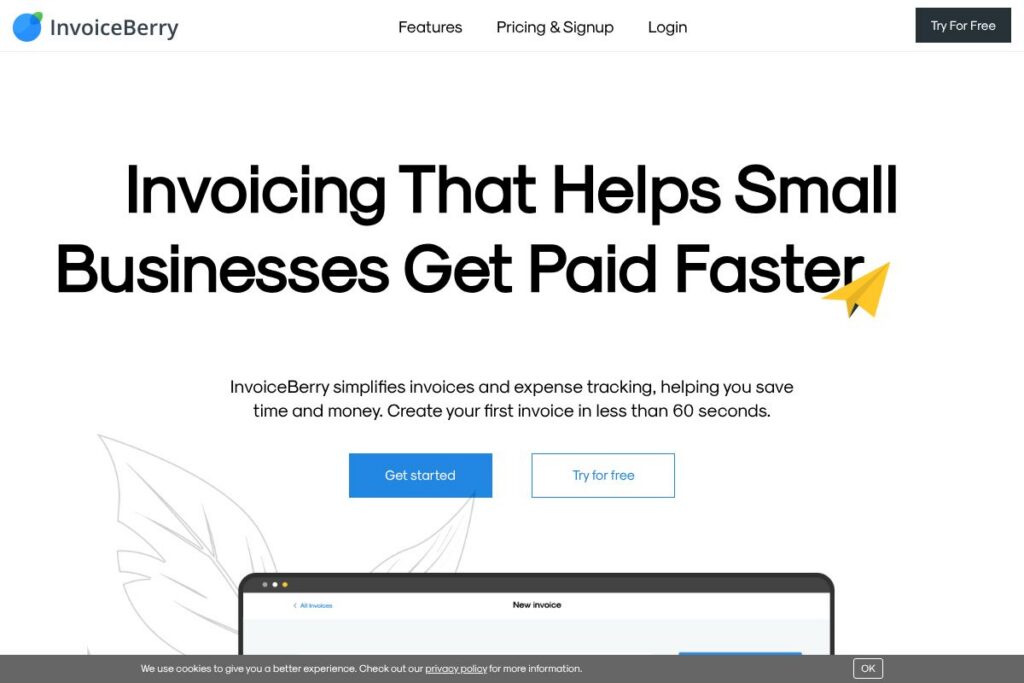

What is InvoiceBerry
InvoiceBerry is a lightweight online invoicing platform designed for small businesses, freelancers, and sole traders who need a straightforward way to bill clients, track payments, and record expenses. It focuses on core invoicing workflows: create professional invoices from templates, email invoices as PDFs, accept online payments, and automate recurring billing and reminders.
Compared with larger accounting suites, InvoiceBerry trades breadth for simplicity. QuickBooks provides deeper accounting features and payroll but is more complex to set up, FreshBooks emphasizes time tracking and client billing with richer client-facing portals, and Wave offers free core accounting and invoicing but pairs it with different support and integration trade-offs. InvoiceBerry sits between simple free tools and full accounting platforms by offering targeted invoicing features without heavy bookkeeping overhead.
InvoiceBerry does particularly well at fast invoice creation, recurring invoices, and basic expense tracking, making it a good fit for freelancers, consultants, and micro businesses that want to reduce time spent on billing while keeping client communications professional. For teams that need full double-entry accounting or advanced reporting, a more comprehensive accounting package may be a better fit.
How InvoiceBerry Works
InvoiceBerry is accessed through its web app where users set up company details, upload a logo, and create client records. To issue an invoice you select a template, add line items and taxes, pick payment terms, and either email the invoice directly or save it as a PDF for distribution.
Payments from gateways such as Stripe, PayPal, Square, and WePay can be linked so customers pay from the invoice and InvoiceBerry records the payment automatically. Recurring invoices and one-click quote conversions reduce repeated tasks, while a dashboard highlights unpaid invoices so you can follow up with reminders quickly.
What does InvoiceBerry do?
InvoiceBerry focuses on efficient invoice creation, automated billing, payment capture, and basic expense tracking. Key capabilities include professional invoice templates, emailed invoices, payment gateway integrations, recurring invoice scheduling, quote-to-invoice conversion, and reminder automation.
Let’s talk InvoiceBerry’s Features
Professional invoice templates
Choose from a range of templates and upload your company logo to produce polished invoices. Templates speed up creation and help maintain a consistent client-facing brand across emailed and PDF invoices.
Email invoices and PDF export
Send invoices directly to client email addresses from the app and save invoices as PDFs for local records. The platform is built to reduce manual mailing and speed up delivery to clients.
Payment gateway integrations
Connect popular payment processors including Stripe, PayPal, Square, and WePay to accept card and online payments from invoices. Integrated payments are recorded automatically and update invoice status in real time.
Expense tracking
Record business expenses and attach receipts so costs are stored alongside invoices and client records. Expense data can be used to produce simple reports and to keep a clearer picture of cash flow.
Recurring invoices and automated scheduling
Set up recurring invoice schedules for retainer clients or subscriptions so invoices are generated and sent automatically on chosen intervals. This lowers manual workload and improves invoice consistency.
Quotes and one-click conversion
Create quotes and estimates that can be converted into invoices with a single action when the work is approved. This keeps the client workflow smooth and avoids retyping line items.
Payment reminders and overdue follow-up
Send automated or manual reminders to clients with outstanding invoices to accelerate collections. The dashboard prioritizes unpaid invoices so overdue items are visible at a glance.
With these features InvoiceBerry helps small operations move from manual billing to a repeatable, partly automated invoicing workflow, reducing time spent on routine billing tasks.
InvoiceBerry pricing
InvoiceBerry uses a subscription model with tiered plans targeted at solo users and small teams, and it provides a free trial to test functionality before committing. Monthly subscriptions are the primary billing option, and there is a clear upgrade path to higher-capacity plans for more clients and users.
Monthly Billing:
SOLO – $15/month (Basic invoicing, limited clients, email invoices, PDF export)
PRO – $30/month (More clients, unbranded invoices, additional templates, multi-user access, premium support)
Enterprise
Enterprise – Custom pricing (Larger client volumes and team deployments, priority support, custom arrangements)
For the latest plan limits, feature breakdowns, and any annual billing discounts, check the current pricing options on the InvoiceBerry site.
What is InvoiceBerry used for
InvoiceBerry is used to create and send professional invoices quickly, track who has paid, and receive online payments. Businesses can use it to replace manual invoicing workflows and to centralize billing and client records.
It is also commonly used for recurring billing for retained clients, converting quotes into invoices when projects start, and keeping a simple expense log for smaller tax or reporting needs. Freelancers, consultants, and small service businesses benefit most because the platform reduces time spent on routine invoicing without requiring full accounting knowledge.
Pros and cons of InvoiceBerry
Pros
- Fast invoice creation: Invoice templates and saved client items let users produce a completed invoice in under a minute, saving time on repetitive billing tasks.
- Integrated payments: Support for major payment gateways like Stripe, PayPal, Square, and WePay automates payment capture and invoice reconciliation, reducing manual bookkeeping.
- Simple recurring billing: Recurring invoice scheduling and one-click quote conversion reduce administrative overhead for repeat customers or subscription clients.
Cons
- Limited advanced accounting: InvoiceBerry focuses on invoicing and basic expense tracking rather than full double-entry accounting, so businesses needing in-depth accounting reports may need a separate solution.
- Fewer third-party integrations: While payment gateways are supported, integrations with broader business systems and CRMs are more limited compared with larger accounting platforms.
Does InvoiceBerry Offer a Free Trial?
InvoiceBerry offers a 30-day free trial. The trial includes core invoicing features, quote creation, recurring invoices, and payment gateway connections so you can test workflows before choosing a paid plan. No credit card is required to start the trial.
InvoiceBerry API and Integrations
InvoiceBerry connects to major online payment processors including Stripe, PayPal, Square, and WePay so you can accept card and online payments directly from invoices. These integrations ensure payments are recorded in the app and invoice statuses update automatically.
For developer needs and deeper automation, InvoiceBerry provides integration and developer options through its account and developer interfaces; visit the InvoiceBerry homepage for links to developer resources and integration setup guides. Integration setup is managed in account settings and can be configured without developer support for common gateways.
10 InvoiceBerry alternatives
Paid alternatives to InvoiceBerry
- QuickBooks — Full accounting suite with advanced bookkeeping, payroll options, and extensive integrations aimed at small to mid-size businesses. Explore QuickBooks for bookkeeping and invoicing features.
- FreshBooks — Invoicing and time-tracking focused billing software with client portals and mobile apps that suit freelancers and agencies. See FreshBooks billing features.
- Xero — Cloud accounting with strong bank reconciliation, multi-currency support, and app marketplace for growing businesses. Review Xero accounting tools.
- Zoho Invoice — Affordable invoicing with automation and integration into the Zoho suite, useful for teams already using Zoho apps. Learn about Zoho Invoice.
- Square Invoices — Simple invoice and payment processing tied to Square payments, ideal for businesses that use Square for point of sale. See Square Invoices.
- PayPal Invoicing — Quick invoicing option for businesses already using PayPal for payments, simple to set up and use. Details at PayPal Invoicing.
- Sage Business Cloud Accounting — Accounting and invoicing for small businesses with stronger bookkeeping tools and reporting capabilities. Explore Sage accounting.
Open source alternatives to InvoiceBerry
- Invoice Ninja — Open source invoicing, proposals, and time tracking with hosted and self-hosted options; good for developers who want customization. Read about Invoice Ninja.
- ERPNext — A broader open source ERP with invoicing, accounting, and inventory modules for businesses that need an integrated system. Learn more at ERPNext.
- Dolibarr — Modular open source ERP and CRM that includes invoicing features and can be self-hosted for control over data. See Dolibarr.
- Odoo Community — The community edition offers invoicing within a larger open source business application suite, suitable for teams that can manage customization. Review Odoo Community.
Frequently asked questions about InvoiceBerry
What is InvoiceBerry used for?
InvoiceBerry is used for creating and sending invoices, tracking payments, and managing basic expense records. It helps small businesses and freelancers streamline billing and monitor unpaid invoices from a single dashboard.
Does InvoiceBerry integrate with Stripe and PayPal?
Yes, InvoiceBerry integrates with Stripe, PayPal, Square, and WePay. These integrations allow customers to pay directly from an invoice and have payments recorded automatically.
How much does InvoiceBerry cost per month?
InvoiceBerry offers paid plans starting at $15/month for the SOLO plan and $30/month for the PRO plan. A 30-day free trial is available to evaluate the service before subscribing.
Can I customize my invoices in InvoiceBerry?
Yes, you can upload your logo, choose from multiple templates, and customize email messages for invoices and reminders. Those options help present a consistent and professional brand to clients.
Is InvoiceBerry secure for client and payment data?
InvoiceBerry uses standard encryption and regular backups to protect stored data. Payment processing is handled through supported gateways so card information is processed by the payment provider rather than stored directly in the app.
Final verdict: InvoiceBerry
InvoiceBerry is a practical invoicing-focused solution that reduces the friction of billing for freelancers and very small businesses. Its strengths lie in quick invoice creation, integrated payment capture, recurring invoices, and simple expense tracking, making it a reliable choice when you need straightforward billing without the overhead of full accounting software.
Compared with FreshBooks at entry-level pricing of around $15/month, InvoiceBerry offers comparable invoicing features at the same starting price point but with a leaner feature set. If you need time tracking, richer client portals, or broader accounting features, FreshBooks may be preferable; if your priority is fast, low-friction invoicing and automated reminders, InvoiceBerry is a sensible, cost-effective option.