What is Thrive Inventory
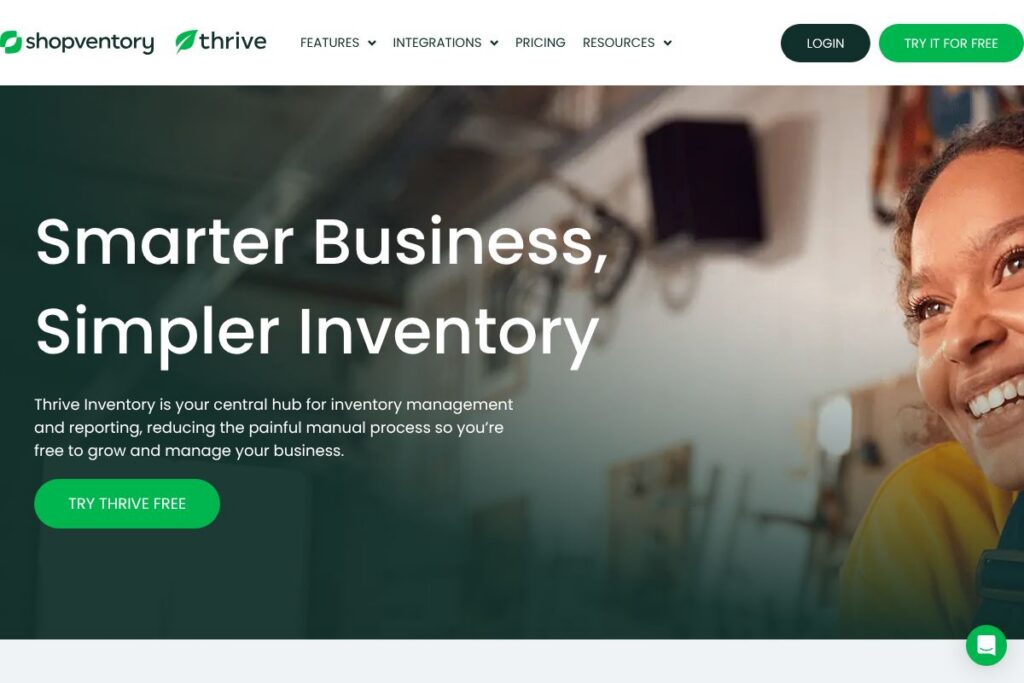
Thrive Inventory is a cloud-based inventory management platform that centralizes sales and stock data from multiple channels into a single dashboard. It synchronizes with common POS systems and e-commerce platforms so inventory counts, sales, and costs stay consistent across storefronts and marketplaces.
Compared with other solutions, Thrive focuses on retailers and small to mid-size multi-location operations that rely on a mixture of POS and online sales. DEAR Systems is stronger on ERP-style manufacturing and complex B2B workflows, Lightspeed bundles POS-first functionality with inventory for in-person retailers, and Cin7 targets combined inventory and fulfillment at larger scale with built-in EDI and 3PL integrations. Thrive excels where day-to-day retail operations need simpler setup and cross-channel inventory accuracy.
All of this makes Thrive Inventory a practical choice for retailers, beverage shops, restaurants moving into e-commerce, and multi-channel merchants who need synchronized stock levels and straightforward reporting to make buying decisions and reduce manual reconciliation. Its focus on integrations and store-level workflows makes it well suited to teams that want a single source of truth across POS and web sales.
How Thrive Inventory Works
Thrive connects to your POS and e-commerce platforms and maps SKUs, locations, and sales channels so stock changes flow automatically into a single inventory ledger. After an initial sync you can adjust stock counts, set reorder points, and let Thrive generate suggested purchase orders based on sales velocity and reorder settings.
Users manage items, variants, bundles, and costs from the Thrive web app; transactions from connected systems update quantities in real time so cashiers, store managers, and online storefronts reference the same counts. Typical workflows include scanning barcodes for receiving, using automatic purchase order suggestions to restock, and running sales vs cost reports to tune margins.
Thrive Inventory features
Thrive’s feature set centers on real-time sync across sales channels, multi-location tracking, reporting for purchasing and margins, and retail-focused operational tools. Recent platform updates have emphasized automation for purchase orders, barcode-enabled workflows, and deeper multichannel reconciliation.
Let’s talk Thrive Inventory’s Features
Real-time multichannel sync
Thrive keeps inventory levels in sync across connected systems so a sale in one channel immediately updates available stock everywhere else. This reduces oversells and simplifies order routing for stores that sell both in-person and online.
Multi-location inventory management
Track stock by location and transfer inventory between stores using built-in location controls and transfer workflows. Location-aware reporting helps managers see performance and stock needs at the store level.
Purchase order automation
Thrive suggests and creates purchase orders based on reorder points, lead times, and historical sales, reducing manual buying work and helping avoid stockouts. Users can edit suggested POs before sending to suppliers.
Barcode scanning and receiving
Support for barcode scanning speeds up receiving, counting, and selling processes on mobile devices or connected scanners. That capability reduces human error and accelerates store operations.
Cost of goods sold and inventory valuation
The platform tracks product costs and calculates COGS to produce margin and profitability reports. Accurate cost tracking supports pricing decisions and helps reconcile inventory value for accounting.
Reporting and custom analytics
Built-in reports cover sales, margins, slow movers, fast movers, and inventory ageing, with options to build custom reports for specific business needs. Reports help teams make data-driven purchasing and pricing decisions.
Bundles, composite items, and related products
Create composite SKUs for kits and bundles and track component consumption when bundles are sold. Related-product tracking helps identify cross-sell opportunities and slow-moving stock.
Retail operations tools
Thrive offers features like price tag printing, cost adjustments, and role-based access controls to suit store workflows and compliance requirements. These tools are designed to cut time from routine tasks across locations.
With these features combined you get a platform optimized for retail teams that need real-time visibility, simplified purchasing, and operational tools geared toward multi-location stores and omnichannel sales.
Thrive Inventory pricing
Thrive Inventory offers flexible pricing tailored to different business needs, with plans and add-ons aligned to number of locations, connected channels, and required features. Public, fixed-rate pricing is not published in a single dedicated pricing page, so Thrive directs prospective customers to speak with sales for plan recommendations and quotes.
For the most accurate and up-to-date plan options, view Thrive’s current pricing and plan options or contact Shopventory’s team through the Shopventory contact page for a quote based on your store count and integration needs.
What is Thrive Inventory Used For?
Thrive Inventory is commonly used by independent retailers, beverage and convenience stores, cafes, and multi-location merchants to maintain consistent stock levels across storefronts and online channels. It is often adopted when manual spreadsheets and disconnected systems create oversells, stock inaccuracies, and slow purchasing decisions.
Teams use Thrive to automate routine inventory tasks: receive shipments with barcode scanning, generate purchase orders from sales history, reconcile daily sales with stock movement, and run reports that identify slow-moving items. The platform supports stepping up from single-store POS workflows to coordinated multi-location operations.
Pros and cons of Thrive Inventory
Pros
- Real-time multichannel sync: Keeps stock accurate across POS and e-commerce channels, reducing oversells and manual reconciliation.
- Retail-focused workflows: Includes barcode scanning, price tag printing, and PO automation that match common store operations and save staff time.
- Multi-location visibility: Location-level tracking and reporting make it practical for businesses that operate several stores or warehouses.
- Actionable reporting: Sales, margin, and inventory ageing reports help prioritize purchasing and reduce holding costs.
Cons
- No public pricing page: Pricing is tailored and typically provided via sales, which can slow initial comparison shopping for buyers who prefer fixed published plans.
- Limited ERP features for manufacturing: Businesses with complex manufacturing, EDI, or heavy B2B order processing may need a fuller ERP platform like Cin7 or DEAR Systems.
- Platform learning curve for advanced reporting: Power users needing highly customized analytics may need to export data or build additional reports outside the app.
Does Thrive Inventory Offer a Free Trial?
Thrive Inventory offers a free trial so new users can test core features like multichannel syncing, barcode scanning, purchase order automation, and reporting before committing. The trial can be started from Thrive’s signup flow; check the Thrive free trial page to begin and confirm trial length and included features.
Thrive Inventory API and Integrations
Thrive provides integrations with major platforms to keep inventory synchronized, including connections for Shopify, BigCommerce, Square, and Clover. These integrations cover sales imports, stock updates, and order reconciliation across channels.
For developers, Thrive offers API access and developer documentation to automate workflows and connect custom systems; consult the Shopventory developer documentation for endpoints, authentication, and examples for syncing products, orders, and inventory.
10 Thrive Inventory alternatives
Paid alternatives to Thrive Inventory
- DEAR Systems — Inventory and order management with deep purchasing, manufacturing, and accounting integrations aimed at mid-market businesses.
- Lightspeed — POS-first platform with integrated inventory for in-person retailers and built-in omnichannel features.
- Cin7 — Comprehensive cloud inventory and order management with 3PL, EDI, and marketplace integrations for larger retailers and wholesalers.
- Vend — Store-focused POS and inventory management that works well for single-location and multi-location retailers.
- Square for Retail — POS and inventory features integrated with Square payments, suitable for small retailers and pop-up operations.
- SkuVault — Warehouse-centric inventory and order management focused on fulfillment accuracy and barcode-driven workflows.
- QuickBooks Commerce (formerly TradeGecko) — Inventory and order management with strong accounting integration for sellers scaling their operations.
Open source alternatives to Thrive Inventory
- Odoo — Modular open-source ERP with inventory, POS, and e-commerce modules that can be self-hosted and extended.
- ERPNext — Full-featured open-source ERP that includes inventory, manufacturing, and accounting for businesses that want a self-managed system.
- OpenBoxes — Open-source supply chain and inventory management focused on healthcare and NGOs but adaptable for general inventory tracking.
- PartKeepr — Specialized open-source parts and inventory manager suited to electronics and component-heavy inventories.
Frequently asked questions about Thrive Inventory
What platforms does Thrive Inventory integrate with?
Thrive Inventory integrates with major POS and e-commerce platforms. Common integrations include Shopify, BigCommerce, Square, and Clover, among others.
Does Thrive Inventory offer barcode scanning and mobile receiving?
Yes, Thrive Inventory supports barcode scanning for receiving, counting, and selling. That functionality speeds up store workflows and reduces inventory-counting errors.
How much does Thrive Inventory cost per location?
Thrive Inventory uses flexible, tailored pricing rather than publishing fixed per-location rates. For exact plan options and quotes based on locations and integrations, contact the team via the Shopventory contact page.
Can Thrive Inventory handle multi-location businesses?
Yes, Thrive Inventory is designed for multi-location retail operations. It tracks stock by location, supports transfers, and provides location-level reporting to help manage inventory across stores.
Is there an API for Thrive Inventory?
Yes, Thrive Inventory provides API access for developers. Refer to the Shopventory developer documentation for API endpoints, authentication, and integration examples.
Final verdict: Thrive Inventory
Thrive Inventory is a focused inventory management solution for retailers and multi-location merchants that need real-time stock synchronization across POS and e-commerce channels. It does especially well at simplifying store workflows with barcode scanning, purchase order automation, and practical reporting that helps teams prioritize buying and reduce stockholding costs.
Compared with a competitor like DEAR Systems, Thrive emphasizes retail operations and ease of connecting point-of-sale platforms, while DEAR Systems targets deeper ERP-style inventory and manufacturing workflows. Pricing for Thrive is provided via tailored quotes rather than public rate cards, so businesses that want straightforward, retail-oriented inventory features and integrations should evaluate Thrive directly alongside the more ERP-focused options to see which aligns best with their scale and process complexity.