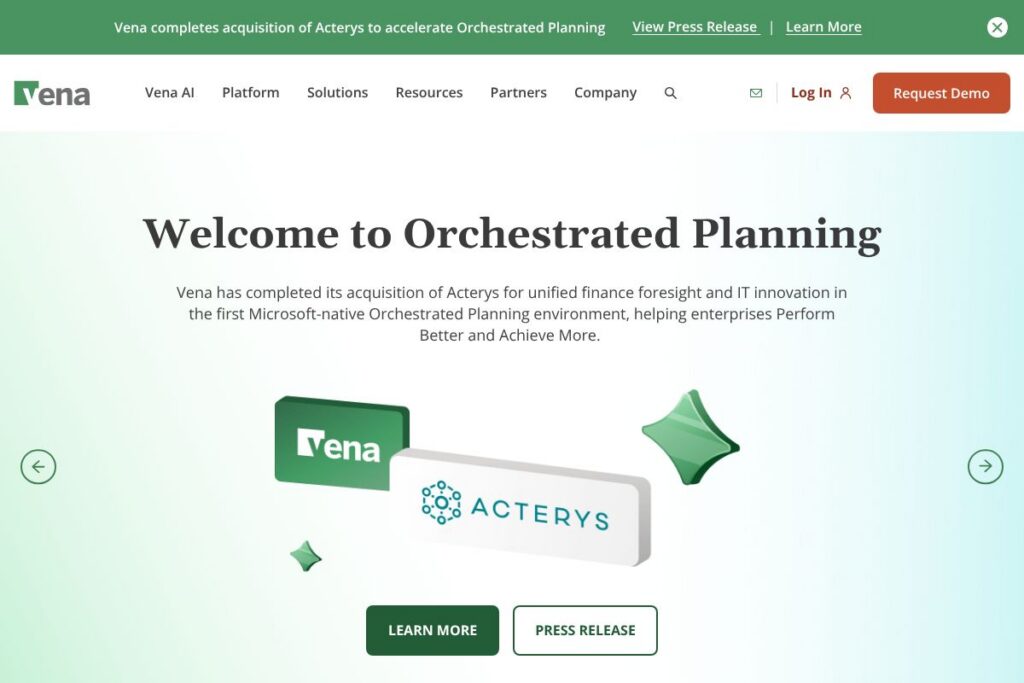
Vena: An Overview
Vena is a Complete FP&A platform designed to keep Excel at the center of financial planning while adding a governed database, native Microsoft integrations, and AI-driven assistance. It targets finance and accounting teams that rely on Excel for modeling but need a single source of truth, faster close cycles, and scalable reporting across the enterprise.
Compared with Anaplan, which provides a cloud-native modeling engine for complex enterprise planning, Vena emphasizes Excel compatibility so existing finance workflows transfer with less retraining. Against Workday Adaptive Planning, Vena stands out for deeper Microsoft integration and Excel-first templates, while Adaptive focuses on a more prescriptive planning workspace. Versus ERP vendor planning modules such as Oracle NetSuite Planning, Vena aims to provide a planning layer that is easier to adopt for Excel-centric teams and connects to multiple source systems.
Vena does well at bridging Excel skills and enterprise controls; it is particularly suited to organizations that want to keep familiar spreadsheets in use while adding auditability, faster reporting, and AI-assisted analysis. The tool is a good fit for finance-led FP&A teams in mid-market and large enterprises that use Microsoft 365 and need a scalable planning platform that reduces manual consolidation and reporting work.
How Vena Works
Vena layers a governed data model and OLAP engine under Excel workbooks so finance teams can continue working in Excel while data, workflows, and approvals live in a centralized platform. Users map Excel templates to Vena’s modeled data, run controlled calculations, and push results into a CubeFLEX OLAP layer for fast aggregation and cross-dimensional analysis.
Data connections pull transactional data from ERPs, CRM systems, payroll, and other operational sources into Vena for reconciled budgeting and reporting. Teams collaborate through role-based security, approval workflows, and a Microsoft Teams integration that surfaces discussions and AI agents without forcing users out of their primary workflow.
Vena features
Vena centers around Excel-native planning, a flexible OLAP database, pre-built templates for common finance processes, Power BI and PowerPoint integrations, and AI capabilities branded Vena Copilot. Recent additions emphasize AI assistance and deeper Microsoft 365 integrations to reduce manual analysis and accelerate report creation.
The platform includes several powerful capabilities worth highlighting:
Excel-native Modeling
Keep existing Excel models and formulas while putting structure and controls around them. Finance teams can continue to use Excel for driver-based models, scenario analysis, and line-item detail while Vena adds central versioning, audit trails, and controlled calculations that scale across departments.
CubeFLEX OLAP Database
CubeFLEX provides a multi-dimensional data store optimized for aggregation and query performance when working with large planning models. By moving aggregation and consolidation into an OLAP layer, Vena reduces spreadsheet fragility and allows faster reporting across hierarchies and scenarios.
Vena Copilot (AI Assistance)
Vena Copilot converts natural-language finance questions into analyses, draft commentary, and data extracts that feed reports and dashboards. This helps teams accelerate variance analysis, generate narrative explanations, and speed ad-hoc inquiry without requiring advanced SQL or BI skills.
Power BI and PowerPoint Integrations
Pre-built Power BI dashboards and a PowerPoint add-in let finance teams publish interactive reports and create narrative presentation decks directly from model data. Those integrations simplify sharing board-level and operational reporting with stakeholders who prefer visual dashboards or slide-deck narratives.
Close and Consolidation Tools
Vena supports multi-entity consolidation, intercompany eliminations, and reconciliation processes to shorten month-end close. Built-in workflows, task lists, and approval routing help finance teams coordinate dependent activities across accounting, tax, and planning functions.
Templates, Training, and Community Resources
A library of Excel templates for budgets, rolling forecasts, and budget vs actual comparisons accelerates implementation. Vena also offers training classes, certification, and a community forum to help teams adopt best practices and share templates.
With these capabilities Vena provides an Excel-first FP&A stack that reduces manual consolidation, supports governed collaboration, and speeds reporting for teams that need both the flexibility of spreadsheets and enterprise controls.
Vena Pricing
Vena uses an enterprise SaaS pricing model with custom plans tailored to organization size, the number of users, data volume, and required integrations, rather than a published per-seat list on a public pricing page. For specific plan options, seat counts, and licensing details, review Vena’s current pricing options or contact their sales team through the official site for a quote.
What is Vena Used For?
Finance and FP&A teams use Vena for budgeting, forecasting, rolling forecasts, driver-based modeling, and scenario planning where Excel is already the primary modeling tool. Teams deploy Vena to remove manual consolidation steps, centralize data from ERPs and other systems, and shorten reporting cycles with governed workflows and standardized templates.
Operational use cases include month-end close coordination, headcount and hiring plans, cash flow forecasting, and department-level budgeting that rolls up into corporate financials. Vena is also commonly used to deliver management and board reporting through Power BI dashboards and slide decks generated from validated model data.
Pros and Cons of Vena
Pros
- Excel-first approach: Allows finance teams to continue using Excel while adding central controls, which shortens adoption time and preserves existing models.
- Deep Microsoft integration: Native connectivity with Microsoft 365, Power BI, and Teams makes it easier to embed planning workflows into existing collaboration and reporting tools.
- AI-assisted analysis: Vena Copilot helps accelerate routine analysis, draft narratives, and ad-hoc data exploration without heavy BI training.
- Scalable OLAP performance: CubeFLEX reduces spreadsheet aggregation bottlenecks and improves performance for large models and complex hierarchies.
Cons
- Enterprise-focused pricing: Pricing is tailored and typically aimed at mid-market and enterprise buyers, which can be a barrier for very small organizations with limited budgets.
- Excel dependence: While an advantage for Excel users, teams looking to move entirely off spreadsheets or adopt a low-code planning UI may find the Excel-first model less appealing.
- Implementation complexity for large estates: Integrating many source systems and mapping legacy Excel models into governed templates can require professional services for complex environments.
Does Vena Offer a Free Trial?
Vena is offered through paid enterprise plans with custom pricing and typically provides demo evaluations or trial assessments rather than a publicly listed free plan. Prospective customers can request a live demo or a trial evaluation by visiting Vena’s request a demo page to arrange a tailored assessment and proof of concept.
Vena API and Integrations
Vena provides connectors for ERP, CRM, payroll, and other operational systems and emphasizes native Microsoft integrations, including Power BI and Teams for reporting and collaboration. See the Vena integrations page for a list of supported data sources and connectors.
For organizations that need programmatic access, Vena exposes integration endpoints and APIs to automate data loads and orchestration; consult the Vena developer resources or contact support for API documentation and integration guidance.
10 Vena alternatives
Paid alternatives to Vena
- Anaplan — Enterprise planning and modeling platform with a cloud-native calculation engine suited for large-scale, multi-dimensional planning across finance and operations.
- Workday Adaptive Planning — A planning and forecasting suite focused on workforce, financial, and operational planning with a cloud-based planning workspace.
- Planful — Continuous planning and FP&A solution that provides budgeting, forecasting, consolidations, and analytics with strong reporting capabilities.
- OneStream — A corporate performance management platform that combines financial consolidation, reporting, planning, and data quality in a unified application.
- Oracle NetSuite Planning and Budgeting — Part of the NetSuite suite offering planning capabilities integrated with ERP financials for companies already using NetSuite.
- SAP Analytics Cloud — Integrated planning, business intelligence, and predictive analytics from SAP, often used by larger enterprises with SAP backends.
- IBM Planning Analytics (TM1) — An enterprise planning platform with in-memory planning and modeling capabilities popular for complex financial models.
Open source alternatives to Vena
- Apache Superset — An open source BI and visualization platform that can be used for reporting and dashboarding, but requires additional data modeling layers for planning workflows.
- Metabase — A user-friendly open source business intelligence tool for ad-hoc queries and dashboards; suitable for smaller teams that want basic reporting without a full FP&A stack.
- ERPNext — An open source ERP with accounting and basic budgeting features; it can serve as a lower-cost starting point for planning but lacks advanced FP&A features and Excel-native modeling.
Frequently asked questions about Vena
What is Vena used for?
Vena is used for enterprise budgeting, forecasting, consolidation, and management reporting. Finance teams use it to centralize Excel models, automate consolidations, and deliver Power BI dashboards and slide decks driven by authoritative data.
Does Vena integrate with Microsoft Power BI and Teams?
Yes, Vena provides native integrations with Power BI and Microsoft Teams. Those integrations enable interactive dashboards, data-driven PowerPoint exports, and collaboration without sending spreadsheets by email.
How does Vena handle Excel models and version control?
Vena maps Excel templates to a governed data model with versioning and audit trails. This lets teams keep familiar spreadsheet logic while ensuring consistent, auditable data across users and reporting cycles.
Can Vena automate month-end close and consolidations?
Yes, Vena supports consolidation, intercompany eliminations, reconciliations, and close task workflows. The platform centralizes data and workflows to reduce manual steps and shorten close timelines.
Is Vena suitable for small businesses?
Vena is primarily targeted at mid-market and enterprise finance teams, though smaller organizations with complex Excel-based processes may also benefit. For very small teams, lighter-weight or lower-cost planning tools may be more appropriate depending on budget and integration needs.
Final verdict: Vena
Vena stands out as an Excel-first FP&A platform that adds enterprise controls, an OLAP layer, and AI assistance while keeping finance teams in a familiar environment. Its strengths are deep Microsoft 365 integrations, the CubeFLEX performance layer, and Vena Copilot, which together reduce manual consolidation and speed reporting for organizations that rely heavily on Excel.
Compared with Anaplan, which targets similarly complex planning scenarios with its own modeling engine and typically custom enterprise pricing, Vena differentiates by minimizing disruption to existing Excel workflows and emphasizing native Power BI and Teams connectivity. For organizations that want to preserve spreadsheet investments while adding governance and AI-driven insight, Vena is a practical choice; teams seeking a fully cloud-native modeling experience without Excel dependence may evaluate alternatives such as Anaplan or Workday Adaptive Planning instead.