
What is Clockify
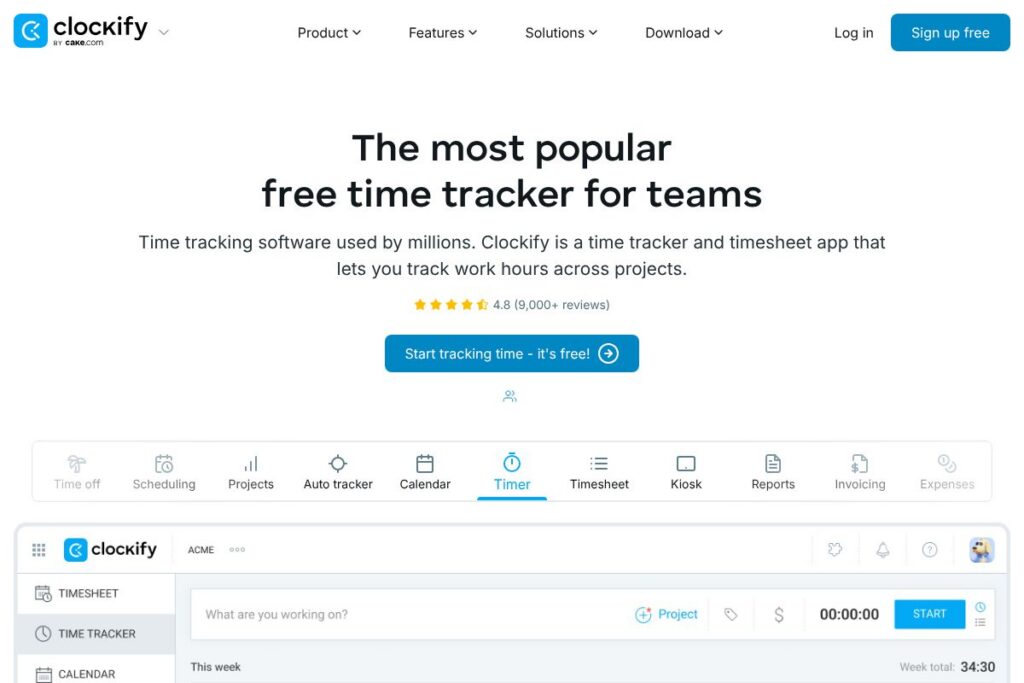
Clockify is a cloud-based time tracking and timesheet platform designed to record hours across projects, clients, and tasks. It provides a desktop app, mobile apps, a web timer, and a kiosk mode so teams can capture time in real time or enter it manually for payroll and billing.
Compared with Toggl Track, Clockify tends to emphasize a broader free tier and a fuller set of team management features out of the box, while Harvest focuses more on integrated invoicing and expense workflows. Against Hubstaff, Clockify offers a simpler core experience without mandatory employee monitoring features, which some teams prefer for straightforward time reporting.
Clockify does particularly well at providing a reliable, low-friction way to capture billable and non-billable hours across many platforms. It is best suited for teams and freelancers who need clear timesheets, flexible reporting, and basic invoicing without high setup overhead.
How Clockify Works
Users install a Clockify app or open the web timer, choose a project and task, then start the timer to record hours. Timers can run in the background, be categorized by tags, and later be edited on a timesheet to correct entries or assign billable rates.
Managers review and approve timesheets, run reports filtered by project, user, or date range, and export data for payroll or accounting. For invoicing, tracked hours can be converted into invoices or exported to accounting systems, and integrations connect Clockify to calendars and task tools to reduce manual entry.
Clockify features
Clockify’s feature set covers time capture, team management, reporting, and billing. Core functionality includes live timers, timesheets, project tracking, and reporting, with add-ons like approvals, rates, and kiosk mode for shared devices. The product also exposes integrations and an API for automation and third-party workflows; see Clockify’s feature overview for details.
Location
Clockify captures location context for time entries when enabled, which helps teams verify where work occurred and supports field-team use cases. Location logging is optional and can be useful for mobile teams that need a lightweight location audit for client billing.
Activity
Activity tracking provides a quick view of what users are working on and recent time entries, making it easier for managers to spot gaps or overlapping work. This is useful for teams that need a live snapshot of activity without heavy monitoring.
Time off
The Time Off module centralizes vacation and leave requests so managers can track availability alongside billable time. Requests can be added to the same calendar used for project scheduling, which reduces clashes in small teams.
Scheduling
Scheduling lets teams plan shifts and project work in advance, linking schedules to time entries and helping match workforce availability to project demands. It is useful for assigning resources and avoiding overbooking on critical projects.
Projects
Project management in Clockify focuses on budget tracking, task-level time allocation, and project-level reporting. Projects can have billable or non-billable status and serve as the primary grouping for analytics and invoicing.
Auto tracker
The Auto Tracker component detects when users switch apps or websites and suggests starting a timer based on activity patterns. It reduces forgotten time entries by offering timely prompts to log current work.
Calendar
Clockify integrates with calendars to show scheduled work alongside tracked time, and to create time entries directly from calendar events. Calendar sync helps reduce manual entry and keeps tracked time aligned with planned meetings.
Timer
The timer is the central capture tool available in web, desktop, and mobile clients; it supports start/stop, manual edits, and tagging for fast organization. Persistent timers mean users can track across devices without losing entries.
Timesheet
Timesheets provide a grid view for bulk editing and weekly review, enabling users and managers to correct hours, add notes, and prepare entries for approval. The view is optimized for quick reconciliation before payroll or invoicing.
Kiosk
Kiosk mode turns a device into a shared clock-in station, allowing multiple team members to log hours on one terminal. This mode suits on-site teams where individuals use a single tablet or terminal to record time.
Reports
Reporting includes summary and detailed views that can be filtered by project, user, client, and date range, and exported as CSV or PDF for accounting. Reports are intended to support billing, capacity planning, and performance reviews.
Invoicing
Tracked hours can be turned into invoices for clients, with support for custom rates, markup, and line-item generation from time entries. Invoice exports and templates simplify billing for freelancers and small agencies.
Expenses
Expense tracking allows teams to add non-time costs to projects so total project cost and profitability can be assessed. Expenses tie into invoicing workflows where teams need to pass costs to clients.
Approval
Approval workflows enable managers to review and sign off on submitted timesheets before payroll or billing, introducing a control point for larger teams. Approvals reduce errors and ensure compliance with billing rules.
Rates
Rate management supports applying hourly rates at the project or user level, including custom billable and cost rates to produce accurate invoices and profitability reports. Rates can be configured per client or task if needed.
Team
Team management features include user roles, permission controls, and user groups to organize projects and timesheet access. These settings help scale Clockify from solo freelancers to cross-functional teams.
Clockify’s collection of features makes it straightforward to capture time, generate actionable reports, and convert tracked work into invoices. That combination of capture, analysis, and billing is the tool’s strongest advantage for teams that need a single place to manage time data.
Clockify pricing
Clockify uses a freemium subscription model with a robust free tier for basic time tracking and paid plans for advanced features and administrative controls. Paid tiers add features like approvals, scheduling, advanced reporting, and priority support; organizations with specific needs can request enterprise options.
Clockify’s public site lists plan details and upgrade options; view Clockify’s pricing and plans for the most current rates and comparisons between free and paid features. For enterprise or custom deployments, contact Clockify directly to discuss seat counts, SLAs, and add-on features.
What is Clockify used for
Clockify is commonly used for tracking billable hours, preparing client invoices, and maintaining timesheets for payroll and compliance. Freelancers use it to log client work and produce invoices, while agencies and internal teams use it for project time allocation and profitability tracking.
Teams also use Clockify for resource planning and capacity tracking by combining scheduling, timesheets, and reports to see where time is spent. The platform supports both ad-hoc timer use and disciplined timesheet workflows, making it suitable for a variety of operational styles.
Pros and cons of Clockify
Pros
- Generous free tier: The free plan includes core time tracking features that are sufficient for many freelancers and small teams, reducing the barrier to adoption.
- Cross-platform availability: Desktop, web, and mobile apps plus kiosk mode make it easy to capture time from any environment and device.
- Detailed reporting: Flexible filters and export options let managers and finance teams build the reports they need for billing and analysis.
- Integrations and API: Native integrations and a documented API make it straightforward to connect Clockify to calendars, task tools, and accounting systems.
Cons
- Advanced features behind paid plans: Approvals, advanced scheduling, and some administrative controls require paid tiers, which can be necessary for larger teams.
- Learning curve for large teams: Configuring projects, rates, and approvals for complex organizations requires planning and setup time.
- Limited built-in payroll: While invoicing is supported, full payroll features are limited and often require exporting data or connecting to payroll software.
Does Clockify Offer a Free Trial?
Clockify offers a free plan alongside paid tiers and typically provides trials or demo options for advanced features. The free plan includes basic time tracking, timers, projects, and reporting, while paid plans unlock approvals, advanced reporting, and scheduling; check Clockify’s plans for trial availability and feature comparisons.
Clockify API and Integrations
Clockify provides a developer API for reading and writing time entries, projects, clients, and reports; the API documentation covers endpoints, authentication, and usage examples in detail. See Clockify’s API documentation to explore endpoints and sample requests.
In addition to the API, Clockify offers integrations with common productivity and accounting tools such as Slack, Trello, Asana, Jira, Google Calendar, and automation platforms like Zapier; consult Clockify integrations to see the full list and setup instructions.
10 Clockify alternatives
Paid alternatives to Clockify
- Toggl Track — Simple, fast time tracking with a focus on single-click timers and a polished reporting interface.
- Harvest — Time tracking plus integrated invoicing and expense management for agencies and consultants.
- Hubstaff — Time tracking with optional activity monitoring and GPS for remote and field teams.
- Time Doctor — Time tracking with activity-level reporting and productivity analytics for distributed teams.
- RescueTime — Automatic activity tracking aimed at individual productivity insights and distraction management.
- QuickBooks Time — Formerly TSheets, strong for payroll and workforce scheduling inside QuickBooks ecosystems.
- Paymo — Project management with built-in time tracking, invoicing, and task tracking for agencies.
Open source alternatives to Clockify
- Kimai — A web-based open source time tracker with multi-user support, reporting, and invoicing extensions.
- Anuko Time Tracker — Lightweight open source time tracking focused on simplicity and basic reporting.
- Redmine — Project management platform with built-in time tracking and extensive plugins for customization.
- OpenProject — Open source project management with time logging, task boards, and roadmap features.
Frequently asked questions about Clockify
What is Clockify used for?
Clockify is used for tracking work hours, preparing timesheets, and generating reports for billing and payroll. Teams and freelancers log time against projects and tasks to measure effort and produce client invoices.
Does Clockify have an API?
Yes, Clockify provides a developer API. The API documentation explains endpoints for time entries, projects, clients, and reports and includes authentication examples for building integrations.
Is Clockify free to use?
Clockify offers a free plan that includes core time tracking and reporting features. Paid plans are available for teams that need approvals, advanced scheduling, or more administrative controls.
Can Clockify generate invoices?
Yes, Clockify can convert tracked hours into invoices. Invoices can use custom rates and be exported or sent to clients depending on the account’s configuration and connected apps.
Does Clockify integrate with Slack?
Yes, Clockify integrates with Slack. The Slack integration allows users to start and stop timers and receive time entry notifications from within Slack channels.
Final verdict: Clockify
Clockify is a practical, broadly adopted time tracking solution that excels at making time capture and basic billing accessible to freelancers and teams. Its cross-platform timers, timesheets, and reporting tools make it easy to collect accurate time data without heavy setup, and the free tier is particularly useful for small teams that need essential features at no cost.
Compared with Toggl Track, Clockify generally provides a more feature-rich free tier and stronger built-in team administration, while Toggl Track emphasizes an exceptionally simple user experience. For organizations that require generous free usage and a wide range of integrations, Clockify is a solid choice; teams that prioritize UI simplicity may prefer Toggl Track despite differences in pricing and advanced features.