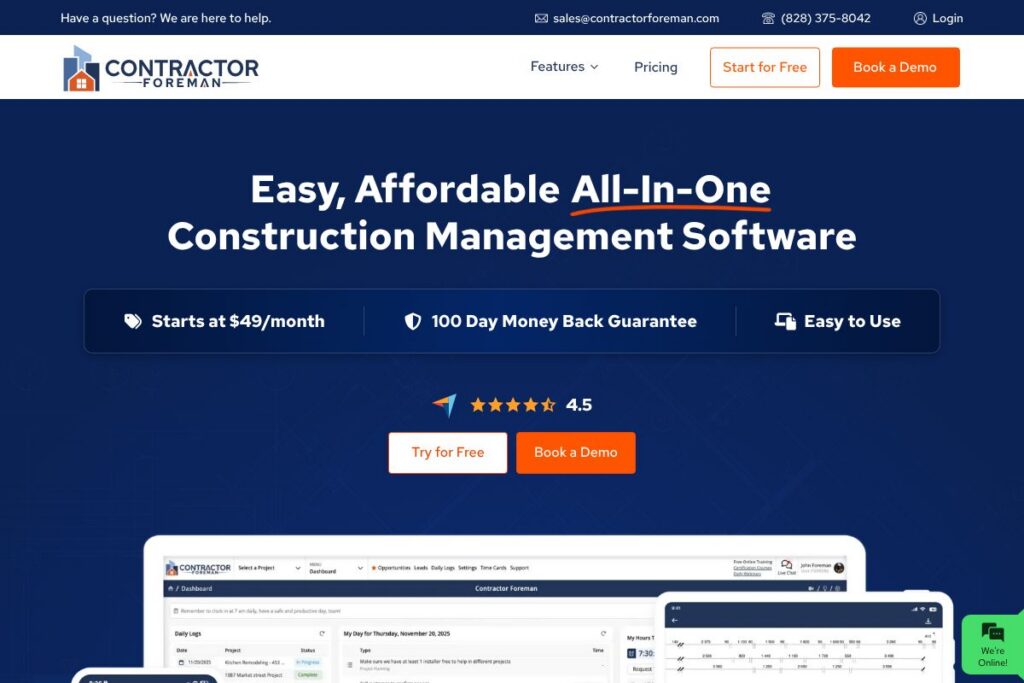

What is 1 Construction Management Software
1 Construction Management Software is a cloud-first construction management platform designed to manage projects from preconstruction through closeout. It combines project scheduling, mobile field tools, document control, and cost tracking into a single workspace so teams can reduce rework and keep field and office teams aligned.
Compared with competitors like Procore and Buildertrend, this product emphasizes hands-on onboarding through a Dedicated Customer Success Manager and a customer-friendly trial model that includes a 100 day guarantee. Procore tends to target larger enterprise contractors with an extensive partner ecosystem, while Buildertrend focuses on remodelers and home builders with consumer-facing features; 1 Construction Management Software positions itself between those approaches by offering affordability and guided setup.
All of this makes the platform particularly effective for mid-market contractors who need a compact, affordable system with strong onboarding and field capabilities. It is best suited for organizations that want a single vendor relationship plus support from a named CSM during implementation and early use.
How 1 Construction Management Software Works
The platform organizes work around projects, each of which contains schedules, budgets, RFIs, submittals, drawings, and daily field logs. Project managers build schedules and budgets in the web app while field crews use the mobile app to submit daily reports, capture photos, and log issues in real time.
A Dedicated Customer Success Manager oversees onboarding, configures template projects, and helps import legacy data. Teams typically begin with the CSM-led setup, run a pilot project to validate workflows, then roll the software out to remaining projects with the CSM guiding adoption and training.
Integrations and APIs sync cost and accounting data with back-office systems, while role-based permissions ensure subcontractors and specialty teams only see what they need. The 100 day guarantee provides an extended period to validate the solution against operational KPIs before committing long term.
1 Construction Management Software features
The product groups its capabilities around project controls, field mobility, and cost management. Core capabilities include mobile field reporting, document control with versioning, budget and change order management, scheduling, and reporting. Recent emphasis is on guided onboarding and customer success rather than purely self-serve growth.
Project Scheduling
Interactive scheduling tools let project teams create Gantt-like timelines, assign resources, and track progress against milestones. Schedules link to cost items so schedule changes automatically surface potential budget impacts for faster decision making.
Field Reporting and Daily Logs
The mobile app supports daily reports, photo capture, issue tracking, and punch lists to shorten the feedback loop between field and office. Offline data capture ensures crews can continue work in low-connectivity environments and sync when online.
Document Control and Drawings
Centralized document storage includes version control, markup tools, and revision histories to reduce drawing-related errors. Submittals and approved-for-construction packages can be distributed to teams and subcontractors with access controls.
Budgeting and Change Management
Budget modules handle budgets, commitments, cost codes, and change orders so teams can track actuals against estimates. Change order workflows document approvals, update budgets, and keep financials auditable for owners and finance teams.
Subcontractor Management
Prequalification, contract tracking, and pay applications are bundled to manage subs across projects. Role-based access limits subcontractor visibility to only the documents and tasks they need to execute work.
Mobile App and Offline Sync
Native mobile apps focus on field usability with simplified screens for fast data entry, photo uploads, and checklists. Offline sync functionality captures information on site and reconciles it when connectivity returns.
Reporting and Analytics
Built-in reports cover cost-to-complete, schedule variance, and productivity metrics so PMs and owners can monitor health across portfolios. Custom dashboards help highlight project risk and pending approvals for stakeholder reviews.
Integrations and API Connectivity
Pre-built connectors and API endpoints support integrations with accounting, BIM, and specialty construction apps. That connectivity reduces duplicate data entry and helps maintain a single source of truth for project financials.
The biggest benefit is the combination of field-focused features with a high-touch onboarding model. Teams get the tools they need in the field plus a Dedicated Customer Success Manager to accelerate configuration and adoption.
1 Construction Management Software pricing
1 Construction Management Software uses a subscription SaaS pricing model, with plans that start at $49/month, and includes a free trial plus a 100 day guarantee. The vendor highlights a Dedicated Customer Success Manager as part of onboarding and offers enterprise-level arrangements for larger accounts.
Monthly Billing:
- Starting plan – $49/month (starting price; includes trial access and CSM support, contact vendor for exact feature set)
Annual Billing:
- Custom annual plans – Contact vendor for annual pricing (annual billing often provides savings and is typically structured per seat or per project for commercial accounts)
Enterprise
- Enterprise – Custom pricing (includes Dedicated Customer Success Manager, single-sign on, and tailored onboarding and integration work). For full plan details and to confirm which features are included at each price point, contact the vendor through their official channels to view current pricing options.
What is 1 Construction Management Software Used For?
Construction teams use the platform to manage project schedules, control document versions, process RFIs and submittals, and keep subcontractors aligned on scope and progress. The mobile-first approach ensures daily logs, photos, and issue tracking are captured at the source to reduce delays and rework.
Finance and project controls teams use the budgeting and change order features to maintain up-to-date cost-to-complete reporting and support timely owner billing. Small to mid-size contractors often adopt this solution to centralize workflows without the complexity and cost of enterprise-only systems.
Pros and cons of 1 Construction Management Software
Pros
- Dedicated Customer Success Manager: Provides guided onboarding, templates, and hands-on support during implementation to speed adoption and reduce configuration errors.
- Affordable entry price: Starting cost at $49/month makes the platform accessible for smaller contractors and teams evaluating construction-specific workflows.
- Field-focused mobile features: Offline-capable mobile apps, photo capture, and daily logs reduce paperwork and improve field-to-office communication.
- Extended satisfaction option: A 100 day guarantee gives teams an extended window to validate the software against operational KPIs before committing.
Cons
- Limited public pricing transparency: There is no dedicated public pricing page with full plan breakdowns, which makes feature-to-price comparisons harder without contacting sales.
- Scaling to enterprise needs may require add-ons: Larger contractors with complex integrations or advanced portfolio reporting may need custom implementation services and higher-tier plans.
- Third-party ecosystem smaller than enterprise leaders: Compared to very large platforms, the available marketplace of certified third-party apps and certified partners may be more limited.
Does 1 Construction Management Software Offer a Free Trial?
1 Construction Management Software offers a free trial and a 100 day guarantee. The trial period allows teams to test core features, and the vendor provides a Dedicated Customer Success Manager during onboarding to help configure workflows and validate results within the trial window.
1 Construction Management Software API and Integrations
The platform supports integrations with common construction and back-office systems through APIs and pre-built connectors to reduce duplicate data entry. The vendor documents available endpoints and webhook options for automation and synchronization of project, budget, and contact data.
Key integrations typically include accounting systems, file storage providers, and BIM/viewing tools so project data flows between the office and field. For developer access and integration guides, consult the vendor’s API documentation or contact your Dedicated Customer Success Manager to coordinate custom integrations.
10 1 Construction Management Software alternatives
Paid alternatives to 1 Construction Management Software
- Procore – Comprehensive enterprise construction platform with broad integrations, deep financial controls, and a large partner ecosystem for complex projects.
- Buildertrend – Contractor-focused solution for home builders and remodelers with customer-facing features and estimate-to-invoice workflows.
- Autodesk Construction Cloud – Combines BIM, field execution, and document management with strong design-to-construction collaboration capabilities.
- CoConstruct – Project and financial management aimed at custom home builders and remodelers with client communication tools.
- PlanGrid – Document and drawing management with fast plan distribution and field markups for project teams.
- Fieldwire – Field execution and task management with a focus on punch lists and issue tracking for site teams.
Open source alternatives to 1 Construction Management Software
- OpenProject – Open source project management platform that can be adapted for construction schedules, issue tracking, and document storage.
- ERPNext – Open source ERP with modules for projects and accounting that can be configured for construction workflows and cost tracking.
- Odoo (Community Edition) – Modular open source ERP and project app that can be extended to manage construction projects and invoicing.
Frequently asked questions about 1 Construction Management Software
What is 1 Construction Management Software used for?
1 Construction Management Software is used to manage construction projects from scheduling and field reporting to document control and cost tracking. Teams rely on it to centralize project data and reduce rework.
Does 1 Construction Management Software include a Dedicated Customer Success Manager?
Yes, the vendor provides a Dedicated Customer Success Manager for onboarding and ongoing support. That resource helps configure templates, import data, and train teams during rollout.
How much does 1 Construction Management Software cost per month?
The platform starts at $49/month. Full plan breakdowns are provided by the vendor and may vary by seat count, project volume, and enterprise requirements.
Does 1 Construction Management Software offer mobile apps?
Yes, mobile apps are available with offline sync for field reporting, photos, and issue capture. The apps are designed for quick data entry and real-time updates when connectivity is restored.
Can 1 Construction Management Software integrate with accounting systems?
Yes, it supports integrations with accounting and back-office tools via pre-built connectors and APIs. Integration options typically include syncing cost and invoice data to maintain consistent financials.
Final verdict: 1 Construction Management Software
1 Construction Management Software delivers a pragmatic mix of field functionality, cost tracking, and a high-touch onboarding model backed by a Dedicated Customer Success Manager and a 100 day guarantee. Its starting price of $49/month and trial model make it attractive to small and mid-sized contractors who need a guided implementation without large upfront investment.
Compared to Procore, which targets larger enterprises with custom pricing and an extensive integrations marketplace, 1 Construction Management Software is a more affordable, lower-friction option for teams that prioritize rapid onboarding and field usability. For organizations seeking enterprise-grade scale or a broad partner ecosystem, Procore may offer more breadth; for teams that want accessible pricing and hands-on support, 1 Construction Management Software is worth evaluating.