Cube: An Overview
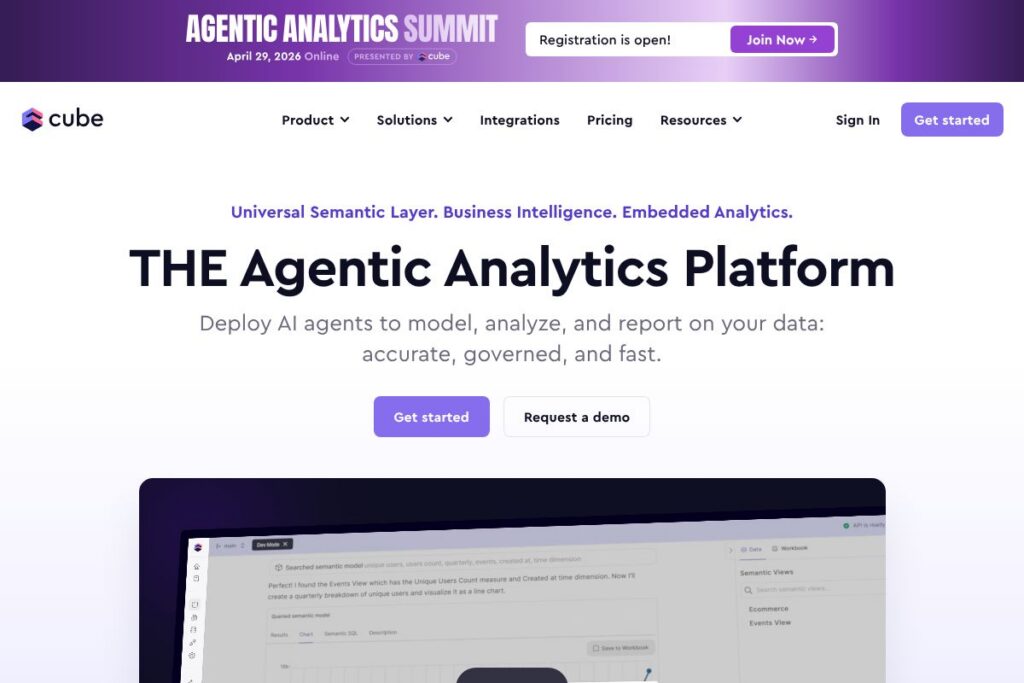
Cube is an agentic analytics platform that centralizes metric definitions in a universal semantic layer while offering native BI capabilities and AI agents for automated analytics workflows. It is designed to sit between data warehouses and downstream consumers so teams model data once and serve consistent metrics to dashboards, embedded products, and LLMs.
Cube occupies a different part of the stack than transformational tools like dbt and visualization platforms like Tableau. Compared with dbt, which focuses on ELT transformations and data engineering, Cube focuses on a semantic layer and query serving so business logic is applied at query time. Against Looker, Cube provides a similar semantic modeling concept but adds agentic analytics and a stronger orientation toward lightweight, developer-friendly APIs and open-source components. Compared with open-source BI tools such as Apache Superset, Cube emphasizes governed metric definitions and performance optimization for both BI and AI use cases.
All of this makes Cube particularly well suited for teams that need a single source of truth for metrics, fast query response, and the ability to feed consistent data into both human-facing dashboards and automated AI agents.
How Cube Works
Cube models business metrics in a centralized semantic layer that maps to underlying warehouse tables and views. Once defined, metrics are exposed through APIs including SQL endpoints, REST/GraphQL-style query endpoints, and language-specific SDKs so downstream consumers get the exact same calculations without rewriting logic.
For performance, Cube supports pre-aggregations, caching, and pushdown strategies that reduce load on the warehouse and accelerate queries. Deployment options include a managed Cube Cloud or self-hosted setups, letting teams run Cube close to their warehouse and integrate with existing monitoring and CI/CD workflows.
Cube also connects to LLMs and AI agents by providing a consistent, auditable data source for natural language responses. Teams can enrich models with business context, execute governed queries on demand, and trace outputs back to the originating data definitions for auditability.
What does Cube do?
Cube unifies data access across BI tools, embedded analytics, spreadsheets, and generative AI by providing a single semantic model that controls metric definitions, access policies, and transformations. It reduces duplication by letting analysts define metrics once and reuse them across dashboards, exports, and AI queries.
Recent platform additions extend native BI experiences and AI-friendly APIs that let teams generate business-aligned responses from LLMs while maintaining traceability to governed data. Cube also includes query optimization features such as pre-aggregations and native support for high-performance warehouses to speed up interactive exploration.
Let’s talk Cube’s Features
Universal semantic layer
Cube’s semantic layer centralizes metric definitions and dimensions so every consumer sees the same business logic. This reduces inconsistent calculations across tools and ensures dashboards, embedded analytics, and AI agents return identical values for core KPIs.
Agentic analytics and AI API
Cube exposes an AI-friendly API that integrates with LLMs to generate context-aware responses tied to governed metrics. The API supports turnkey integrations with hosted models and BYO-LLM approaches, allowing teams to surface accurate answers from generative AI while keeping outputs traceable to the underlying data model.
Native BI and exploratory UI
Cube includes native BI capabilities for ad-hoc exploration, charting, and dashboarding so teams can analyze data without stitching together multiple tools. Native features reduce the time to insight for non-technical users while still relying on the centralized semantic layer for consistency.
Pre-aggregations and query acceleration
Pre-aggregations, intelligent caching, and query routing are built into Cube to accelerate common queries and lower warehouse cost. These optimizations let interactive dashboards and AI lookups return results quickly even against large data volumes.
Integrations and connectivity
Cube connects to major cloud warehouses such as BigQuery, Snowflake, ClickHouse, and Postgres, and it supports common BI consumers and SDKs. Flexible connectors let Cube sit in front of your existing stack and serve data to business intelligence platforms, embedded apps, and automation tools.
Governance, access controls, and auditability
Role-based access controls, row-level security, and centralized metric ownership let organizations balance flexibility and control. Cube records query lineage and model definitions so outputs can be traced back to governed data for compliance and auditing.
Embedded analytics and developer APIs
Developer-friendly SDKs and APIs make it straightforward to build embedded analytics into products or internal tools. Cube’s APIs support programmatic queries, scheduled reports, and integrations with orchestration pipelines for automated analytics workflows.
With Cube you get consistent metric definitions, faster queries for interactive use, and an audit trail that ties AI outputs and dashboards back to governed data.
Cube Pricing
Cube offers a mix of an open-source core and commercial managed offerings, with pricing and plan details tailored to different deployment and enterprise needs. The platform supports self-hosting via its open-source components and provides a managed Cube Cloud service for teams that prefer a hosted option.
For the latest information on managed plan tiers and enterprise options, check Cube’s documentation and managed service information on the Cube Cloud page at the Cube Cloud overview.
What is Cube Used For?
Cube is used to unify and govern business metrics so analysts, product teams, and embedded apps share the same definitions. Typical use cases include powering customer-facing dashboards, standardizing KPIs across BI tools, and feeding accurate data into AI-driven reports and conversational interfaces.
Teams also use Cube to accelerate query performance for interactive analytics and to reduce duplicated query development across multiple downstream consumers. Product teams embed Cube-powered analytics into their applications to provide consistent reporting without shipping separate reporting logic for each client or view.
Pros and Cons of Cube
Pros
- Consistent modeling: Centralized semantic models prevent metric drift by ensuring every consumer uses the same definitions and calculations.
- AI integration: Native APIs for agentic analytics let teams produce business-aligned responses from LLMs while maintaining traceability to source data.
- Performance optimization: Built-in pre-aggregations and caching reduce latency for interactive dashboards and automated queries.
- Flexible deployment: Open-source core plus a managed Cloud option supports both self-hosted and hosted strategies.
Cons
- Enterprise configuration required: Getting the semantic layer and pre-aggregations tuned for complex schemas can require specialized engineering time.
- Managed cost trade-offs: Organizations that choose the managed Cube Cloud will trade off some cost predictability versus operating an open-source self-hosted stack.
- Learning curve for modeling: Teams new to semantic modeling need to learn the modeling idioms and versioning practices to maximize benefits.
Does Cube Offer a Free Trial?
Cube provides an open-source core and offers managed Cloud plans with free trials or self-service sign-up options. The open-source project can be self-hosted at no license cost, while the hosted Cube Cloud provides trial and onboarding paths; see the Cube Cloud overview for sign-up and trial details.
Cube API and Integrations
Cube exposes developer-friendly APIs and SDKs, including REST/GraphQL-style query endpoints and JavaScript SDKs, plus SQL connectivity for analysis tools. The Cube documentation provides API reference, SDK guides, and examples for integrating Cube with applications and automation pipelines.
Key integrations include major cloud warehouses such as BigQuery, Snowflake, ClickHouse, Amazon Redshift, and Postgres, along with connectors that let BI tools and embedded apps consume the semantic layer directly. The integration layer supports both live queries and pre-aggregated data serving for performance-sensitive applications.
10 Cube alternatives
Paid alternatives to Cube
- Looker — A semantic modeling and BI platform that provides LookML-driven metrics and an enterprise-grade BI stack with embedded analytics capabilities.
- Tableau — Visualization-first BI tool with broad adoption for dashboarding; often paired with semantic layers or governance layers in larger deployments.
- Power BI — Microsoft’s BI suite with strong integration into Microsoft 365 and Azure, offering visualization, modeling, and sharing at scale.
- Sigma Computing — Cloud-native analytics with a spreadsheet-like interface aimed at business users and embedded analytics scenarios.
- ThoughtSpot — Search-driven analytics and AI-powered insights for natural language querying and operationalized analytics.
- Mode Analytics — Analyst-focused platform combining SQL, Python/R notebooks, and visualizations for iterative analysis and reporting.
Open source alternatives to Cube
- Apache Superset — Open-source BI platform for visual exploration and dashboarding with a strong community and extensible architecture.
- Metabase — Simple, user-friendly open-source analytics for teams that need basic dashboards and question-driven data exploration.
- Redash — Lightweight open-source tool for querying data sources and building simple dashboards; popular for small teams and startups.
- Lightdash — Open-source analytics tool that connects to dbt models to provide managed metrics and user-friendly exploration.
Frequently asked questions about Cube
What is Cube used for?
Cube is used to centralize metric definitions and serve consistent analytics to dashboards, embedded apps, and AI agents. Organizations rely on Cube to reduce duplicated query logic and ensure traceability of metrics across consumers.
Does Cube integrate with Snowflake and other warehouses?
Yes, Cube connects to major warehouses including Snowflake, BigQuery, ClickHouse, Redshift, and Postgres. These integrations let Cube push down queries or serve pre-aggregated results depending on performance needs.
Can Cube work with my own LLM or AI models?
Cube supports BYO-LLM workflows and provides an AI-friendly API that pairs semantic models with hosted or third-party models. This lets teams generate business-aligned responses while keeping outputs traceable to governed data.
Is Cube open source?
Cube has an open-source core that can be self-hosted, plus commercial managed Cloud offerings. The open-source components allow teams to experiment and run Cube without an initial licensing fee.
How does Cube handle governance and auditing?
Cube includes role-based access, row-level security, and model versioning so organizations can control who sees what data and track changes to metric definitions. Query lineage and model definitions enable audits that link outputs back to the semantic layer.
Final verdict: Cube
Cube stands out for combining a universal semantic layer with AI-focused APIs and native BI capabilities, making it a practical choice for teams that need consistent metrics across dashboards, embedded apps, and LLM-driven experiences. The combination of open-source components and a managed Cloud offering gives organizations flexibility in how they deploy and scale.
Compared to Looker, Cube provides a more developer-centric and open approach: Looker typically targets enterprise customers with custom pricing and a tightly integrated LookML experience, while Cube offers an open-source core for self-hosting plus managed options for teams that prefer a hosted solution. That means Cube can be both more flexible for engineering-led teams and more directly supportive of LLM integrations out of the box.
If your organization needs a single source of truth for metrics that must serve both human analysts and automated AI workflows, Cube is a strong candidate to evaluate. For quick hands-on evaluation, start with the open-source core and review managed options on the Cube Cloud overview.