
What is Expensify
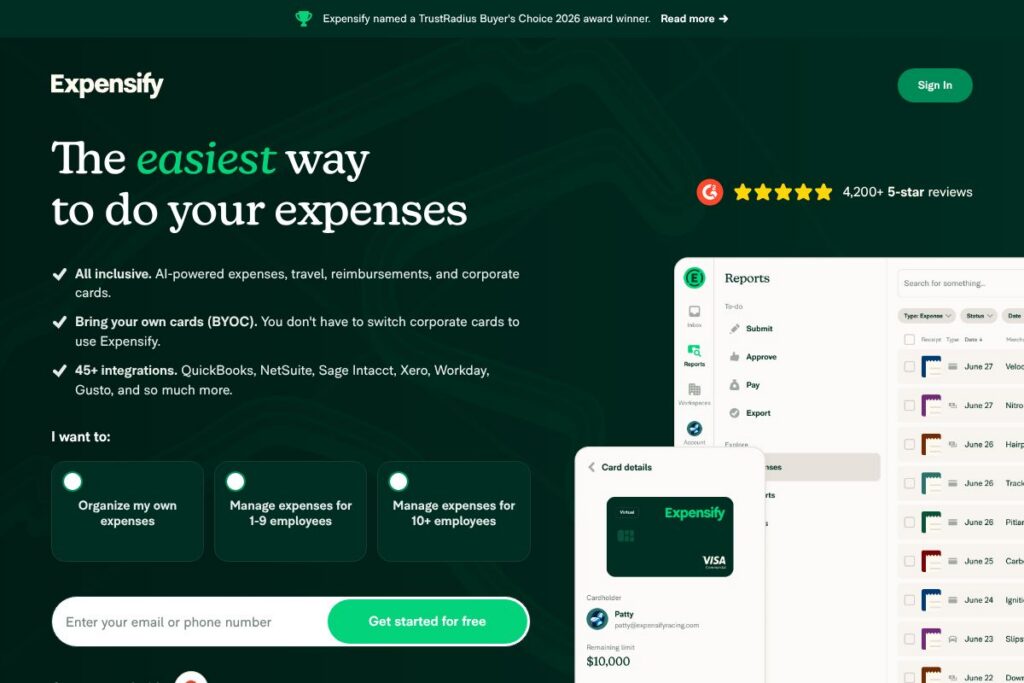
Expensify is an expense management platform that centralizes receipt capture, expense reporting, approvals, and reimbursements for individuals and organizations. It combines mobile receipt scanning, corporate and virtual cards, automated policy enforcement, and accounting integrations to reduce manual entry and accelerate reimbursements.
Compared with SAP Concur, Expensify is typically faster to deploy and more user friendly for small and midmarket teams, while Concur targets large enterprise travel and expense programs. Compared with Brex, Expensify places more emphasis on automated receipt capture and integrations with accounting systems, while Brex bundles broader corporate card and credit facilities. Compared with Zoho Expense, Expensify offers a more mature receipt scanning and reconciliation experience and a broader set of third-party accounting integrations.
Expensify works well for organizations that need a straightforward, mobile-first way to manage T&E, support remote employees and contractors, and maintain a continuous two-way sync with accounting systems. Its strengths are rapid receipt capture, automated rules and policy checks, and the ability to issue virtual cards for project- or vendor-level control.
How Expensify Works
Users capture receipts by taking photos in the mobile app, forwarding emails to [email protected], texting receipts to 47777, or dragging files into the web app. Expensify extracts merchant, date, amount, and other metadata and creates an expense item automatically.
Administrators define expense policies and approval workflows that run automatically during report submission. Concierge AI assigns categories, flags policy violations, and matches receipts to corporate card transactions so finance teams spend less time reconciling.
For reimbursements, Expensify supports direct deposits to employees and contractors in local currencies and connects to corporate cards for auto-reconciliation. Two-way syncs with accounting platforms keep ledger entries up to date without manual exports.
What does Expensify do?
Expensify is built around receipt capture, automated expense reports, corporate and virtual card management, travel booking, and integrations with major accounting systems. Recent enhancements emphasize concierge AI for categorization, expanded virtual card issuance, and faster global reimbursement rails.
Expense management
Expense creation, submission, approval, and reimbursement are automated so teams can close expense reports quickly. Reports can be set to auto-sync with accounting software and enforce company policies during submission.
Travel
Book flights, hotels, cars, and rail directly in the app and have bookings flow into expense reports for complete T&E visibility. Travel bookings can be tied to card charges and reconciled automatically.
Expensify Card
The Expensify Visa Commercial Card links to your account for automatic receipt matching and transaction capture, and it can provide cash back on eligible purchases to offset software costs. Physical and virtual card controls let finance teams set limits and monitor spend in real time.
Receipt scanning
Capture paper receipts with the mobile camera, forward receipts by email, or upload files and let OCR extract merchant, date, and amount automatically. This reduces manual data entry and speeds report preparation.
Bring your own cards (BYOC)
Link corporate cards from thousands of banks worldwide for automatic transaction reconciliation against receipts and policies. BYOC simplifies matching employee spend to bank feeds and reduces reconciliation time.
Global reimbursements
Pay employees and contractors in their local currency with international payout rails, minimizing delays and the need for manual wire transfers. Localized reimbursements simplify payroll and contractor payments across borders.
Virtual cards
Issue unlimited virtual cards instantly for employees, vendors, or projects to control vendor spend and reduce fraud risk. Virtual cards can be single-use or have preset limits for subscription or one-off purchases.
Expense reports
Submit, review, and approve expense reports in seconds, with automated matching, policy checks, and exception flagging to keep finance control tight. Approvals can be routed to managers and integrated with accounting ledgers.
Concierge AI
Automate categorization, flag outliers, enforce rules, and surface policy violations with AI that learns from your patterns and reduces manual review. Concierge AI can also auto-submit reports on behalf of users when configured.
With these capabilities, Expensify reduces manual work across the expense lifecycle, shortens reimbursement times, and delivers clear audit trails for finance teams. The biggest benefit is the combination of accurate receipt capture and tight accounting integrations that simplify month-end reconciliation.
Expensify pricing
Expensify uses a SaaS subscription model with a free individual option and paid company plans that start at a base per-member rate. Enterprise agreements and card-related savings can offset subscription costs depending on program size and use of the Expensify Card.
Individuals
Individual: Free (receipt scanning, personal expense tracking, and basic report generation for single users)
Teams and Companies
Company plans: $5 per member (company plans start at this per-member rate for expense management features; price may vary by contract and additional services)
Enterprise
Enterprise: Custom pricing (includes advanced controls, SSO, custom integrations, and implementation support; contact sales for a tailored quote)
For details about account tiers, volume discounts, and card programs, see Expensify’s current pricing options or contact their sales team through the company website. The Expensify Card also offers cash back opportunities which can reduce net spend on subscriptions and card programs, see more about the Expensify Card.
What is Expensify Used For?
Expensify is used to collect and process receipts, create compliant expense reports, and manage approval workflows from capture to reimbursement. Teams use it to enforce expense policies, reduce manual reconciliation, and get a consolidated view of travel and spend data.
Small businesses use Expensify to reduce bookkeeping overhead and speed employee reimbursements, while finance teams at larger companies use it to integrate expenses directly into accounting systems such as QuickBooks, Xero, NetSuite, and Sage Intacct. Remote teams and contractors benefit from mobile-first capture and global payout capabilities.
Pros and Cons of Expensify
Pros
- Fast receipt capture: High-accuracy OCR and multiple upload methods reduce manual data entry and speed report creation.
- Strong accounting integrations: Two-way syncs with QuickBooks, Xero, NetSuite, and Sage Intacct streamline reconciliation into the general ledger.
- Flexible card controls: Virtual and physical card issuance with spend limits and automated reconciliation help enforce policy and reduce fraud.
- Global reimbursement rails: Ability to reimburse employees and contractors internationally in local currencies shortens payout times.
- Concierge AI automation: Automated categorization, policy checks, and auto-submission options cut down on manual review work.
Cons
- Learning curve for advanced features: Larger organizations with complex approval chains may need configuration time to map policies and integrations correctly.
- Card program dependency for savings: Some cost savings depend on adoption of the Expensify Card, which may not suit every company.
- Enterprise customization may require support: Deep custom integrations or compliance requirements typically need professional services or sales engagement.
Does Expensify Offer a Free Trial?
Expensify offers a free individual plan and a 30-day free trial for teams. Individuals can use the free plan for personal expense tracking, while companies can start with a trial that includes core expense reporting and receipt capture features before committing to a paid plan.
Expensify API and Integrations
Expensify provides an API and developer resources for automation and custom integrations; see the official API documentation for endpoints, payload formats, and examples. The API supports automated expense creation, report actions, and webhooks for event-driven workflows.
Expensify also integrates natively with many accounting, payroll, and ERP systems including QuickBooks, Xero, Oracle NetSuite, Sage Intacct, ADP, and Gusto. Explore Expensify’s list of integration partners to connect it to your existing finance stack.
10 Expensify alternatives
Paid alternatives to Expensify
- SAP Concur — Enterprise-grade travel and expense management with deep travel supplier connectivity and global T&E controls.
- Brex — Corporate card and spend management built for startups and high-growth companies, with integrated credit and rewards features.
- Zoho Expense — Expense tracking within the Zoho suite, offering automated receipt scanning and approval workflows for small to midmarket teams.
- Certify — Expense reporting platform focused on streamlined receipt capture and corporate policy enforcement for midmarket firms.
- Ramp — Spend management and corporate card solution that emphasizes cost control, vendor management, and actionable savings insights.
- Divvy — Budgeting and corporate card system that provides real-time spend controls and allocations per team or project.
- Rydoo — Mobile-first expense and travel management with streamlined capture, approval, and travel booking workflows.
Open source alternatives to Expensify
- ERPNext — Open source ERP with expense tracking, multi-currency reimbursements, and integration with accounting modules suitable for self-hosting.
- Odoo — Open source suite with an expenses app, travel and expense workflows, and accounting integration when self-hosted or via Odoo Online.
- Firefly III — Personal finance manager that can be adapted for small-scale expense tracking and self-hosted bookkeeping needs.
Frequently asked questions about Expensify
What is Expensify used for?
Expensify is used for receipt capture, expense reporting, approvals, and reimbursements. Teams use it to automate expense workflows, enforce policies, and sync data into accounting systems.
Does Expensify integrate with QuickBooks and Xero?
Yes, Expensify integrates with both QuickBooks and Xero. It supports two-way syncs so expenses and reimbursements can be pushed directly into your accounting ledger.
Can I use Expensify without enrolling my company?
Yes, individuals and contractors can use Expensify independently. You can track expenses, generate reports, and export PDFs or submit reports electronically even if your employer is not an Expensify customer.
How quickly does Expensify reimburse employees?
Expensify supports reimbursements in as little as one business day. Timing depends on the payout method and banking rails for the recipient’s country.
Does Expensify provide an API for automation?
Yes, Expensify provides an API for developers. Refer to Expensify’s API documentation for endpoints, authentication, and integration examples.
Final verdict: Expensify
Expensify excels at fast, mobile-first receipt capture, automated expense reports, and strong accounting integrations that reduce reconciliation overhead. Its Concierge AI, virtual cards, and global reimbursement capabilities make it a practical choice for distributed teams and finance departments focused on reducing manual expense work.
Compared with SAP Concur, Expensify is generally more approachable and cost effective for small to midmarket businesses, with a free individual plan and company plans starting at $5 per member, while Concur typically targets larger enterprises with higher implementation costs. If you need a solution that gets teams submitting reports quickly, enforces policy checks, and syncs cleanly into accounting systems, Expensify is a solid option to evaluate further by visiting the Expensify homepage.