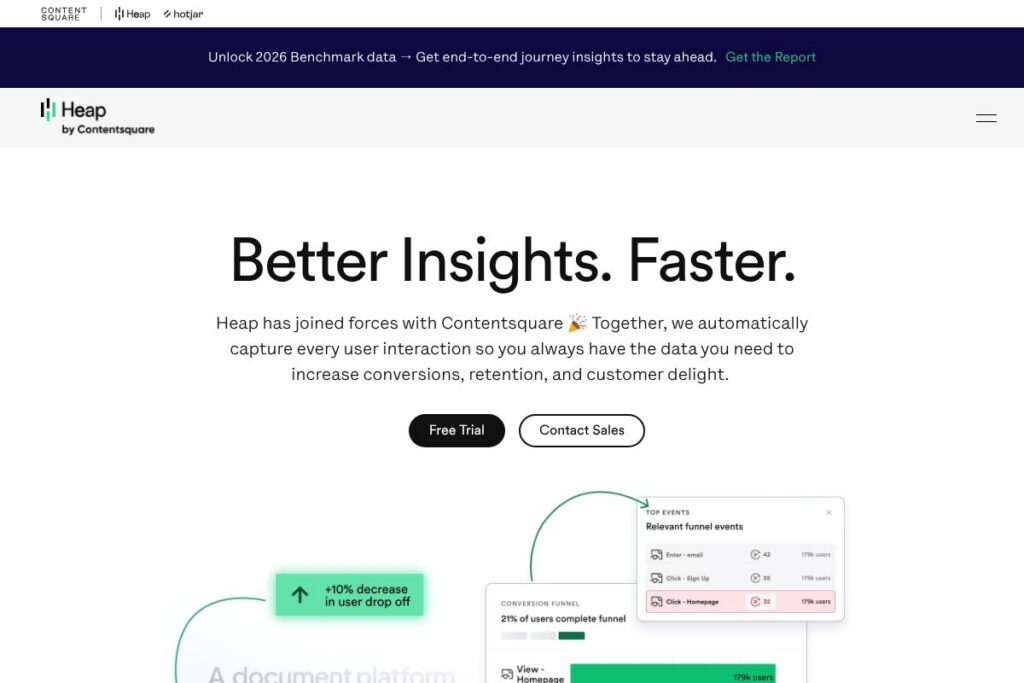

What is Heap
Heap is a digital analytics platform that automatically captures every user interaction on web and mobile, then organizes that data so teams can discover both known and unknown user behaviors. The platform emphasizes automatic event capture and retroactive analysis so you can ask new questions of historical data without having instrumented every event ahead of time.
Heap is often compared with tools like Mixpanel, Amplitude, and Google Analytics 4. Compared with Mixpanel and Amplitude, Heap focuses more on automatic capture and retroactive event definition rather than relying exclusively on pre-defined tracking plans; compared with Google Analytics 4, Heap provides deeper product-focused event modeling and integrated session replay to connect quantitative signals with qualitative sessions.
Heap does particularly well at reducing engineering overhead for analytics, revealing hidden behavior patterns through automated analysis, and surfacing precise session replays of problematic flows. All of this makes Heap a strong choice for product, growth, and UX teams that need end-to-end visibility into user journeys and want to iterate on conversion and retention without constant tracker changes.
How Heap Works
Heap installs as a single snippet or SDK that automatically records user interactions such as clicks, pageviews, form submissions, and custom events across web and mobile platforms. That raw event stream is normalized and made queryable so analysts and product teams can define events after the fact and build reports without additional engineering work.
Built-in capabilities route behavioral signals into dashboards, funnels, and retention analyses while Heap’s session replay links give full visual context for any event or funnel drop-off. Teams can use Heap Illuminate to surface statistically significant behavioral patterns and potential friction points, and CoPilot to generate queries or insights without deep SQL skills.
Heap integrates with data warehouses and third-party tools so captured events can flow into downstream systems for segmentation, personalization, or advanced modeling. The platform includes controls for data governance, identity stitching, and privacy to help scale analytics safely across organizations.
Heap features
Heap organizes analytics around complete event capture, behavioral analysis, and integrated session replay. Core capabilities include automatic data capture, retroactive event definition, funnel and retention analysis, session replay, and AI-assisted insight discovery. Recent additions emphasize tighter integration with Contentsquare and more automated insights via Heap Illuminate and CoPilot.
Automatic Data Capture
A single JavaScript snippet or mobile SDK captures clicks, form interactions, and navigation events automatically, removing the need for manual instrumentation for most analytics needs. This means teams can define new events and segments retroactively using historical data, saving engineering time and avoiding missed opportunities.
Product Analytics and Funnels
Heap supports funnel analysis, pathing, and retention reports using the complete event stream, enabling teams to measure activation, conversion, and drop-off without predefining every event. The product analytics tools let non-technical users build queries and visualizations quickly while still supporting deeper analysis for analysts.
Heap Illuminate (Automated Discovery)
Illuminate applies statistical techniques to surface unexpected patterns and high-impact behavior changes that correlate with conversion or retention. It reduces time-to-insight by highlighting candidate areas for investigation that teams might not monitor manually.
Session Replay and Contextual Playback
Session replay is linked directly to quantitative events so you can jump from a funnel drop or error event into the exact moment in a session when the problem occurred. That connection of quantitative signals with qualitative playback speeds debugging and UX decisions.
CoPilot and AI-Assisted Analysis
CoPilot provides conversational and automated queries to help users generate reports, interpret results, and draft hypotheses faster, lowering the barrier for teams new to analytics. It helps teams skip steep learning curves by turning natural language prompts into analyses and visualizations.
Integrations and Data Export
Heap offers a broad integration ecosystem and data export options so captured events can be forwarded to customer data platforms, marketing tools, and data warehouses for downstream use. This makes it practical to combine Heap’s behavioral dataset with other signals for personalization and modeling.
Data Governance and Privacy Controls
Heap includes identity stitching, access controls, and data-retention settings to support enterprise governance and privacy requirements. These controls help teams scale behavioral analytics while meeting compliance and security needs.
With these capabilities combined, Heap’s biggest benefit is eliminating blind spots in product analytics by automatically capturing everything and linking analytical signals to session-level context. That unified view helps teams find fixes and optimizations that produce measurable improvements in conversion and retention.
Heap pricing
Heap uses a tailored enterprise pricing approach rather than a single public price list, with plans that scale based on event volume, features, and support needs. The platform is positioned for organizations that require comprehensive behavioral data capture and advanced analysis, so pricing is typically aligned to usage and deployment scale.
For specific plan options, trial availability, and enterprise offerings, review Heap’s current pricing options or contact their sales team through the Heap by Contentsquare site. Sales can provide an estimate based on your event volume, required integrations, and support level.
What is Heap Used For?
Heap is used to analyze end-to-end customer journeys, identify conversion bottlenecks, and measure the impact of product changes across web and mobile. Teams rely on Heap to answer questions about activation, onboarding, feature usage, and retention without needing to predict every event up front.
Product managers, growth teams, UX researchers, and analytics engineers use Heap to run experiments, diagnose drop-offs, and prioritize fixes based on actual user behavior. The combination of automated capture and session replay makes it useful for investigating both quantitative trends and the user experience behind those trends.
Pros and cons of Heap
Pros
- Automatic full event capture: Captures clicks, pageviews, and interactions automatically so teams can define and analyze events retroactively without continuous engineering work.
- Quantitative plus qualitative linkage: Integrated session replay tied to funnel and event data provides immediate context for behavioral signals, speeding debugging and UX fixes.
- Automated insight discovery: Illuminate and AI tools surface statistically significant patterns and recommendations, helping teams find hidden opportunities faster.
- Broad integrations: Connects to data warehouses, CDPs, and marketing tools to operationalize behavioral data across systems.
Cons
- Enterprise pricing model: Pricing is typically customized and can be higher than self-serve analytics options for teams with high event volumes, requiring sales engagement for quotes.
- Data volume management: Full capture creates large datasets that require governance and potentially higher storage or processing costs when exporting to warehouses.
- Advanced features learning curve: While basic analytics are approachable, getting the most from Illuminate and custom analysis benefits from experienced analysts.
Does Heap Offer a Free Trial?
Heap provides demo and trial options that vary by plan and organization size. Prospective customers can request a demo, explore limited self-serve options, or arrange a trial as part of an enterprise evaluation; contact Heap sales or view plan details through the Heap site to learn available options.
Heap API and Integrations
Heap offers APIs and a wide set of integrations to move event data into downstream systems and to integrate with analytics, marketing, and data warehouse workflows. The Heap API documentation details ingestion, export, and identity endpoints for developers.
Heap also lists numerous native integrations and connectors so teams can forward events to tools for personalization, experimentation, and long-term storage; see the integration options for configuration and supported partners.
10 Heap alternatives
Paid alternatives to Heap
- Mixpanel — Product analytics platform with self-serve funnels, cohort analysis, and tiered pricing for smaller teams and enterprises.
- Amplitude — Focuses on product analytics and behavioral cohorting with a strong ecosystem for experimentation and product intelligence.
- Google Analytics 4 — Free-to-start analytics platform that tracks events and user journeys, with a focus on marketing and web reporting.
- Adobe Analytics — Enterprise-grade analytics suite with deep customization and integration into Adobe Experience Cloud.
- FullStory — Combines session replay with analytics to provide qualitative context for customer behavior and UX issues.
- Pendo — Product analytics plus in-app guides and user feedback tools aimed at product teams and customer success.
- Hotjar — Session recordings, heatmaps, and on-site feedback tools geared toward qualitative insights for smaller teams.
Open source alternatives to Heap
- PostHog — Open source product analytics that captures events and offers self-hosted options for teams that want full control over data.
- Matomo — Self-hosted analytics platform that provides privacy-focused tracking and on-premises deployment options.
- Snowplow — Event-level pipeline and analytics platform for teams that want raw event data architecture and custom modeling.
- RudderStack (open core) — Event streaming and routing focused on sending customer data to multiple destinations from a single source.
Frequently asked questions about Heap
What is Heap used for?
Heap is used for product and behavioral analytics across web and mobile. Teams use it to track user journeys, analyze funnels, and investigate UX problems using automatic event capture and session replay.
Does Heap integrate with data warehouses?
Yes, Heap supports exporting event data to data warehouses. Integrations and connectors enable you to send captured events to warehouses and downstream analytics tools for advanced modeling.
Can Heap capture events retroactively?
Yes, Heap’s automatic capture model allows retroactive event definition. Because interactions are recorded continuously, you can define new events and analyze historical data without additional instrumentation.
Is Heap suitable for small teams?
Heap can be valuable for small teams that want to avoid heavy tracking setup, but its pricing and feature set are often optimized for scaling teams. Smaller teams can use self-serve or trial options to evaluate whether the platform fits their needs before committing.
Does Heap provide session replay?
Yes, Heap includes session replay linked to quantitative events. That connection lets you jump from a funnel drop or event to the exact session moment to understand the user experience.
Final verdict: Heap
Heap stands out for its automatic, retroactive capture of every user interaction and its strong linkage between behavioral analytics and session replay. That combination reduces instrumentation overhead and helps teams discover the “unknown unknowns” that drive conversion and retention improvements.
Compared with Mixpanel, which emphasizes self-serve analytics and transparent tiered pricing, Heap leans toward enterprise deployments with tailored pricing and a focus on comprehensive data capture and automated insight discovery. If your priority is end-to-end visibility with minimal upfront tracking work and integrated session context, Heap is a powerful option; if you prefer simpler, self-serve pricing and an analytics-first interface, consider comparing feature sets and costs with Mixpanel.