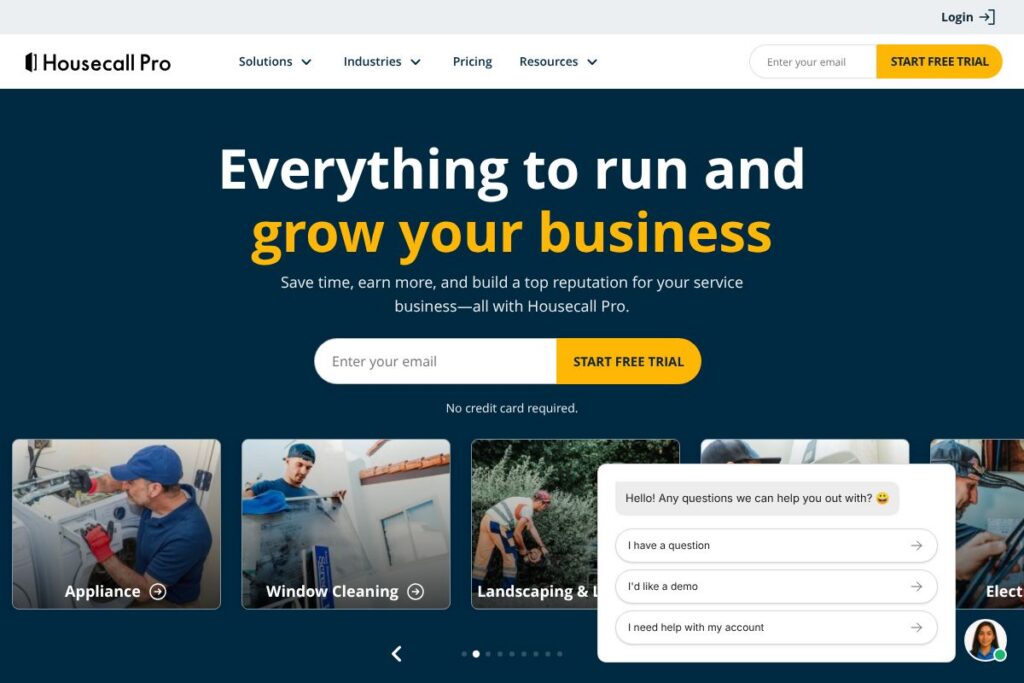

What is Housecall Pro
Housecall Pro is a cloud-based field service management platform designed for home service businesses to run day-to-day operations and grow revenue. The product combines scheduling and dispatch, estimate and invoice generation, mobile technician tools, payments, and customer communication into one system accessible via web and mobile apps.
Compared to competitors, Housecall Pro sits between lightweight scheduling apps and enterprise field-service systems. Against Jobber, Housecall Pro places more emphasis on payments automation and call handling, while ServiceTitan aims at larger enterprises with deeper accounting and payroll features. Compared with ServiceM8, Housecall Pro offers broader marketing and payment routing features suited for teams scaling beyond single-location operations.
Housecall Pro works well for small to mid-sized trade businesses that need an all-in-one system for booking, billing, and customer follow-up. It is suited for businesses that want a single vendor for field operations and payments, plus resources for training and peer networking via the Pro Resources community.
How Housecall Pro Works
Scheduling starts in a centralized calendar where office staff create jobs, assign technicians, and optimize routes. Jobs include customer details, price estimates, required skills, and attachments; dispatchers can drag-and-drop assignments and notify teams via app notifications.
Technicians use the mobile app to view schedules, capture signatures, create invoices on site, accept payments, and log photo or video evidence. The system syncs back to the office for real-time job status updates and end-of-day reconciliation.
Automation handles appointment reminders, follow-up messages, and marketing touches so the office spends less time on manual outreach. Integrated payment processing and QuickBooks syncs reduce bookkeeping work and accelerate cash flow.
Housecall Pro features
Housecall Pro bundles core operational and growth tools aimed at field service businesses, with recent emphasis on AI-driven call handling and automation that reduces administrative load. Core capabilities include scheduling and dispatch, on-site invoicing and card processing, automated customer communication, marketing tools, and reporting dashboards.
The platform includes several powerful capabilities worth highlighting:
Scheduling and dispatch
Create, view, and manage jobs on a drag-and-drop calendar, optimize routes for technicians, and set location-based service zones. This reduces travel time and improves daily utilization for multi-tech teams.
Estimates and invoicing
Generate professional estimates on-site or in the office, convert estimates to invoices with one tap, and attach photos or notes for transparency. The workflow helps reduce disputes and speeds payment collection.
Payments and cash flow
Accept card and ACH payments in the field or online, and reconcile daily takings with accounting integrations. Built-in payment processing removes a step between doing the work and getting paid.
Mobile app for technicians
Technicians receive real-time job updates, can capture customer signatures, add job photos, and process payments from the mobile app. Offline support and quick job completion tools help maintain productivity on the road.
Automated customer communication
Automate appointment confirmations, reminders, and follow-up messages through SMS and email to reduce no-shows and increase repeat bookings. Templates and scheduling controls let teams tune frequency and messaging.
Marketing and reputation management
Built-in tools automate review requests and targeted marketing campaigns to previous customers, helping businesses generate more inbound leads and referrals. Campaign performance can be measured in platform reports.
AI call handling and admin automation
AI-assisted call handling and admin workflows manage incoming calls, book routine appointments, and perform basic lead qualification after hours. This reduces the need for constant office coverage while capturing more leads.
Reporting and integrations
Standard reports cover revenue, jobs completed, technician performance, and payment reconciliation; integrations connect to common accounting and payment platforms. These reports support data-driven decisions for pricing and staffing.
With these features, the biggest benefit is fewer manual tasks for office staff and technicians, allowing small and mid-sized service businesses to scale operations without a proportional increase in admin time.
Housecall Pro pricing
Housecall Pro uses a subscription-based SaaS pricing model tailored to different business sizes and needs. Public, detailed plan pricing was not available on a dedicated pricing page for this resource, so businesses should review current options directly with the vendor for plan features and billing terms.
For current plan comparisons and any promotional trials, view Housecall Pro’s current pricing options. For information about enterprise or custom agreements, check the enterprise and solutions details or contact sales via the platform’s site.
What is Housecall Pro used for
Housecall Pro is used to run daily field service operations including job scheduling, technician dispatch, on-site estimates, invoicing, and customer communications. It centralizes field data and reduces administrative steps so businesses can focus on completing more jobs each week.
The platform is also used to grow revenue through automated marketing, review generation, and simplified payment acceptance. Typical users include HVAC contractors, plumbers, electricians, landscapers, cleaning services, appliance repair businesses, and general contractors needing mobile-first workflows.
Pros and cons of Housecall Pro
Pros
- Comprehensive field operations: The platform combines scheduling, mobile tech tools, payments, and marketing which reduces the number of separate apps a business needs to run daily.
- Strong payments and invoicing: Integrated payment processing and quick invoice conversion help improve cash flow and simplify reconciliation with accounting systems.
- AI and automation for admin work: Automated call handling and customer messaging reduce manual effort in booking and follow-up, capturing leads outside normal hours.
- Community and resources: Access to peer networks and Pro Resources offers templates, coaching, and best practices for scaling service businesses.
Cons
- Cost for larger teams: Enterprises or rapidly scaling operations may find advanced features and seat-based pricing more expensive compared with basic scheduling tools.
- Reporting depth: Some businesses with complex accounting or project reporting needs may need supplementary BI tools for custom reporting beyond the platform’s standard dashboards.
- Learning curve for full feature set: New users will need time to configure automation, pricing, and integrations to match their existing workflows.
Does Housecall Pro Offer a Free Trial?
Housecall Pro offers a free trial with no credit card required. The trial provides hands-on access to core scheduling, invoicing, and customer communication features so businesses can evaluate fit before subscribing; sign up and details are available on the Housecall Pro website.
Housecall Pro API and Integrations
Housecall Pro provides developer APIs and integration links to connect with accounting, payment, and productivity apps. The developer API documentation outlines available endpoints for jobs, customers, invoices, and webhooks for event-driven automation.
Key integrations include connectors for accounting and payment platforms and third-party automation tools to extend workflows. See the integration catalog for specifics on QuickBooks, payment processors, calendar syncs, and automation options.
10 Housecall Pro alternatives
Paid alternatives to Housecall Pro
- Jobber — Field service software emphasizing quoting, scheduling, and client management for small teams with straightforward pricing and easy onboarding. See Jobber’s site.
- ServiceTitan — Enterprise-focused field service platform with deep back-office functionality for larger residential and commercial contractors. Explore ServiceTitan.
- ServiceM8 — Mobile-first solution good for single-location trades and small teams that need simple job management and invoicing. Visit ServiceM8.
- FieldEdge — Focuses on dispatch, service agreements, and integration with QuickBooks for medium-sized service businesses. Learn about FieldEdge.
- mHelpDesk — Covers scheduling, invoicing, and payments with an emphasis on work order management for trade businesses. Check mHelpDesk.
- Workiz — Offers call tracking, scheduling, and payments tailored for home services, with marketplace features to find new jobs. See Workiz.
- Service Fusion — Combines CRM, dispatch, invoicing, and reporting for growing service companies seeking flexible workflows. Review Service Fusion.
Open source alternatives to Housecall Pro
- Odoo — An open-source ERP with a field service module that can be customized for scheduling, invoicing, and customer management. Explore Odoo.
- ERPNext — Open-source business software that includes modules for projects, sales, and delivery which can be adapted for field service operations. See ERPNext.
- Flectra — Community-driven open-source suite with CRM and project management features that can be extended for service scheduling and invoicing. Learn about Flectra.
Frequently asked questions about Housecall Pro
What types of businesses use Housecall Pro?
Housecall Pro is used by home service businesses such as HVAC, plumbing, electrical, cleaning, landscaping, and general contractors. These businesses rely on mobile technician tools, scheduling, and payments to manage daily operations.
Does Housecall Pro integrate with QuickBooks?
Yes, Housecall Pro supports integrations with accounting systems including QuickBooks. Integration syncs invoices and payments to reduce manual bookkeeping work; check the integration catalog for setup details.
Can Housecall Pro process payments in the field?
Yes, Housecall Pro accepts card and remote payments from the mobile app and online portals. On-site payment options accelerate cash flow and simplify reconciliation.
Is there a way to automate customer review requests with Housecall Pro?
Yes, Housecall Pro includes reputation and review automation tools. You can configure post-job review requests and track replies to build online ratings.
Does Housecall Pro provide an API for custom integrations?
Housecall Pro offers a developer API and webhooks for automation and custom integrations. See the developer API documentation for available endpoints and authentication details.
Final verdict: Housecall Pro
Housecall Pro is a mature field service platform that does several things well: it centralizes job management, simplifies on-site invoicing and payments, and reduces administrative load through automation and AI-assisted call handling. The mobile experience for technicians and built-in reputation tools make it practical for growth-focused service businesses.
Compared with Jobber, Housecall Pro tends to offer more built-in payments and administrative automation, which may better suit teams that want a single vendor for operations and payments. Against ServiceTitan, Housecall Pro is generally more approachable for small to mid-sized businesses because ServiceTitan targets larger enterprises with deeper back-office requirements.
Overall, Housecall Pro is a strong choice for trade businesses that need an integrated system to manage scheduling, payments, and customer communications while scaling operations. For pricing and plan specifics, evaluate the current pricing options and request a demo to match features to your business needs.