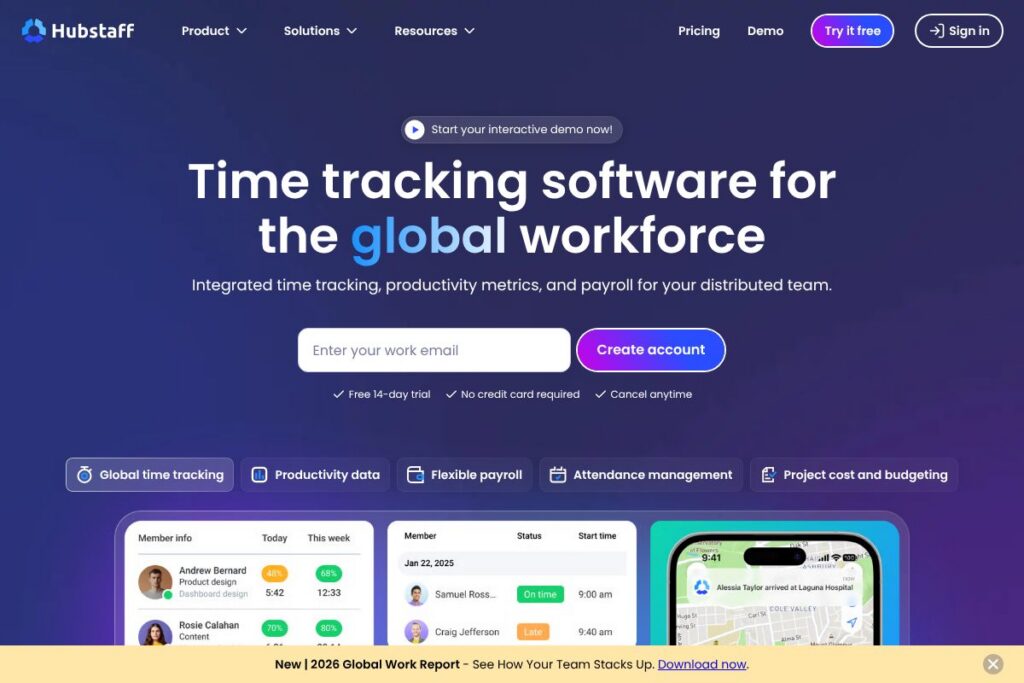

Hubstaff: An Overview
Hubstaff is a time tracking and productivity monitoring platform designed for distributed and hybrid workforces. It collects hours across multiple devices, captures optional screenshots and activity metrics, and converts tracked time into automated timesheets and payroll entries.
Compared with Toggl Track, which focuses on lightweight, flexible timers and simple reporting, Hubstaff adds payroll automation, attendance management, and stronger field tracking capabilities. Against Clockify, Hubstaff offers deeper employee monitoring and payroll features rather than a pure freemium time tracker; versus Time Doctor, Hubstaff emphasizes automated payments and project cost controls alongside productivity metrics.
Hubstaff performs especially well where organizations need integrated time capture, attendance control, and payroll in one system. It is best suited for small to mid-size businesses, agencies, and field or remote teams that require both billing accuracy and visibility into how work hours are spent.
How Hubstaff Works
The Hubstaff client runs on desktop, mobile, and as a web timer, and it also supports GPS-based tracking for field staff. Team members start and stop timers per task or project, and tracked activity is associated with projects, clients, and pay rates in real time.
Collected data flows into automated timesheets and reports; managers can review screenshots, activity levels, and app or URL usage to validate hours and detect anomalies. Payroll can be scheduled to run using tracked time, or time data can be exported to popular payroll and accounting systems through native integrations or the API.
Common workflows include assigning tasks and budgets to projects, running timers while working, reviewing weekly timesheets for approvals, and triggering payroll runs or client invoices from verified time records. Hubstaff also flags unusual activity and provides alerts when projects approach budget limits.
What does Hubstaff do?
Hubstaff combines time tracking, productivity metrics, attendance and leave management, automated payroll, and project cost controls into a single platform. Core capabilities include multi-device timers, optional screenshots and activity monitoring, automated timesheets, expense tracking, and configurable pay and billing rates.
Let’s talk Hubstaff’s Features
Multi-device time tracking
Hubstaff lets users track time from Windows, macOS, Linux, iOS, Android, and the web, plus GPS tracking for mobile or field staff. That flexibility helps teams capture hours regardless of work location and ensures time entries roll into centralized timesheets automatically.
Screenshots and activity monitoring
Optional screenshots, mouse and keyboard activity levels, and app/URL usage are available to help validate work sessions and provide context for billed hours. Managers can use this data for quality assurance and to detect potential time-padding tools.
Automated timesheets and approvals
Time entries are compiled into weekly or custom pay periods with optional approval workflows to reduce manual reconciliation. Approved timesheets can be exported or used directly to run payroll and generate invoices.
Payroll and contractor payments
Hubstaff supports automated payroll processing and integrations with common payroll and accounting platforms so payments are based on verified time. The system handles different pay rates and contractor payments, reducing manual payroll calculation errors.
Productivity Insights and anomaly detection
Built-in productivity dashboards surface how time is spent by project, task, and team member, and flag unusual activity such as low engagement patterns or signs of fake activity. These insights help balance workloads and reduce unproductive meeting time.
Scheduling, attendance, and leave management
Hubstaff includes shift scheduling, clock-in/clock-out tools, PTO controls, and holiday configurations to manage attendance. Managers can see completed, late, or missed shifts and enforce shift policies to improve coverage.
Project budgeting and invoicing
Set project budgets, billing rates, and expense limits to control costs and maintain profitability. Hubstaff can generate customizable invoices and provide real-time alerts when budgets are at risk of being exceeded.
Integrations and API access
Hubstaff integrates with tools like Trello, Asana, Jira, QuickBooks, Xero, and Slack through native connectors and Zapier, allowing time data to flow into project and accounting systems. For custom workflows, the API documentation describes endpoints for time entries, projects, users, and reporting.
With Hubstaff you get consolidated time and cost data that supports accurate payroll and client billing while giving managers visibility into how work time is allocated across projects.
Hubstaff pricing
Hubstaff offers subscription plans intended for individuals, teams, and businesses, with different feature sets and seat-based billing. For current plan tiers, seat-based pricing, and any enterprise options, view the current pricing options on Hubstaff’s website.
What is Hubstaff Used For?
Hubstaff is commonly used for converting tracked work into accurate payroll and client invoices, while providing managers with productivity metrics for operational decisions. Organizations use it to monitor distributed teams, enforce attendance policies, and automate billable hour tracking for client work.
Typical users include marketing agencies managing campaign budgets and client billing, field teams using GPS-enabled timers, BPOs monitoring SLA and shift adherence, and distributed software teams that need precise time records for billing and retrospectives.
Pros and Cons of Hubstaff
Pros
- Comprehensive time capture: Hubstaff records time across desktop, mobile, web, and GPS with automated timesheets that reduce manual entry and payroll errors.
- Built-in payroll and invoicing: Automated payroll options and billing rate controls let teams pay employees and invoice clients using verified time with fewer exports and reconciliations.
- Actionable productivity metrics: Dashboards and anomaly detection provide insights into meeting time, app usage, and possible false activity, helping managers make resource decisions.
Cons
- Learning curve for monitoring features: The combination of timers, screenshots, and productivity metrics can require configuration and policy alignment to avoid privacy concerns and reduce administrative overhead.
- Advanced features aimed at teams: Small teams or solo freelancers who only need basic timers may find the full feature set more than required and might prefer simpler tools.
Does Hubstaff Offer a Free Trial?
Hubstaff offers a free 14-day trial with no credit card required. The trial provides access to core time tracking, productivity insights, and automated timesheet features so teams can evaluate reporting, payroll automation, and integrations before subscribing.
Hubstaff API and Integrations
Hubstaff provides a developer API that exposes endpoints for time entries, projects, users, and reports; see the API documentation for authentication and usage examples. The platform also offers native integrations with project management and accounting tools such as Trello, Asana, QuickBooks, Xero, Slack, and Zapier to connect time data to the rest of your workflow.
10 Hubstaff alternatives
Paid alternatives to Hubstaff
- Toggl Track — Simple timers, visual reports, and affordable plans that suit freelancers and small teams focused on straightforward time tracking and lightweight reporting.
- Clockify — Freemium time tracker with team features and add-ons for reporting and billing, useful for teams that want a low-cost entry point with optional upgrades.
- Time Doctor — Focused on productivity monitoring with detailed activity reports and distraction alerts, often chosen for intensive agent monitoring and time validation.
- Harvest — Time tracking with expense logging and invoicing, aimed at agencies and consultancies that need integrated billing and simple project reporting.
- QuickBooks Time (formerly TSheets) — Strong scheduling and payroll integrations, especially suited to businesses already using QuickBooks for accounting and payroll.
- RescueTime — Automatic background tracking and productivity scoring for individuals and teams that want passive time capture and focus analysis.
- Paymo — Combines time tracking, project management, and invoicing with task-level tracking for teams managing client projects.
Open source alternatives to Hubstaff
- Kimai — A self-hosted time tracking solution with timesheets, invoice export, and reporting, suitable for teams that prefer control over data and hosting.
- Anuko Time Tracker — Lightweight web-based time tracker that can be self-hosted for teams seeking a minimal, open source timer and reporting tool.
- Redmine — Primarily a project management platform with built-in time tracking plugins, often used by development teams that want project and time tracking in one open source app.
Frequently asked questions about Hubstaff
What is Hubstaff used for?
Hubstaff is used for time tracking, attendance management, and productivity monitoring. Teams use it to collect hours, run automated timesheets, manage payroll, and analyze how time is spent across projects.
Does Hubstaff integrate with payroll or accounting software?
Yes, Hubstaff integrates with popular accounting and payroll systems. Native connectors and Zapier integrations allow time data to flow into tools like QuickBooks, Xero, and other payroll platforms.
Can Hubstaff track time on mobile and in the field?
Yes, Hubstaff supports mobile and GPS-based time tracking. Mobile timers and location tracking let field staff capture hours and routes while syncing with the central dashboard.
Is there an API for Hubstaff?
Yes, Hubstaff provides a developer API. The API documentation describes endpoints for managing time entries, projects, users, and reporting.
Can Hubstaff help with project budgeting and invoicing?
Yes, Hubstaff includes project budgeting and invoicing features. You can set billing rates, track expenses, receive budget alerts, and generate invoices from verified time and expense data.
Final Verdict: Hubstaff
Hubstaff excels at combining multi-device time tracking with productivity metrics and payroll automation, making it a practical choice for distributed teams that need both accurate hours and operational visibility. Its strengths are automated timesheets, attendance controls, and integrations that reduce manual payroll and billing work.
Compared with Toggl Track, which emphasizes simplicity and lower-cost plans for individual users, Hubstaff offers deeper workforce management features such as payroll automation and anomaly detection. For teams that require validated time, shift management, and direct payroll workflows, Hubstaff provides a more complete solution even if that means more configuration up front.