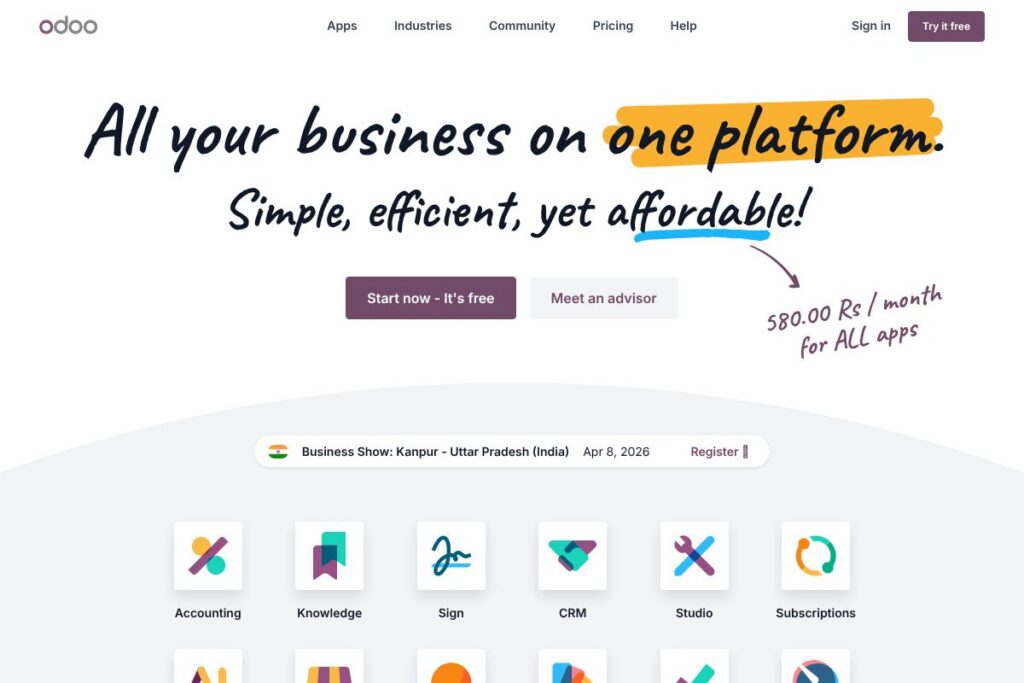

What is Odoo
Odoo is an integrated business applications platform that combines ERP, CRM, eCommerce, website/CMS, accounting, inventory, manufacturing, and HR in a modular system. It ships as an open-source Community edition that can be self-hosted and an Enterprise cloud/subscription edition with additional features, hosting, and support. Organizations can deploy only the apps they need and install extra modules from a large community app store to extend functionality.
Compared with SAP, Oracle NetSuite, and Microsoft Dynamics 365, Odoo targets a broader range of company sizes by offering an open-source core and lower-cost cloud options. SAP and NetSuite focus primarily on large enterprises with end-to-end packaged suites and higher implementation costs, while Dynamics 365 provides deep Microsoft ecosystem integration. Odoo stands out for its modularity and community-driven app store, which makes it easier for smaller teams to adopt without the same upfront licensing model.
All of this makes Odoo particularly effective for businesses that want one platform to reduce the number of disconnected systems, control hosting and data, and extend functionality through community or in-house development. It is a strong fit for small and mid-market companies, digital agencies, distributors, retailers, and manufacturers who prefer configurable workflows and open-source access to source code.
How Odoo Works
Odoo is built around discrete apps that each cover a business domain, for example Sales, Inventory, Accounting, Website, or Manufacturing. Administrators pick and install apps from the built-in app list or the community app store, then configure workflows, user roles, and access rights to match organizational processes.
The platform stores data in PostgreSQL and provides an ORM plus XML/JSON APIs for developers. You can run Odoo on your own servers or use Odoo’s cloud hosting; the Enterprise edition adds managed hosting, automated backups, and additional modules. Typical implementation workflows include selecting core apps, importing master data, configuring business rules, and rolling out in phases starting with finance or sales to limit disruption.
Workflows are supported by in-app automation, scheduled actions, and server-side rules. Odoo’s UI centers on smart lists, activity management, and dashboards that reduce repeated data entry; integrations and third-party connectors help keep external systems in sync during daily operations.
Odoo features
Odoo is organized as modular apps that cover most business functions, plus a large community app ecosystem and native automation capabilities. Core areas include ERP modules (accounting, inventory, MRP), CRM and sales, website and eCommerce, HR and payroll, and reporting; recent platform updates emphasize performance improvements and built-in AI assistance across modules. Below are the main capabilities and why teams use them.
Let’s talk Odoo’s Features
Modular Apps
Each business function is delivered as a separate app so teams install only what they need and keep the system lean. Modules integrate with one another by default, for example sales orders trigger invoices and inventory moves, which simplifies cross-functional workflows and reduces manual handoffs.
Accounting and Financials
Odoo provides general ledger, invoicing, payments, bank reconciliation, and tax reporting features suitable for mid-market accounting workflows. The accounting module integrates with sales, purchases, and inventory for automatic journal entries and supports multi-currency and multi-company configurations.
Inventory and Warehouse Management
Inventory offers double-entry stock moves, multi-warehouse support, routes and replenishment rules, and barcode scanning for operations. This helps distribution and retail teams maintain accurate stock levels, perform cycle counts, and automate reorder points.
Manufacturing (MRP) and PLM
The Manufacturing app supports BOMs, routings, work orders, and manufacturing orders with capacity planning and work center scheduling. Product lifecycle management (PLM) features let engineering teams manage revisions and changes alongside production plans.
CRM and Sales Management
Odoo CRM tracks leads, pipeline stages, automated lead scoring, and opportunity-to-quote workflows with activity scheduling and email integration. Sales teams can generate quotations, apply price rules, and convert orders directly to invoices and delivery orders.
eCommerce and Website/CMS
The website builder and eCommerce apps let teams build product catalogs, manage promotions, and accept online orders with checkout flows that connect to inventory and accounting. Content editing is WYSIWYG with SEO controls, and payment gateway connectors simplify online payments.
HR, Recruitment, and Payroll
Human resources modules include employee records, recruitment pipelines, leaves, timesheets, and payroll integrations for eligible countries. These tools centralize workforce data and provide time tracking and expense management tied to projects and billing.
Reporting, Dashboards, and BI
Odoo includes built-in reporting and customizable dashboards across apps, plus export and pivot capabilities for analysts. Data from operations, sales, and finance can be combined to create KPI dashboards for managers, and community or third-party BI connectors expand analysis options.
App Store and Community Extensions
A large community of contributors maintains thousands of additional modules that cover industry-specific needs, localization, and specialized connectors. Community apps let organizations extend base functionality without developing everything in-house, and the store is searchable for common or niche requirements.
With Odoo you get a single platform that ties operational processes together while allowing teams to add, customize, and scale individual apps as needs evolve. The biggest benefit is the ability to centralize core workflows and extend them via community modules or custom development while keeping data in a standard PostgreSQL backend.
Odoo pricing
Odoo uses a mixed model: a fully open-source Community edition that is free to self-host and a paid Enterprise option that includes cloud hosting, extra apps, and professional services. The vendor also advertises a low per-user cloud price in its promotional content, and enterprise customers can obtain tailored quotes for large deployments.
Monthly Billing:
Community – Free (self-hosted, open-source core, community support)
Enterprise (Cloud subscription) – $7.25/month (per-user promotional rate for access to all apps as advertised on the vendor site; cloud hosting, upgrades, and support included)
Annual Billing:
Enterprise (Annual) – Annual billing with discounted per-user rates is offered for cloud subscriptions, and multi-year enterprise agreements are available for larger deployments. For current per-user annual rates and volume discounts, see Odoo’s pricing overview.
Enterprise and Custom Pricing
Enterprise – Custom pricing (Large organizations typically receive custom quotes that factor in number of users, required apps, hosting, support SLAs, and implementation services). Contact sales or review Odoo’s enterprise offerings for tailored estimates.
What is Odoo Used For?
Odoo is commonly used to replace disparate systems by consolidating accounting, sales, inventory, eCommerce, and HR on a single platform. Companies use it to automate order-to-cash cycles, manage stock and replenishment, centralize financials, and run web stores that tie directly into backend operations.
It is ideal for small and medium-sized businesses seeking flexible deployment choices, and for larger organizations that want an extensible platform with open-source access to adapt workflows. Typical users include retailers, distributors, manufacturers, professional services firms, and agencies that need integrated CRM, billing, and project tracking.
Pros and Cons of Odoo
Pros
- Open-source core: The Community edition is free and provides full access to source code, enabling self-hosting and unlimited custom modifications without licensing locks.
- Modular architecture: Install only required apps and integrate them seamlessly; this reduces complexity by avoiding large monolithic deployments when not needed.
- Large community app ecosystem: Thousands of community and third-party modules exist for localization, industry features, and connectors, which lowers custom development effort.
- Single database for operations: Sales, inventory, accounting, and eCommerce share the same data model, reducing reconciliation work and sync issues.
Cons
- Implementation complexity for custom needs: Highly customized workflows still require development and skilled implementers, which can add time and cost to projects.
- Variance in community module quality: Community apps vary in maintenance and support level, so due diligence is needed before adopting third-party modules.
- Enterprise support costs for managed services: The Enterprise cloud and professional services are paid, and larger deployments can incur significant implementation and hosting fees.
Does Odoo Have a Free Version?
Odoo offers a free Community edition and a paid Enterprise cloud subscription; a free trial for cloud services is available. The Community edition is open-source and free to self-host with community support, while the Enterprise cloud subscription provides managed hosting, upgrades, and official support and can be tried via Odoo’s sign-up flow on their site.
Odoo API and Integrations
Odoo provides developer-facing APIs and an ORM that allow programmatic access to records, automated actions, and custom modules; see the Odoo developer documentation for API endpoints, module development guides, and deployment instructions. The platform supports XML-RPC and JSON-RPC, and newer versions include REST-friendly interfaces through community and official modules.
Popular integrations connect Odoo to Google Workspace, payment gateways, shipping carriers, Shopify, and marketplace connectors, and the Odoo apps store lists numerous third-party connectors maintained by the community or partners. Integration strategies commonly use scheduled import/export, webhooks, or middleware when coordinating with external systems.
10 Odoo alternatives
Paid alternatives to Odoo
- SAP — Large-enterprise ERP with deep industry modules, global localization, and extensive professional services. Best suited for complex, high-volume operations.
- Oracle NetSuite — Cloud-native ERP and financial management platform with subscription licensing and strong multi-subsidiary support for medium and large companies.
- Microsoft Dynamics 365 — Modular CRM and ERP cloud offerings tightly integrated with Microsoft 365 and Azure services, favored by organizations in the Microsoft ecosystem.
- Acumatica — Cloud ERP with flexible licensing and strong distribution and manufacturing capabilities, focused on mid-market companies.
- Zoho One — Suite of business apps including CRM, finance, and HR apps bundled under one package with straightforward per-user pricing for SMBs.
- HubSpot CRM — CRM and sales automation platform with marketing and service hubs; best for inbound-focused sales and marketing teams.
- Infor CloudSuite — Industry-specific ERP suites with strong manufacturing and distribution capabilities and comprehensive implementation services.
Open source alternatives to Odoo
- ERPNext — Full-featured open-source ERP covering accounting, inventory, manufacturing, and CRM, with a clean UI and active community.
- Dolibarr — Lightweight open-source ERP/CRM for small businesses with modules for finances, inventory, and HR; simpler to deploy for small teams.
- Tryton — Modular open-source ERP framework with strong accounting and inventory foundations and a developer-friendly architecture.
- Metasfresh — Open-source ERP focused on mid-market manufacturing and distribution with emphasis on high-volume transaction performance.
- Axelor — Open-source ERP and BPM platform that combines apps with a low-code development environment for business process customization.
Frequently asked questions about Odoo
What is Odoo used for?
Odoo is used to run core business processes like CRM, accounting, inventory, eCommerce, and HR on a single platform. Companies deploy it to centralize operations, automate workflows, and reduce the number of disconnected systems.
Does Odoo have a free version of the software?
Yes, Odoo offers a free Community edition that is open-source and self-hosted. The Community edition includes core modules and can be extended with community apps without licensing fees.
Can Odoo be hosted on-premise or in the cloud?
Odoo supports both self-hosted on-premise deployments and vendor-managed cloud hosting for the Enterprise edition. Organizations can choose hosting based on control, compliance, and operational preferences.
Does Odoo integrate with third-party services like payment gateways and Shopify?
Yes, Odoo integrates with payment providers, shipping carriers, and eCommerce platforms such as Shopify through official and community connectors. The apps store lists many ready-made integrations and connectors.
Is Odoo suitable for manufacturing companies?
Yes, Odoo includes Manufacturing (MRP) and PLM modules designed for production planning, BOM management, and shop floor operations. These features integrate with inventory, purchasing, and accounting for end-to-end manufacturing workflows.
Final Verdict: Odoo
Odoo is a practical choice for organizations that want a single, modular platform to run CRM, ERP, eCommerce, and website functions with the flexibility of open-source access. It performs well as a consolidated system for mid-market companies and smaller enterprises because of its modular design, large community app ecosystem, and the option to self-host the free Community edition or subscribe to the Enterprise cloud edition at competitive per-user rates like $7.25/month as advertised.
Compared with Oracle NetSuite, Odoo offers more flexibility through its open-source Community edition and typically lower entry costs for cloud subscriptions, while NetSuite is positioned for larger enterprises with bundled functionality and enterprise-grade SLAs. Choose Odoo when you want modularity, community-driven extensions, and control over hosting; choose NetSuite if you require a fully managed, large-enterprise suite with extensive out-of-the-box financial and global localization services.