
OnPay: An Overview
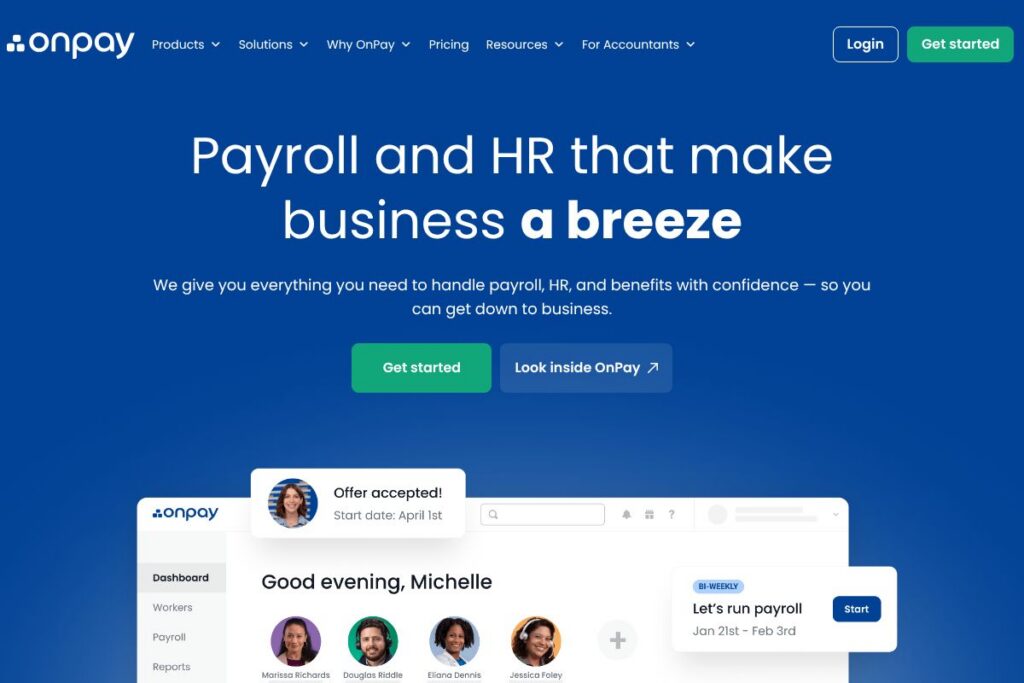
OnPay is a cloud-based payroll and HR service focused on small businesses, accounting firms, and bookkeepers. The platform consolidates payroll processing, federal and state tax filing, benefits administration, and employee onboarding into a single web interface that runs in modern browsers and mobile devices.
Compared with Gusto, ADP, and Paychex, OnPay positions itself toward smaller employers who want straightforward payroll and benefits administration without enterprise complexity. Unlike ADP and Paychex which target larger organizations with extensive HR ecosystems, OnPay emphasizes ease of setup and hands-on support for accountants; compared with Gusto, OnPay competes on flexible benefits and accountant-friendly tools.
All of this makes OnPay a practical choice for small businesses and accounting practices that need reliable payroll tax filing, integrated benefits, and basic HR features without a steep learning curve. It is particularly well suited to firms that want a single vendor for payroll and benefits with strong tax compliance support.
How OnPay Works
OnPay runs as a web service where administrators log in to create company profiles, add employees or contractors, and configure pay schedules and tax jurisdictions. Payroll runs are created by entering hours or salary amounts, reviewing automatic calculations for taxes and withholdings, and submitting the payroll for processing and direct deposit.
The platform handles federal, state, and local tax calculations and filings for most jurisdictions, automates new-hire reporting where supported, and posts payroll journals for accounting exports. Firms typically integrate OnPay with their accounting system, set up benefit deductions and employer contributions, then run recurring payrolls with occasional manual adjustments.
OnPay features
OnPay groups core payroll, tax, HR, and benefits tasks into a single dashboard and has added accountant-focused workflows and automated tax handling to reduce reconciliation work. The platform continues to expand its benefits coverage and reporting options to better serve small business needs.
Payroll processing
OnPay processes regular and off-cycle payrolls, supports hourly and salaried employees, and calculates overtime and deductions automatically. It offers direct deposit and paper check options and keeps a running payroll history to support year-end reporting and audits.
Tax filing and payments
The platform prepares and files federal and state payroll tax returns and remits payments on behalf of employers in supported jurisdictions. This reduces manual filing steps and lowers the risk of missed deadlines by centralizing payments and filings.
Benefits administration
OnPay supports benefits enrollment and administration for health insurance, 401(k) plans, and workers compensation in many states. It streamlines deduction tracking and employer contribution calculations so payroll and benefits data stay in sync.
HR tools and onboarding
Basic HR features include employee self-service for W-4 and direct deposit setup, digital onboarding documents, and time-off accrual tracking. These features help small teams reduce paperwork and standardize new-hire workflows.
Reporting and accounting exports
OnPay provides payroll reports, tax liability summaries, and exportable journal entries for common accounting packages. Reporting helps reconcile payroll to the general ledger and supports quarterly and annual reporting tasks.
Integrations and data transfer
The platform offers integrations with popular accounting packages to push payroll journals and employee data, which reduces duplicate data entry. Integration options help keep payroll and accounting systems aligned for smoother month-end close.
With these capabilities, OnPay delivers a compact payroll and HR toolset geared to small employers and accountants who need reliable tax filing, benefit support, and simple HR workflows.
OnPay pricing
OnPay uses a subscription pricing model tailored to small businesses and accounting firms, with options for monthly or annual billing depending on the plan structure. Specific plan rates and billing details are not presented here, so reviewing OnPay’s direct pricing information is the best way to compare options for your company size and needs.
For the most accurate and up-to-date cost information, view the current pricing options on the OnPay homepage and contact their sales team for quotes that account for employee counts, benefits administration, and accountant discounts.
What is OnPay Used For?
Payroll operations and payroll tax compliance are the primary uses for OnPay, including regular pay runs, tax remittance, and year-end forms such as W-2 and 1099. Small businesses use OnPay to offload tax calculations, automate filings, and maintain payroll records in one platform.
Beyond payroll, OnPay is used for benefits administration and basic HR tasks like onboarding, PTO tracking, and employee self-service. Accounting firms and bookkeepers use OnPay to manage payroll for multiple clients and to export payroll journals into client accounting systems.
Pros and Cons of OnPay
Pros
- Clear payroll and tax automation: OnPay automates federal and state payroll tax calculations and filings, which reduces manual calculations and missed deadlines.
- Benefits and deductions integration: The platform combines benefits administration with payroll so deductions, employer contributions, and provider payments are coordinated automatically.
- Accountant-friendly workflows: Tools for multi-client management, accounting exports, and user permissioning make OnPay suited to accountants and payroll service providers.
Cons
- Limited advanced HR features: While it covers basic HR needs, OnPay lacks the deeper HRIS capabilities found in enterprise-grade HR platforms, which may require a separate HR system for complex orgs.
- Geographic coverage nuances: Some benefit plans and filings depend on local availability, which means businesses with complex multi-state operations should confirm support for all jurisdictions before committing.
Does OnPay Offer a Free Trial?
OnPay offers trial and demo options for prospective customers. For details on trial length, demo scheduling, and what functionality is included, check the OnPay signup and demo pages on the OnPay website or contact their sales team for a guided walkthrough.
OnPay API and Integrations
OnPay provides integrations with common accounting systems to export payroll journals and sync employee data. Explore their integration options to see supported accounting packages and export formats.
For teams that need programmatic access, OnPay documents developer and integration endpoints where available; consult the OnPay developer resources linked from their integrations page for API documentation and authentication guidelines.
10 OnPay alternatives
Paid alternatives to OnPay
- Gusto — Full payroll and benefits platform with employee-friendly onboarding and robust HR add-ons suitable for small businesses.
- ADP — Enterprise-scale payroll and HR services with deep compliance and reporting features aimed at larger organizations.
- Paychex — Payroll, HR, and benefits services that scale from small businesses to large employers with managed payroll options.
- Rippling — Combines payroll with IT and HR automation for organizations that want device and app provisioning tied to employee lifecycle events.
- Zenefits — HR-focused platform with payroll add-on, strong benefits administration, and employee self-service tools.
- Patriot Payroll — Budget-friendly payroll processing targeting small employers who need simple payroll runs and tax filings.
- Square Payroll — Payroll integrated with Square payments and POS, useful for retail and hospitality businesses using Square tools.
Open source alternatives to OnPay
- ERPNext — Open source ERP with a payroll module that supports salary structures, tax rules, and payslip generation for self-hosting teams.
- Odoo (Community Edition) — Modular open source system with payroll and HR apps available through community modules and custom development.
- OrangeHRM — Open source HR management system with foundational HR functions; payroll integrations typically require additional configuration.
- Sentrifugo — Open source HRMS offering performance management, employee management, and configurable workflows that can be paired with payroll tools.
Frequently asked questions about OnPay
What payroll features does OnPay include?
OnPay includes direct deposit, tax calculations, and electronic tax filing for supported jurisdictions. It also provides employee self-service, payroll history, and exportable payroll journals for accounting systems.
Does OnPay handle payroll tax filings for employers?
Yes, OnPay files and pays federal and state payroll taxes on behalf of employers in supported regions. Confirm specific state and local coverage on the OnPay site to ensure full support for your locations.
Can OnPay integrate with accounting software?
OnPay integrates with common accounting packages to export payroll journals and sync employee data. Check the OnPay integrations page for a list of currently supported accounting systems and export formats.
Is OnPay suitable for accountants and bookkeeping firms?
OnPay is designed with accountant workflows in mind, including multi-client management and reporting exports. Accountants often use OnPay to manage payroll across multiple small-business clients and to streamline payroll accounting tasks.
Does OnPay support benefits administration?
Yes, OnPay supports benefits enrollment and deduction management for health insurance, 401(k), and workers compensation where available. Employers can administer deductions and employer contributions directly alongside payroll runs.
Final verdict: OnPay
OnPay is a focused payroll and HR platform that does payroll tax filing, benefits administration, and basic HR reliably for small businesses and accounting firms. Its strengths are straightforward payroll runs, integrated benefits deductions, and workflows that appeal to accountants who manage payroll across multiple clients.
Compared with Gusto, OnPay tends to emphasize accountant tools and simplified benefits management rather than the broader HR feature set Gusto offers. For organizations comparing feature sets and costs, review OnPay versus Gusto for benefits coverage and accountant integrations to determine which aligns with your team size and service needs. For current plan options and buying guidance, visit the OnPay homepage.