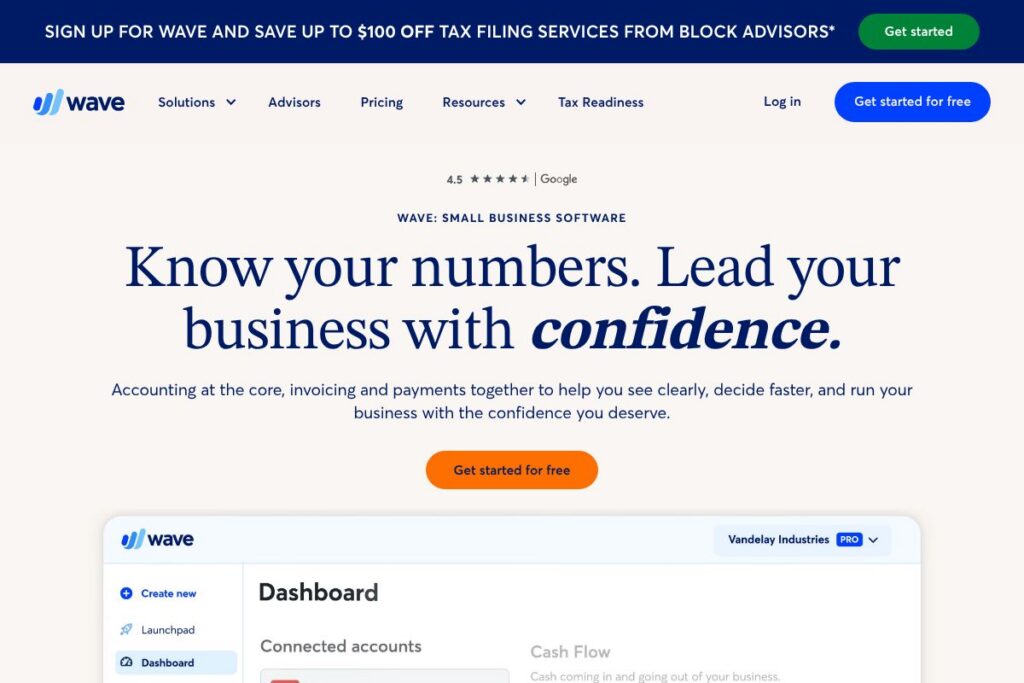

What is Wave
Wave is a cloud-first suite of small business financial tools that centers on accounting while integrating invoicing and payment acceptance. The platform is designed for freelancers, solopreneurs, and small businesses that need tidy books, professional invoices, and basic payroll without a steep learning curve. Wave positions its accounting features as the core record-keeping system, with invoicing and payments built to feed directly into those books for cleaner workflows.
Compared with QuickBooks Online and Xero, Wave places more emphasis on a low-cost entry point and a simpler interface tailored to non-accountants. QuickBooks Online offers deeper enterprise-style reporting and a broader ecosystem of integrations that suits growing firms, while Xero focuses on robust reconciliation and accountant workflows. For very small operations that want simple invoicing plus bookkeeping without immediate subscription costs, Wave is often the lighter-weight choice.
Wave does particularly well at connecting invoicing, receipt scanning, and bank reconciliation into one view, which reduces manual entry and audit friction. That combination makes it a practical option for freelancers, small service providers, and micro-businesses that need accurate records and easy client billing without hiring an accountant.
How Wave Works
Wave runs in the browser and keeps your accounting records in a single ledger that receives inputs from invoices, payments, bank and credit card connections, and receipt uploads. You create invoices through a templated editor, send them by email, and when clients pay online those transactions post automatically to the ledger and update outstanding balances.
Bookkeeping tasks are automated via bank connections and receipt scanning; Wave matches imported bank transactions to invoices or expenses and suggests categorizations that you can accept or adjust. For teams that need payroll, Wave provides payroll as an add-on that integrates with the main accounting flow so payroll entries and tax filings are captured alongside other transactions.
Wave features
Wave organizes core small-business finance around invoicing, payment processing, accounting, basic reporting, and optional payroll. Core features are free to use for many small users, with paid add-ons for payment processing and payroll that let you accept online payments and pay employees or contractors. The platform has mobile companion apps for on-the-go invoicing and receipt capture and offers developer-facing API access for automation.
Let’s talk Wave’s Features
Invoicing
Wave’s invoicing editor creates professional, branded invoices and recurring templates for repeat billing cycles. It supports automated reminders, customizable terms, and PDF delivery so you can send and track client invoices from the same interface you use to store your books. Invoices link to client records and update accounts receivable automatically when paid.
Online payments
Wave accepts online card and bank payments as an add-on to invoicing so clients can pay invoices with a single click. Payment receipts and processing fees post back to your accounting automatically, reducing manual fee reconciliation. Wave’s payments page explains supported payment methods and onboarding for merchants.
Accounting and reconciliation
The accounting component provides double-entry bookkeeping, automated bank reconciliation, and categorization rules to reduce manual bookkeeping. You can connect bank and credit card accounts to import transactions automatically and reconcile them against invoices and expenses. Standard accounting reports like profit and loss and balance sheet are available for tax preparation and review.
Receipt scanning and expense tracking
Wave includes receipt scanning from the mobile app and desktop upload so you can capture expenses as they occur. Scanned receipts are matched to imported bank transactions when possible, and you can assign categories or attach receipts to bills and credit card charges. That makes month-end bookkeeping and expense tracking simpler.
Payroll
Wave offers payroll as an integrated add-on that handles pay runs, tax withholding, and filings for supported jurisdictions. Payroll entries are recorded in the accounting ledger automatically so your cash positions and payroll liabilities stay accurate. Support and setup guidance are available for payroll customers through Wave’s help resources.
Mobile apps
Wave provides mobile apps for invoice creation, receipt capture, and simple expense review so you can manage billing and receipts away from the desktop. The apps sync with your Wave account to keep invoices, receipts, and client records aligned. Mobile access is useful for freelancers and contractors who bill clients on-site.
With Wave, the biggest benefit is that invoicing, payments, and accounting live in a single workflow, which reduces duplicate entry and speeds reconciliation. That integrated approach saves time during tax season and keeps small-business finances consistent across invoicing and bookkeeping.
Wave pricing
Wave follows a hybrid approach: its core accounting and invoicing tools are available at no recurring subscription cost for many small users, while payments and payroll are paid services. That model lets businesses use the bookkeeping and invoicing features without a monthly subscription and add paid services only when they need payment acceptance or payroll support. For current rates, supported countries, and the most up-to-date fee structures visit Wave’s homepage for details and plan descriptions.
What is Wave Used For?
Wave is used primarily for small-business bookkeeping, client invoicing, and basic payroll management. Freelancers and micro-businesses use it to send professional invoices, track who owes money, and automatically post payments to their accounting ledger so they can keep cash flow visible and stay ready for tax filing.
Service-based businesses, consultants, and solopreneurs benefit from Wave’s simple recurring invoices and receipt capture, while small employers who need payroll can add payroll services that integrate directly with their accounts. The platform is best for businesses that want a single, easy-to-understand system for bookkeeping and billing rather than a feature-heavy enterprise accounting suite.
Pros and cons of Wave
Pros
- No-cost core accounting and invoicing: Core bookkeeping and invoice creation are available without a monthly subscription, which lowers the barrier for new businesses and freelancers to keep clean records.
- Integrated payments and bookkeeping: Payments posted via Wave reconcile automatically in the ledger, cutting down manual fee and deposit reconciliation work and saving time at month-end.
- Simple, non-accountant interface: The interface is designed for small business owners rather than accounting professionals, so common tasks like invoicing, expense capture, and basic reports are accessible without training.
Cons
- Limited advanced accounting features: For larger businesses or accounting teams that need advanced reporting, custom charts of accounts, or multi-entity consolidation, Wave may feel limited compared with QuickBooks Online or Xero.
- Payroll availability varies by region: Payroll is an add-on and is only available in selected jurisdictions, which can require seeking a third-party payroll provider in unsupported regions.
- Integration ecosystem is smaller: The number of native third-party integrations is smaller than large competitors, so businesses relying on a broad ecosystem may need custom integrations or Zapier automation.
Does Wave Offer a Free Trial?
Wave offers a free core product with paid add-ons for payments and payroll. The accounting and invoicing tools can be used without a subscription, while payment processing and payroll are enabled as paid services; check Wave’s homepage for country availability and any trial promotions for payroll or payments.
Wave API and Integrations
Wave provides developer API access that supports creating and managing customers, invoices, and transactions; the developer documentation outlines available endpoints and authentication. See the Wave developer documentation for technical details on endpoints, rate limits, and example requests.
On the integrations side, Wave connects to common workflows through bank connections, import tools, and automation platforms. Popular connection points include payment gateways and automation services such as Zapier to sync Wave with CRMs, e-commerce platforms, and reporting tools.
10 Wave alternatives
Paid alternatives to Wave
- QuickBooks Online — Full-featured accounting and tax reporting with a wide marketplace of integrations and accountant tools, suited for growing small to mid-size companies.
- Xero — Cloud accounting with robust reconciliation, multi-currency support, and an extensive app ecosystem for businesses with more complex needs.
- FreshBooks — Invoicing-first software with time tracking and client billing features aimed at freelancers and small service businesses.
- Zoho Books — Part of the Zoho suite, offering invoicing, banking, and automation that integrates tightly with other Zoho products.
- Square Invoices — Simple invoicing and payments with native integration to Square payments and POS for businesses that need integrated point-of-sale and online billing.
- Sage Business Cloud Accounting — Accounting with payroll and compliance tools geared toward small businesses that may scale into larger accounting needs.
- Kashoo — Straightforward accounting and invoicing focused on ease of use for freelancers and small business owners.
Open source alternatives to Wave
- GnuCash — Desktop double-entry accounting software that is free and open source, best for users comfortable self-hosting or running a local application.
- ERPNext — Open-source ERP with accounting, invoicing, and payroll modules for small and medium businesses who want full control and customizability.
- Odoo (Community Edition) — Open source suite including accounting and invoicing as part of a larger modular ERP system, useful for businesses that want extensible functionality.
- Invoice Ninja (self-hosted) — Open source invoicing and billing platform that supports recurring invoices, proposals, and some payment gateway integrations for self-hosted setups.
Frequently asked questions about Wave
Is Wave free to use for invoicing and accounting?
Wave offers free access to its core accounting and invoicing tools. You can create invoices, track income and expenses, and use basic reporting at no recurring subscription fee; payment processing and payroll are paid services.
Does Wave support accepting credit card payments?
Yes, Wave supports online card payments through its payments add-on. When enabled, card payments are processed and recorded in your Wave account, with processing fees applied to transactions.
Can Wave run payroll for my employees?
Wave provides payroll as a paid, integrated add-on in supported countries. Payroll handles pay runs and tax filings where Wave supports local compliance, and payroll entries post to your accounting automatically.
Does Wave have a mobile app for invoicing and receipts?
Yes, Wave offers mobile apps for invoice creation and receipt capture. The apps sync with your account so invoices, receipts, and client details remain consistent across desktop and mobile.
Is there an API for Wave to automate workflows?
Yes, Wave provides a developer API for automating customers, invoices, and transactions. Refer to the Wave developer documentation for endpoints, authentication methods, and usage examples.
Final verdict: Wave
Wave is a practical choice for freelancers, solopreneurs, and very small businesses that want a consolidated place for invoicing, bookkeeping, and basic payroll without a monthly subscription for core features. Its strength is the tight integration between invoices, payments, and the accounting ledger, which reduces manual reconciliation and simplifies tax preparation for small operators.
Compared with QuickBooks Online, Wave is lighter weight and often less expensive for businesses that do not need advanced reporting or a large ecosystem of integrations. While QuickBooks Online targets teams and accountants with tiered subscriptions and more advanced features, Wave provides a simpler, budget-friendly path to accurate books and professional invoices, with paid add-ons that scale as your needs change.