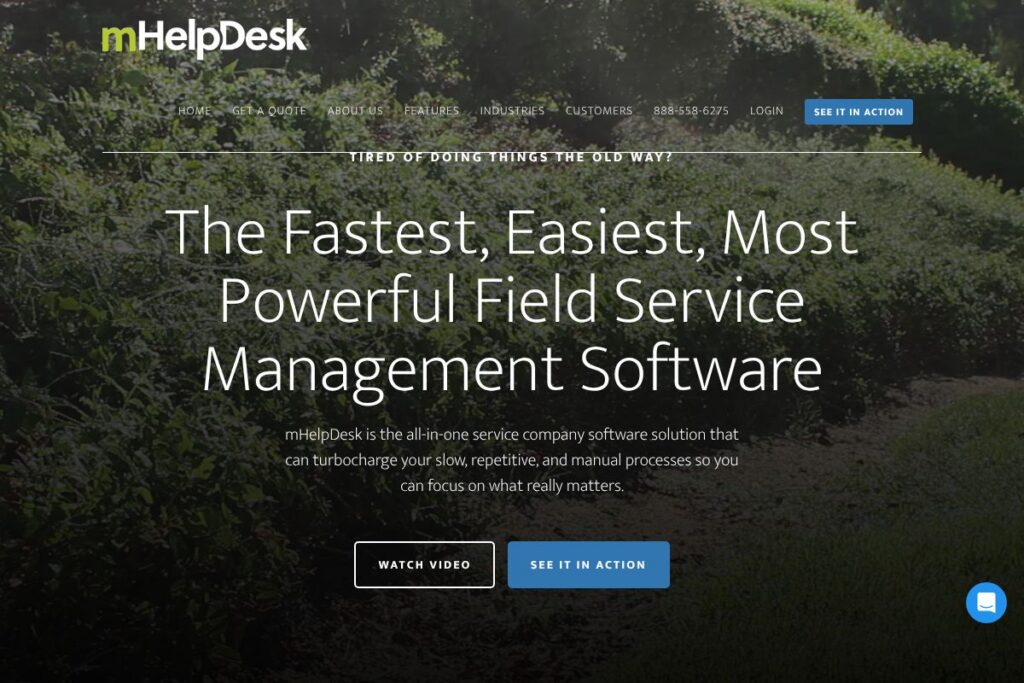

mHelpDesk: An Overview
mHelpDesk is a field service management platform for companies that dispatch technicians and manage on-site work. It centralizes scheduling, dispatch, job tracking, mobile field workflows, invoicing, and customer records so office staff and field technicians use a single system to move jobs from lead to payment.
Compared with competitors like Jobber and Housecall Pro, mHelpDesk emphasizes a combination of scheduling depth and live support. Jobber is often positioned toward smaller teams with simpler workflows, while Housecall Pro prioritizes a streamlined mobile-first experience; mHelpDesk sits between those approaches with stronger dispatch controls and an emphasis on support and onboarding.
mHelpDesk does scheduling and dispatch particularly well, including a mobile app for technicians and integrated invoicing for faster billing and payment capture. This makes it a practical choice for electrical, HVAC, plumbing, landscaping, and other trade businesses that need reliable field workflows and customer follow-up.
How mHelpDesk Works
The platform centralizes work intake, scheduling, and field execution. Office users create jobs, assign technicians using a drag-and-drop schedule board, and attach job details, photos, and customer notes that the assigned technician sees on their mobile app.
Technicians use the mobile app to view assigned work, capture time and materials, take photos, collect signatures, and generate invoices on site. Completed invoices sync back to the office and to accounting integrations so billing and reporting stay up to date without double entry.
mHelpDesk features
mHelpDesk groups core capabilities around job lifecycle management, dispatch, mobile field operations, and billing. Recent platform updates focus on mobile usability and customer-facing communications, while the product maintains an emphasis on live support and onboarding resources.
Scheduling & Dispatch
The scheduling board provides visual drag-and-drop dispatching, technician availability tracking, and geographic views to plan routes. This reduces travel time and simplifies assigning the right tech for a job based on skills and location.
Mobile App for Technicians
The mobile app gives technicians access to job details, customer contact information, photos, and custom checklists, and lets them record time, parts used, and signatures on site. Offline access ensures work can continue without continuous connectivity and syncs when a connection is restored.
Invoicing and Payments
Create estimates, convert them to invoices, and accept payments from the field with integrated card processing and payment links. This accelerates cash flow and reduces manual reconciliation by syncing transactions back to the office.
Job Management and Customer Records
Capture job histories, equipment details, recurring schedules, and customer notes in a centralized customer profile. This helps service teams keep context across visits and improves first-call resolution and repeat-business tracking.
Integrations and Accounting Sync
Prebuilt integrations and accounting sync reduce duplicated data entry between field operations and back-office systems. Common targets include QuickBooks for accounting and calendar services for scheduling, which keeps bookkeeping and dispatch aligned.
Reporting and Analytics
Built-in reports track job status, technician performance, revenue, and outstanding invoices. These reports provide actionable views for operational decisions and help identify underperforming routes, technicians, or service types.
Customer Communication Tools
Automated reminders, confirmations, and status updates help reduce no-shows and keep customers informed from booking through completion. Email and text message templates can be customized to match brand voice and service expectations.
With these capabilities, mHelpDesk supports the complete job lifecycle from lead to invoice, helping field service teams reduce manual work and improve visibility across operations. The combination of dispatch controls, mobile workflows, and integrated billing is the platform’s biggest operational benefit.
mHelpDesk pricing
mHelpDesk uses subscription pricing tailored to business size and feature needs, with options aimed at individual technicians up to larger teams and enterprise deployments. Public, detailed plan pages were not available in the provided material, so organizations typically request a demo or consult sales to determine the best plan for their team.
For current plan breakdowns and package details, check mHelpDesk’s pricing and plans overview or contact their sales team through the contact and demo request page to get a quote that matches your user count, required modules, and payment processing needs.
What is mHelpDesk Used For?
Small and mid-sized service businesses use mHelpDesk to manage scheduling, dispatch, and field operations while keeping billing and customer records synchronized. Typical verticals include HVAC, electrical, plumbing, landscaping, appliance repair, and other trades that rely on dispatching technicians to customer sites.
Operational teams use the platform to reduce phone-based scheduling, improve route planning, capture accurate time and materials in the field, and speed invoicing. Managers use built-in reporting to measure technician productivity and revenue by service type.
Pros and Cons of mHelpDesk
Pros
- Comprehensive dispatch tools: The drag-and-drop schedule board and technician availability controls make route and workload planning simpler and more efficient.
- Robust mobile workflows: Field technicians get access to job details, photo capture, signatures, and on-site invoicing, which reduces paperwork and speeds payment collection.
- Strong customer support options: Toll-free phone support, live chat, success coaches for onboarding, an active community forum, and a video library provide multiple learning channels.
- Integrated invoicing and accounting sync: Tight connections to accounting software and payment processing reduce manual reconciliation and improve cash flow.
Cons
- Pricing visibility: Public pricing details are limited, which requires contacting sales for exact quotes and may slow initial evaluation for smaller teams.
- Feature overlap for simple use cases: Smaller one-person operators may find the breadth of features more than they need, compared with simpler, lower-cost alternatives.
- Learning curve for advanced features: Teams using the platform’s deeper dispatch and reporting features may need onboarding time or a success coach to realize full value.
Does mHelpDesk Offer a Free Trial?
mHelpDesk offers a free trial that provides access to the platform’s core scheduling, dispatch, mobile, and invoicing features so new users can evaluate workflows with real jobs. Trial participants can also use the company’s onboarding resources including video tutorials and a community forum to accelerate setup.
mHelpDesk API and Integrations
mHelpDesk provides API access for developers and prebuilt integrations to connect field operations with accounting, payment, and calendar services. The mHelpDesk integrations page outlines available connections and common workflows for synchronizing data.
For developer teams, the API documentation describes endpoints for job management, customer records, and invoicing so you can automate workflows and integrate mHelpDesk into larger toolchains.
10 mHelpDesk alternatives
Paid alternatives to mHelpDesk
- Jobber: Field service platform aimed at small to mid-sized service businesses, focused on easy scheduling, quoting, and invoicing.
- Housecall Pro: Mobile-first FSM that emphasizes fast booking, dispatching, and payment collection for independent contractors and small teams.
- ServiceTitan: Enterprise-grade solution for larger residential service businesses with deep operational reporting and marketing features.
- FieldAware: Cloud field service management with strong mobile capabilities and configurable workflows for mid-market customers.
- ServiceM8: Lightweight FSM for small trades with simple job management, on-site invoicing, and scheduling.
- Service Fusion: End-to-end business operations for service companies including CRM, dispatch, and payment processing.
- monday.com: Work operating system that teams adapt for field service workflows with custom boards and automation.
Open source alternatives to mHelpDesk
- ERPNext: Open source ERP with a field service module that includes job orders, scheduling, and service histories as part of a broader business suite.
- Odoo (Community Edition): Modular open source platform where the field service and maintenance apps can be combined with accounting and inventory modules.
- OpenMAINT: Open source property and maintenance management software that can be adapted for scheduled field maintenance and asset tracking.
Frequently asked questions about mHelpDesk
What does mHelpDesk do for field technicians?
mHelpDesk provides mobile tools for technicians to view jobs, record time and parts, capture signatures, and issue invoices on site. This reduces paperwork and improves first-visit documentation.
Does mHelpDesk integrate with accounting software?
Yes, mHelpDesk supports accounting integrations to sync invoices and payments with back-office accounting systems, reducing manual reconciliation steps.
Can mHelpDesk be used offline on mobile devices?
Yes, the mobile app supports offline access and syncs changes when a connection is restored. This allows technicians to continue working in low-coverage areas.
Is there onboarding and training available with mHelpDesk?
Yes, mHelpDesk offers success coaches, live webinars, an extensive video library, a community forum, and live chat support. Those resources are intended to help teams deploy quickly and adopt best practices.
How does mHelpDesk handle payments and invoicing?
mHelpDesk lets you create estimates and invoices and accept payments from the field. Payment processing options include card acceptance and online payment links that feed back into the platform for reconciliation.
Final verdict: mHelpDesk
mHelpDesk is a practical field service management choice for growing service businesses that need solid dispatch controls, a capable mobile app, and integrated invoicing backed by hands-on customer support. Its combination of scheduling depth and onboarding services helps teams move from manual processes to a coordinated field-first workflow.
Compared with a competitor like Jobber, which targets simpler setups and may be easier to start with for sole proprietors, mHelpDesk is better suited to teams that need advanced dispatch, richer mobile job management, and a higher level of support during rollout. Organizations that prioritize quick setup with minimal features might prefer Jobber, while teams that need expanded dispatch and onboarding resources may find mHelpDesk delivers more operational coverage.