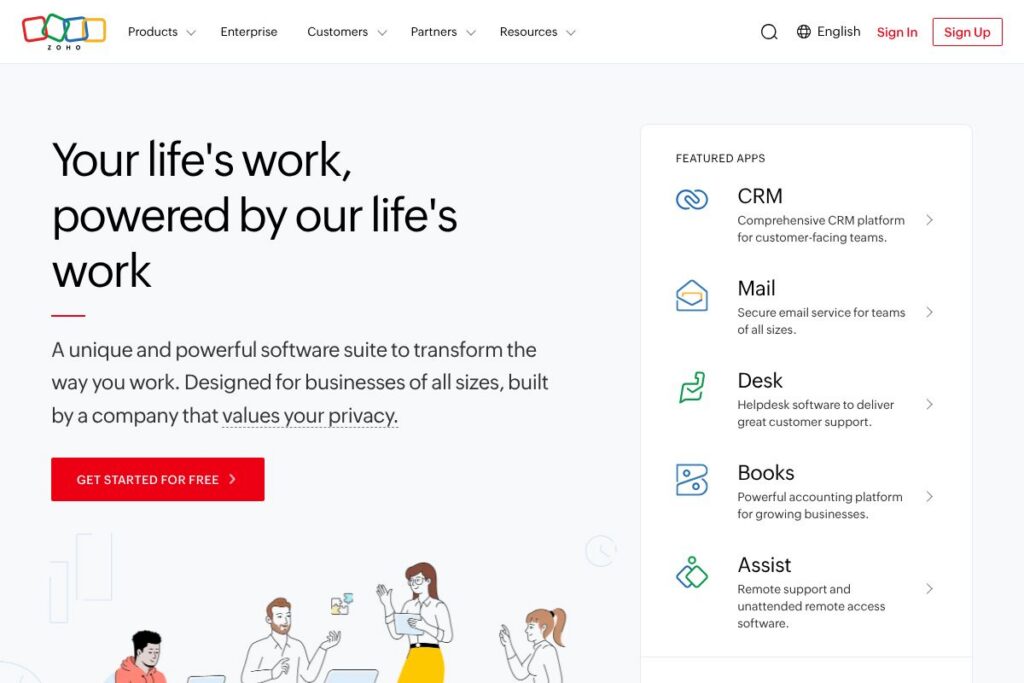

Zoho: An Overview
Zoho is a comprehensive cloud software suite that groups CRM, finance, HR, collaboration, IT, analytics, and automation tools into a single ecosystem. It is designed so organizations can run customer-facing and back-office systems from interconnected apps, reducing data silos and simplifying administration. Many businesses use Zoho to replace multiple single-purpose subscriptions with a single vendor relationship that covers most operational needs.
Compared with Salesforce, Zoho emphasizes breadth of bundled apps and lower total cost of ownership for companies that need many adjacent services rather than a deep CRM-first investment. Against Microsoft 365, Zoho offers tighter built-in business apps beyond email and office productivity, while Microsoft focuses on document collaboration and platform reach. Compared with Google Workspace, Zoho provides a larger catalog of back-office apps such as accounting and HR in the same ecosystem.
All of this makes Zoho particularly effective for teams that want a unified platform across departments. It does well at centralizing data, automating workflows across apps, and providing an on-ramp from small-business needs to enterprise capabilities, making it suitable for organizations that prefer one integrated vendor rather than dozens of point solutions.
How Zoho Works
Zoho structures its platform as modular applications that share a common user identity, data model, and administration layer. Each product, such as CRM, Books, People, or Creator, can be used independently or connected via centralized settings so customer records, invoices, and employee data sync across relevant apps.
Typical implementations start with one core app, for example CRM or Finance, then expand by enabling adjacent modules and setting up cross-application automations. Administrators manage users and access centrally, apply organization-wide security policies, and use built-in connectors or APIs to integrate third-party systems. For enterprises, Zoho One acts as an operating system for business to provision apps, apply governance, and orchestrate workflows across the full suite.
What does Zoho do?
Zoho’s platform centers on integrated business operations, offering tools for customer relationship management, accounting, human resources, IT service management, collaboration, low-code application building, and analytics. The suite’s most visible additions in recent years include tighter AI features under Zia, expanded low-code capabilities, and deeper cross-app automation templates that make multi-step workflows easier to deploy.
Let’s talk Zoho’s Features
Unified application suite
Zoho bundles over 55 apps that share a common identity and admin plane, which reduces the work of connecting independent vendors. This unified approach helps teams avoid repeated data entry, and it simplifies provisioning and security for IT teams managing many users.
Zoho CRM
Zoho CRM covers lead management, pipeline tracking, sales forecasting, and customer activity history with automation for repetitive tasks. It benefits sales and customer success teams by centralizing customer interactions and providing workflow rules that trigger follow-ups and alerts automatically.
Finance and accounting (Books, Invoice)
Zoho Books and Zoho Invoice handle invoicing, expense tracking, bank reconciliation, and basic accounting reports suitable for small and midsize finance teams. Those tools integrate with CRM and inventory apps, allowing invoices to be generated from closed deals and payments to be reconciled against customer accounts.
HR and workforce management (People)
Zoho People supports employee records, time tracking, leave management, and performance reviews with configurable workflows. HR teams can automate onboarding and approvals and connect employee data to payroll and benefits platforms where required.
Collaboration and productivity (WorkDrive, Cliq, Mail)
Zoho WorkDrive provides cloud file storage with team folders and document collaboration, while Cliq offers real-time chat and channels for team communication. Together with Zoho Mail and calendar tools, these apps cover core collaboration needs for distributed teams.
Low-code development (Creator)
Zoho Creator is a low-code platform for building custom applications, forms, and process automation with visual workflows and scripting options. Citizen developers and IT teams use Creator to fill gaps without full custom engineering, and apps built there can integrate with other Zoho products.
Analytics and reporting (Analytics)
Zoho Analytics provides self-service dashboards, data blending, and scheduled reporting across Zoho apps and external data sources. Teams use it to assemble cross-functional views, such as combining sales, marketing, and financial metrics into single dashboards for leadership.
Zia, the AI assistant
Zia surfaces predictive insights, suggests workflow automations, and assists with natural language reporting based on data across Zoho apps. The AI is embedded to recommend next-best actions, detect anomalies, and speed routine tasks like drafting messages or summarizing records.
Security, privacy, and compliance
Zoho provides tenant-level controls, encryption, role-based access, and administrative audit logs to support enterprise governance. The company emphasizes privacy commitments and operates its own infrastructure in multiple regions to meet local regulatory needs.
With Zoho you get a broad set of integrated business capabilities that reduce the need to stitch multiple vendors together. The biggest benefit is cross-app visibility and automation, which accelerates processes such as quote-to-cash and hire-to-pay by keeping data consistent and actionable.
Zoho Pricing
Zoho uses a subscription-based SaaS pricing model across individual apps and offers bundled packages for organizations that need many services. Pricing varies by application, plan tier, and whether you choose individual product subscriptions or the bundled Zoho One offering.
For current, detailed plan structures and per-user rates, check Zoho’s official site for each product and the Zoho One bundle by visiting the Zoho official site and the Zoho One overview. Enterprise customers can request customized quotes that account for seats, support, and any professional services required.
What is Zoho Used For?
Zoho is commonly used to run core business processes such as sales and customer lifecycle management, accounting and invoicing, HR operations, and internal collaboration. Businesses often deploy CRM first, then add finance and HR tools so customer, financial, and employee data live together for operational reporting and workflow automation.
It is also used by companies that want to standardize on a single vendor for many software needs, reducing integration overhead. Zoho scales from startups that need low-cost, self-service apps to large organizations that require centralized governance, single sign-on, and enterprise support.
Pros and Cons of Zoho
Pros
- Broad product coverage: The suite spans CRM, finance, HR, IT, analytics, and collaboration, making it possible to run most business functions within one ecosystem.
- Cost-effective bundling: Choosing a bundled option reduces the need for multiple vendor relationships and lowers administrative and integration costs.
- Embedded AI and automation: Zia and cross-app workflows help teams automate repetitive tasks and extract operational insights without separate tooling.
- Low-code extensibility: Tools like Creator let organizations build custom apps and forms without full development teams, speeding internal projects.
- Privacy-first positioning: Zoho emphasizes data ownership and runs regional infrastructure to meet local compliance requirements.
Cons
- Product depth varies: Some apps are feature-rich while others are more lightweight compared with best-of-breed competitors in each category. This can require trade-offs for teams needing advanced niche functionality.
- Learning curve for administrators: The breadth of apps and configuration options requires time and planning to govern effectively and avoid sprawl.
- Integration complexity for legacy systems: While many native connectors exist, integrating large legacy systems or highly customized stacks can still need professional services.
Does Zoho Offer a Free Trial?
Zoho offers a mix of free plans and time-limited trials. Several Zoho applications have free tiers for basic use, and Zoho One and other premium products commonly provide trial periods so teams can evaluate cross-app workflows before committing. For exact trial durations and the scope of free plans, see the Zoho One overview or the specific product pages on the Zoho official site.
Zoho API and Integrations
Zoho provides developer APIs and webhooks across most of its products for programmatic access, automation, and custom integrations. The Zoho Developer documentation details REST endpoints, SDKs, and authentication methods for building integrations and extensions.
In addition to direct APIs, Zoho offers native connectors to platforms such as Google Workspace, Microsoft 365, Slack, and third-party integration services like Zapier, enabling common workflows without heavy custom code. Enterprise customers can also leverage professional services or partner integrations to connect complex on-prem systems.
10 Zoho alternatives
Paid alternatives to Zoho
- Microsoft 365 — Integrated productivity apps with enterprise identity, document collaboration, and packaged plans for business productivity.
- Google Workspace — Cloud-first collaboration and email suite with strong real-time document editing and cloud storage.
- Salesforce — CRM-first platform with deep sales and customer service functionality and an extensive partner ecosystem.
- HubSpot — Marketing, sales, and service tools with a CRM at the center, known for inbound marketing features and easy-to-use interfaces.
- Freshworks — Customer engagement and IT service products with a focus on simplified implementation and modern UI.
- Oracle NetSuite — ERP and finance-first suite for midsize and enterprise companies with strong financial management capabilities.
- SAP Business One — ERP solution for companies that need deep operational and manufacturing features in an integrated system.
Open source alternatives to Zoho
- Odoo Community Edition — Open source ERP with a modular architecture covering CRM, inventory, accounting, and more, allowing on-prem or self-hosted deployment.
- ERPNext — Full-featured open source ERP focused on SMBs, covering accounting, inventory, HR, CRM, and manufacturing.
- SuiteCRM — Open source CRM that extends classic CRM capabilities with customization and self-hosting options.
- Dolibarr — Lightweight open source ERP/CRM with modules for invoicing, HR, and project management, suitable for small businesses.
Frequently asked questions about Zoho
What is Zoho used for?
Zoho is used to run customer-facing and back-office business processes across sales, finance, HR, IT, and collaboration. Organizations adopt Zoho to centralize data, automate cross-functional workflows, and reduce vendor sprawl.
Does Zoho include an AI assistant called Zia?
Yes, Zoho includes Zia as an embedded AI assistant. Zia provides predictive insights, anomaly detection, and natural language reporting across Zoho applications.
Can Zoho integrate with third-party systems like Microsoft 365 and Slack?
Yes, Zoho offers native integrations and API-based connectors for popular services such as Microsoft 365, Google Workspace, and Slack. For developer-level integrations, refer to the Zoho Developer documentation.
Is Zoho suitable for enterprise deployments?
Yes, Zoho supports enterprise deployments with centralized administration, security controls, and professional services. Zoho One provides governance and provisioning features designed for larger organizations.
How can I find Zoho pricing for my company?
Zoho uses subscription pricing across individual apps and bundles, with enterprise quotes available on request. For current plans and bundle options, visit the Zoho One overview or the specific product pages on the Zoho official site.
Final verdict: Zoho
Zoho’s strength is its breadth and the practical value of running many business functions inside one interconnected ecosystem. It is particularly well suited for organizations that want to minimize vendor management, enforce consistent data models, and automate workflows across departments without stitching together dozens of point tools.
Compared to Salesforce, Zoho generally provides broader bundled functionality at a lower total cost for companies that need more than CRM, because the platform packages accounting, HR, low-code, and collaboration alongside sales tools. For businesses that prioritize deep, specialized CRM capabilities and an extensive partner network, Salesforce remains the premium choice, while Zoho is a strong option when integrated breadth and price-value are primary considerations.