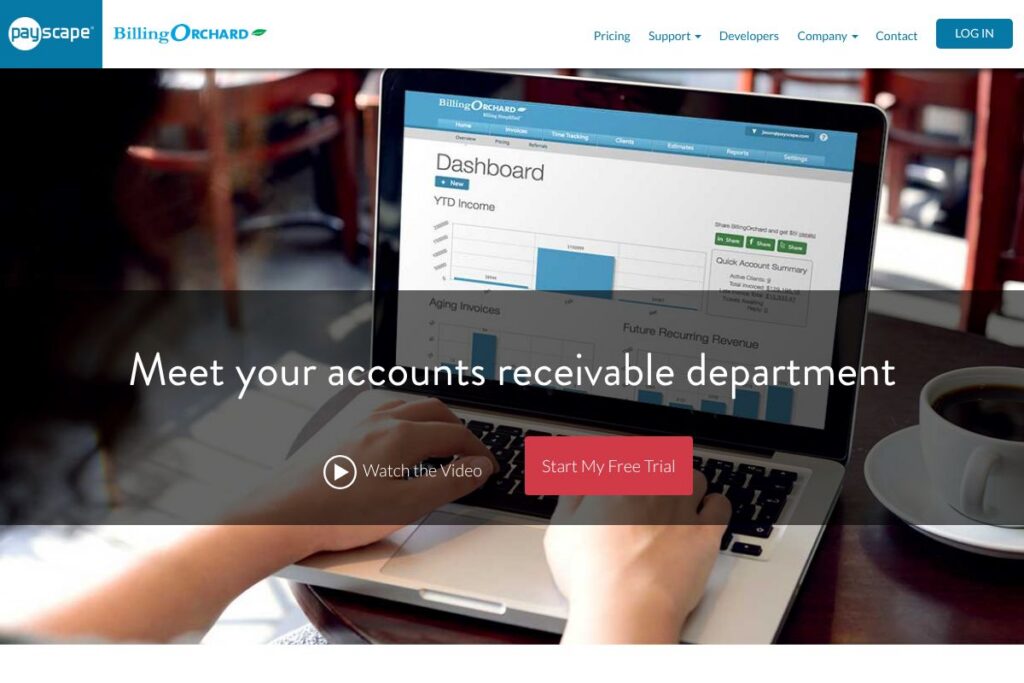

BillingOrchard: An Overview
BillingOrchard is a cloud-based invoicing and electronic billing platform aimed at service businesses, agencies, and small enterprises that need recurring billing, time-to-invoice workflows, and customer self-service. It centralizes invoice creation, dynamic HTML delivery, payment processing, and reporting so you can manage billing without separate tools for time tracking and payments.
Compared with competitors, BillingOrchard occupies a focused niche between lightweight invoicing tools and full accounting suites. Compared to FreshBooks, which centers on freelancer-friendly invoices and time tracking, BillingOrchard emphasizes scheduled recurring invoices and customer portals. Against QuickBooks Online, which combines accounting and tax features with invoicing, BillingOrchard is more billing-centric and includes built-in recurring charge capabilities without requiring a separate payment provider. Compared with Zoho Invoice, BillingOrchard leans more toward enterprise-style recurring billing automation and customer account management.
All of this makes BillingOrchard a practical option for businesses that run repeat billing cycles, need client-facing account management, and want integrated payment capture and time tracking in a single product. It does recurring billing, online invoice delivery, and time conversion into invoices particularly well, and is best suited for small to mid-size service businesses and professional practices that manage ongoing subscriptions or retainers.
How BillingOrchard Works
Users configure customer records, billing schedules, and invoice templates in the web app, then let the system generate invoices on a schedule. Recurring invoice rules support custom frequencies and automated notifications for upcoming or past due invoices, and late fees can be auto-calculated and applied according to your terms.
When an invoice is issued, BillingOrchard delivers dynamic HTML invoices so clients can view bills without attachments, and built-in Pay Now buttons let customers pay by card or eCheck directly from the invoice. Time tracking entries from employees or contractors can be approved and converted into billable items that attach to invoices, closing the loop between logged hours and revenue recognition.
Administrators control user roles and permissions so team members can log time, prepare invoices, or approve billing. Reporting dashboards update projected cash flow from recurring revenue, giving managers an at-a-glance view of incoming payments and forecasted earnings.
BillingOrchard features
BillingOrchard organizes billing around scheduled invoicing, customer self-service, time-to-bill conversion, and integrated payment processing. Core capabilities include recurring invoice scheduling, dynamic HTML invoices, customer portal access, credit card and eCheck processing, time tracking with approvals, automated late fees, and forecasting dashboards. The platform also offers an add-on web design service for businesses that want an integrated online presence.
Here are some key features worth highlighting:
Recurring invoice schedules
Create flexible recurring billing templates with custom frequency, start/end dates, and proration options. Scheduled invoices can trigger automated notifications and produce draft or finalized invoices for review, which reduces manual work for subscription-style billing.
Dynamic HTML invoices
Invoices are delivered as responsive HTML that opens in the client browser without requiring PDF downloads, improving accessibility and reducing friction for payments. HTML invoices can include embedded Pay Now buttons for immediate reconciliation.
Integrated payments (credit card and eCheck)
Process card and eCheck payments directly from invoices, with funds deposited within a short settlement window. You can set up recurring charges on stored payment methods to automate subscription collections without external gateways.
Customer portal
Clients get a portal where they can view invoice and payment history, update billing and banking information, and communicate about billing items. The portal centralizes account management and reduces back-and-forth email for receivables.
Time tracking and invoicing
Employees and contractors can log billable hours on behalf of clients, and admins can convert approved time entries into invoice line items. This workflow streamlines project billing and reduces the manual transfer of hours into invoices.
Automated notifications and late fees
The system sends automated reminders for upcoming and past due invoices, and can auto-calculate and apply late fees based on your configured policies. Notifications can be customized to maintain professional client communication.
Reporting and cash flow forecasting
The dashboard aggregates recurring revenue and pending invoices to estimate cash flow and future earnings. Reports help prioritize collections, plan for growth, and understand revenue trends by customer or service.
User roles and approvals
Granular permissions let you restrict who can create, approve, or finalize invoices, making it easier to maintain internal controls. Approval workflows ensure billable work is reviewed before it reaches clients.
Website design add-on
As an optional service, BillingOrchard can provide custom website design to align your public presence with billing and portal experiences. This add-on integrates branding and improves customer-facing touchpoints.
With these capabilities, the biggest benefit is reducing manual billing overhead while keeping customer interactions self-service and payment-ready, which shortens collection cycles and improves cash flow predictability.
BillingOrchard pricing
BillingOrchard uses a subscription-based SaaS model with optional add-ons and integrated payment processing fees, and it also offers tailored packages for businesses with bespoke needs. Pricing details are not published in a dedicated pricing page in the provided materials, and enterprise or custom deployments may have different arrangements.
For current plan options, details on payment processing fees, or to request a custom quote, review BillingOrchard’s pricing and plans on the vendor site or contact their sales team directly via the BillingOrchard homepage. View BillingOrchard’s pricing and plans for up-to-date information and to request a demo.
BillingOrchard Use Cases
BillingOrchard is commonly used by service-based businesses that bill on a recurring basis, such as agencies, subscription services, managed service providers, and professional firms. Teams that track billable hours benefit from the seamless conversion of time entries into invoices and approvals prior to billing.
The customer portal and dynamic HTML invoices make it useful for organizations that want clients to self-serve for payments, billing history, and account updates. It is also suited for businesses that need to automate late fees and remittance notifications to maintain steady cash flow.
Pros and Cons of BillingOrchard
Pros
- Recurring billing automation: Recurring schedules, automated notifications, and auto-calculated late fees reduce manual billing tasks and keep revenue predictable.
- Integrated payments: Built-in credit card and eCheck processing on invoices accelerates collections and simplifies reconciliation without extra middleware.
- Customer portal: Clients can view invoices, update payment methods, and pay online, which reduces administrative overhead and improves the customer experience.
- Time tracking to invoice conversion: Directly converting approved billable hours into invoices shortens billing cycles for project-based work.
- Cash flow reporting: Forecasting dashboards aggregate recurring revenue to help with short-term and long-term cash planning.
Cons
- No public pricing page: Pricing is not published in the provided materials, so organizations must contact BillingOrchard for plan and cost details which can slow evaluation.
- Not a full accounting suite: It focuses on billing and payments rather than complete bookkeeping, so you may still need QuickBooks or Xero for accounting and tax reporting.
- Integration ecosystem may be smaller: Compared with large platforms, third-party integrations and marketplace apps are more limited and may require custom work for complex workflows.
- Web design is an add-on: The website design service is optional and adds cost if you need a unified branded presence managed by the vendor.
Does BillingOrchard Offer a Free Trial?
BillingOrchard offers demos and trial accounts on request. Prospective customers can request a demo or trial access through BillingOrchard’s contact channels to evaluate invoicing workflows, recurring billing automation, and the customer portal before committing; visit BillingOrchard’s contact page to request access.
BillingOrchard API and Integrations
BillingOrchard provides developer-friendly integration options and connects to common payment processors and accounting workflows to streamline reconciliation and reporting. The vendor publishes developer resources and API documentation for automating invoice generation, payment events, and customer account updates; check BillingOrchard’s developer resources for endpoints and authentication details.
Common integrations include payment gateways for card and eCheck processing, and connectors to accounting systems to export invoices and payment records. For specifics about supported gateways and prebuilt integrations, review BillingOrchard’s integration information on their website.
10 BillingOrchard alternatives
Paid alternatives to BillingOrchard
- QuickBooks Online — A full accounting platform with invoicing, payroll, and tax features that extend beyond billing to complete financial management; many businesses pair it with dedicated billing tools for end-to-end finance. See QuickBooks Online pricing.
- FreshBooks — Invoicing and time tracking focused on freelancers and small teams, with client portals and simple recurring billing options.
- Zoho Invoice — A feature-rich invoicing system that integrates with the Zoho ecosystem and supports recurring invoices and client portals.
- Xero — Cloud accounting with invoicing and payment processing, strong bank reconciliation, and an ecosystem of integrations.
- Stripe Billing — Billing-focused product from Stripe that supports subscriptions and metered billing with a broad developer API for custom workflows.
- Square Invoices — Easy-to-use invoicing and payment capture for businesses already using Square POS and payment services.
Open source alternatives to BillingOrchard
- Invoice Ninja — Self-hosted or hosted invoicing, time tracking, and payment integrations with a strong open-source option for small businesses.
- ERPNext — An open-source ERP that includes invoicing, accounting, and billing modules suitable for organizations wanting a broader self-hosted suite.
- Odoo (Community Edition) — Modular open-source business apps including invoicing and subscription management when combined with community modules.
- Akaunting — Open-source accounting and invoicing software that supports recurring invoices and client management for self-hosted deployments.
Frequently asked questions about BillingOrchard
What is BillingOrchard used for?
BillingOrchard is used for online invoicing, recurring billing, time tracking, and customer self-service payment management. Businesses use it to automate invoice schedules, process payments, and convert billable hours into invoices.
Does BillingOrchard integrate with payment gateways like Stripe?
Yes, BillingOrchard integrates with common payment processors to accept credit cards and eChecks. Integrated payments let customers pay invoices directly and enable recurring charges on stored payment methods.
How does BillingOrchard handle recurring billing?
BillingOrchard supports custom recurring schedules with automated notifications and late fee calculation. You can set frequency, start and end dates, and whether invoices are drafted for review or finalized automatically.
Can BillingOrchard track time and convert it into invoices?
Yes, BillingOrchard allows employees and contractors to log billable hours and convert approved time into invoice line items. Approval workflows let managers review entries before they are billed to clients.
Is there developer API access for BillingOrchard?
BillingOrchard offers API access and developer documentation for automation and integrations. Developers can use the API to create invoices, sync payment events, and manage customer accounts; check BillingOrchard’s developer resources for specific endpoints.
Final Verdict: BillingOrchard
BillingOrchard is a focused billing and invoicing platform that excels at scheduled recurring invoices, customer portal functionality, and tying time tracking directly to invoices. Its dynamic HTML invoices and built-in payment processing reduce friction for customers and speed up collections, which is valuable for subscription services and retained work.
Compared with QuickBooks Online, which provides broader accounting and tax features and typically starts at $30/month, BillingOrchard is more billing-centric and may be a better fit when your primary need is advanced recurring billing and client self-service rather than full bookkeeping. For organizations that require consolidated accounting and payroll, pairing BillingOrchard with an accounting package like QuickBooks Online or Xero is a common approach to get both specialized billing workflows and complete financial records.