
Getting to Know Datarails
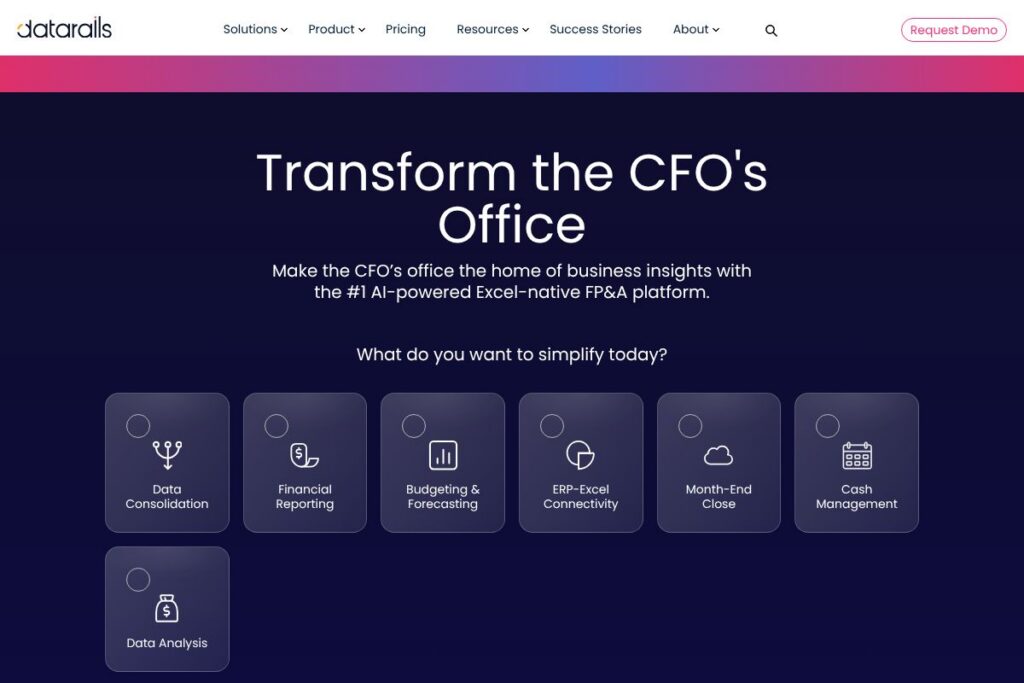
Datarails is an FP&A software solution built for finance professionals who work primarily in Excel. It provides a governed layer that connects and consolidates financial data from multiple sources into a single, Excel-native environment while preserving full spreadsheet functionality. The platform positions itself as a FinanceOS offering consolidation, reporting, budgeting, cash forecasting, and an AI assistant to reduce manual work and speed up analysis.
Compared with competitors, Datarails targets the Excel-first audience differently than Anaplan, which focuses on model-driven planning, or Adaptive Insights (Workday), which emphasizes integrated planning across finance and operations. Vena is the closest peer in terms of Excel-native workflows, but Datarails highlights its AI assistant and built-in month-end and cash management modules as differentiators. All of this makes Datarails especially suitable for finance teams that need enterprise-grade consolidation and reporting without abandoning Excel.
How Datarails Works
Datarails installs as a platform that keeps Excel front and center while moving data management, consolidation, and version control into a governed back end. Users continue to build and view models in Excel; Datarails captures inputs, enforces mapping rules, and consolidates numbers automatically so teams no longer rely on fragile spreadsheet links or manual copies.
Data flows into the platform from accounting systems, ERPs, CRMs, banks, and HRIS systems through native connectors and ETL processes, so workbooks are always backed by a single source of consolidated truth. Finance teams use the platform for recurring tasks like month-end close, preparing P&L and balance sheets, rolling forecasts, and scenario analysis while using the built-in collaboration and approval workflows to manage changes.
Datarails features
Datarails organizes capabilities around Excel-native planning, automated consolidation, reporting, cash visibility, and an embedded generative AI assistant. The platform exposes connectors to a broad range of systems, and product modules address FP&A, cash management, month-end close, and consolidated reporting. Below are the standout capabilities worth highlighting.
FinanceOS and Excel-native workflow
Datarails preserves full Excel functionality while adding a governed layer for data collection and consolidation. Finance users retain their existing models, formulas, and templates, while the platform removes manual consolidation steps and provides version control and audit trails.
Data consolidation
Automated consolidation centralizes accounts and entities, applies mapping rules, and handles intercompany eliminations. This reduces the manual reconciliation work that typically consumes much of financial close and reporting cycles.
Financial reporting and month-end close
The platform automates recurring reporting tasks such as preparing P&L, balance sheet, and cash flow statements and centralizes reconciliations and close checklists. Built-in workflows increase visibility across the close timeline and help coordinate multi-entity and intercompany requirements.
Budgeting and forecasting
Datarails supports driver-based budgeting, rolling forecasts, and scenario comparisons while collecting inputs from distributed owners. Excel-based templates and centralized data collection remove email-based spreadsheet consolidation and accelerate version control.
Cash management and forecasting
Cash Management provides real-time visibility into balances and categorizes transactions to simplify multi-bank and multi-entity liquidity tracking. The module includes built-in cash forecasting and Excel drill-downs for fast root-cause analysis.
Datarails AI
The embedded generative AI assistant helps automate repetitive tasks such as draft commentary, variance explanations, and forecast generation from historical trends. These AI features aim to reduce manual drafting and free finance teams to focus on higher-value analysis.
Integrations and ERP-Excel connectivity
Datarails connects to accounting systems, ERPs, CRMs, banks, and HRIS platforms via prebuilt connectors to automate data ingestion. The platform advertises connectivity to 200+ sources so finance teams can avoid manual exports and reconciliations; see the integration catalog for connector details.
Data visualization and collaboration
The tool includes dashboards and Excel-linked visualizations to help stakeholders spot trends, variances, and anomalies. Version control, access controls, and approval workflows provide the governance needed for distributed finance teams to collaborate safely.
With these features combined, Datarails focuses on letting finance teams keep Excel while removing consolidation and control overhead, and adding AI-assisted analysis and faster report generation.
Datarails pricing
Datarails uses a custom enterprise pricing model rather than publicly listed subscription tiers; pricing is typically tailored to company size, number of entities, integrations, and required modules. For specific plan options and commercial terms, review Datarails’ official site or contact sales through Datarails’ pricing information page on the vendor website at Datarails’ website.
What is Datarails Used For?
Datarails is used to centralize financial data, automate consolidation, speed up month-end close, and run budgeting and forecasting processes while keeping Excel as the user interface. It is frequently deployed by mid-market to enterprise finance teams that need multi-entity consolidation, intercompany eliminations, and stronger controls around spreadsheet-based workflows.
Finance teams also use Datarails for operational analysis that touches headcount, sales performance, and cost of goods sold, because the platform brings financial and operational data together and preserves the flexibility of spreadsheets for ad hoc analysis. Teams that require clearer cash visibility and bank connectivity use the Cash Management module to monitor liquidity across accounts and entities.
Pros and Cons of Datarails
Pros
- Excel-native architecture: Keeps existing Excel models intact while adding governance, enabling finance teams to adopt the platform without rebuilding templates or retraining heavily.
- Strong consolidation and close tooling: Automated consolidations, intercompany eliminations, and centralized close tasks reduce time spent on mechanical month-end work.
- Embedded AI for FP&A: The generative AI assistant speeds up commentary, variance explanations, and forecast drafting, reducing repetitive manual effort.
- Wide connector coverage: Integrates with 200+ accounting, ERP, CRM, bank, and HRIS systems which reduces manual data collection and reconciliation.
Cons
- Enterprise-focused pricing: Pricing is custom and oriented toward mid-market and larger organizations which can make initial procurement slower for smaller teams.
- Excel dependency may limit UI options: Teams that prefer a fully web-native modeling environment may find the Excel-first approach less suitable for building browser-only planning models.
- Customization requires governance: Powerful Excel flexibility still requires disciplined governance and controls to avoid model sprawl and inconsistent practices across users.
Does Datarails Offer a Free Trial?
Datarails offers a free demo and trial options for qualified teams. Prospective customers can request a product demo and discuss trial arrangements with sales; trials are typically arranged to showcase relevant modules such as FP&A, Cash Management, or Month-End Close and may include access to sample data and AI features.
Datarails API and Integrations
Datarails provides connectors and API-based integrations to pull data from ERPs, accounting systems, banks, CRMs, and HR systems into its FinanceOS layer. The integration catalog lists common connectors and integration patterns for automated data ingestion.
For teams building automated workflows, Datarails exposes integration endpoints and connector tooling to map source systems into consolidated models; contact Datarails or consult their integration pages for developer-level details and API documentation links.
10 Datarails alternatives
Paid alternatives to Datarails
- Vena: Excel-native FP&A platform with workflow and consolidation features targeted at finance teams that prefer spreadsheet-based planning.
- Adaptive Insights: Corporate performance management tool from Workday with integrated planning, reporting, and analytics for finance and operational planning.
- Anaplan: Scenario-based planning and connected modeling platform designed for larger-scale, enterprise planning use cases.
- Oracle NetSuite Planning and Budgeting: Cloud budgeting and forecasting tightly integrated with NetSuite ERP for organizations using Oracle products.
- Planful: Continuous planning platform focused on financial close, consolidation, and FP&A collaboration.
- Workiva: Reporting and compliance platform with structured finance and disclosure capabilities useful for complex reporting workflows.
- Prophix: Corporate performance management suite with budgeting, forecasting, and reporting capabilities for mid-market finance teams.
Open source alternatives to Datarails
- Metabase: Open source business intelligence and dashboarding tool for exploring data sets and building visual reports.
- Apache Superset: Open source data exploration and visualization platform suitable for teams that can build models and dashboards on their own infrastructure.
- ERPNext: Open source ERP with accounting and reporting modules that can be extended for basic budgeting and financial reporting.
Frequently asked questions about Datarails
What is Datarails used for?
Datarails is used for financial consolidation, reporting, budgeting, forecasting, and cash management while preserving Excel as the main interface. Finance teams rely on it to automate manual consolidation and speed up month-end and reporting cycles.
Does Datarails integrate with my ERP or accounting system?
Yes, Datarails integrates with a large set of ERPs, accounting systems, banks, CRMs, and HRIS platforms. See the integration catalog for a full list of supported connectors and integration options.
Can Datarails replace my spreadsheets entirely?
Datarails is designed to complement and enhance spreadsheets rather than replace them. It preserves Excel functionality and centralizes data, reducing risk while allowing teams to keep spreadsheet-based models.
How does Datarails handle month-end close?
Datarails centralizes reconciliations, tasks, and documentation to streamline month-end close. Built-in workflows and multi-entity support help teams coordinate close activities and reduce time spent on manual consolidation.
Is Datarails suitable for small finance teams?
Datarails is used by both small and large finance teams, though its pricing and implementation approach is enterprise-oriented. Smaller teams that rely heavily on Excel and need governance or automated consolidation can benefit, but should discuss scale and pricing with sales.
Final verdict: Datarails
Datarails is a strong choice for finance teams that want to keep Excel at the center of FP&A while removing manual consolidation, improving controls, and adding AI-assisted analysis. Its focus on preserving Excel models, combined with modules for cash management and month-end close, makes it practical for organizations that need immediate consolidation benefits without rebuilding their planning environment.
Compared with Vena, which also offers an Excel-first approach and typically uses custom enterprise pricing, Datarails emphasizes an integrated AI assistant and packaged modules for cash and close management. Both vendors use tailored pricing, so organizations should compare module scope and integration requirements when evaluating cost and fit; see Datarails’ product pages and request a demo to assess alignment with your workflows at Datarails’ website.