inFlow: An Overview
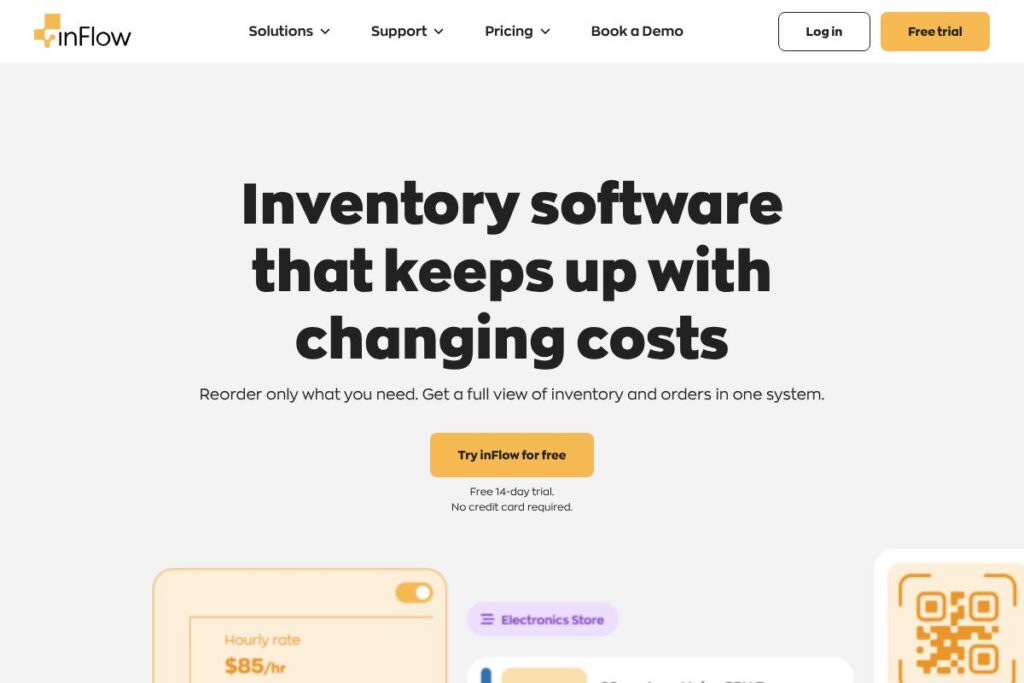
inFlow is inventory management software built to help small and mid-size businesses track stock, manage sales and purchase orders, and coordinate warehouse operations. It combines core inventory controls with order management, barcode support, and optional manufacturing/assembly tools so businesses can replace spreadsheets or clunky ERP workflows with a single system.
inFlow sits between simple spreadsheet workflows and large enterprise ERPs, offering features that are more focused on hands-on inventory operations than accounting-first tools such as QuickBooks Commerce, and more out-of-the-box barcode and hardware support than lightweight inventory apps like Zoho Inventory. Compared with manufacturing-oriented systems such as Fishbowl, inFlow emphasizes ease of use and rapid deployment for teams up to around 50 users while still supporting more advanced workflows via add-ons.
All of this makes inFlow a strong option for businesses that need clear inventory visibility, fast receiving and picking, and built-in support for scanners and label printers. It works well for retailers, wholesalers, and brands that need straightforward stock control without the overhead of a full ERP.
How inFlow Works
The platform organizes inventory around items, locations, and transactions. Users create products with SKUs and cost details, then record receipts, transfers, and sales so stock levels update in real time across locations. Barcode scanning and batch/lot tracking speed receiving and picking, and built-in reorder points help automate replenishment.
Orders are handled inside the same system, with separate workflows for sales orders, purchase orders, and returns. Shipping labels can be generated when paired with supported hardware, and assembled products or kits are managed through inFlow Manufacturing so components decrement automatically when assemblies are completed.
Implementation typically involves importing existing SKUs and opening balances, configuring locations and default vendors, connecting any storefronts or accounting integrations, and training staff on receiving, packing, and scanning workflows. inFlow provides templates and onboarding resources to reduce the time needed to go live.
What does inFlow do?
inFlow centers on inventory and order lifecycle management with supporting modules for manufacturing and hardware. Core capabilities include real-time stock updates, barcode-driven operations, purchase and sales order workflows, basic reporting, and optional hardware such as scanners and portable printers that integrate directly with the system.
Let’s dive into the standout features:
Real-time inventory tracking
Stock counts update instantly as sales, returns, receipts, and transfers are processed, allowing teams to see accurate on-hand quantities across locations. This reduces oversells and makes cycle counts and audits simpler to execute.
Order management
Create and manage sales orders, sales invoices, and purchase orders from a central interface so orders flow naturally from quotation to fulfillment. The system supports partial shipments and backorder handling to keep order status transparent.
Reorder points and cost tracking
Set reorder points and safety stock per item so the system flags items that need replenishment ahead of stockouts. Cost layers and purchase cost history help calculate margins and suggest economic reorder quantities.
Barcode and hardware support
inFlow supports barcode scanners and label printers for fast receiving, putaway, and picking operations, reducing manual entry and errors. The product line includes rugged scanners and portable printers designed for busy warehouse environments.
Assembly and kitting (inFlow Manufacturing)
For businesses that build products or sell kits, the Manufacturing module lets you define recipes and assemblies so component quantities decrement automatically when finished goods are produced. This simplifies production tracking for light-to-moderate assembly workflows.
Reporting and analytics
Standard reports cover stock levels, sales history, purchase trends, and margins, helping teams identify slow-moving items and optimize reorder decisions. Exportable reports allow deeper analysis in spreadsheets or BI tools.
Integrations and channel sync
Connect online stores, accounting systems, and shipping platforms to synchronize orders and inventory across channels. Native integrations and middleware options reduce duplicate entry and keep financials aligned.
With these features, the biggest benefit is practical day-to-day inventory control: accurate counts, faster warehouse operations, and fewer manual reconciliation steps, all managed from a single interface.
inFlow pricing
inFlow uses a subscription and add-on model designed to scale from single users to small teams with optional hardware and manufacturing modules. Pricing is typically tiered by features and user seats, with enterprise or custom deployments available for larger operations.
For the most up-to-date plan options and whether hosted or on-premises licensing is appropriate for your organization, review inFlow’s current pricing and plans. If you need custom deployment or volume licensing details, contact inFlow sales through their official site for a tailored quote.
What is inFlow Used For?
inFlow is commonly used to replace spreadsheets and manual processes for inventory and order tracking. Typical tasks include tracking on-hand quantities, processing purchase and sales orders, running cycle counts, and managing multi-location stock movements.
The software is also used for light manufacturing and kit assembly, barcode-driven warehouse operations, and integrating inventory across online sales channels and accounting platforms. Small wholesalers, retailers, repair shops, and product manufacturers find inFlow useful when they need more control than a basic inventory list but less complexity than a full ERP.
Pros and Cons of inFlow
Pros
- User-friendly interface: inFlow presents inventory and order screens clearly so new users can perform daily tasks quickly, reducing training overhead.
- Hardware support: Strong compatibility with barcode scanners and portable label printers speeds warehouse workflows and reduces scanning errors.
- Manufacturing add-on: The inFlow Manufacturing module lets businesses manage assemblies and kits without a separate production system, keeping components and finished goods in sync.
- Compliance and security: inFlow includes standards such as GDPR and SOC 2 compliance to support data protection and enterprise requirements.
Cons
- Advanced reporting limitations: Some users need more sophisticated BI and may export data to external analytics tools for deeper insights.
- Scaling to large enterprises: Very large operations with complex manufacturing or multi-entity accounting may find enterprise ERPs offer tighter integration across finance and supply chain.
- Customization constraints: Highly specialized workflows can require custom integrations or third-party middleware to match unique processes.
Does inFlow Offer a Free Trial?
inFlow offers a free trial for new users. The trial provides access to core inventory and order management features so teams can test receiving, picking, barcode scanning, and basic reporting. To sign up or start a trial, visit inFlow’s trial signup and onboarding options.
inFlow API and Integrations
inFlow provides API access for developers to automate inventory updates, push or pull order data, and build custom integrations; the inFlow API documentation outlines available endpoints and authentication methods. In addition to an API, inFlow offers prebuilt integrations with common accounting and e-commerce platforms to reduce manual syncing between systems.
Key integrations typically include storefront platforms, accounting packages, and middleware like Zapier for event-driven automation. For hardware, view the inFlow hardware options to learn about supported scanners and printers.
10 inFlow alternatives
Paid alternatives to inFlow
- QuickBooks Commerce: Inventory and order management tightly integrated with QuickBooks accounting, suitable for businesses already using QuickBooks for finance.
- Zoho Inventory: Cloud-first inventory with multi-channel selling features and affordable entry plans for small sellers.
- Cin7: Inventory and POS with built-in integrations for retail and wholesale operations, aimed at growing mid-market businesses.
- DEAR Systems: Comprehensive inventory and manufacturing features with strong integrations for e-commerce and accounting systems.
- Fishbowl: Robust warehouse management and manufacturing capabilities for businesses that need deeper shop-floor controls.
Open source alternatives to inFlow
- ERPNext: Open source ERP with inventory, manufacturing, and accounting modules suitable for organizations that can self-host and customize.
- Odoo: Modular open source platform offering inventory and manufacturing apps that can be extended with a broad ecosystem of modules.
- OpenBoxes: Logistics-focused inventory system designed for health supply chains and non-profits, available as an open source solution.
Frequently asked questions about inFlow
What is inFlow best used for?
inFlow is best used for inventory and order management for small to mid-size businesses. It centralizes stock control, order processing, and warehouse workflows with barcode and hardware support.
Does inFlow integrate with accounting software?
Yes, inFlow integrates with common accounting platforms. Prebuilt connectors and API endpoints let you sync sales and purchase data into accounting systems to reduce reconciliation work.
Can inFlow handle multi-location inventory?
Yes, inFlow supports multiple locations and stock transfers. You can track on-hand quantities per location, perform transfers, and run location-specific reports.
Is inFlow suitable for manufacturing or kitting?
Yes, inFlow offers a Manufacturing module for assemblies and kits. It manages component consumption and finished-goods creation for light to moderate production workflows.
Does inFlow offer support for barcode scanners and label printers?
Yes, inFlow supports barcode scanning and label printing. The platform works with recommended scanners and portable printers to speed receiving, picking, and shipping tasks.
Final Verdict: inFlow
inFlow delivers practical inventory and order management with a focus on ease of use and hardware compatibility. It excels at day-to-day warehouse operations, barcode workflows, and providing a single place to manage stock movements and orders without the complexity of a full ERP.
Compared to Zoho Inventory, which targets a lower-cost entry with strong e-commerce integrations, inFlow emphasizes out-of-the-box barcode hardware support and an optional manufacturing module that make it better suited to teams that need fast warehouse operations and light assembly features. For businesses deciding between the two, consider whether hardware integration and simple manufacturing tools are priorities versus lower entry cost and broader app-suite integration.
In short, inFlow is a solid choice for retailers, wholesalers, and small manufacturers that want clear inventory visibility, reliable barcode workflows, and a system that scales from a sole proprietor to mid-size teams without adding ERP complexity.