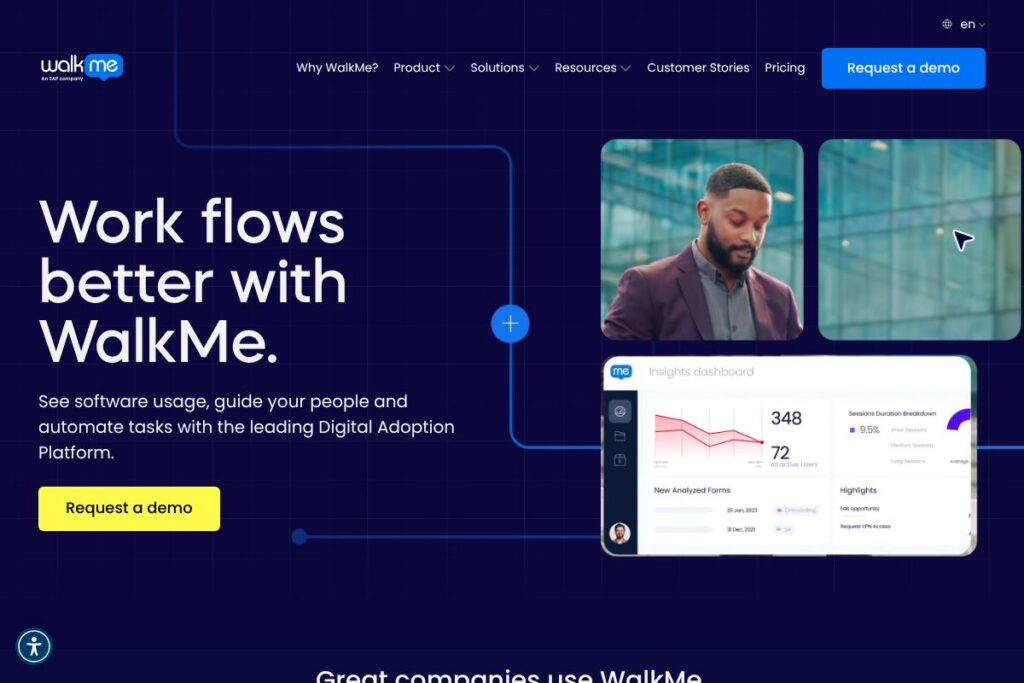

WalkMe: An Overview
WalkMe is a digital adoption platform that overlays on your existing applications to identify friction points, deliver contextual guidance, and automate repetitive tasks so people complete workflows with fewer errors and less support. It combines behavioral analytics, step-by-step walkthroughs, in-app self-service, and automation to improve software adoption and process compliance across large organizations.
WalkMe competes with other DAP and in-app guidance platforms such as Whatfix, Pendo, and Appcues, but it places heavier emphasis on enterprise-scale automation, change management, and cross-application visibility. Compared with Pendo, which is strong on product analytics and product-led growth, WalkMe focuses on guided workflows and operational adoption across business systems. Compared with Whatfix, WalkMe provides similar capability sets but is often selected for larger, complex environments that need broad integrations and governance.
All of this makes WalkMe well suited to enterprise teams that need to manage large-scale change, reduce support costs, and ensure consistent execution of business processes. It is particularly useful for organizations that run multiple mission-critical applications and need a single layer for guidance, analytics, and limited process automation.
How WalkMe Works
WalkMe installs as an overlay on top of web applications, desktop clients, and supported mobile environments so guidance appears directly where users work. The platform captures user interactions, maps common workflows, and surfaces points where users hesitate or abandon tasks, allowing admins to target those exact moments with contextual help or automated actions.
Administrators build guidance using a visual editor and predefined elements such as walk-throughs, tooltips, launchers, and smart tips; those elements can be personalized based on user role, location, or behavior. For implementation, teams typically start with a discovery phase that identifies high-volume or high-friction journeys, deploy targeted guidance, then iterate using WalkMe’s analytics to measure adoption and error reduction.
WalkMe features
WalkMe groups core capabilities around guidance, analytics, automation, and lifecycle management, and the platform continues to extend integrations and governance features to support enterprise deployments. Key functionality includes targeted in-app guidance, usage analytics, process automation, multi-platform support, and tools for onboarding and change management.
The platform includes several powerful capabilities:
Behavioral Analytics
WalkMe captures and visualizes user journeys to show how people navigate applications, where they drop off, and which features are underused. This helps teams prioritize guidance and measure the impact of interventions, and it supports ROI calculations for adoption programs.
In-app Guidance and Walkthroughs
Walk-throughs, tooltips, and focused pop-ups deliver step-by-step instructions at the point of need, reducing the need for external training or support tickets. These elements can be targeted by user segment so new hires and experienced users see appropriate content.
Contextual Self-Service
Searchable, in-app help and contextual FAQs let users solve common issues without leaving their workflow, which reduces support volume and speeds task completion. Self-service content is delivered in-context and can be updated centrally so guidance remains current with process changes.
Automation and Smart Actions
WalkMe can automate routine UI interactions and trigger backend actions to complete repetitive steps on a user’s behalf, which reduces manual work and enforces compliance. Automation is useful for onboarding processes, form filling, and multi-step approvals where consistency matters.
Software Usage Visibility
The platform inventories and tracks usage across applications so IT and business leaders can see which tools are used as intended and which need adoption programs. This visibility supports license optimization and identifies opportunities to consolidate or retrain on tools.
Onboarding, Training, and Change Management
WalkMe provides templates and modular content for role-based onboarding and for staged rollouts of new software or processes. Administrators can schedule and measure adoption campaigns, and the platform supports staged publishing to limit exposure while testing changes.
Multi-platform Support
WalkMe works across modern web applications, certain desktop environments, and supported mobile apps so guidance can reach users regardless of device. This cross-platform reach ensures consistent user experiences for distributed or remote teams.
With these capabilities WalkMe helps organizations reduce support tickets, speed time to competence for new employees, and increase self-service completion rates across business-critical processes.
WalkMe pricing
WalkMe uses a custom enterprise pricing model tailored to organization size, required modules, and deployment scope; pricing is not published as fixed self-service plans. For accurate quotes and to evaluate which modules are required for your use cases, contact sales or request a demonstration through the WalkMe website, and use the available value calculator to estimate potential ROI.
What is WalkMe Used For?
WalkMe is commonly used to accelerate onboarding and training by delivering step-by-step guidance inside the applications employees already use, which shortens ramp time for new hires and reduces classroom training needs. Teams in HR and sales often deploy WalkMe for new-hire workflows, learning checklists, and to ensure completion of mandatory steps in HRIS or CRM systems.
IT and service teams use WalkMe to reduce support volume by providing in-app self-service and to manage software rollouts with targeted, role-based guidance. Customer care and support organizations deploy WalkMe to help agents follow standardized troubleshooting procedures and to reduce mean time to resolution.
Pros and Cons of WalkMe
Pros
- In-app guidance and automation: WalkMe combines contextual walkthroughs with automation so users are guided and repetitive steps can be completed automatically, which speeds workflows and reduces errors.
- Enterprise-grade analytics: The behavioral analytics provide visibility into software usage across departments, enabling data-driven adoption programs and license optimization.
- Change management tooling: The platform includes staging, segmentation, and governance features that help organizations manage phased rollouts and measure adoption impact.
- Cross-application coverage: WalkMe overlays web, supported desktop, and mobile environments so guidance can be centralized and consistent across platforms.
Cons
- Enterprise deployment complexity: Large-scale implementations require planning, governance, and often professional services, which can extend time to value for teams without dedicated resources.
- Cost for smaller teams: WalkMe’s enterprise focus means smaller organizations may find the platform more expensive compared with lightweight or developer-centric alternatives.
- Customization and maintenance: Highly customized guidance and automation needs ongoing maintenance as underlying applications change, which creates an operational overhead for admins.
Does WalkMe Offer a Free Trial?
WalkMe offers a paid enterprise product with demo and evaluation options. Prospective customers can request a demo or pilot through the WalkMe website to evaluate capabilities in their environment; pilots typically let teams test guidance and analytics on real workflows before committing to a wider deployment.
WalkMe API and Integrations
WalkMe provides developer-focused APIs and integration options so teams can connect guidance to user attributes, CRM records, and workflow systems; the WalkMe developer documentation explains available endpoints and integration patterns. For connectors and common integrations, WalkMe supports major platforms such as Salesforce, ServiceNow, Microsoft 365, Workday, and other enterprise systems, enabling targeted guidance based on application context.
10 WalkMe alternatives
Paid alternatives to WalkMe
- Whatfix — A digital adoption platform focused on in-app guidance and analytics with tools for onboarding and self-service that are attractive to both mid-market and enterprise buyers.
- Pendo — Primarily a product analytics and in-app messaging platform that also offers guidance and resource centers to help product and growth teams track feature adoption.
- Appcues — A lighter-weight in-app experience platform aimed at product teams that need onboarding flows, tooltips, and user segmentation without heavy engineering.
- Apty — A DAP with emphasis on compliance and process enforcement, useful for regulated industries and complex enterprise processes.
- Userlane — In-app guidance and process automation designed to reduce training time and support volume for operational software.
- Chameleon — Product-led growth tool focused on onboarding and tooltips for web apps, suited for SaaS product teams.
- Intercom — While primarily a customer messaging platform, Intercom’s in-app messages and help center features are sometimes used for guidance and self-service in customer-facing workflows.
Open source alternatives to WalkMe
- Intro.js — A JavaScript library for building step-by-step introductions and tooltips inside web applications, suitable for engineering teams that want a DIY approach.
- Shepherd.js — A flexible open source library for guided tours that integrates with many front-end frameworks and gives developers control over experience design.
- Hopscotch — A lightweight JS library for creating product tours and simple in-app guidance, useful for teams building custom solutions.
Frequently asked questions about WalkMe
What is WalkMe used for?
WalkMe is used to deliver in-app guidance, measure software usage, and automate repetitive tasks to improve adoption and reduce support. Organizations deploy it for onboarding, change management, and self-service support across business applications.
Does WalkMe integrate with Salesforce and ServiceNow?
Yes, WalkMe integrates with major enterprise platforms including Salesforce and ServiceNow. Integrations allow guidance to be contextualized by CRM or service ticket data and enable targeted workflows.
Can WalkMe automate routine UI tasks for users?
Yes, WalkMe supports automation of repetitive UI interactions and smart actions to complete common steps. Automation helps enforce compliance and reduces manual work for high-volume processes.
Is WalkMe suitable for small teams or startups?
WalkMe is primarily positioned for enterprise customers but can be evaluated via pilots or demos for smaller teams. Smaller organizations should compare lightweight alternatives or open source libraries if they need a lower-cost, developer-led solution.
How does WalkMe measure ROI?
WalkMe measures ROI through behavioral analytics, reduction in support tickets, time saved on workflows, and improved task completion rates. The platform’s reporting and the available value calculator help quantify adoption gains and potential cost savings.
Final Verdict: WalkMe
WalkMe excels at delivering enterprise-scale digital adoption capabilities that combine in-app guidance, behavioral analytics, and selective automation to reduce friction in critical workflows. Its strengths are most visible in complex environments where multiple applications, large user populations, and regulatory or process compliance requirements demand centralized guidance and governance.
Compared with Pendo, which often appeals to product teams with strong analytics and clearer mid-market packaging, WalkMe is aimed at enterprise adoption and operations with a heavier focus on automation and change management. Pricing for WalkMe is offered via custom enterprise contracts, so teams should request a demo and a tailored quote to compare total cost against alternatives.
For organizations focused on reducing support load, improving compliance, and ensuring consistent execution of business processes across many applications, WalkMe is a robust choice. To explore deployments, demos, and resources, visit the WalkMe website or join the WalkMe Community to see how other teams approach digital adoption.