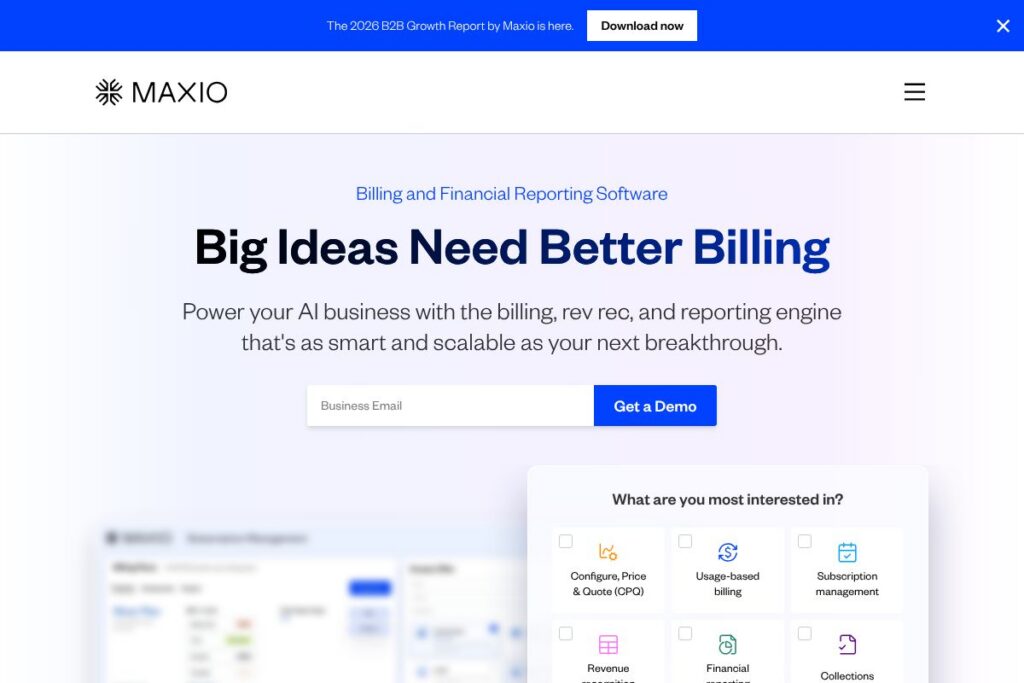

What is Maxio
Maxio is a billing and financial operations platform built for B2B SaaS companies. It consolidates subscription and contract billing, revenue recognition, accounts receivable tracking, and financial reporting into a single system so finance teams can run quote-to-cash workflows and close revenue faster.
Compared with Zuora, Maxio focuses on streamlining subscription operations and AR reporting for scaling SaaS businesses with tight integrations to common finance and CRM systems. Compared with Chargebee and Recurly, Maxio emphasizes enterprise-grade revenue recognition and multi-entity accounting while also supporting product-led growth and self-service models.
Maxio does well at bringing billing, rev rec, and cash collection into one workflow, making it suitable for growth-stage SaaS companies and finance teams that need GAAP and IFRS-compliant revenue reporting. For teams that need a single system to replace spreadsheets, disparate ledgers, and point solutions for billing and AR, Maxio provides the most complete set of capabilities in one platform.
How Maxio Works
Maxio ingests product catalog and pricing definitions from your team or CRM, then maps those offerings to subscription and contract records. When customers subscribe or renew, the platform generates invoices, posts transactions, and applies configurable recognition rules to maintain GAAP and IFRS compliance.
Payments and cash collection are handled through integrated gateways and automated dunning cadences, while AR aging and days-sales-outstanding tracking are updated in real time. Finance teams use built-in reporting and dashboards to reconcile bookings to recognized revenue, export journals into ERPs, or sync transaction data with tools like NetSuite or QuickBooks.
Operational workflows typically follow a quote-to-cash pattern: create an offer or quote, convert to subscription, invoice and bill, collect cash, then run automated revenue recognition and financial reports for closing and forecasting.
Maxio features
Maxio groups core financial operations so teams can reduce manual reconciliation, automate revenue accounting, and surface subscription metrics. Core capabilities cover CPQ-style offers, flexible billing, automated rev rec, AR reporting, multi-entity setups, and a broad set of integrations.
Offers
Create configurable offers that include add-ons, tiers, bundle pricing, and usage-based components. Offers can be used by sales as part of a CPQ workflow or published to self-service checkouts to support both SLG and PLG motions.
Billing
Automate recurring, usage-based, and event-driven invoicing with options for full charges, proration, or deferred billing. Billing schedules and renewal timing are configurable to match contract terms and enterprise billing models.
Revenue recognition
Apply GAAP and IFRS-compliant recognition rules to transform billing events into recognized revenue automatically. Journal entries can be exported for downstream accounting systems to support month-end close and audit trails.
Cash collection and dunning
Automate payment reminders, dunning sequences, and payment retries while tracking expected collections and overdue balances. Built-in AR reporting surfaces DSO, bad debt exposure, and collection workflows to reduce delinquency.
Multi-entity support
Support multiple legal entities with separate sites, product catalogs, and payment gateways within a single account. This enables consolidated reporting while keeping entity-level controls and compliance intact.
Self-service portals
Provide customers with a portal for signups, trials, subscription management, invoice viewing, and payment updates. Self-service reduces support load and supports hybrid growth strategies combining PLG and sales-led engagement.
PLG and SLG support
Handle both enterprise contractual deals and self-serve subscriptions within the same system, simplifying hybrid go-to-market operations. Teams can manage large, negotiated contracts alongside high-volume, automated signups.
Integrations and API
Connect billing and finance workflows to CRM, ERP, payments, and reporting tools through built-in integrations and a developer API. Integrations help keep customer, billing, and revenue data synchronized across systems.
Maxio’s biggest advantage is consolidating billing, revenue recognition, and AR into a single system so finance teams can accelerate close cycles and produce reliable SaaS metrics without stitching together multiple point products.
Maxio pricing
Maxio uses a customized enterprise pricing model tailored to company size, number of entities, transaction volume, and required integrations. Pricing is not published as fixed plans, and packages are typically structured around seat count, feature scope, and implementation needs.
For details on licensing, implementation, and any available packages, review the Maxio homepage and contact sales through their listed channels to request a tailored quote or demo. View current pricing options and request a conversation about deployment and costs.
What is Maxio Used For?
Maxio is used to manage subscription lifecycle and financial operations for B2B SaaS companies, from quoting and billing to revenue recognition and AR reporting. It centralizes transactional data so finance teams can reconcile bookings to recognized revenue and produce audit-ready financial statements.
Teams use Maxio for tasks such as automating recurring invoicing, handling usage-based billing, managing multi-entity consolidation, and reducing manual effort during month-end close. It is particularly useful for finance teams at growth-stage SaaS businesses that need compliance-ready revenue accounting alongside operational billing capabilities.
Pros and cons of Maxio
Pros
- Integrated billing and revenue recognition: Combining invoicing, rev rec, and AR reporting reduces reconciliation work and shortens close cycles for finance teams.
- Flexible billing models: Supports recurring, usage, event-based, and proration scenarios, which helps teams with complex or hybrid monetization strategies.
- Multi-entity and ERP-ready exports: Enables legal-entity separation and streamlined journal export to systems like NetSuite or QuickBooks for accounting continuity.
- Extensive integrations: Pre-built connectors to CRM, payment gateways, and accounting platforms minimize integration work and keep data synchronized.
Cons
- Enterprise-focused pricing model: Custom pricing means smaller teams may need to engage sales to determine costs before trialing the platform.
- Implementation overhead for complex setups: Multi-entity, advanced rev rec rules, and large-scale migrations can require professional services or implementation time.
- Learning curve for advanced revenue features: Teams new to automated revenue recognition may need accounting guidance to align rules with GAAP or IFRS policies.
Does Maxio Offer a Free Trial?
Maxio offers demo-based evaluations and custom trial arrangements rather than a public free tier. Prospective customers can request a tailored demo or pilot through the Maxio homepage to validate workflows, integrations, and reporting before committing to an enterprise agreement.
Maxio API and Integrations
Maxio provides an API for developers to automate billing, subscription management, and data exports; the API documentation and developer resources are available through Maxio’s developer resources and support channels. See the Maxio integrations page for details on connectors and API access.
Key out-of-the-box integrations include HubSpot, Salesforce, NetSuite, QuickBooks, Xero, and Stripe, with additional connectivity possible through Zapier and custom API integrations to fit existing finance stacks.
10 Maxio alternatives
Paid alternatives to Maxio
- Zuora — Subscription billing and revenue management platform designed for enterprise subscription businesses, with deep pricing configurability and advanced revenue recognition.
- Chargebee — Subscription billing and revenue operations platform that focuses on flexible billing models, subscription analytics, and developer-friendly APIs.
- Recurly — Subscription management and billing automation with strong dunning, revenue reporting, and payments orchestration for SaaS companies.
- Stripe Billing — Billing and invoicing built on Stripe’s payments platform, suitable for teams that want tight payment processing integration and simplified recurring billing.
- SaaSOptics — Revenue recognition and subscription management tailored to B2B SaaS finance teams, with focus on reporting and financial operations.
- Oracle NetSuite Billing — Enterprise resource planning and billing in a combined suite for companies that prefer an all-in-one ERP with native billing and accounting.
Open source alternatives to Maxio
- Kill Bill — An open source billing and payment orchestration platform that provides core subscription billing capabilities and plugin architecture for gateways and invoicing.
- Apache OFBiz — A modular open source ERP framework that includes invoicing and billing components adaptable to subscription models with customization.
- ERPNext — Open source ERP with accounting and billing modules that can be extended for subscription billing workflows and multi-entity setups.
Frequently asked questions about Maxio
What does Maxio do for SaaS companies?
Maxio centralizes subscription billing, revenue recognition, and AR reporting for SaaS businesses. It automates invoicing and revenue accounting to provide reliable financial metrics and accelerate month-end close.
How does Maxio handle revenue recognition?
Maxio applies configurable GAAP and IFRS-compliant recognition rules to billing events. Recognized revenue is output as journals that can be exported to ERPs or used for audit-ready financial reporting.
Does Maxio integrate with Stripe and common accounting systems?
Yes, Maxio integrates with payment processors like Stripe and accounting systems such as NetSuite, QuickBooks, and Xero. It also offers CRM connectors for Salesforce and HubSpot and extended connectivity through Zapier.
How is Maxio priced for businesses?
Maxio uses a customized enterprise pricing model based on factors like entities, transaction volume, and feature scope. Organizations should contact sales through the Maxio homepage to receive a tailored quote.
Can Maxio support multiple legal entities and currencies?
Yes, Maxio supports multi-entity setups and configurable payment gateways per entity. This lets finance teams maintain separate catalogs, billing rules, and reconciliations while consolidating reporting.
Final verdict: Maxio
Maxio consolidates billing, revenue recognition, and AR workflows into a single platform, which reduces manual reconciliation and gives finance teams consistent, audit-ready reporting. Its strengths are automated rev rec, multi-entity support, and a broad integration set that connects CRM, payments, and ERP systems to keep financial data synchronized.
Against a competitor like Zuora, Maxio is positioned to serve growth-stage SaaS companies that want a tighter operational focus on AR reporting and integration-driven workflows, while Zuora targets large enterprises with deeply configurable billing architectures. Pricing for Maxio is customized and typically reflects enterprise implementation and support needs, so teams should evaluate both platforms based on feature fit, integration breadth, and total cost of ownership.
If your primary objective is to replace spreadsheets and multiple point tools with a single system that delivers invoicing, rev rec, and AR reporting, Maxio is a compelling option to evaluate through a tailored demo or pilot. For more information and to start a trial conversation, visit the Maxio homepage.